

Hacker
Professional
- Messages
- 1,041
- Reaction score
- 852
- Points
- 113
Information about the domain owner is confidential and is provided by the registrar only at the request of the authorities. But there are several possible ways to pry it out.
1. View the whois history

You should start by checking the site for who.is. The screenshot shows an example when using this service, not only the email address became known, but also the mobile phone number and address of the owner (this happens if you are very lucky). In most cases, only a link is displayed where you can send a message to the domain owner through the registrar. And with its help, there is a chance to learn a lot of interesting things.
2. We are trying to contact them in an official way
By sending a message through the registrar, you can find out the current email address of a person, their last name, contact phone number and IP address, which will help to fully identify their identity.
The result depends on luck. It is not known whether the person checks the email address that they specified when registering the domain and how reliable the data provided to them is. Your social engineering skills are also important. You can offer investments, introduce yourself as an assistant to Yuri Milner: -), convince him that you should definitely call by phone or Skype, ask about the possibility of a personal meeting. The main thing is to convince a person that fate has given him a real chance to earn money and ask for maximum data that can be used in further exploration.
It is advisable to add a phrase: "Please let me know that you are not interested in the offer." This increases the chance that a person will write a couple of lines out of politeness, highlighting their email, name, and IP address.
You should also write to all previous owners of the domain, asking them to give the contacts of the people to whom they transferred it. If you are lucky, the answer will be: "I sold Vasya N, his phone number is +791612345...". But unfortunately, people are often secretive. But they are also often polite and unsubscribe: "I'm sorry, but I can't share this information." And this is already in our favor.
Knowing the email address of the former owner (and his nickname), you can find his ad for the sale of the site/domain on a specialized forum and a list of users who responded to it. From them, you can create a circle of possible current domain owners.
3. We are looking for sites registered in the owner's name
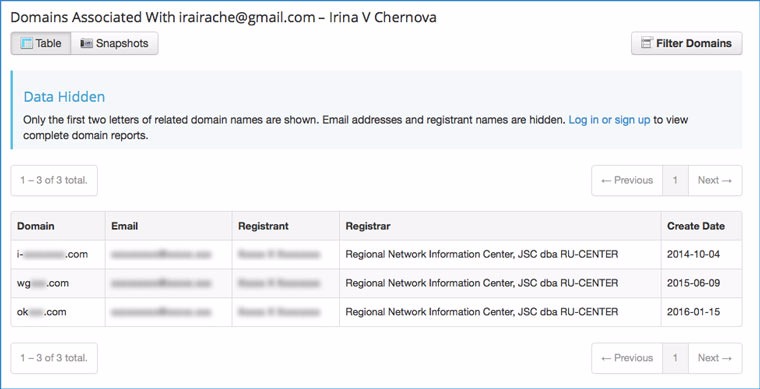
If you know a person's email address, you can find out which domains are registered to them. You can do this at domainiq.com. It is possible that one of these sites will be a personal blog, which can be used to identify a person.
4. Contact the hoster
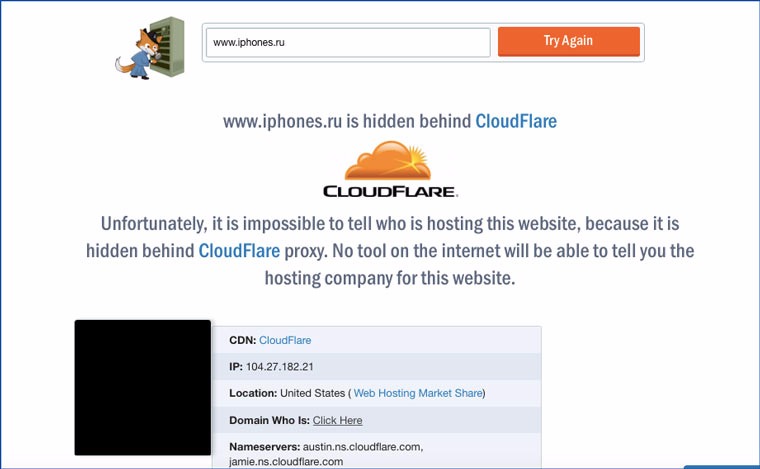
На hostadvice.com you can find out the site's hosting provider. If you can justify in writing the need to provide you with information about the owner, then there is a chance that the hoster will share it with you. Or they will be very persistent (a week of persistent emails should be enough).
5. View information about file creators
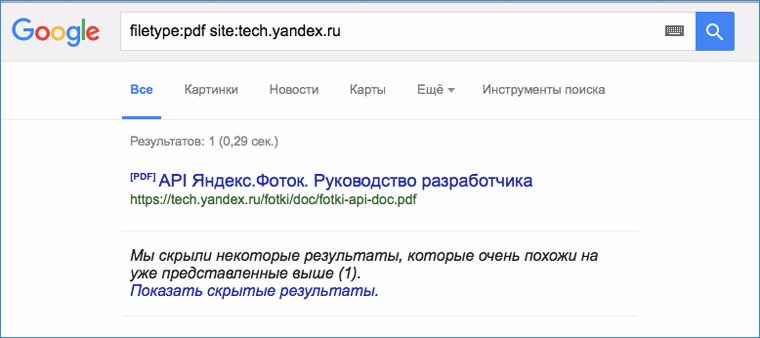
Google can search not only by html pages, but also by different file types. Here is an example of a request to search for PDFs on a specific site: filetype: pdf site: tech.yandex.ru
You need to download the files found on the site to your computer and view their author, creator, etc. in the properties. Very many people indicate their real first and last name in the information about the computer, and when uploading files from their machine on the Internet, they forget to erase this information.
Google can search for files with the following extensions:
6. Looking for "useful" files in robots.txt
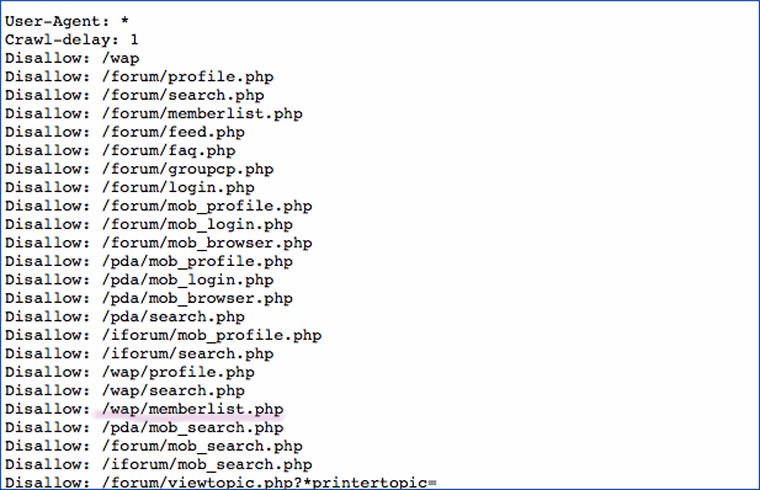
In this file, the owners specify the files and folders that they block from indexing by search engines. Sometimes old pages with personal data or photos may be listed there. My experience shows that there is a certain category of people who use their servers as cloud storage and put everything there. Typically, the file robots.txt it is located in the root directory of the site.
7. Looking for "useful" pages in sitemap.xml
In the site map file: sitemap.xml, which is often located in the same folder as robots.txt you can also find pages that may contain useful information. For example, a contact page whose link was removed from the main page.
8. Looking for email addresses associated with the domain
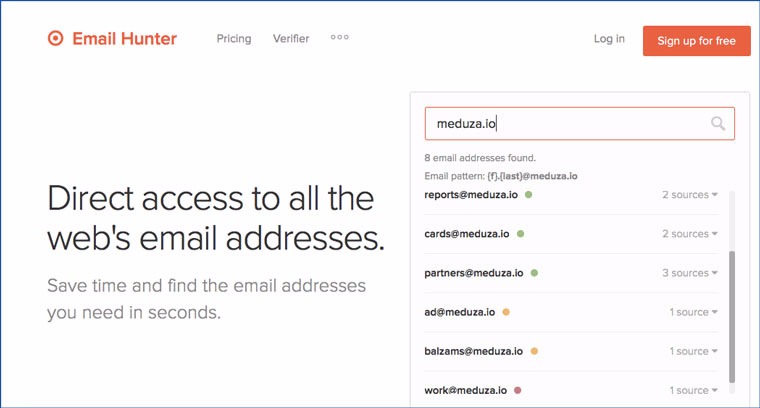
Enter the site address at emailhunter.co and we get a list of addresses associated with it.
9. Looking for sites that link to a domain
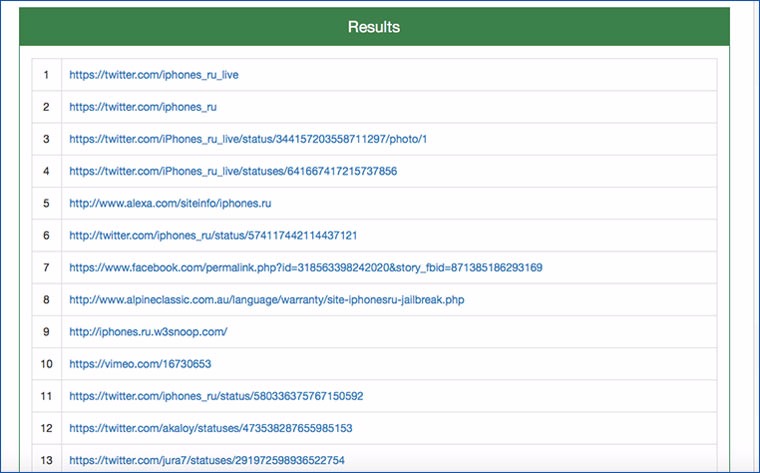
Enter the site in the Backlink Checker search form and get 50 links to the pages that link to it. There is a chance to find among them profiles in social networks, as well as other projects of the resource owner.
10. Checking the exif data of photos
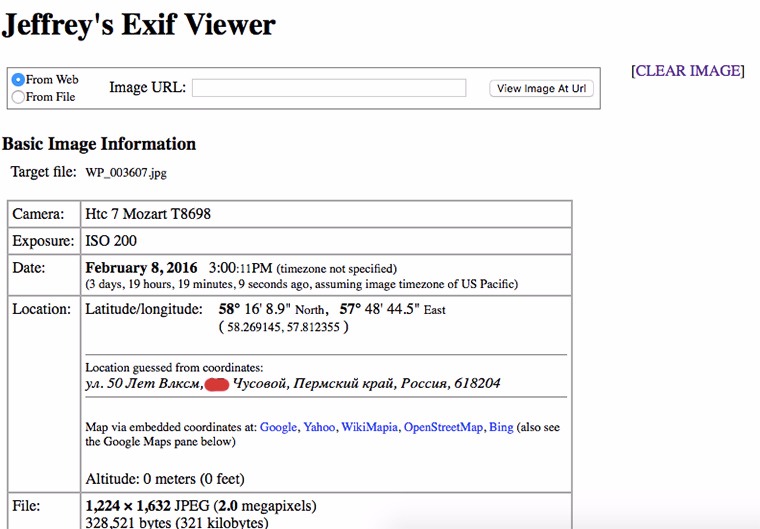
Sometimes people upload photos to their sites without first optimizing them for the web. You can try viewing a couple of images using Jeffry’s Exif Viewer. This way you can find out the owner's address and mobile phone model.
11. Identifying the owner by face
If the site is small, you can use Google image search and the site operator: view all the images that are on it. It is not excluded that among them there may be a photo of him (some kind admin.jpg five years ago). You can identify a person from a photo by usingfindface.ru.
12. Read comments in the source code
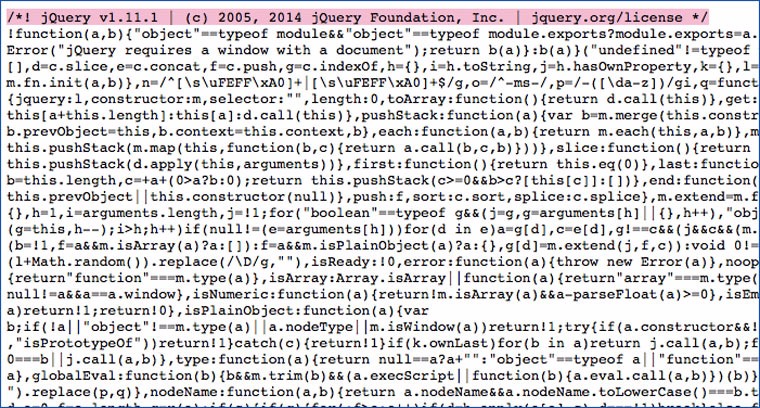
Go to the site, press Shift + Command + U (or select from the menu itemShow the program code of the page). First, we review the HTML code for fawn-colored comments with names and nicknames. For example: "BigFatNagibator, check out this place please!". Along the way, we are looking for js scripts that were written by the site owner specifically for this resource. It is possible that they may contain a solemn inscription " Created by Sasha Petrov. Irkutsk" and a link to his Github profile.
1. View the whois history
You should start by checking the site for who.is. The screenshot shows an example when using this service, not only the email address became known, but also the mobile phone number and address of the owner (this happens if you are very lucky). In most cases, only a link is displayed where you can send a message to the domain owner through the registrar. And with its help, there is a chance to learn a lot of interesting things.
2. We are trying to contact them in an official way
By sending a message through the registrar, you can find out the current email address of a person, their last name, contact phone number and IP address, which will help to fully identify their identity.
The result depends on luck. It is not known whether the person checks the email address that they specified when registering the domain and how reliable the data provided to them is. Your social engineering skills are also important. You can offer investments, introduce yourself as an assistant to Yuri Milner: -), convince him that you should definitely call by phone or Skype, ask about the possibility of a personal meeting. The main thing is to convince a person that fate has given him a real chance to earn money and ask for maximum data that can be used in further exploration.
It is advisable to add a phrase: "Please let me know that you are not interested in the offer." This increases the chance that a person will write a couple of lines out of politeness, highlighting their email, name, and IP address.
You should also write to all previous owners of the domain, asking them to give the contacts of the people to whom they transferred it. If you are lucky, the answer will be: "I sold Vasya N, his phone number is +791612345...". But unfortunately, people are often secretive. But they are also often polite and unsubscribe: "I'm sorry, but I can't share this information." And this is already in our favor.
Knowing the email address of the former owner (and his nickname), you can find his ad for the sale of the site/domain on a specialized forum and a list of users who responded to it. From them, you can create a circle of possible current domain owners.
3. We are looking for sites registered in the owner's name
If you know a person's email address, you can find out which domains are registered to them. You can do this at domainiq.com. It is possible that one of these sites will be a personal blog, which can be used to identify a person.
4. Contact the hoster
На hostadvice.com you can find out the site's hosting provider. If you can justify in writing the need to provide you with information about the owner, then there is a chance that the hoster will share it with you. Or they will be very persistent (a week of persistent emails should be enough).
5. View information about file creators
Google can search not only by html pages, but also by different file types. Here is an example of a request to search for PDFs on a specific site: filetype: pdf site: tech.yandex.ru
You need to download the files found on the site to your computer and view their author, creator, etc. in the properties. Very many people indicate their real first and last name in the information about the computer, and when uploading files from their machine on the Internet, they forget to erase this information.
Google can search for files with the following extensions:
- doc;
- ppt;
- xls;
- pdf;
- rtf;
- swf.
6. Looking for "useful" files in robots.txt
In this file, the owners specify the files and folders that they block from indexing by search engines. Sometimes old pages with personal data or photos may be listed there. My experience shows that there is a certain category of people who use their servers as cloud storage and put everything there. Typically, the file robots.txt it is located in the root directory of the site.
7. Looking for "useful" pages in sitemap.xml
In the site map file: sitemap.xml, which is often located in the same folder as robots.txt you can also find pages that may contain useful information. For example, a contact page whose link was removed from the main page.
8. Looking for email addresses associated with the domain
Enter the site address at emailhunter.co and we get a list of addresses associated with it.
9. Looking for sites that link to a domain
Enter the site in the Backlink Checker search form and get 50 links to the pages that link to it. There is a chance to find among them profiles in social networks, as well as other projects of the resource owner.
10. Checking the exif data of photos
Sometimes people upload photos to their sites without first optimizing them for the web. You can try viewing a couple of images using Jeffry’s Exif Viewer. This way you can find out the owner's address and mobile phone model.
11. Identifying the owner by face
If the site is small, you can use Google image search and the site operator: view all the images that are on it. It is not excluded that among them there may be a photo of him (some kind admin.jpg five years ago). You can identify a person from a photo by usingfindface.ru.
12. Read comments in the source code
Go to the site, press Shift + Command + U (or select from the menu itemShow the program code of the page). First, we review the HTML code for fawn-colored comments with names and nicknames. For example: "BigFatNagibator, check out this place please!". Along the way, we are looking for js scripts that were written by the site owner specifically for this resource. It is possible that they may contain a solemn inscription " Created by Sasha Petrov. Irkutsk" and a link to his Github profile.


