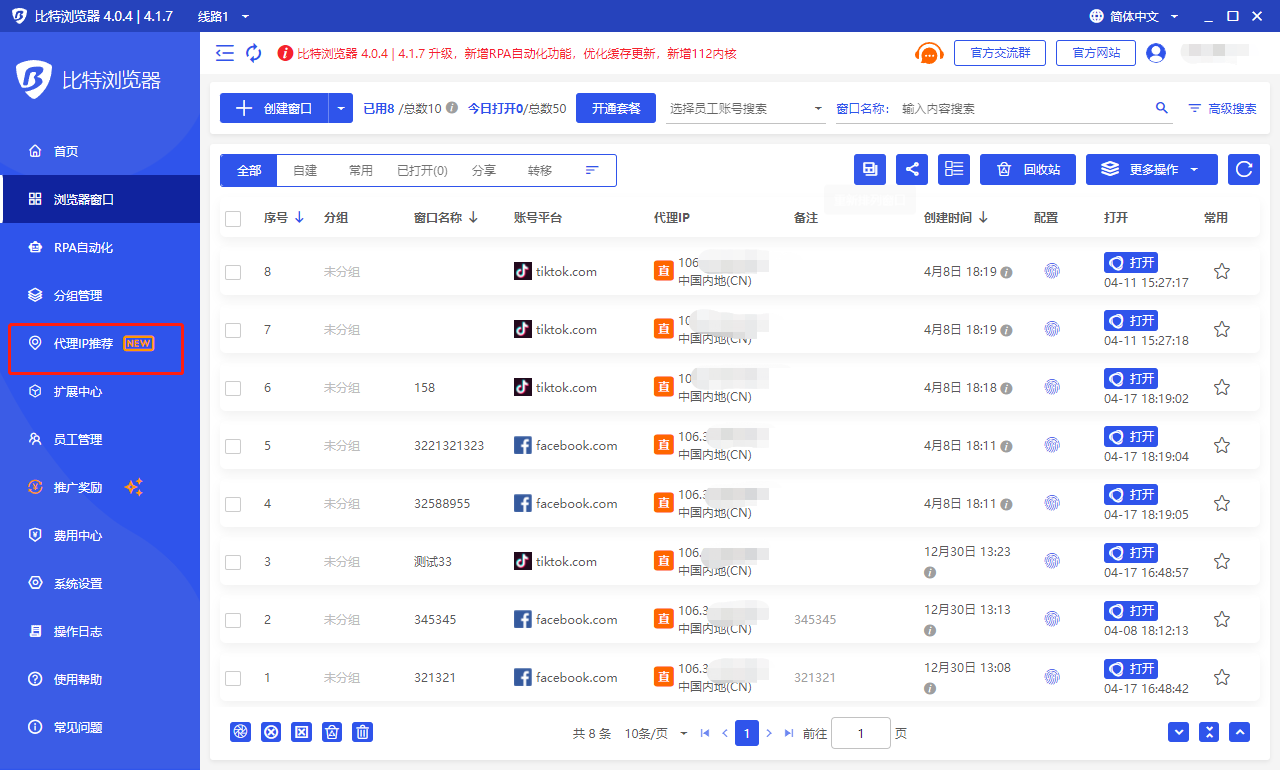
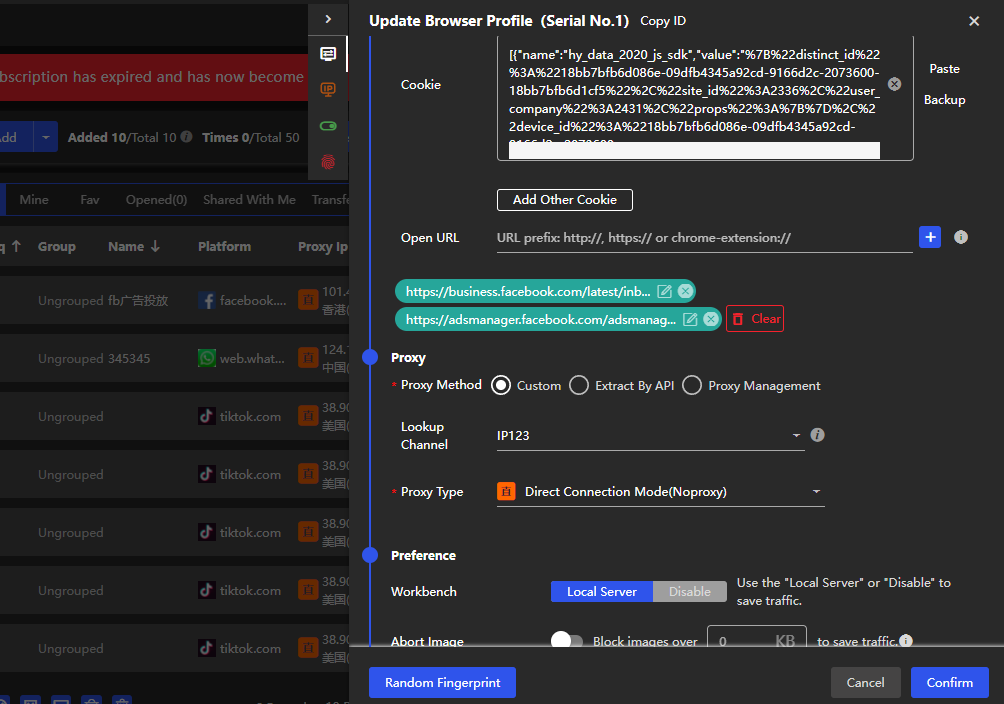
In today's digital age, network security and privacy protection have become hot issues of concern to everyone. Among them, how to hide the IP address is a common concern of many network users. In order to solve this problem, BitBrowser appeared. BitBrowser simulates the software and hardware fingerprint information of different devices and allows users to open multiple browsers on one computer at the same time. Each virtual browser has an independent IP, enabling IP address hiding and multi-account management.

BitBrowser is suitable for cross-border e-commerce multi-account operations such as Amazon, eBay, and TikTok, as well as social media marketing and other industries such as Facebook and Twitter. Only one computer is needed to open multiple virtual anti-correlation fingerprint browsers at the same time to create a secure browser fingerprint and independent IP login environment for each account such as e-commerce platforms, independent websites, and social media marketing.

So, how does the virtual fingerprint browser implement IP address hiding and multi-account management? Next, we will introduce it in detail from the following perspectives.

1.Virtualization technology

Virtual fingerprint browser uses virtualization technology to create multiple virtual browsers on one computer, each virtual browser has an independent IP address. This means that each virtual browser has a different IP address, making IP address hiding possible even on the same computer.

2. Browser fingerprint simulation

Browser fingerprint refers to the unique identification of the browser in the network environment, including operating system, browser type, resolution, fonts, plug-ins and other information. BitBrowser simulates the software and hardware fingerprint information of various devices, creates a unique browser fingerprint for each virtual browser, and realizes browser fingerprint hiding and multi-account management.

3.Multiple account management

BitBrowser provides powerful multi-account management functions, allowing users to manage multiple accounts in one interface and achieve quick switching. At the same time, each account has an independent browser fingerprint and IP address, avoiding the risk of cross-account association.

4. Account registration and account maintenance tools

BitBrowser also provides account registration and account maintenance tools. Users can quickly register multiple accounts and maintain accounts by simulating human behavior, improving the trust and security of accounts.

In addition to the above functions, BitBrowser also provides 10 permanently free windows, allowing users to experience its superior performance in actual applications. At the same time, the tool also supports a variety of application scenarios, such as off-site traffic drainage for independent stations and secure payment collection for cross-border accounts.

In short, BitBrowser is a powerful tool that uses virtualization technology, browser fingerprint simulation, multi-account management, account registration and account maintenance tools to achieve IP address hiding and multi-account management. Whether it is cross-border e-commerce or social media marketing, you can use this tool to improve network security and privacy protection. If you are looking for a reliable IP hiding and multi-account management tool, BitBrowser is definitely one of the must-have tools.
 
With the continuous development of cross-border e-commerce, more and more e-commerce platforms and sellers have entered the market. In this case, account security and independence become a concern for all sellers. How to avoid account association and manage multiple accounts has become a problem that many sellers need to solve. Bitprint Browser is a virtual fingerprint browser software specially used to change browser fingerprints to prevent association, helping sellers to prevent cross-border e-commerce account association. Below, we will introduce in detail how BitBrowser implements cross-border e-commerce multi-account association prevention from multiple aspects.

1.Support multiple account management

Users can create an independent browser environment for each account to enable simultaneous login with multiple accounts. This means that each account can have its own unique browser fingerprint, allowing multiple accounts to be isolated from each other. At the same time, BitBrowser supports custom browser fingerprints. Users can customize browser fingerprints as needed to further isolate multiple accounts from each other.

2.Support proxy IP configuration

Proxy IP provides users with a more secure network environment and can also isolate multiple accounts from each other. By configuring different proxy IPs, users can create an independent network environment for each account. Moreover, BitBrowser also supports automatic proxy IP switching, further improving user privacy and security.

3. Unique browser kernel

Completely change the underlying layer of the Chrome kernel to provide real browser physical separation, real fingerprint tracking effect, good anti-correlation effect, smooth browser use, intrusion prevention, and risk management detection, which means that each browser can have a unique of the core. At the same time, BitBrowser also supports different browser kernels, and users can choose different browser kernels according to their needs.

4. Support data cloud synchronization

This means that users can use the same account on different devices without worrying about data loss or leakage. At the same time, BitBrowser also supports data encryption storage to further protect user privacy and security.

Generally speaking, BitBrowser is a virtual fingerprint browser software specially used to change browser fingerprints to achieve anti-correlation effects. Supports multi-account management, proxy IP configuration, proprietary browser kernel, and data cloud synchronization to achieve cross-border e-commerce multi-account anti-correlation. It has the characteristics and advantages of safe, efficient, advanced fingerprint hiding technology, rich functions, and high customizability. It is a powerful tool to prevent cross-border e-commerce multi-account anti-correlation.
 
The most common problem encountered by many Amazon cross-border e-commerce sellers is the association of multiple accounts. You know, if you want to operate multiple accounts on Amazon, it is important to maintain the independence between accounts. If an account is deemed to be associated by the platform, it may face the risk of loss of income and permanent account ban.

So how should we deal with the problem of Amazon multiple account association? At this time, sellers need to continuously improve their skills to solve this problem. Among them, using a virtual fingerprint browser can prevent Amazon accounts from being associated. In this article, we will Reveal for you how to use a virtual fingerprint browser to prevent Amazon multi-account association problems.

Common reasons for Amazon multi-account association

1. The same login information

This is the most direct and common method of association when multiple accounts use the same login credentials (such as username and password). Amazon’s algorithms can easily identify accounts using the same credentials and mark them as linked accounts.

2. Device fingerprint similarity

Each device leaves a unique "fingerprint" when surfing the Internet, which is what we often call a browser fingerprint, which includes information such as operating system, browser type, resolution, and plug-ins. If you use the same device to log in to multiple accounts, the fingerprint characteristics of these devices are likely to lead to account association.

3. Network environment issues

The IP address is the network address of the device. If multiple Amazon accounts log in from the same IP address, the system may identify them as IP associations. In addition, using similar IP ranges from the same Internet Service Provider (ISP) may also trigger account association.

4. Operational behavior pattern

Amazon also monitors user behavior patterns, such as login times, browsing habits and transaction activity. If multiple accounts show highly consistent behavior patterns, these behaviors may be identified as those of the same operator, leading to account association.

The benefits of virtual fingerprint browser for Amazon multi-account login

The virtual fingerprint browser plays a very important role in preventing Amazon multi-account association. Traditional browsers often cannot meet the needs of multi-account management because they cannot create an independent browser environment for each account. This means that if a seller logs in to multiple accounts on the same browser, Amazon may identify these accounts as linked accounts by identifying information such as device fingerprints.

Virtual fingerprint browsers were originally designed to solve this problem, allowing users to modify and disguise browser fingerprints, which means users can set up unique user-agent (user-agent), different operating systems and browsers for each account versions, even different screen resolutions and fonts.

Virtual fingerprint browser recommendation-BitBrowser

There are many virtual fingerprint browsers on the market, so how do novices choose a good virtual fingerprint browser? Among many virtual fingerprint browsers, BitBrowser is very useful for Amazon multi-account management because of its unique functions and excellent security. The advantage of BitBrowser is that it not only provides the standard functions of most virtual fingerprint browsers, but also provides the following practical functions:

1. Multiple operating systems

The advantage of BitBrowser compared to other virtual fingerprint browsers is that it is compatible with multiple operating systems, including Windows, macOS, Android and iOS. This means BitBrowser provides stable service regardless of the user's device type. More importantly, BitBrowser can realize mobile fingerprint environment simulation, which is a great convenience for users who need to manage Amazon accounts on mobile phones or tablets.

2. Google and Firefox dual kernel

BitBrowser not only supports Google kernel, but also supports Firefox-based FlowerBrowser, providing users with more choices and higher compatibility. Users can choose the appropriate kernel to manage their Amazon store based on their preferences and required network compatibility. This dual-core design allows BitBrowser to handle various web pages more flexibly, while also providing users with a more secure network environment.

3. Window synchronization

BitBrowser's window synchronization feature allows users to synchronize their operations across multiple browser windows. This feature is useful if you want to perform the same action on multiple Amazon stores (such as uploading products, adjusting prices, or responding to customer messages), saving a lot of time and reducing repetitive tasks. Window synchronization allows you to copy operations to all other sync-enabled browser windows in real time, maintaining consistency across accounts, avoiding errors caused by inconsistent manual operations, and improving multi-store management, increasing efficiency and accuracy.

4. Automation function

BitBrowser supports various RPA function templates and powerful API interfaces, such as grabbing Amazon reviews and adding search purchases, allowing users to programmatically perform complex account management and browser operations, combined with automation frameworks such as Selenium and Puppeteer, Achieve more advanced automation.

5. Data encryption

From the perspective of data security, BitBrowser implements multiple layers of encryption and protection measures to ensure the security of user data. Data encryption, SSL transmission encryption, and storage encryption protect user data from unauthorized access, and security features such as two-factor authentication and whitelisting further enhance account security.

Overall, BitBrowser provides Amazon sellers with a comprehensive, safe and efficient multi-account management solution.
 
In today's digital age, where our behavior on the Internet is increasingly recorded and analyzed in detail, one technology that has received widespread attention is browser fingerprinting, a method of identifying unique characteristics of a user's device and browser by collecting them. Technology that creates personal identifiers. However, this seemingly innocuous technology hides some thought-provoking privacy issues.

Privacy issues caused by browser fingerprinting

Imagine that you often browse fashion clothing and accessories on a shopping website. The website uses browser fingerprinting technology to record the device information you use, browser version, operating system type, and product categories you often click on. Over time, websites accumulate large amounts of data about your preferences and interests. It's possible to create a profile that identifies you as a trendy young person interested in specific brands and styles. When you visit the site, you'll see ads and product recommendations tailored to you, increasing your chances of making a sale.

Therefore, browser fingerprinting technology is often used for website analysis, ad targeting and user identification. For ordinary users, when they retrieve relevant browsing information from the browser, they will passively receive a large number of advertising recommendations. However, for cross-border e-commerce merchants, if they use the same computer to log in to their accounts in batches repeatedly, they will If the system detects account association, the account will be banned at every turn, resulting in a lot of losses.

What is a fingerprint browser?

After understanding the risks and privacy issues of browsers recording "fingerprints", you will understand the role that fingerprint browsers play in protecting our privacy.

First, browsers and other Internet devices can be prevented from obtaining our fingerprint information. Secondly, new fingerprints can be "fake" and generated to "trick" your browser into collecting our information. The browsing environment can be randomly generated to generate random fingerprints for each online user, thereby obscuring the situation of the actual device.

BitBrowser

BitBrowser is a professional browser for cross-border e-commerce users. It is committed to providing an isolated, pure and safe account environment for account matrix marketing in cross-border e-commerce, international social media and other scenarios. As a tool for cross-border people, its excellent performance makes BitBrowser the first choice tool for cross-border e-commerce companies to lay out their traffic matrix, improve marketing efficiency, and optimize business costs.

Advantages of BitBrowser

1. Technical advantages: BitBrowser provides Google and Firefox dual-core browsers to help you comprehensively reduce the risk of account matrix association. It is compatible with Windows and Mac multiple systems to meet more usage scenarios.

2. Fingerprint simulation environment: The fingerprint simulation environment can be said to be the most basic and core function of any fingerprint browser. BitBrowser provides a secure account environment for each account by changing or simulating fingerprints to better protect account privacy and security. It can also simulate iOS and Android devices to perform multi-dimensional anthropomorphic operations, effectively reducing the labor cost of daily traffic matrix layout.

3. Window synchronization function: BitBrowser can realize the synchronization operation function of multiple browser windows, supports the operation synchronization of sub-windows and plug-in pop-up windows, and also supports cross-screen synchronization, and is constantly iteratively optimized.

4. Automation functions: BitBrowser’s automation functions include API interfaces and RPA. The API interface can programmatically read and write account configuration information, start and close the browser, etc. RPA automatically handles many repetitive tasks and reduces human resource investment.

5. Team collaboration function: BitBrowser provides team collaboration function and supports multiple users to use the system collaboratively at the same time. Administrators can manage accounts in the system through group classification and authorize different groups to different sub-users. In addition, you can also perform permission management on system functions, authorize different functions to different user groups, monitor the operational activities of all members, and avoid fraud.

6. Data security: In terms of data security, BitBrowser adopts data encryption, SSL communication encryption, storage encryption and other safeguard measures to ensure that only you can read your data. We have also implemented multiple security measures such as two-factor authentication, whitelisting, and remote login reminders to improve the security level of your account.

In the digital age, our various activities are increasingly dependent on the Internet, but we also face additional challenges in privacy and security. In particular, browser fingerprinting privacy risks have brought many challenges, which has brought great challenges to people's cross-border business development. brought obstacles. Therefore, choose BitBrowser to reduce privacy leaks, ensure data security, and grow your business with confidence.
 
In the digital age, privacy protection has become the most concerned issue for Internet users. Especially for users who often use multiple accounts for Internet activities, how to prevent accounts from being banned and limited due to the IP address association is a problem to be solved. Fingerprint browser, especially BitBrowser, provides effective technical solutions for solving this problem.
bitbrowser


Fingerprint browser and IP defense

The fingerprint browser improves your anonymity by disguising or changing your browser fingerprint information to prevent you from being tracked and recognized on the Internet.

Browser fingerprints are a set of information that can identify or distinguish browsers with different users. This includes but not limited to the user's proxy string, screen resolution, and fonts and plugins installed. At the same time, IP anti -agent technology avoids the risk of associated with the same IP address by changing the user's IP address or using the proxy server.

BitBrowser IP anti -agent technology

As the leading product in the market, Bit BitBrowser not only has excellent performance in the browser's fingerprint protection, but also has the industry's leading IP defense technology.

The way BitBrowser realizes IP anti -anti -correlation:

1. Proxy server integration: BitBrowser has a built -in proxy server configuration function, allowing users to easily configure the proxy server for each browser. This means that even if the user opens multiple browser windows at the same time, each window can also use different IP addresses to avoid IP associations.

2. Dynamic IP support: For users with dynamic IP demand, the BitBrowser supports and dynamic IP service provider integration. Will automatically change your IP address at each session to further improve your anonymity and security.

3. Intelligent proxy conversion: Combined with the RPA (robot process automation) capabilities of the BitBrowser, the intelligent proxy conversion strategy can be achieved. This means that your proxy server will be automatically replaced according to the preset rules. This is particularly useful for users who need to perform large -scale data collection or managing a large number of social media accounts.

4. Browser fingerprint and IP address change synchronization: Whenever the IP address changes, the BitBrowser changes the browser fingerprint information accordingly to further reduce the risk of being recognized by the platform.

IP defense is very important for protecting user privacy and avoiding accounts from accounts. BitBrowsers use advanced proxy server integration, dynamic IP support, intelligent agency replacement, and synchronization of browser fingerprints and IP addresses to provide users with secure, reliable and easy -to -manage IP -associated solutions.

Whether you are a personal user or a corporate customer, you can rely on the BitBrowser to protect your privacy and security when conducting online activities. With the continuous advancement of online monitoring technology, it is particularly important to choose a fingerprint browser that can provide strong IP defense protection protection, and the BitBrowser is the best in the market.
 
Bitbrowser anti-detect browser

BitBrowser is considered as one of the best and safest browsers in the world as it has many premium features and is loved and supported by many users.

What is browser fingerprinting?

Browser fingerprinting (also known as device fingerprinting or online fingerprinting) is a tracking technique used by websites to collect information about you. Modern website functionality requires the use of scripts as a series of instructions to tell the browser what to do. The script works quietly in the background and recognizes a lot of information about your device and browser. This information is pieced together to form a unique online "fingerprint" that websites can track users across the Internet and across browsing sessions.

How does the website use fingerprints?

Websites may collect and organize other variables (Flash version, media device, language preference, time zone, OS version, browser extensions, screen resolution, etc.) to build browser profiles, verify user authenticity and uniquely identify a specific computer, Websites can also obtain user data in this way.

Practical application of browser fingerprinting

If you use the same browser environment, you can register multiple accounts on the same website within minutes, even if you clear all cookies and change different IPs before each registration. The website can still identify the operation on the same computer through the browser fingerprint information, but for the website, this is very likely to be important information of a fake account, and the account will be verified or blocked immediately.

Why use a multi-login account browser?

Multi-login browser can clone/copy browser details like flash, browser version, name, MAC address, computer name, installed add-ons and many other parameters.

This means that you can create any detail for any browser used by any user, making it easier to grow your online business.

Recommended multi-dock account browser—Bit multi-dock account browser

The Bittodden account browser creates multiple independent browser environments, centralizes social media, advertising marketing, e-commerce platforms, and independent website accounts, manages multiple platforms and multiple accounts in batches, and solves problems such as account verification, logout, and IP association.

Bittodden account browser, one account, one configuration file, and one IP. Each account is assigned a static IP, multiple accounts will not be associated with simultaneous logins. These accounts can also be saved, even if you do not log in every day, you can log in yourself from the next time, which is very convenient. Amazon, AliExpress, wish, eBay, Facebook, etc. can all use the BitDorden account browser, which can save a lot of time and manpower.
 
Bitbrowser opens through multiple browser windows to help users operate multiple browser windows on the same software at the same time. BitBrowser can create an independent browser fingerprint information for each window, so that each browser window can be physically physically physically physical. The information is independent. If you set an independent IP device for each window, you can prevent the formation of the window. Of course, you can also use direct connection to online access, but this will have the risk of the window association.
bitbrowser

Use direct connection and agency differences in the Bitbrowser?

Data transmission path: Direct connection refers to the target server that is directly connected to the Internet. The data does not pass through any intermediate node. The proxy is to forward the data through an intermediate server. The data is transmitted to the intermediate server first, and then the intermediate server is transmitted to the target server.

BitBrowser

The degree of privacy protection: Under the direct connection method, the user's IP address and network behavior are directly exposed to the target server, which is easily tracked and recorded. Under the agency method, because the data passes through the intermediate node forwarding, the user's real IP address and network behavior can be hidden, thereby increasing a layer of privacy protection.

According to the common applications you need, there are also differences in the situation of adding agents. In some cases, the proxy server may become a bottleneck of data transmission, resulting in a decline in network speed. The direct connection method avoids the impact of intermediate links on network speed, and theoretically, it can provide faster network speed. For some websites and applications that need to hide the real IP address of the user, prevent tracking, or to access the Internet in some countries or regions, you can choose the proxy method.

To decide whether to add an agent to a BitBrowser or based on your own business.
 
bitbrowser

1. What is a fingerprint browser?

Fingerprint browser is a technical tool for simulation and managing browser fingerprints at the browser level. These fingerprints are unique signs generated by the browser, which can be used to identify device and user identity. The main purpose is to simulate and maintain multiple browser fingerprints to help users maintain anonymity on the Internet and avoid being tracked and recognized.

In the global network environment, the fingerprint browser can simulate the fingerprints of different browsers, covering the characteristics of different operating systems, browser types, languages, time zones, resolution and other characteristics. The risk that may occur.

2. What are the benefits of using the fingerprint browser?

1. Privacy protection: Fingerprint browsers can simulate and manage multiple browser fingerprints, allowing users to maintain anonymous on the Internet. This can prevent users from being tracked or monitored by users' online activities, thereby improving personal privacy protection.

2. Anti -tracking: The fingerprint browser is simulated by simulating multiple browser fingerprints to interfere with advertisers, data analysts, and other followers, reducing the possibility of user tracking and positioning, thereby reducing user exposure to unnecessary advertising and data collection Among them.

3. Prevent identity recognition

Browser fingerprints are the unique identifier that can be used to identify devices and users. The diversity simulation function of the fingerprint browser allows users to easily switch and manage different fingerprints to prevent them from being recognized or associated on the Internet.

4. Improve security: The fingerprint browser automatically manage the browser fingerprint, and the changing fingerprints reduce the risk detected by the user. This helps improve users' privacy security, prevent malicious behavior and attack.

5. Flexible: Fingerprint browser can simulate the characteristics of various browser fingerprint characteristics such as operating systems, browser types, languages, time zones, resolution, etc., which can flexibly switch and manage these characteristics as needed to achieve more personalized personalization Browse experience.

6. wide application

Fingerprint browsers are widely used in various application scenarios such as e -commerce, online advertising defense, and network privacy protection, providing users with a safer and more private network environment.

How to choose a fingerprint browser?

1. Network security and personal privacy: When choosing a browser, the first thing to consider is its ability to protect network security and personal privacy. A reliable protection mechanism must be established to ensure that your different account information will not be associated with the platform.

2. Multi -account convenient management: Considering that users need to manage multiple accounts on different platforms at the same time, choosing a browser that can easily manage multiple accounts will effectively improve your work efficiency.

3. Stability and speed: Stable browsers can reduce the time of losses due to collapse and page frozen, and to help you improve your work efficiency by loading web pages faster.

4. Perfect after -sales support: Choose a browser that provides high -quality after -sales support, which can provide help and solutions in time when any problems occur.

BitBrowser supports custom configuration browser fingerprint parameters, so that each browser is like a real independent device to make the account environment safer!

In addition, the BitBrowser also supports the mouse keyboard synchronous operation of multiple browser windows, tab pages and text input synchronous operations, help you say goodbye to manual repeated operation, and improve work efficiency.
 
The fingerprint browser is a technical tool for browser -level simulation and management of browser fingerprints. Fingerprint is the unique identifier generated by the browser, which can be used to identify devices and users. Its main purpose is to simulate and maintain multiple browser fingerprints, allowing users to maintain anonymity on the Internet and prevent tracking and recognition.
bitbrowser


In the global network environment, the fingerprint browser can simulate the fingerprints of different browsers, covering the characteristics of different operating systems, browser types, languages, time zones, resolution and other characteristics, thereby improving the security of stores and accounts.

The role of BitBrowser

1. Privacy protection

BitBrowser can simulate and manage multiple browser fingerprints to keep users anonymous on the Internet. This can prevent your online activities from being tracked and monitored and enhanced personal privacy protection. By simulating multiple browsers fingerprints, the BitBrowser can interfere with the efforts of advertisers, data analysts and other followers, reduce the possibility of users' tracking and positioning, thereby reducing user exposure in unnecessary advertising and data collection Essence

2. Prevent identity recognition

Browser fingerprint is the unique identifier that can be used to identify devices and user fingerprints. The diversity simulation function of the BitBrowser allows users to easily switch and manage different fingerprints, thereby preventing users from being recognized and associated on the Internet to improve security.

In general, the BitBrowser is a powerful, safe and reliable cross -border special browser that provides high -efficiency and convenient browsing experience for global cross -border users.
 
bitbrowser

BitBrowser anti -detection fingerprint browser is a fingerprint -based browser. Its main function is to simulate the behavior of real browsers and provide users with a safe and efficient network environment. It is famous for security functions and is becoming more and more popular and respected by cross -border e -commerce practitioners.

The main purpose of the BitBrowser anti -detection fingerprint browser is to solve the problems faced by cross -border e -commerce practitioners when operating multiple accounts. When logging in to the same device, multiple accounts may be associated, which will cause the account to be blocked and affect the efficiency and efficiency of e -commerce operations and the efficiency of e -commerce operations and the efficiency of e -commerce operations and the efficiency and efficiency of e -commerce operations and benefit. BitBrowser anti -detection fingerprint browser uses fingerprint browser technology to allow each account to work independently to avoid associated issues. In addition, BitBrowser definition testing fingerprint browser can simulate the real browser environment of different countries and regions, and realize multi -platform and multi -account login management. It is a very practical tool for e -commerce practitioners.

In addition to cross -border e -commerce practitioners, the fingerprint browser of BitBrowser anti -testing can also be applied to various industries. For example, website developers can use the browser to simulate different real browser environments to verify the compatibility of the website in different environments. For marketers, BitBrowser anti -detection fingerprint browsers can help them adjust the advertising strategy and improve the effect of cross -platform advertising.

BitBrowser anti -detection fingerprint browsers can simulate various real browser environments, effectively avoiding account banning due to account associations.

BitBrowser anti -detection fingerprint browser also supports multi -browser management. You can create multiple independent browsers. Each browser can log in to different accounts independently. Each browser is independent of each other to prevent the physical isolation from associating. Essence
 
Fingerprint browser is a special type of network browser, which aims to provide better privacy and anonymous protection. It protects you from tracking and recognition by simulating and changing your browser fingerprints (the unique identifier left by the browser when visiting the webpage).
fingerprint browser

Each browser has a unique fingerprint. It consists of operating systems, browser versions, installed plug -in and extensions, and screen resolution and other factors. These fingerprint information can be identified and tracking your online activities and collecting personal data and behavioral habits by websites and advertising merchants.

The fingerprint browser will change the browser fingerprint, making it different from the actual browser fingerprint. It can simulate different operating systems, change the browser version number, disable plug -in and extensions, and even change screen resolution and other information, thereby leaking your true identity and equipment information. This makes it difficult for users to track and recognize online activities and provide better privacy and anonymous protection.

Can the fingerprint browser really prevent correlation?

The main function of the fingerprint browser is to provide services to different IP addresses and generate independent browser fingerprints. When the merchant logs in to the store, each shop has different IPs, fingerprints, and cookies, and the operation is independent and isolated. Even if you log in and operate multiple shops at the same time, it will not affect each other, which greatly reduces the risk of account correlation and effectively prevent multiple account correlations.

How about a Bit browser?

Due to market demand, various types of fingerprint browsers have appeared in the market, which is undeniable that they have their own advantages and disadvantages. Here is a Bit browser, a powerful and well -known fingerprint browser. Bit browser is widely used by cross -border sellers and has been well received because of its anti -association function.

Bit browser has powerful virtual network environment technology, provides independent IP, generate independent fingerprints, and has a strong environmental isolation ability. If you log in or change your computer network from other locations, your store account will not be affected. In addition, the Bit browser also has a powerful risk management system that can monitor the operating environment of merchants and early warning of dangerous information. The operation interface is simple and easy to use, and it also provides a variety of functional applications to support merchant store operations. Bit browser is a tool that integrates a variety of functions, providing convenience for merchants to operate applications.

Bit browser can significantly reduce the risk of account associations for the account association mechanism. Therefore, it is widely used in cross -border e -commerce and self -media industries. It is a powerful tool for merchants to trust. If you are a cross -border merchant or a self -media master, the Bit browser will meet your needs and provide you with a safe and efficient anti -correlation solution.
 
At the same time, the encryption connection is also used by default to provide high security for various activities on the Internet.
 
Privacy and security have become increasingly concerned. BitBrowser as an innovative technology application provides users with high -level personal privacy and network security protection. This article introduces the working principle of BitBrowser and its advantages in protecting user privacy and security.
bitbrowser


1. Definition of fingerprint browser

Fingerprint browser is a technology that generates unique identifiers by collecting and analyzing information about user equipment, browsers and network configurations. This fingerprint is a combination of multiple factors including hardware characteristics (such as operating systems, processors, graphics cards), software configuration (such as browser version, plug-in, fonts), and network attributes (such as IP addresses, user-agent string), etc. Essence

Second, the working principle of the BitBrowser

BitBrowser generates the only fingerprint logo by collecting various information about user devices and browsers, combined with complex algorithms. This process does not require users to provide any personal identity information, and it is completely based on the technical characteristics of equipment and browsers. Fingerprint browser technology can track the Internet access behavior of users on different browsers and devices, distinguish between normal users and malicious behaviors, and provide high -level security defense measures.

Third, the privacy protection advantage of BitBrowser

1. Anonymous: BitBrowser does not rely on personal identity information. Fingerprints are generated according to technical characteristics to ensure that user anonymity is guaranteed. Users do not have to worry about their personal information being leaked or abused.

2. Anti -fraud: BitBrowser uses a variety of factors to generate fingerprints, which has good anti -fraud ability. Even if an attacker tries to simulate or modify any of these elements, it is difficult to deceive the detection mechanism of the BitBrowser.

3. High -level security protection: BitBrowser detect malicious behaviors such as zombie network, fraud, and Internet fishing, and take corresponding defense measures to ensure users' Internet security.

4. Enhance privacy: BitBrowser can prevent advertisers and data collection agencies track your online behavior and provide you with more privacy protection. Users will better control their personal information and reduce unnecessary advertising positioning and personalized tracking.

BitBrowser has extensive application prospects in many fields. In the financial field, Bit Broken browser helps banks and financial institutions identify fraud activities to protect the security of user accounts. In the field of e -commerce, BitBrowser can prevent malicious robots from stealing goods and ensuring fair transactions. In the field of corporate security, BitBrowser can enhance network defense and intrusion detection and improve overall security.

As a new privacy and security technology, the BitBrowser provides users with high levels of protection. It helps users protect personal privacy and online security through anonymous, anti -fraud, high -level security protection and enhanced privacy. With the continuous development of the digital world, the application of the BitBrowser will further expand, bringing more convenience and security to our digital life.
 
1-240H210152c95.png


In today's social media era, TikTok has become a popular platform that attracts users around the world.

For foreign trade companies, TikTok provides an opportunity to promote brands and interact with customers more closely. But for companies that want to operate multiple accounts on TikTok, the need to manage multiple accounts at the same time may become a bit complicated.

Enterprises can simplify this process by using the BitBrowser Fingerprint Browser. On the BitBrowser, you can create multiple accounts at the same time and operate them. Each browser window is an independent fingerprint information, and each window can be equipped with an independent IP device. Effectively ensure the security and anti-correlation between accounts.

BitBrowser Fingerprint Browser also provides the following functions for free:

1. Employee management function

Team collaboration is more convenient. The perfect team function of BitBrowser can ensure the security of account assets and the efficient collaborative management of multiple accounts. Including unlimited sub-accounts, team members can assign different permissions, manage and assign browsers and certain permissions on different computers, and are equipped with detailed operation logs, which are convenient for managers to monitor account actions at any time.

2. Security and privacy protection

When operating multiple TikTok accounts, security and privacy protection are equally important. BitBrowser Fingerprint Browser ensures that your account information will not be leaked by simulating IP addresses in different regions and modifying browser fingerprints, while improving the security of your account and preventing the account from being banned or associated.

3. RPA automated batch operation for efficient operation

Operating a large number of accounts on TikTok is a physical job. BitBrowser Fingerprint Browser supports multi-window browser automation. By using RPA automated processes, it can help you automate operations such as automatically opening multiple web pages, automatically refreshing, automatically replying, and automatically commenting. In addition, it also supports a series of batch operations to help you improve operational efficiency.

4. Password-free login to multiple accounts

Multiple TikTok account logins can batch import and export cookies and proxy IPs, and use cookies to log in to accounts without passwords. This eliminates the need to manually enter account passwords, prevents account password crossover, and reduces tedious operations.

5. Group control system function

Window group control synchronization operation, by setting a master browser window, synchronizes all mouse and keyboard events in the master window to multiple controlled windows, achieving multiple goals at one stroke. ‌

All browser windows can be controlled synchronously in batches, including basic window operations, window arrangement operations, tab operations, simulated input of the same text, simulated input of different texts, one-click identification of verification codes, etc.

BitBrowser fingerprint Browser provides a powerful solution for TikTok's multi-account operation, helping enterprises to efficiently manage multiple accounts and improve work efficiency. Whether you are an individual user or a TikTok account operator, Bitfingerprint Browser will be your right-hand man, allowing you to better control multiple accounts, obtain more traffic, and enhance your brand image.
 
多人协作浏览器养号指南:如何降低多账号关联被封的风险?


In this era of information explosion, social media has become an important way for people to communicate in daily life. However, with the continuous strengthening of network supervision, we have to face the risk of possible account blocking. Therefore, in order to ensure the safe operation of multiple accounts.

First of all, in order to avoid the risk of account blocking, we must understand the reasons for the blocking. Generally speaking, the reasons include publishing illegal content, spreading false information, malicious marketing, etc. Therefore, in order to avoid being blocked, you need to pay attention to your words and deeds at all times to ensure that the content you publish complies with the regulations of social media.

Secondly, in order to increase the exposure of the account, effective publicity is needed on social media. This can be achieved by sharing valuable content, inviting users to interact, and publishing advertisements. However, when performing these operations, you must follow the regulations of social media, otherwise you may be blocked.

Why do you need to raise an account?

Raising an account means simulating real user operations to enhance the credibility of the account and reduce the platform's recognition of fake accounts. Usually, a newly registered account needs to go through a period of account raising before it can publish content or participate in marketing activities.

If you want to maintain an account, you can refer to the following suggestions:

1. Develop a reasonable account maintenance plan

2. Continuously publish valuable content

3. Actively interact with fans and reply to comments

4. Follow and analyze similar accounts and learn from their advantages

5. Regularly share personal insights and experiences. To successfully maintain an account, you need to make continuous efforts.

A good account maintenance strategy is to publish one or more articles every month with different themes and styles, so as to attract more people's attention. At the same time, actively interact, reply to comments in time, and establish good communication with fans. In addition, you should also pay attention to other similar accounts, learn lessons from their successful experiences, and constantly improve your level. Finally, regularly share your insights and experiences so that more people can understand your views.

How to prevent multiple accounts from being associated?

Associated accounts refer to multiple users being regarded as the same user by the platform because they use the same device, IP, fingerprint and other information, resulting in one or more of the accounts being banned. To avoid this, we need to pay attention to the following aspects:

1. Device replacement: Avoid registering multiple user accounts on the same device. Cross-device login can improve security performance.

2. Change IP address: You can use proxy IP or VPN to change the login IP to prevent multiple users from sharing the same IP.

3. Optimize browser fingerprint: Clear browser cache, cookies and other data regularly to prevent leaving personal account traces.

4 Avoid operating multiple accounts at the same time: Avoid logging into multiple accounts on multiple devices at the same time, and do not frequently switch between multiple accounts on the same device.

In addition to these methods, you can also use some professional account maintenance and anti-blocking tools to assist operations. For example, BitTorrent multi-person collaboration bitbrowser can help you create multiple independent browser environments, each with a unique fingerprint and IP address, which effectively prevents accounts from being associated.
 
多人协作浏览器多账号指纹伪装与隐私双重保护

In today's digital world, protecting privacy and managing multiple accounts are severe challenges, especially for cross-border e-commerce, social media marketing, and independent station operators. With the continuous development of Internet tracking technology, traditional privacy protection methods can no longer meet the needs. BitBrowser has become a powerful tool for managing and protecting multiple accounts with its excellent fingerprint simulation and privacy protection functions.

1. Why do you need to use a multi-person collaborative browser?

What is a multi-person collaborative browser?

A multi-person collaborative browser is a multi-person collaborative browser that can blur or change browser fingerprint information. Browser fingerprints include browser version, operating system, screen resolution, installed plug-ins and fonts, etc. The combination of this information can identify you without using cookies. This means that even if cookies are cleared, websites can use this information to track and identify your activities.

Why do you need to disguise fingerprints?

When performing multi-account operations on the Internet (e-commerce multi-store management, social media multi-account marketing, etc.), it is very important to maintain the independence of each account. Websites can identify and associate different accounts by detecting the same fingerprint, which may lead to account bans, risk assessments and other problems. Therefore, disguised fingerprints have become an effective means to prevent account association.

2. The core functions of BitBrowser

How does BitBrowser achieve disguised fingerprints and privacy protection?

1. Multi-account anti-association management

BitBrowser allows you to open multiple virtual browsers on the same computer, each with an independent fingerprint configuration and IP address. This means you can simulate different devices and environments on one computer, making each account look like it is logged in from a different place.

2. Independent browser environment: Each browser instance is a completely isolated environment with cookies, local storage and cache to avoid information leakage between different accounts.

3. Independent IP address: You can set an independent proxy IP for each browser to ensure that the login environment and geographical location of each account are unique, preventing association due to the same IP.

4. Disguise fingerprint and simulation: Disguise fingerprint is the core of BitBrowser, which disguises the browser environment by simulating various software and hardware fingerprints.

5. Hardware fingerprint simulation: You can disguise different hardware information, such as CPU, graphics card, memory, etc., so that the browser looks like it is running on different devices.

6. Software fingerprint simulation: Including browser version, operating system, time zone, language settings, etc. Through these simulations, each browser instance will present a unique fingerprint.

7. Browser automation interface: BitBrowser supports API automation, which means you can automate browser operations through programming. For example, it can automatically create, start and manage browser instances and perform batch account operations, which is very suitable for complex task management and large-scale account operations.

8. Cloud synchronization: All browser data can be synchronized to the cloud to ensure that data is not lost and consistency between different devices is guaranteed.

9. Team collaboration: Supports sub-account management and permission allocation, allowing you to share and transfer browser environments with team members for efficient collaboration.

BitBrowser provides a safe and reliable multi-account management solution for cross-border e-commerce, social media marketing, and independent station operations. By simulating and disguising your browser fingerprint and configuring an independent IP address, you can safely manage multiple accounts on the same computer and avoid the risks brought by account association. At the same time, the powerful automation interface and cloud synchronization function make large-scale account management and team collaboration more efficient.
 
多开账号浏览器帮助您实现多账号环境隔离

What is a multi-account browser?

In simple terms, a multi-account browser is a browser that can forge your computer and browser fingerprints. Every computer and browser has a unique fingerprint that websites can use to track your online activities. Multi-account browsers can block or modify your fingerprint information to protect your privacy and prevent websites from tracking you.

Why do you need to use a multi-account browser?

If you often use multiple accounts, such as e-commerce accounts, social media accounts, and advertising alliance accounts, then you need to use a multi-account browser. Because websites can use your browser fingerprint to determine whether you are using multiple accounts. If they find that you are using multiple accounts, the website may block your account.

Multi-account browsers can help you create multiple independent browser environments, each with its own fingerprint. This way, you can safely use multiple accounts without worrying about being blocked by the website.

It is recommended to use BitBrowser, which is a powerful multi-account browser with the following functions:

1. Simulate the fingerprint of a real browser: By thoroughly modifying the bottom layer of the Chrome kernel, the real physical isolation of the browser is realized, the fingerprint anonymity effect is real, the anti-association effect is good, the browser is smooth to use, and the penetration and risk control detection are prevented

2. Multi-account anti-association management: Support opening multiple fingerprint browsers at the same time, and set a differentiated login environment for each account through virtual browser fingerprint technology. The browser is configured with an independent IP, and the cloud synchronization technology ensures that your data will never be lost.

3. Freely configure an independent IP network: Each window of the BitBrowser can be assigned a separate proxy IP, so that each account can not only maintain the stability of the login area, but also match the corresponding country time zone, language and longitude and latitude based on the IP address.

4. Local API automation interface: Support local RESTAPI and CLI interface functions, automatically create, start and terminate browsers programmatically, read and write browser account configuration information, configure proxy IP and other API functions, and support Selenium and Puppeteer automation frameworks.

5. Cross-regional team collaboration: Supports sub-account management and permission allocation. BitBrowser can be freely shared and transferred to other main accounts or sub-accounts. The browser fingerprint environment and data remain consistent across computers, and there is no need to log in to the website account password again.

6. Professional customer service and technical support: 7×12 hours, 1 to 1 customer service and technical support, timely and seriously solve user needs and problems, support remote technical guidance to build a browser anti-association environment, and meet the personalized needs of individuals/enterprises

Multi-account browser is a very useful tool that can help protect your privacy and prevent websites from tracking you. If you often use multiple accounts, we strongly recommend that you use BitBrowser.
 
How does Amazon's cross-border e-commerce use multi-person collaborative browsers to prevent association?

Amazon cross-border e-commerce anti-association is a topic of great concern, because multiple account associations may lead to account closure or sales restrictions. In order to deal with this problem, many sellers choose to use multi-person collaborative browsers to protect their accounts and sales.

A browser designed specifically for the cross-border e-commerce industry can help sellers manage stores on multiple platforms while protecting their accounts from association risks. This browser usually has multiple functions, such as multi-account management, IP isolation, and browser fingerprint disguise, to help sellers avoid account association.

First, multi-account management is an important function of multi-person collaborative browsers. Sellers can use tools such as Bit Browser to log in to multiple Amazon accounts at the same time and switch freely between these accounts. In this way, sellers can manage their stores more conveniently, thereby improving operational efficiency.

Second, IP isolation is a significant feature of multi-person collaborative browsers. Amazon will determine whether users are associated by IP address. If multiple users log in with the same IP address, these users may be identified as associated. As a multi-person collaborative browser, BitBrowser can help sellers achieve IP address isolation and assign independent IP addresses to each account, thereby reducing association risks.

In addition, browser fingerprint disguise is also an important function of multi-person collaborative browsers. Amazon will use browser fingerprints to determine whether multiple accounts are associated. Once multiple accounts are found to log in with the same browser fingerprint, these accounts will be associated. Multi-person collaboration browser allows sellers to simulate different browser fingerprints and generate unique browser fingerprints for each account, thereby eliminating potential association risks.

In addition to providing the above functions, multi-person collaboration browser also has other functions, such as automatic form filling, automatic translation, and other functions of BitBrowser's RPA group control, to help sellers manage their stores more conveniently.

Amazon cross-border e-commerce multi-person collaboration browser is an important tool to prevent association, allowing sellers to manage stores more effectively and reduce the risk of being associated. With multi-person collaboration browser, sellers can manage their stores more efficiently and protect their accounts from association risks.
 
In the Internet age, account management and security are crucial. However, with the continuous development of the Internet, account management has become increasingly complex, especially when multiple accounts are required.

Users need to frequently switch between multiple accounts, and the IP address of each account is still the same, which brings great security risks to the account and easily leads to associations between multiple accounts.

For the operation of multiple accounts, we can use the Bit Fingerprint Browser, which can provide an independent IP network and independent browser fingerprint information for each account, allowing us to manage accounts more safely and efficiently.

The charm of technical details

If you are a person who is passionate about technology, you will be interested in the principles behind the Bit Fingerprint Browser; it is not just a simple browser, but a tool that can create an independent virtual environment for each account.

The BitBrowser Fingerprint Browser uses virtual browser fingerprint technology, which can simulate the browser software and hardware fingerprint information of different devices, including PC computers and mobile phone devices. This means that you can set a differentiated login environment for each account, avoiding the problem of account association and account blocking due to the same browser fingerprint.

BitBrowser Fingerprint Browser


The Bit Fingerprint Browser can provide an independent IP address for each of your accounts, allowing you to manage multiple accounts efficiently and securely on the same computer. No longer worry about the problems caused by IP address association, you can carry out your activities on the Internet more safely.

Through customized browsing environment, independent IP network and virtual browser fingerprint technology, Bit Fingerprint Browser provides unprecedented convenience and security for batch management of multiple accounts.

After using Bit Fingerprint Browser, your multi-account operation will be easier and easier. It can not only log in to multiple accounts at the same time, but each account has an independent browser environment and IP address. It also means that you can efficiently manage accounts on multiple platforms such as Amazon, Facebook, Google, tiktok, Twitter, YouTube, etc. on the same computer without worrying about account association and account suspension.

For those who need to manage multiple accounts in batches, Bit Fingerprint Browser is an indispensable tool. Whether you are working in the field of traffic monetization, e-commerce, social marketing, web crawlers or advertising, it can help you complete tasks efficiently, reduce account risks and improve work efficiency.
 
Top