

Brother
Professional
- Messages
- 2,590
- Reaction score
- 541
- Points
- 113
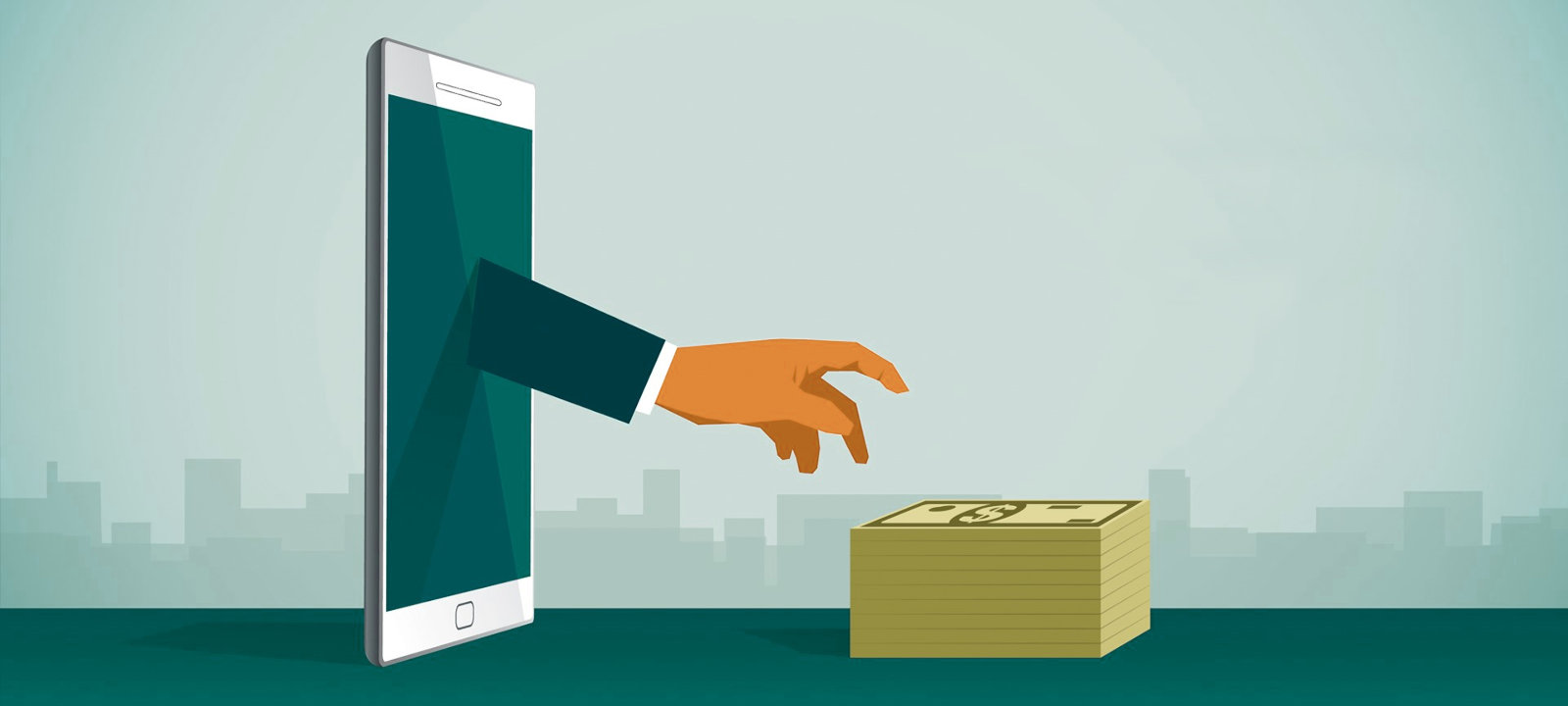
One sunny April morning, my breakfast was interrupted by a phone call from a friend who was a trucking entrepreneur. In a broken voice, he said that two million rubles had disappeared from his bank account. And the bank's support service made a helpless gesture, sending a friend to write a statement to the police, since the money transfers were made using a mobile application and confirmed by SMS, which by all indications corresponds to a completely legal financial transaction.
"Tyzhprogrammer," my friend moaned into the phone, "advise what to do." Alas, it was too late to do anything, because a banking Trojan that had settled on my friend's smartphone long before this unfortunate incident served as the tool for theft. And it was possible to prevent the loss of money only by studying the principles of work and methods of dealing with such malicious programs in advance. What we are going to do right now.
A long time ago, in one ordinary Android ...
The first full-fledged banking Trojans for the Android mobile platform were discovered back in 2011. No, malware capable of transmitting incoming SMS messages to attackers, including those containing mTAN codes (transaction authentication codes), existed before that. In addition, there were known Trojans capable of operating with USSD commands. They could transfer the amount specified by the villains from a bank card “tied” to the phone, replenishing the balance of the left mobile phone, or find out the balance on the account. But, of course, these three were not full-fledged bankers, since they were noticeably inferior in functionality to their desktop counterparts.That all changed with the advent of Android.SpyEye. This trio worked in conjunction with the SpyEye malware for Windows, giving it the ability to bypass two-factor authentication. He acted as follows.
As soon as the user of the infected Windows opened a bank website in the browser, the computer running on the computer performed a web injection, embedding a piece of HTML code into the page, which he loaded from the config. Since the injection was carried out on the client side, the URL of the banking site in the address bar of the browser turned out to be correct, and the connection was established using the HTTPS protocol. Therefore, the content of the web page did not arouse any suspicion in the victim.
The text embedded by the Trojan in the banking website stated that the bank had suddenly changed its working conditions and for authorization in the bank-client system, it was necessary to install a small application about 30 KB in size on the mobile phone by downloading it from the link offered - “for security purposes”. The application, of course, was the Android.SpyEye mobile trio.
This malware did not create any icons, it could only be found in a list of running processes called "System". The main task of the trojan is to intercept all incoming SMS messages and forward them to the control server, the address of which the malware took from the XML config.
This is how one of the first mobile banking Trojans looked like - Android.SpyEye When a victim enters a username and password on a banking website in a browser window, the Windows Trojan SpyEye intercepts and sends them to bots. After that, the attackers can at any time authorize using these data in the bank-client system on the bank's website, but the server will certainly send the account holder a verification code via SMS, which must be entered in a special form. This message will be intercepted by the mobile version of SpyEye and transmitted to virus writers. Using SMS interception, they will be able to perform any operations on the account, for example, empty it cleanly.
This is how the first mobile banking Trojan SpyEye works.
The bottleneck of this rather complicated scheme was the need to synchronize the operation of the banking and desktop components of the Trojan bundle, but the virus writers successfully solved this problem. For several months SpyEye made a rustle among users of banking services until it got into the databases of all popular antiviruses, after which its activity gradually faded away.
Mobile bankers
After some time, employees of IT departments of banks gradually mastered web programming, and bank clients finally migrated from desktops to mobile phones in the form of Android applications. This made life much easier for virus writers: they no longer needed to bother with Trojans for Windows, and they were finally able to fully focus their efforts on the development of mobile bankers. After all, the owner of an Android smartphone with a banking application on board is a walking wallet that every self-respecting virmaker dreams of emptying.Like other malware for Android, bankers were distributed under the guise of any useful programs - “universal video codecs” or Flash players, including through the official Google Play catalog. The Trojan functionality of such applications, of course, was not advertised by the developers, and it manifested itself either after some time, or after downloading the next update. For example, in one of the cases, a banker was distributed in the form of a program supposedly combining the capabilities of bank clients of several large credit organizations at once. Why do you need a bunch of separate applications when you can download one instead of them, with a trojan? There are also known cases when malware was embedded in genuine applications of some banks, modified by hackers. Such applications were distributed from fake bank pages,
Another vector for the spread of mobile banking Trojans is phishing SMS mailings. This usually happens like this. A user registered on one of the free classifieds sites receives an SMS message with an exchange offer. At the same time, the recipient is called by name, which should lull his vigilance - virus writers have previously parsed the user base of this site, pulling out all the useful information from there. When clicking on a short link from a message, a potential victim is directed to an intermediate page, where it is determined that the user entered the site from a mobile device running Android, and his mobile operator is identified, after which he is redirected to a fake page with a message about the receipt of an MMS, drawn up in the style of the corresponding OPSOS.
An example of a phishing SMS campaign aimed at spreading a banking Trojan The first mobile bankers worked very simply. If the malware needed administrator rights for its functioning, it persistently showed a window on the screen with a request to grant it the appropriate authority until the exhausted user agreed to this action. But sometimes virus writers went to various tricks to deceive a potential victim. For example, the banker Android.BankBot.29 disguised the administrator rights window as a message from the Google Play application: "Your version is outdated, should you use a new version?" When the user tried to click on the "Yes" button, the layout of the trojan disappeared, and the tap hit the Accept button of the DeviceAdmin dialog box, as a result of which the malware received administrator privileges.

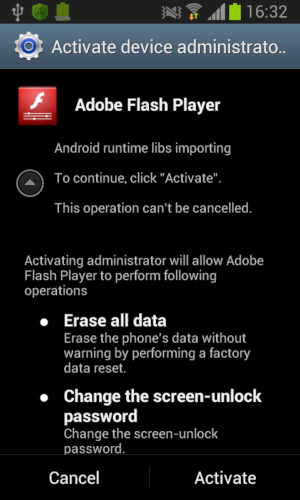
Obtaining administrator rights for an Android Trojan is not easy, but very simple. Another banker annoyed users with a request to enable the Accessibility Service mode - accessibility for people with disabilities. And having received such permission, he himself included an administrator for himself.
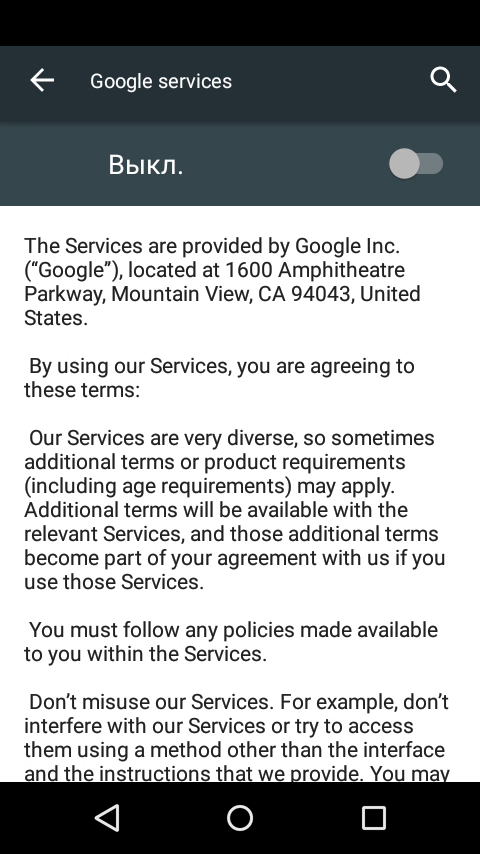
Another way to obtain privileges is the Accessibility Service. After that, the Trojan simply hangs in the memory of the mobile phone, waiting for the launch of the mobile banking application. When this event occurs, it determines which application is running, and draws on top of it the corresponding fake login and password entry form, and the entered data is immediately sent to the management server via HTTP in the form of JSON or to the specified phone number by SMS message. A mobile banker's config can contain the HTML code of several dozen forms with various designs that copy the interface of applications of the most popular banks. After that, all that remains is to intercept and send SMS with one-time passwords in the same direction in order to provide bots with full access to the bank account. At the same time, incoming messages from banks are usually hidden,

Mobile bankers can draw fake authorization windows for popular banks How much money was stolen from the accounts of Android users in this way is difficult to say, but the amounts are probably in six figures. Even if the Trojans for some reason failed to gain access to the bank account, they successfully stole the bank card details. For this, for example, fake windows for linking a map to the Google Play application were widely used.
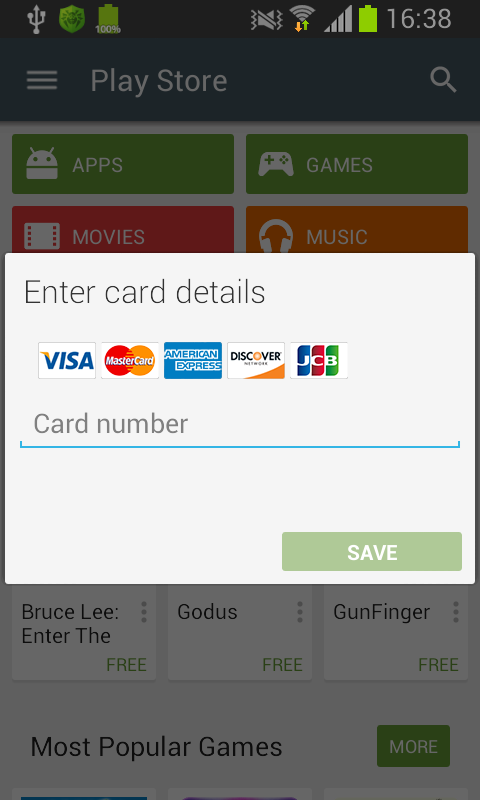
Many mobile Trojans use fake Google Play windows to steal bank card details. It is not easy to buy anything of value in decent online stores using stolen details, but it is quite possible to pay for online toys or buy music from some service. Such sites rarely bother with serious verification of payment details, since transactions there are usually cheap. This is what the attackers use.
Bankbots
Bankbots are a side branch of the evolution of mobile banking. If ordinary banking trojans work more or less autonomously, then bankbots are able to receive various control commands and execute them on the infected device.Commands can be transmitted via HTTP, for example, in JSON format, via SMS, and in some cases even via a special Telegram channel. Most bankbots on command enable or disable the interception of incoming SMS messages, can hide received SMS (you can hide messages from certain numbers or with specified keywords), mute a mobile phone, send messages to a number specified by attackers with specified content, or execute USSD commands ... Also, the bot engine can change the address of the control server or the system phone number to which information will be sent if it could not be transmitted via HTTP.
Many bankbots can also download and install APK files on a mobile device, the link to which will be indicated by the botman in the command. As a result, other Trojans with a wider range of functions are delivered to the infected device. Also, some bankbots are able to display activations with parameters sent by the villain on the smartphone screen - this opens up the broadest opportunities for phishing and the implementation of the most sophisticated fraudulent schemes. Well, almost all such malware is able to merge the address book, SMS-correspondence and other confidential data to the command server, as well as forward incoming calls to the phone number specified in the command. Individual instances of Trojans, in addition to everything else, have self-defense functions: they keep track of the names of the processes running on the system and,
Almost all bankbots use a web admin panel that provides bots with detailed statistics on infected devices and information stolen from them.
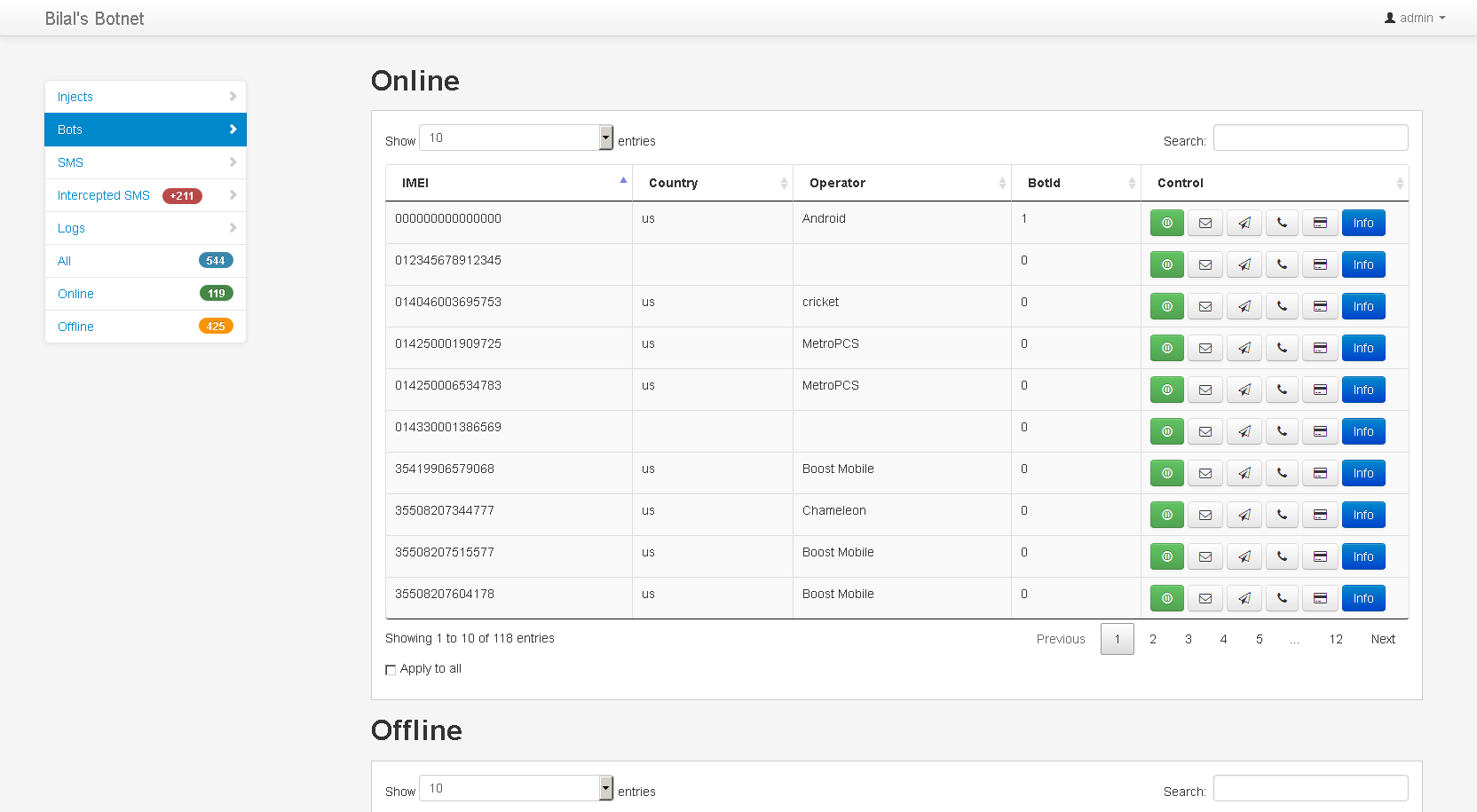
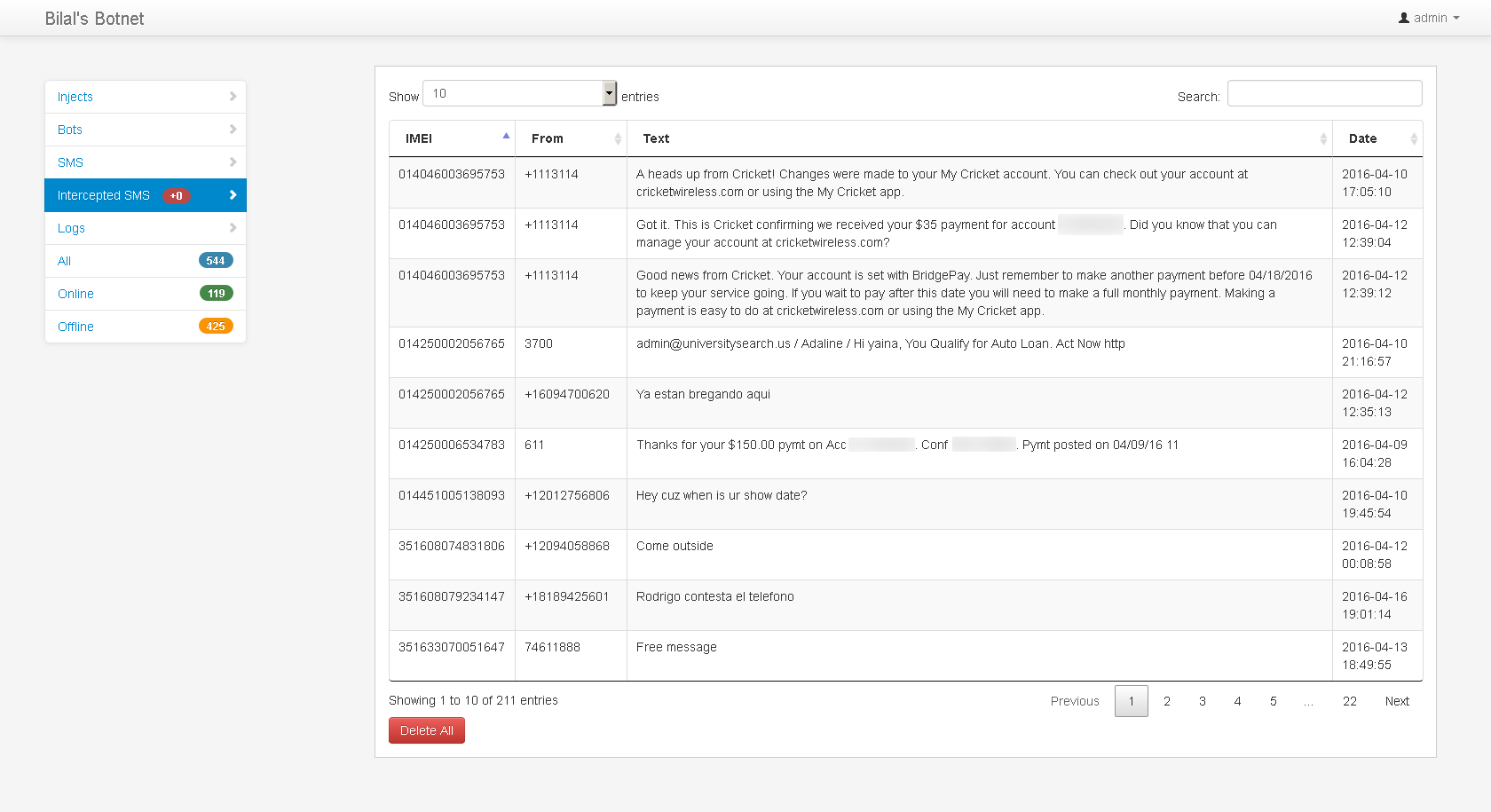
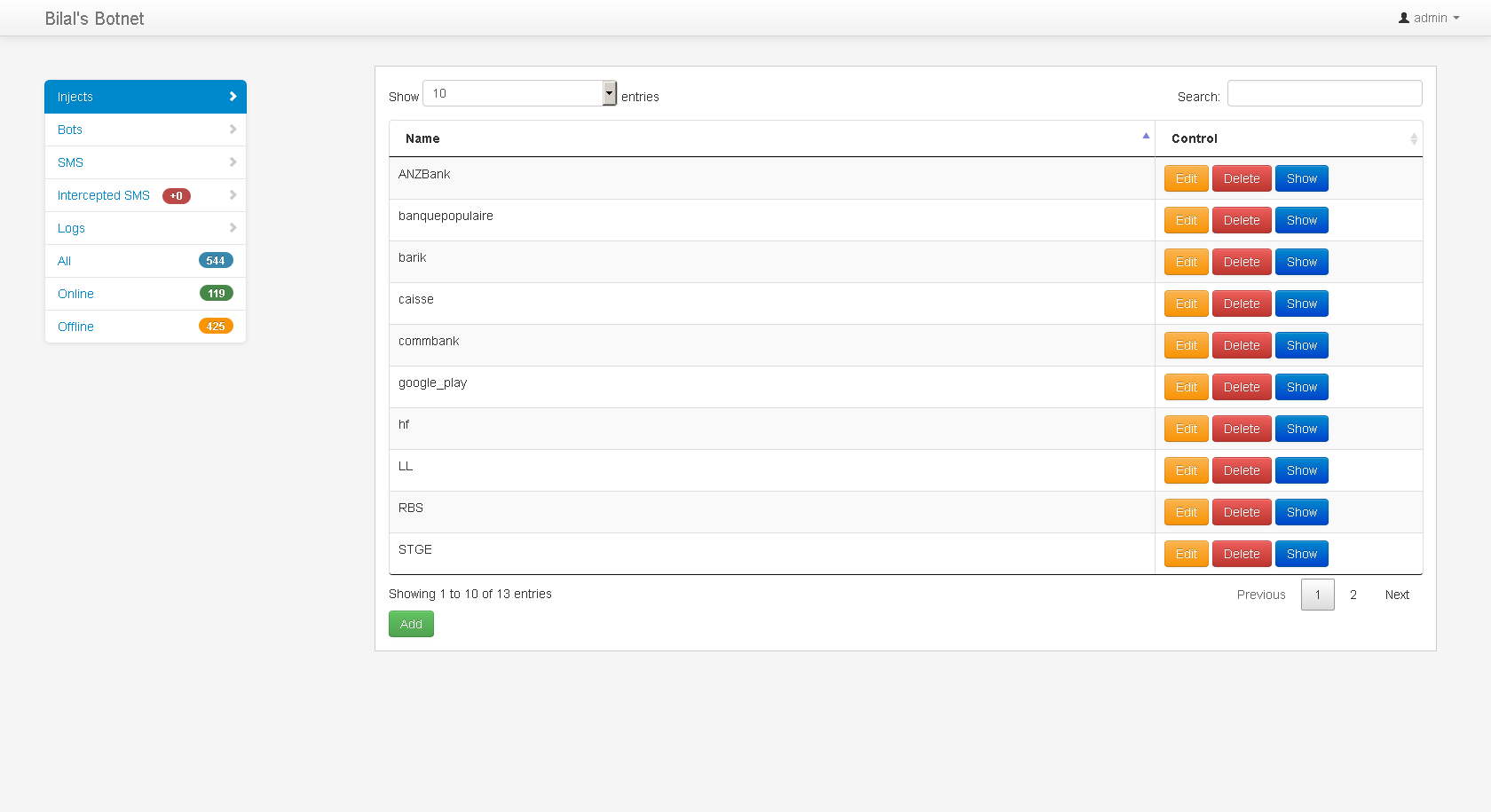
Typical admin panel of a typical mobile banking bot
Industry
With the proliferation of mobile devices on Android, the production of Trojans for this platform has begun to gradually turn into a real underground industry. This also fully affected the bankers.Advertisements about the leasing of banking Trojans for Android began to appear on the darknet, with the provision of admin panel and technical support to the client. And then builders began to spread, with the use of which anyone without any programming skills could build a banking Trojan masquerading as a selected application or a specific bank-client system.
Builder for creating a banking Trojan for Android.
Thanks to this, the number of bank three has begun to grow since about 2017, if not exponentially, then quite noticeably. And the chances of catching a similar infection among Android smartphone users have also grown significantly. Taking into account the fact that most of such malware works with administrator privileges, it is not so easy to remove them from the device: for this, at best, you will have to start the system in safe mode, at worst, reset the device to factory settings with all the ensuing consequences.
How to fight?
Proven fact: even disabling the ability to install applications from third-party sources on the phone does not always protect the user from the penetration of bankers. There are many known cases of downloading such malware even from the official Google Play directory: the technology for checking applications placed there is still imperfect.In addition, the Android operating system is distinguished by a significant number of vulnerabilities that can be used by virus writers for their own, by no means noble purposes. Antiviruses are capable of protecting the device from unauthorized penetration of malware, but whether to install them or not is a private matter for Android users themselves. At least my friend, a businessman, after the incident with the theft of money, decided not to tempt fate anymore and downloaded the following program to his phone: there will be no superfluous.
(c) xakep.ru
