Web scraping Google Maps can offer a wide range of valuable advantages. Google Maps is a vast repository of information, including details about businesses, locations, and customer reviews. By extracting these data through web scraping, businesses can gain insights and use the information in various beneficial ways. If you want to learn more about the significance of using Google Maps for web scraping, keep on reading.

Benefits of Web Scraping Google Maps

Web scraping Google Maps is widely employed by various businesses. Here's why.
1. Competitive Analysis
Web scraping Google Maps allows you to gather data on your competitors. For example, if you are a restaurant owner, you can scrape information about your nearby restaurants such as their operating hours, customer ratings, and the types of cuisine they offer. This data can be used to identify gaps in the market and analyze their strengths and weaknesses.
By comparing your own offerings and performance metrics with those of your competitors, you can formulate strategies to gain a competitive edge.

2. Location - Based Insights
For companies with a physical presence or those targeting specific geographical areas, Google Maps scraping provides location - based intelligence.
For example, real - estate agencies can scrape property listings, including details such as price, size, and amenities. This data can be helpful for understanding the real - estate market trends in different neighborhoods.

3. Customer Sentiment Analysis
Customer reviews scraped from Google Maps are a goldmine for understanding customer sentiment. By analyzing the language and sentiment of reviews, businesses can identify areas of customer satisfaction and dissatisfaction.
For example, a hotel can analyze reviews to find out what guests appreciate most about their stay and what needs improvement. This feedback can be used to improve services and enhance the overall customer experience.

4. Market Trends
When it comes to getting information about trends in specific locations, Google Maps is extremely helpful. Staying abreast of trends will boost your efficiency and improve your strategic decisions.

Getting Started to Scrap Data from Google Maps

Once you understand the significance of web scraping Google Maps, you can follow this step-by-step guide.

Step 1: Understanding the Legal Aspect
Before starting data collection, you must make sure that you understand and are adhering to Google's Terms of Service. This will help you avoid bans and restrictions.
Step 2: Selecting Your Tools
Selecting tools for web scraping is crucial. The appropriate tools will make your process more convenient and less burdensome. You must pick the programming language and libraries that you will utilize during web scraping.
Step 3: Creating the Scraper
After installing the essential tools, determine the data you want to scrape and build a library to manage dynamic content. You must ensure that your scraper will fully load the elements.
Step 4: Storing the Collected Data
Once you have collected the relevant data, it is essential to store it in a structured format. You can employ formats such as CSV or a database for further analysis.

How to Scrap Google Maps?

Extracting data from Google Maps using Google Maps API is recommended. Here’s how to do it.

Step 1: Establish a Google Cloud Project
You can initiate a new project by accessing the Google Cloud Console.

Step 2: Activate the Google Maps API
After creating a project, you must enable the APIs you require, such as the Places API, Geocoding API, and others.

Step 3: Acquire an API Key and Make API Requests
You must generate an API key for authentication purposes and make requests according to your specific needs.

Step 4: Manage Data and Adhere to Usage Limits
You must handle the responses returned by the API. Keep in mind to be aware of the usage limits and pricing related to the API.

How Antidetect Browsers Help with Web Scraping Google Maps?

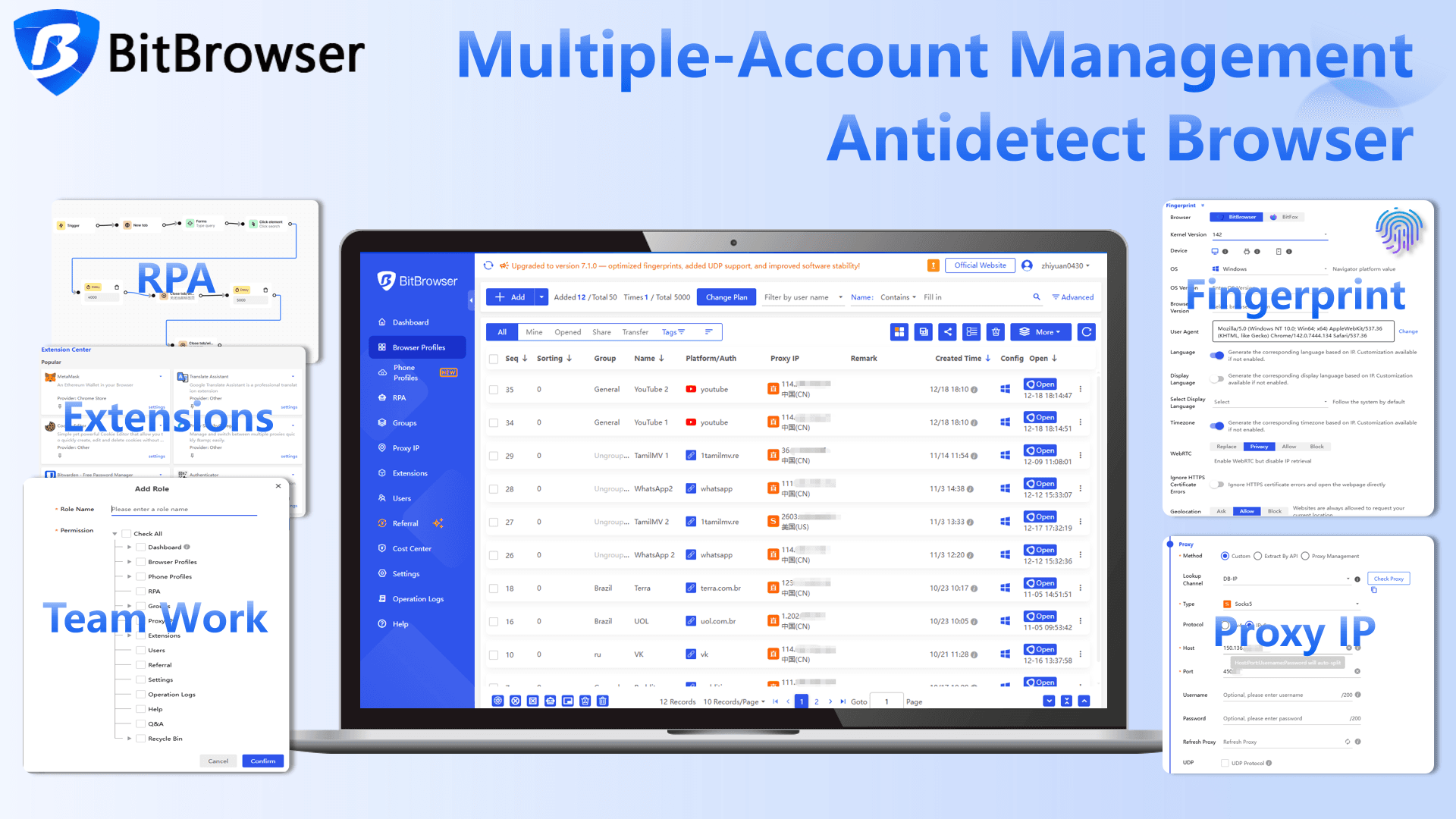
Automated tasks such as scraping are usually blocked or flagged by websites. At this point, anti-detect browsers like BitBrowser come in to help. Without using this tool, web scraping Google Maps can trigger CAPTCHAs, and the risk of your IP address being blocked is increasing significantly.

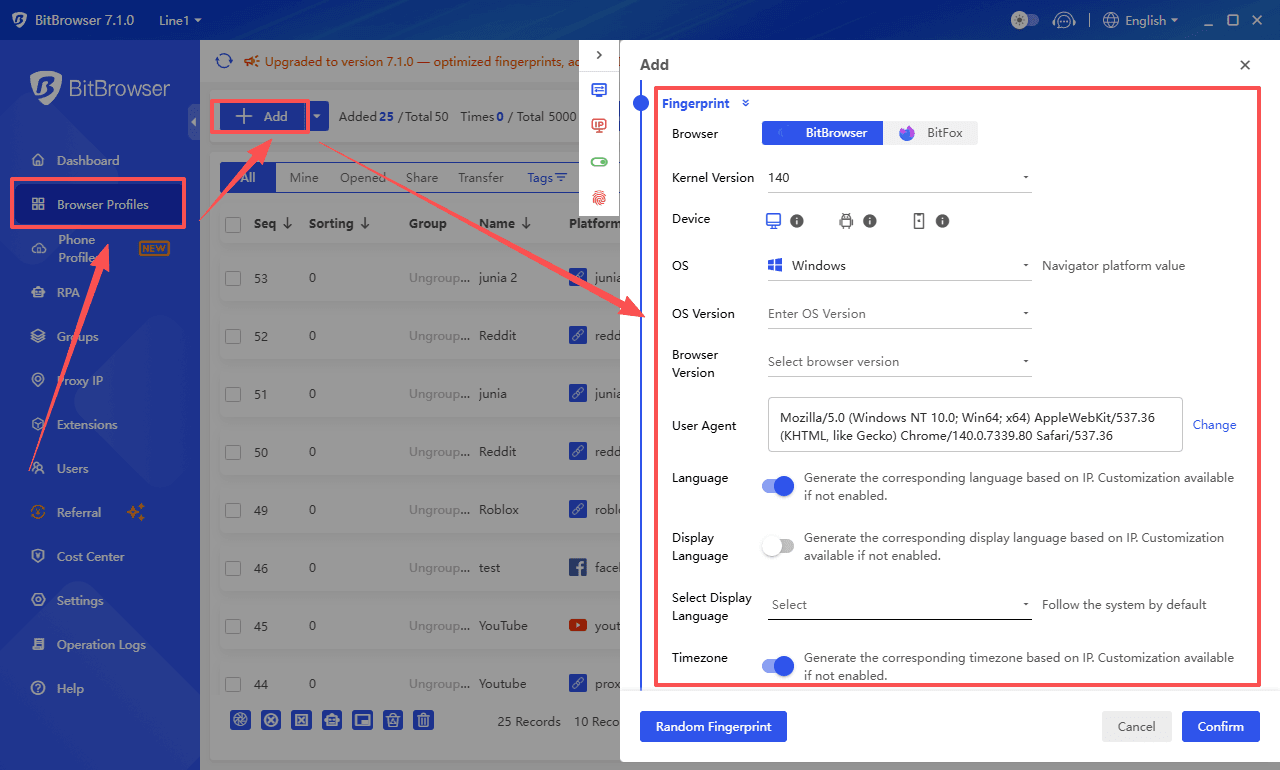
Users can use BitBrowser to mask their IP addresses and user agent. It generates unique fingerprints for each profile and guarantees that your activities are untraceable. This fingerprinting technology modifies browser fingerprints in order to avoid detection.

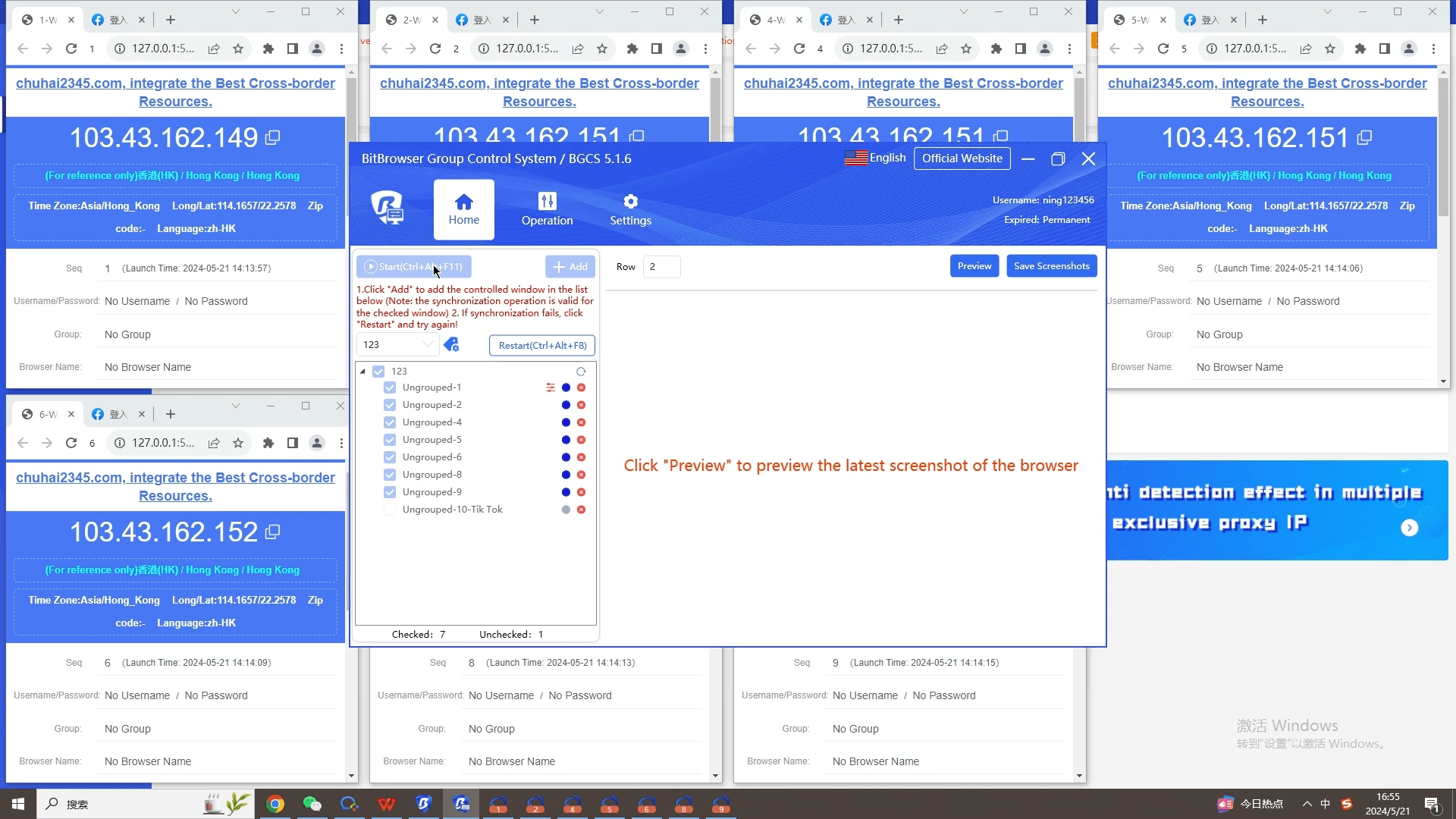
BitBrowser enables users to create multiple accounts, thus diversifying their scraping activities. The collaborative management feature allows businesses to understand their performance and share results with their teams.

In addition, BitBrowser supports all your proxies seamlessly. With BitBrowser, you can bypass API rate limits. Unique digital identities and IP addresses provide you with the ability to remain undetectable and gather data without being banned.

Conclusion

Google Maps has been the go-to web mapping platform for everyone. The crucial role it plays in people's digital and real lives is the reason why Google Maps holds billions of data that can be scraped.

As recommended, scraping Google Maps should be done cautiously and moderately. Always take into account the implications of data collection methods and pay close attention to ethical practices in any data-driven project.
 
Discord a évolué bien au-delà d’une simple plateforme de chat. Il est largement utilisé par les gamers, créateurs de contenu, entreprises et équipes. Les comptes Discord vérifiés ou âgés offrent des avantages évidents : ils inspirent plus de confiance, permettent l’accès à des serveurs exclusifs et peuvent contourner certaines restrictions de la plateforme. Pour ceux qui doivent gérer des communautés, rejoindre des groupes exclusifs ou croître plus rapidement, ces comptes font toute la différence.

Créer un nouveau compte Discord ne vous donne pas immédiatement de réputation, et en construire un à partir de zéro demande beaucoup de temps et d’efforts. C’est pourquoi beaucoup se demandent comment acheter des comptes Discord ou pourquoi d’autres l’ont déjà fait. Il s’agit de gagner du temps, d’éviter les restrictions et de débloquer la croissance plus rapidement.

Heureusement, des marketplaces tierces offrent un accès fiable à des comptes Discord. Ces plateformes mettent en relation les acheteurs avec des vendeurs proposant des comptes adaptés tout en assurant la protection de la plateforme. Dans cet article, nous explorons les 6 meilleures plateformes pour acheter des comptes Discord à des prix compétitifs tout en garantissant des transactions sûres et légitimes.

1.​

Site web : shop.xyliase.com

Xyliase Shop se distingue comme une plateforme de premier plan pour l’achat de comptes Discord entièrement vérifiés. Que vous soyez développeur, marketeur ou community manager, Xyliase propose des comptes âgés et de haute qualité, avec pseudonymes et avatars personnalisés.

Caractéristiques principales :

  • Comptes entièrement vérifiés : Email et téléphone validés pour un accès complet.
  • Comptes âgés : De frais à 24 mois.
  • Livraison instantanée : Recevez vos comptes immédiatement.
  • Pseudonymes et avatars réalistes : Créés par de vraies personnes et collectés à partir de grandes communautés Discord.
  • Idéal pour l’automatisation : Parfait pour bots, campagnes marketing ou gestion de serveurs.
Avec une réputation de fiabilité et de satisfaction client, Xyliase Shop est le choix numéro un pour ceux qui recherchent des comptes Discord premium.

2.​

Site web : playswap

PlaySwap a consolidé sa réputation dans le commerce de comptes Discord grâce à un processus strict de vérification avant mise en vente, garantissant aux acheteurs des comptes fonctionnels.

Caractéristiques principales :

  • Sélection variée de comptes : Vérifiés, âgés, Nitro ou avec badges.
  • Support live 24/7 : Assistance instantanée pour tout problème.
  • Politique de garantie transparente : Pour plus de sécurité lors de l’achat.
  • Livraison rapide : Recevez votre compte rapidement et en toute sécurité.
  • Système de messagerie intégré : Communication directe entre acheteurs et vendeurs.
Avec une interface intuitive, des fonctionnalités avancées et un haut niveau de sécurité, PlaySwap est une option de premier choix pour acheter un compte Discord sans perdre de temps ni prendre de risques.

3.​

Site web : eldorado

Eldorado est une marketplace renommée où les gamers échangent comptes, objets et monnaies en jeu. Bien que le commerce de comptes Discord soit récent, la solide réputation d’Eldorado en fait une option fiable.

Caractéristiques principales :

  • Filtres prix et livraison : Trouvez rapidement des comptes adaptés à vos besoins.
  • Réputation communautaire : Établie dans les communautés gaming.
  • Politique de garantie : Protection de l’acheteur incluse.
  • Processus de paiement sécurisé : Achat facile et sûr.
Bien que les délais dépendent du vendeur, Eldorado reste transparent et offre plusieurs options, en faisant un choix solide pour acheter des comptes Discord.

4.​

Site web : g2g

G2G est une marketplace digitale populaire pour comptes de jeux, objets, monnaies et comptes Discord. Les acheteurs peuvent filtrer les annonces selon le prix, la rapidité de livraison et la réputation des vendeurs.

Caractéristiques principales :

  • Marketplace ouverte : Plusieurs vendeurs et options compétitives.
  • Système d’évaluation structuré : Notations transparentes des vendeurs.
  • Politiques de protection des acheteurs : Réduisent les risques lors des transactions.
Pour ceux qui veulent flexibilité et variété de choix, G2G est une plateforme fiable pour acheter des comptes Discord.


5.​

Site web : playerup

PlayerUp fonctionne comme un forum où les acheteurs peuvent parcourir et négocier directement avec les vendeurs.

Caractéristiques principales :

  • Négociation directe : Personnalisez vos offres et discutez des détails.
  • Service de tiers de confiance : Paiement retenu jusqu’à confirmation de la livraison.
  • Large base d’utilisateurs : Populaire malgré une interface moins moderne.
PlayerUp reste un favori pour les acheteurs privilégiant la protection et la flexibilité dans les négociations.


6.​

Site web : z2u

Z2U propose une large gamme de comptes de jeux et Discord, incluant comptes vérifiés, âgés, token, badges et Nitro.

Caractéristiques principales :

  • Catégorisation claire : Filtrez facilement les comptes selon type et usage.
  • Sécurité garantie : Transactions protégées.
  • Options abordables : Prix compétitifs pour les acheteurs.
Même avec des frais de service, Z2U est une option fiable pour un achat simple et sécurisé.

Conclusion​

Acheter un compte Discord peut faire gagner du temps et débloquer des fonctionnalités plus rapidement, à condition de passer par des sources fiables. Parmi les plateformes listées, Xyliase Shop se distingue par ses standards de qualité stricts et sa politique centrée sur l’acheteur.

Quel que soit le choix de plateforme, comparez les annonces, consultez les retours des vendeurs et comprenez les politiques du site avant tout achat. La bonne décision peut simplifier votre expérience Discord et vous permettre de croître plus rapidement et en toute sécurité.
 
Ticket scalping has been a persistent issue in the ticketing industry, especially for high-demand events such as concerts, sports games, and festivals. The use of bots to purchase tickets faster than human buyers has become increasingly common. However, ticket platforms are actively implementing sophisticated anti-bot technology to maintain fairness. This is where antidetect browsers come into play. These tools help ticket bots evade detection, mimic unique users, and manage multiple accounts simultaneously, ensuring better chances of securing tickets for bot users.
In this guide, we will explore the top 7 antidetect browsers for ticket bots in 2025 and how they help improve your ticket purchasing experience.

What Are Ticket Bots?

Ticket bots refer to automated software that accelerates the ticket purchasing process for high-demand events. Instead of manually filling out forms and waiting in queues, ticket bots can:
  • Join multiple virtual queues: Bots enter several queues at once, ensuring a higher chance of securing tickets.
  • Autofill payment information: Personal and payment details are instantly preloaded to reduce delays.
  • Run multiple sessions in parallel: Bots can execute numerous purchase attempts at the same time, increasing the chances of success.
This technology is designed to gain an edge over ordinary buyers, securing tickets faster. However, ticketing platforms like Ticketmaster and AXS have stringent measures in place to detect and block bots.

Why Ticket Bots Are Linked to Antidetect Browsers

The relationship between ticket bots and antidetect browsers is rooted in the need for stealth. Ticketing platforms heavily invest in anti-bot technologies, including:
  • Unique Fingerprinting: Detecting the same digital footprint across multiple accounts.
  • IP Monitoring: Identifying suspicious IP addresses or patterns of behavior.
  • Advanced CAPTCHA: Preventing automated scripts from bypassing checks.
Antidetect browsers are essential because they:
  • Mimic Unique Users: Each session appears as if it’s being accessed from a different device with its own fingerprint (IP address, WebGL data, screen resolution, etc.).
  • Isolate Profiles: Each session operates independently with unique cookies and browsing environments, making it harder for platforms to cross-link accounts.
  • Work with Clean IPs: Integrating with proxies, antidetect browsers ensure that each profile uses a unique, geo-targeted IP address.
  • Bypass Basic Detection Layers: These browsers can avoid detection layers like CAPTCHA or account bans by rotating fingerprints and IP addresses.
  • Enhance Speed: Antidetect browsers reduce friction during ticket drops, increasing the chances of success in high-competition environments where milliseconds matter.

Top 7 Antidetect Browsers for Ticket Bots in 2025

Below, we’ll examine the top 7 antidetect browsers for ticket bots in 2025, focusing on their features, advantages, and limitations.

1. BitBrowser

BitBrowser is the ultimate antidetect browser for ticket bot operations, providing powerful tools to manage multiple accounts, maintain anonymity, and securely handle high-demand ticket drops.
Key Features:
  • Advanced Fingerprint Isolation: Each profile operates with a unique digital footprint, preventing cross-linking and increasing stealth when interacting with ticket platforms.
  • Geo-targeted IPs and Proxies: Seamlessly integrates with proxy providers, ensuring each session uses different IP addresses for greater anonymity and to avoid detection.
  • Mobile Emulation: BitBrowser supports emulating mobile environments, making it perfect for mobile-first ticket platforms or those that have dedicated mobile apps.
  • Automation and Scripting: Powerful built-in automation tools and scripting support help automate tasks like form-filling, purchasing, and account management.
  • Advanced CAPTCHA Bypass: Features enhanced anti-detection mechanisms to bypass even the most sophisticated CAPTCHA systems commonly used by ticketing platforms.
  • Profile Synchronization: Syncs across multiple devices and platforms, providing smooth operations for users managing multiple bots.
Why BitBrowser Is Ideal for Ticket Bots:
BitBrowser stands at the top due to its advanced fingerprint management, proxy support, mobile emulation, and automation capabilities. This makes it the go-to solution for serious ticket bot operators who require speed, stealth, and flexibility. Whether you’re running one bot or managing a large team, BitBrowser ensures that all your operations remain undetected, improving your chances of securing tickets at lightning speed.

2. Incogniton

Incogniton is an advanced antidetect browser suited for users who require more control and flexibility in managing multiple profiles, especially when integrating with Selenium for task automation.
Key Features:
  • Selenium Integration: Allows users to automate tasks like ticket purchasing, which is essential for scaling operations.
  • Device Management: Simulate multiple devices, bypassing restrictions placed by ticketing platforms.
  • Cloud Storage: Remote management of profiles ensures easier access and consistency across sessions.
Pros: Ideal for advanced users who need a highly customizable solution. The integration with Selenium allows for sophisticated automation.
Cons: Incogniton requires technical expertise for optimal use and may not be cost-effective for small-scale operations due to its higher pricing.

3. Undetectable.io

Undetectable.io is tailored to social media managers but also serves well in ticket bot operations, particularly when location-based ticket purchasing is critical.
Key Features:
  • Profile Customization: Customize profiles to suit different accounts, ensuring that each bot appears as a unique entity to ticket platforms.
  • Geo-targeted IPs: Use geo-targeted IPs to simulate purchases from different locations, which can be essential for accessing tickets that are region-locked.
Pros: Excellent for regional anonymity in ticket bot operations.
Cons: Lacks mobile emulation and advanced automation tools, which may limit its capabilities for more complex ticket bot operations.

4. Kameleo

Kameleo shines when it comes to emulating mobile environments, which is a necessity for ticket platforms that are mobile-first, such as those focused on mobile app ticket sales.
Key Features:
  • Mobile Device Emulation: Simulates mobile environments, allowing bots to function smoothly on mobile ticketing apps.
  • Selenium Integration: Automates tasks such as filling out forms and completing transactions, reducing manual delays.
Pros: Best for mobile-first platforms like mobile ticketing apps. It’s ideal for those who need to manage ticket bots across mobile devices.
Cons: Kameleo’s higher pricing and lack of team collaboration features make it less suitable for large-scale operations.

5. Lalicat

Lalicat is a budget-friendly antidetect browser that offers essential features for small-scale ticket bot operations, such as unlimited profiles and proxy support.
Key Features:
  • Unlimited Profiles: Users can manage numerous ticket bot accounts without worrying about profile limits.
  • Customizable Fingerprints: Tailor each profile’s fingerprint to enhance security and reduce detection risk.
Pros: Affordable and simple to use, making it ideal for smaller-scale ticket bot operations.
Cons: Lacks advanced automation tools and mobile emulation, which may hinder performance on certain ticketing platforms.

6. GoLogin

GoLogin is an antidetect browser designed for smaller teams or solo marketers. It provides customizable browser profiles and mobile emulation, making it suitable for platforms that are mobile-first.
Key Features:
  • Customizable Browser Profiles: Each bot account can be tailored with a unique profile to prevent detection.
  • Mobile Emulation: Supports platforms like Instagram, which can be helpful for ticketing platforms that have mobile apps.
Pros: GoLogin is cost-effective and easy to use, with a simple interface that makes it accessible for beginners.
Cons: Lacks built-in proxies, and its limited scalability makes it unsuitable for larger ticket bot operations.

7. AdsPower

AdsPower is a robust antidetect browser designed for bulk account management. It’s well-suited for agencies or larger teams handling multiple ticket bot accounts across various platforms.
Key Features:
  • Bulk Account Management: AdsPower supports bulk management, making it easier to operate a large number of ticket bot accounts.
  • Proxy Integration: Ensures that each ticket bot operates from a different, clean IP address to avoid detection.
Pros: Ideal for managing a large number of accounts, and the user-friendly interface makes it easy to navigate.
Cons: Higher pricing may make it less suitable for small businesses or individuals. It also lacks mobile emulation, which can be a limitation for mobile-focused ticketing platforms.

Comparison Table: BitBrowser vs Other Antidetect Browsers

FeatureBitBrowserIncognitonUndetectable.ioKameleoLalicatGoLoginAdsPower
Isolated Browser Profiles✅✅✅✅✅✅✅
Proxy Integration✅✅✅✅✅✅✅
Mobile Emulation✅❌❌✅❌✅❌
Automation Tools✅✅❌✅❌❌✅
Team Collaboration✅❌❌❌❌❌✅
Affordable for Small Ops✅❌✅
With BitBrowser leading the list, it's clear that advanced features like automated workflows, mobile emulation, and high levels of customization make it the best choice for ticket bot operators. Whether you’re running a small operation or scaling to handle multiple bots at once, BitBrowser provides the tools you need to stay ahead of the competition.
 
Earn 20 % Profit| Affiliate Program in BitBrowser


cThe innovative BitBrowser Affiliate Program presents an exciting prospect for users to not only protect their online identity but also earn substantial rewards by inviting others to experience the benefits of this cutting-edge anti-detect browser.

Affiliate Program​

The Affiliate Program is designed to empower users with the means to earn while spreading the message of online privacy and security.

As a user of BitBrowser, you’re already benefiting from its advanced privacy features and secure browsing environment. Now, you have the chance to amplify your gains by introducing others to the same enhanced digital experience.

How Does The Program Work?​

Permanent Passive, Unlimited Term


Earn 20 % Profit| Affiliate Program in BitBrowser

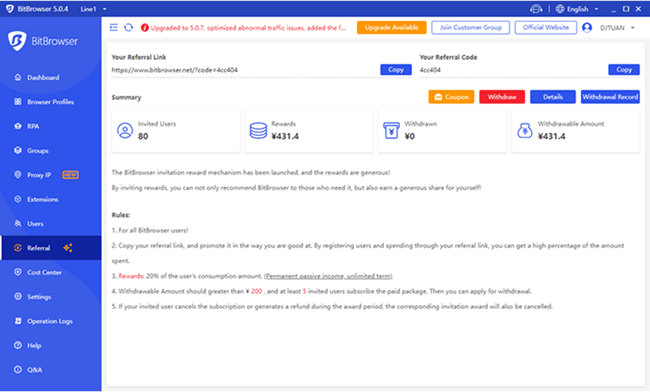
The concept is simple yet powerful. Every BitBrowser user is given a unique referral link to share with friends, family, colleagues, and even their online community. When someone registers and pays for BitBrowser using your referral link, you stand to earn a generous 20% commission based on the consumption of the people you’ve invited.

PS: This commission is not just a one-time reward; it’s a continuous stream of earnings that grows as the individuals you’ve referred continue to utilize BitBrowser’s services. Whether they’re browsing securely, bypassing geographic restrictions, or enjoying enhanced privacy, your efforts to introduce them to BitBrowser translate into a tangible financial benefit.

Joining Us with the Campagin​

If you’re already experiencing the transformative effects of BitBrowser’s privacy features and security measures, the BitBrowser Affiliate Program offers you the chance to extend those benefits to others while reaping financial rewards. It’s a win-win scenario that aligns with online empowerment and privacy protection values.


Earn 20 % Profit| Affiliate Program in BitBrowser
 
1-241122145459B7.png

Social Media - BitBrowser

Looking for a new traffic source? EZmob’s Exclusive BFCM Promotion is Here – Just for BitBrowser Users!

This Black Friday, BitBrowser users can access an exclusive double bonus with EZmob, the go-to self-serve ad platform for push, pop, and banner ads.

Why EZmob?

- High-quality, global traffic to power your campaigns.

- Easy, user-friendly platform for seamless ad setup.

- Multiple ad formats like POP, Push, In-page, and Banner ads for performance marketing success.

  Exclusive BFCM Offer:

First Deposit Bonus:
Deposit $150 and get a $50 bonus.

Second Deposit Bonus: Add $250 more and get another $50 bonus.

Use code BFCM24 to claim your exclusive bonuses!

Offer valid from November 21st to December 31st.

  Get started today and maximize your ROI:

https://ezmob.com/self-serve-advertising/?utm_source=bitbrowser&utm_medium=bfcm&utm_campaign=SSM

#BitBrowser #EZMob #BlackFridayOffer #ExclusiveBonus #AdTech

  Newsletter Text - BitBrowser

  Looking for a new traffic source? BitBrowser Users Get an Exclusive BFCM Bonus with EZmob!


BitBrowser users get an exclusive deal this Black Friday from EZmob:

  - Deposit $150 and get a $50 bonus.

  - Add another $250 and receive an additional $50 bonus.


Use code BFCM24 to unlock these bonuses. Offer valid from November 21st to December 31st.

  Don’t miss out—start here:

https://ezmob.com/self-serve-advertising/?utm_source=bitbrowser&utm_medium=bfcm&utm_campaign=mailer
 
Top 6 Ways To Earn Crypto For Free


In the rapidly evolving world of cryptocurrency, many people are looking for ways to acquire free crypto. As we step into 2024, the crypto industry provides several reliable methods to earn free crypto without direct investment. Whether it's through participating in airdrops, joining referral programs, or employing other strategies, you are likely to find an approach that suits your preferences and meets your requirements.

In this article, we’ll explore the 6 most profitable ways to earn crypto without any investment in 2024 to help you better navigate this landscape. However, keep in mind that there methods are not get-rick-quick schemes and may carry certain risks and uncertainties. Proceed with caution and watch out for suspicious websites, frauds and scams and always do your own research.

What Are the Best Ways to Earn Free Crypto?

1. Complete Tasks and Surveys

Many platforms offer rewards in cryptocurrency for completing simple tasks, surveys, or watching ads. These can range from answering trivia questions to participating in market research and providing feedback on products and services. It is one of the most simple ways to earn crypto for free.

How-to: Sign up for reputable crypto earning websites or apps that offer such opportunities, for example Swagbucks and Free Cash. Ensure they have a good reputation and a proven track record of paying out.

2. Crypto Airdrops and Bounties

Airdrops involve free distribution of tokens or coins to users, often to promote a new blockchain project or cryptocurrency. Bounties, on the other hand, are rewards for specific tasks, such as finding bugs or promoting a project on social media.

How-to: Follow projects that frequently offer airdrops and bounties on social media or crypto news websites. Make sure to read the terms and conditions carefully before participating.

3. Referral Programs

Many cryptocurrency exchanges, wallets, and other platforms offer referral programs where you can earn a percentage of the fees paid by people you invite to join the platform.

For instance, Platforms such as Binance and Coinbase are well-known for providing affiliate programs that enable existing customers to invite new users via a unique link. On Binance, users have the chance to earn a 100 USDT trading fee rebate voucher by suggesting friends to sign up and depositing more than $50. Coinbase offers $10 in Bitcoin for each referral who signs up and purchases at least $100 worth of cryptocurrency.

How-to: Choose platforms that have generous referral programs and actively promote them to your network. Use your unique referral link or code to track your earnings.

4. Play-to-Earn Games

As a new trend in the blockchain industry, Play-to-earn games are becoming increasingly popular. It allows users to earn cryptocurrency simply by playing games that often incorporate blockchain technology and non-fungible tokens (NFTs). And players are rewarded with various forms of assets, like coins.

The critical point is to collect in-game assets in the form of NFTs (weapons, armor, digital land, and so on) and sell them to other players. These assets are deposited in your crypto wallet and can subsequently be sold on the game platform or on third-party marketplaces like OpenSea.

How-to: Explore the growing list of play-to-earn games available, choose one that interests you, and start playing. Understand the in-game economy and how you can earn and trade your rewards. Some well-known games that you may already know and where you can earn free crypto are DeFi Kingdoms, Axie Infinity, and Gods Unchained.

5. Staking

As one of the easiest and also the most trusted ways to earn passive income with the coins that you already have, staking is the process of holding cryptocurrency in a wallet or a cryptocurrency exchange to support the operations of a blockchain network. In return for helping to maintain the network's security and decentralization, you earn rewards in the form of new coins or tokens. This is similar to a savings account at a bank, but typically offers a better earning.

How-to: It can be accomplished directly by interacting with blockchains that utilize a proof-of-stake system, for example, Ethereum (ETH), Solana (SOL), or Cardano (ADA). Alternatively, it can be done indirectly through cryptocurrency exchanges such as Coinbase, Binance, or Kraken.

6. Crypto Lending

Crypto lending involves lending your digital assets to others in return for interest payments in cryptocurrency. You can lend your crypto to people who wish to trade on margins on trading platforms or to others on specialized designed platforms for crypto loans.

How-to: It is crucial to be extremely careful when choosing a platform and borrowers to ensure that you are repaid. If you want to mitigate this risk, you can diversify your loans or engage in co-lending. If you decide to pursue this approach, partnering with a reliable platform is essential.


How to Prevent Cryptocurrency Scams?

Although getting free money is better than any other experiences in this world, you shouldn’t join every project that offer free crypto tokens. Be cautious when choosing a project because the world of digital currency is filled with scams. Here are some useful tips for you to avoid crypto scams.


Top 6 Ways To Earn Crypto For Free


1. Research Thoroughly

Before investing in any cryptocurrency or participating in an earning opportunity, you need to thoroughly research the project, its team, and any associated companies. Look for reviews, forums, and social media activity to get a sense of the community's trust in the project.
2. Avoid Unsolicited Offers

Be wary of unsolicited offers promising high returns with little risk. Scammers often use these tactics to lure you into investments that turn out to be fraudulent.

3. Verify Information Sources

Only trust information from reputable sources, such as established news outlets, trusted cryptocurrency forums, and the official websites of projects. Avoid relying on anonymous or unverified sources for information.

4. Use Secure Wallets

Keep your cryptocurrency in secure wallets that support multi-factor authentication and other security features. Avoid storing large amounts of crypto on exchanges unless absolutely necessary.

5. Be Vigilant

Stay alert for suspicious activity, such as sudden changes to project terms, unexplained delays in payouts, or requests for personal information. If something seems too good to be true, it probably is.

Stay Ahead in Your Crypto Game with BitBrowser!

No matter which method you choose to start earning your free crypto, engaging in staking or joining a referral program, running only account will greatly limit your yield. Running multiple accounts can increase your earnings substantially.

However, it’s not always that easy to run and manage multiple accounts as websites use techniques like fingerprinting to identify and block multi-accounting.

BitBrowser can help you solve these issues, so you can continue to earn free cryptocurrency as much as you can.

BitBrowser can simulate different browser profiles, making your accounts look more real and natural. Through BitBrowser, you can easily create and manage multiple independent accounts of a single platform. Each account has a unique identity and browser fingerprint, effectively avoiding the risk of accounts being suspended.

BitBrowser enables you to stay anonymous so that you can maximize your income.

Sign up for BitBrowser for free today and be on top of your crypto game.


Top 6 Ways To Earn Crypto For Free
 
Managing multiple social media accounts is no small feat. One device change can trigger logouts, additional verifications, or account reviews, consuming hours of your week. The solution? Cloud phones — virtual Android devices that allow stable, persistent, and isolated account management without juggling physical hardware.

In this guide, we’ll compare the best cloud phones for social media marketing in 2026, highlighting features that matter most: persistent device identity, account isolation, team workflows, and cost efficiency. We’ll also provide a practical setup checklist to maintain account stability as your client list grows.

What “Best” Means for Social Media Teams

Not all cloud phones are created equal. Some are gaming-focused, others are virtual Android emulators, and a few are actual device-as-a-service platforms. For social media managers handling multiple accounts, the following characteristics are non-negotiable:

  1. Persistent Device Identity – The cloud phone should maintain the same device identity over weeks or months. Sudden changes trigger verification loops.
  2. Isolation per Workflow – Each client account or project should have a separate device environment. Switching between accounts should not share fingerprints.
  3. Reliable Location Control – IP addresses and geolocation signals must align. Mismatched locations can lead to platform verification alerts.
  4. Native App Support – Real Android apps, not just web views, ensuring platforms treat the device as authentic.
  5. Central Management – Easily start, stop, and organize multiple cloud phones from a single dashboard.
  6. Team Access – Multiple team members can access accounts without sharing physical devices.
  7. Cost Model that Scales – Pay for active usage, not idle devices.
Keep these criteria in mind as we review the top cloud phone platforms for social media marketing.

Top Cloud Phones for Social Media Marketing (2026)

1.

image.png

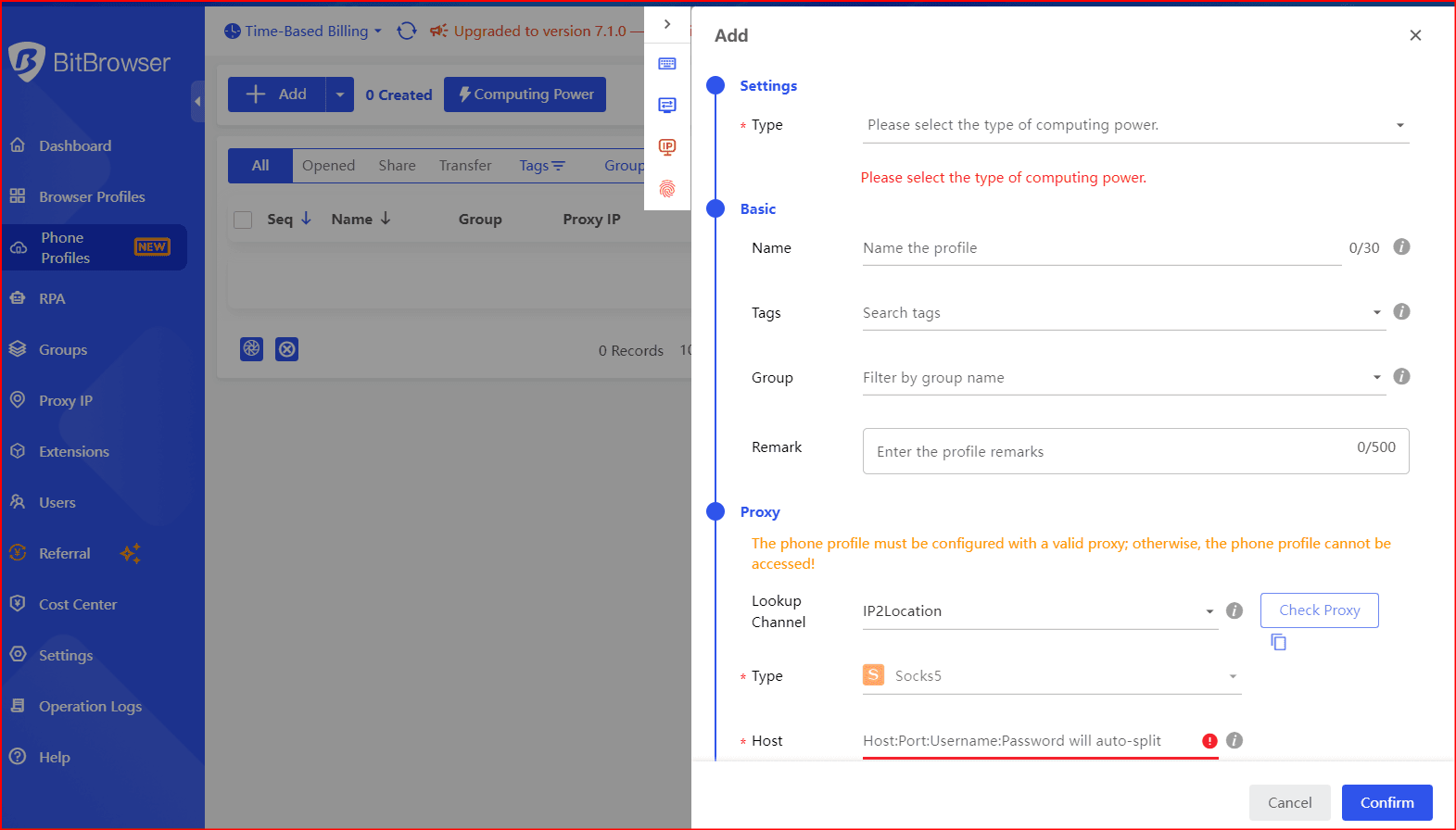
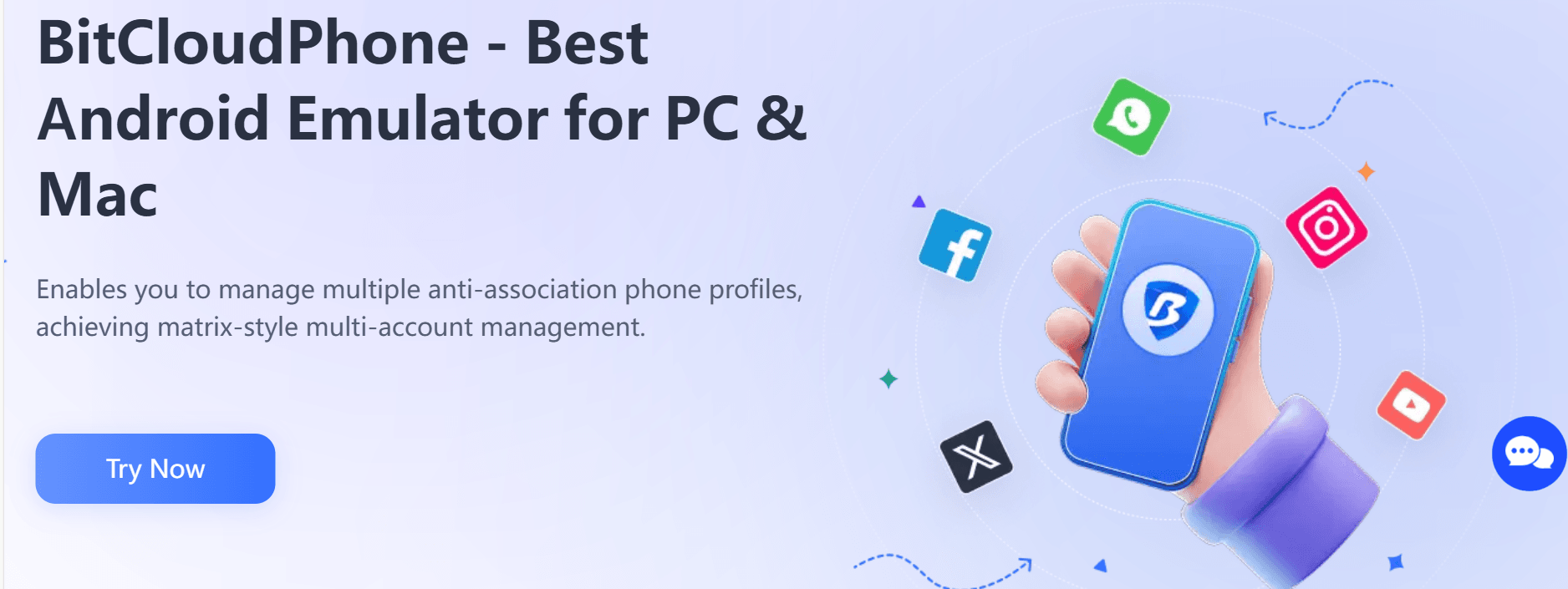
BitCloudPhone, from BitBrowser, is explicitly designed for managing multiple accounts and projects. It uses a profile-based system, where each profile represents a separate device, making it perfect for agency workflows.

Key Features:

  • Unique device fingerprint per profile – Persistent across sessions.
  • Native app support – Real Android apps in a virtualized environment.
  • Time-based billing – Pay for active usage only.
  • Multi-profile management – One profile per client or project, fully isolated.
  • Centralized dashboard – Organize, start, and stop profiles without hardware juggling.
Best Use Case: Agencies managing multiple client accounts, requiring persistent device identities and organized multi-profile workflows.

What to Watch: Marketed as an emulator environment, so always pilot test with your apps to verify platform tolerance for virtualized signals.

image.png

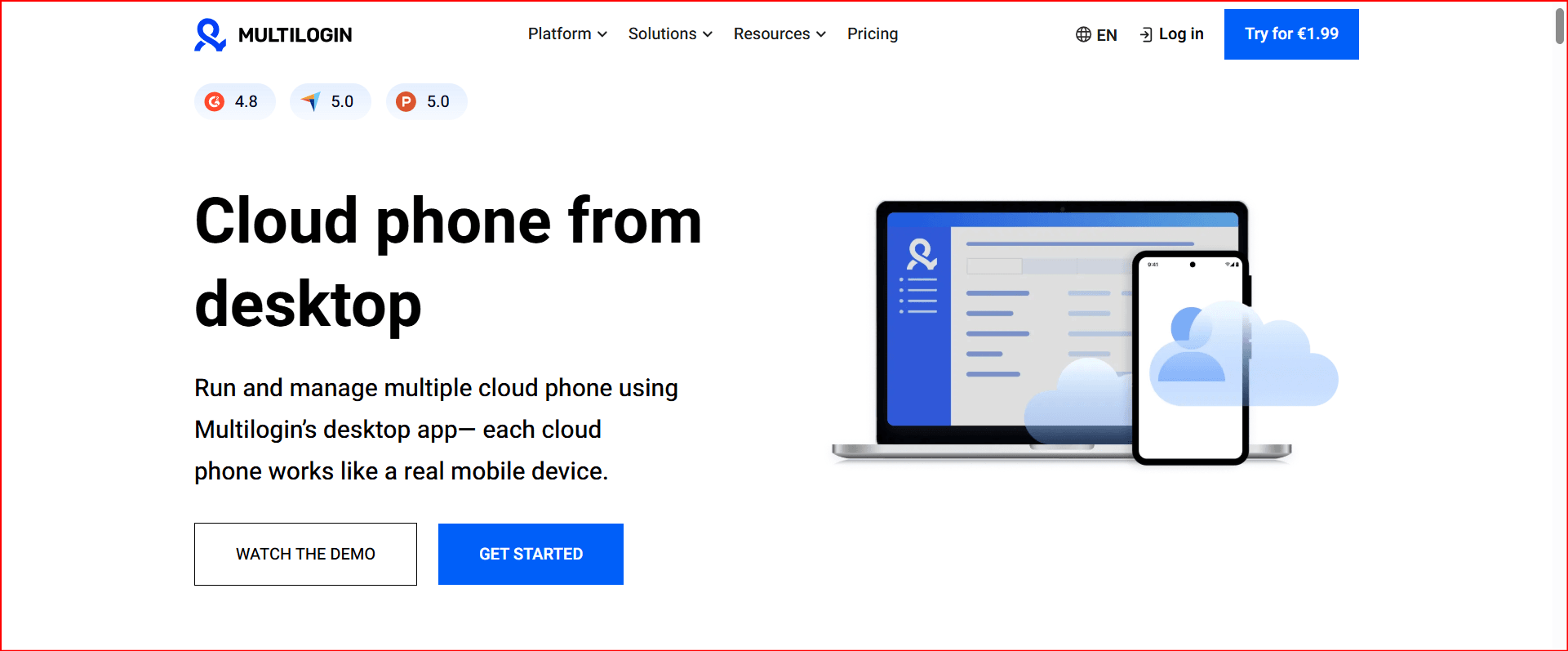
2. Multilogin Cloud Phone — Persistent & Reliable Device Identity

image.png

Multilogin offers true cloud-hosted Android phones controlled via their desktop app. Each cloud phone has its own device fingerprint and isolated environment.

Key Features:

  • Built-in residential proxies with city-level targeting
  • 55+ configurable parameters across device/OS/browser/network signals
  • Pay-by-active-minute billing
  • Desktop integration with browser profiles
Best Use Case: Agencies needing clean separation between multiple client accounts with stable workflows across months.

When It Excels: Persistent session management, Facebook/Instagram ad operations, TikTok campaigns, or other high-risk social media workflows.

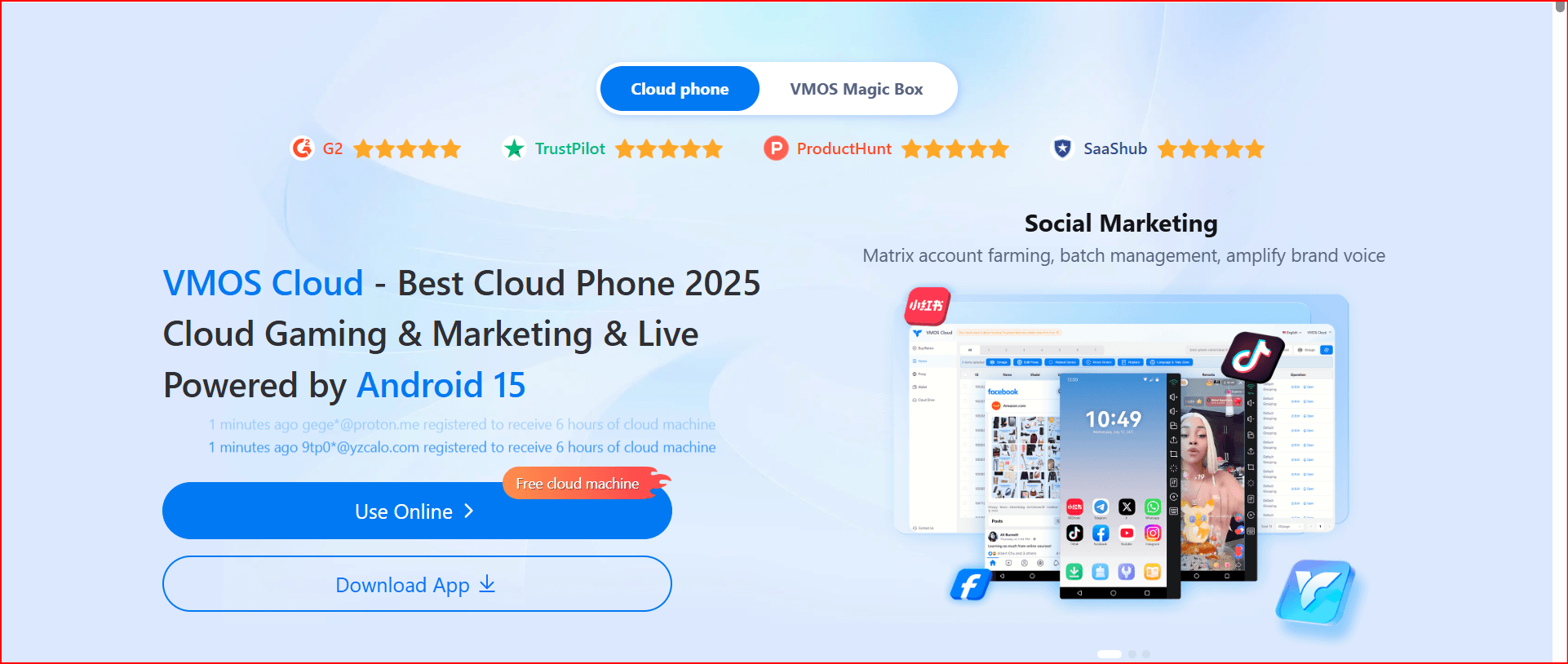
3. VMOS Cloud — Multi-Instance Batch Operations

image.png

VMOS Cloud specializes in multi-instance Android environments, enabling one operator to run several accounts simultaneously.

Key Features:

  • Multi-instance support for repetitive tasks
  • Access via Google Play ecosystem
  • Designed for batch posting, analytics, and engagement workflows
Caution: Virtualization signals may trigger extra verification on sensitive platforms. Test stability with your apps before scaling.

4. DuoPlus Cloud Phone — Real ARM Devices for Teams

DuoPlus focuses on team workflows with native app support, emphasizing real ARM devices for social marketing operations.

Key Features:

  • Centralized management of multiple devices
  • Supports app installation via Google Play or app manager
  • Native Android experience
Best Use Case: Teams needing multiple stable devices to run social media campaigns without browser-only limitations.

Caution: Confirm device authenticity claims (ARM vs virtual) with a small pilot.

5. Redfinger — Emulator-Style Cloud Android

Redfinger is a cloud Android emulator designed for quick access from anywhere.

Key Features:

  • Simple setup and remote access
  • Useful for small-scale operations or personal use
Caution: Emulator signals may trigger platform detection; best suited for less strict apps

6. LDCloud — Multi-Instance & Synchronized Operations

LDCloud enables synchronized actions across multiple cloud phones, ideal for batch posting or repetitive account management tasks.

Key Features:

  • Multi-instance and synchronized operations
  • Centralized management for productivity
  • Suitable beyond gaming for social media teams
Caution: Always verify that device signals are “phone-like” to reduce verification frequenc

Choosing the Right Cloud Phone Quickly

  • Agency / Multi-client / Long-term: Start with BitCloudPhone or Multilogin for persistent device identity.
  • Batch multi-instance workflows: Consider VMOS Cloud or LDCloud.
  • Quick access or smaller operations: Redfinger or DuoPlus may suffice.

Cloud Phone Setup Checklist

  1. One cloud phone per account cluster – Avoid sharing identities.
  2. Maintain consistent location signals – IP region + device region + timezone should match.
  3. Avoid rapid switching behavior – Logins should appear human-paced.
  4. Clean team handoffs – No sharing credentials; use shared profiles.
  5. Stay within platform rules – Use Business Pages, proper roles, and avoid violating account ownership policies.

Real-World Workflow Example

Before:

  • One phone shared across the team
  • Frequent logouts and verification loops
  • Random account reviews
  • 2–3 hours lost weekly managing devices
After (BitCloudPhone / Multilogin):

  • One profile per client
  • Dedicated residential proxies for location consistency
  • Shared team access without device changes
  • Persistent login sessions
  • Result: near-zero verification loops, ~10 hours saved per month

Conclusion

In 2026, social media teams need cloud phones that preserve device identity, isolate accounts, and scale efficiently.

Top Recommendations:

  • Best for Agencies / Persistent Workflows: BitCloudPhone, Multilogin
  • Best for Multi-Instance Operations: VMOS Cloud, LDCloud
  • Best for Quick or Small-Scale Use: Redfinger, DuoPlus
Invest in the right cloud phone setup, follow best practices, and your workflow will stay stable, efficient, and verification-free.
 
In 2026, Instagram users are increasingly curious about viewing other profiles anonymously. Whether it’s for competitor research, content inspiration, or simply satisfying curiosity, many turn to an Instagram profile viewer to browse public accounts without logging in. However, the landscape has changed. Instagram’s anti-cheat systems have become stronger, and third-party tools now carry higher risks.


The real question isn’t whether these tools work (many do), but whether they are safe, legal, and suitable for your goals. In this guide, we’ll break down the top free Instagram profile viewers available, discuss their risks and limitations, and introduce better, safer alternatives for 2026.
 
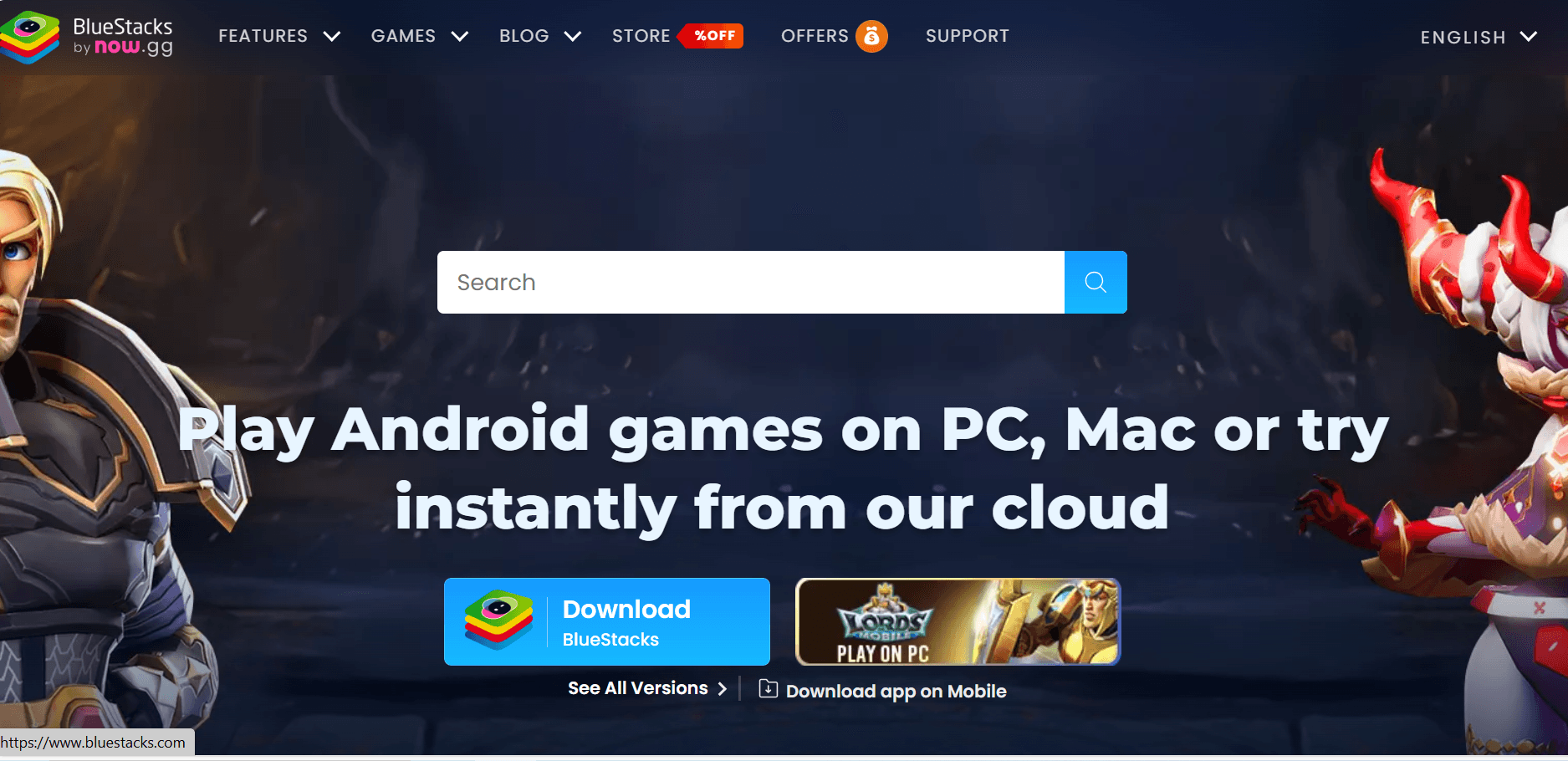
Android emulation on Windows 11 has evolved far beyond simple gaming. In 2025, whether you want to run social media marketing operations, test new apps, play mobile games on a big screen, or manage dozens of online accounts, you’ll find a specialized solution.
Our #1 choice this year is BitCloudPhone by BitBrowser — a cloud-based, enterprise-grade Android emulator with unmatched multi-account and automation capabilities. But there are also great options for gamers, casual users, and developers.

1. BitCloudPhone by BitBrowser – Best for Multi-Accounts, Automation & Cloud Android

image.png
Why It’s #1

BitCloudPhone is not just an emulator — it’s a cloud Android ecosystem. Instead of running on your PC hardware, it streams real Android devices from the cloud, giving you unlimited scalability and perfect isolation for each profile.
Ideal For:
  • Digital marketers running multiple ad accounts.
  • Social media managers juggling dozens of profiles.
  • Ecommerce entrepreneurs managing multiple stores.
  • Automation developers building bot networks.
  • Remote teams needing secure, isolated environments.
Key Features:
  • Real-Phone Simulation – Unique IMEI, CPU/RAM specs, and OS version per profile.
  • Proxy Per Profile – Assign SOCKS5 or HTTP/HTTPS proxies for region-specific operations.
  • Full Environment Spoofing – Language, location, time zone, carrier, GPS, and sensor data all match your proxy IP.
  • Multi-Device Emulation – Simulate Samsung, Vivo, Oppo, Xiaomi, and more.
  • Mass Scaling – Manage 50, 100, or even 500+ devices via the cloud.
  • Built-In Automation – ADB, root access, custom scripts, and API integration.
Pricing:
Plan TypePriceBest For
Time-Based$0.03 / 24h per profileContinuous operations
Short-Term$0.07 / 15 minsQuick tests
SubscriptionCustomHigh-volume agencies
✅ Verdict: The ultimate tool for anyone who needs multiple secure Android environments without the hassle of hardware or risk of detection.
2. BlueStacks – Best for High-Performance Android Gaming on PC
image.png
Overview

BlueStacks remains the most recognizable Android emulator, known for its focus on gaming. In 2025, it offers a faster, more optimized experience with features tailored for mobile titles.
Best For:
  • Gamers who want to play Android games on a large monitor.
  • Streamers who need integrated recording tools.
Standout Features:
  • Advanced Key Mapping – Assign custom controls for precision gameplay.
  • Eco Mode – Runs multiple game instances without high CPU load.
  • Built-In App Center – Discover optimized games.
  • AI-based performance tuning for popular titles.
✅ Verdict: Perfect for gamers who prioritize performance and visual quality.
3. LDPlayer – Lightweight Gaming Emulator with Customization
image.png
Overview

LDPlayer is a strong alternative to BlueStacks, offering similar gaming features but with lighter system requirements and more flexibility.
Best For:
  • Users with mid-range or older PCs.
  • Multi-game players who run multiple windows at once.
Standout Features:
  • Custom Resource Allocation – Manually set CPU cores and RAM per instance.
  • Multi-Instance Manager – Run and sync multiple accounts.
  • Game-Specific Optimization for popular titles like Free Fire and PUBG Mobile.
✅ Verdict: A top choice for gamers who want performance without heavy system load.
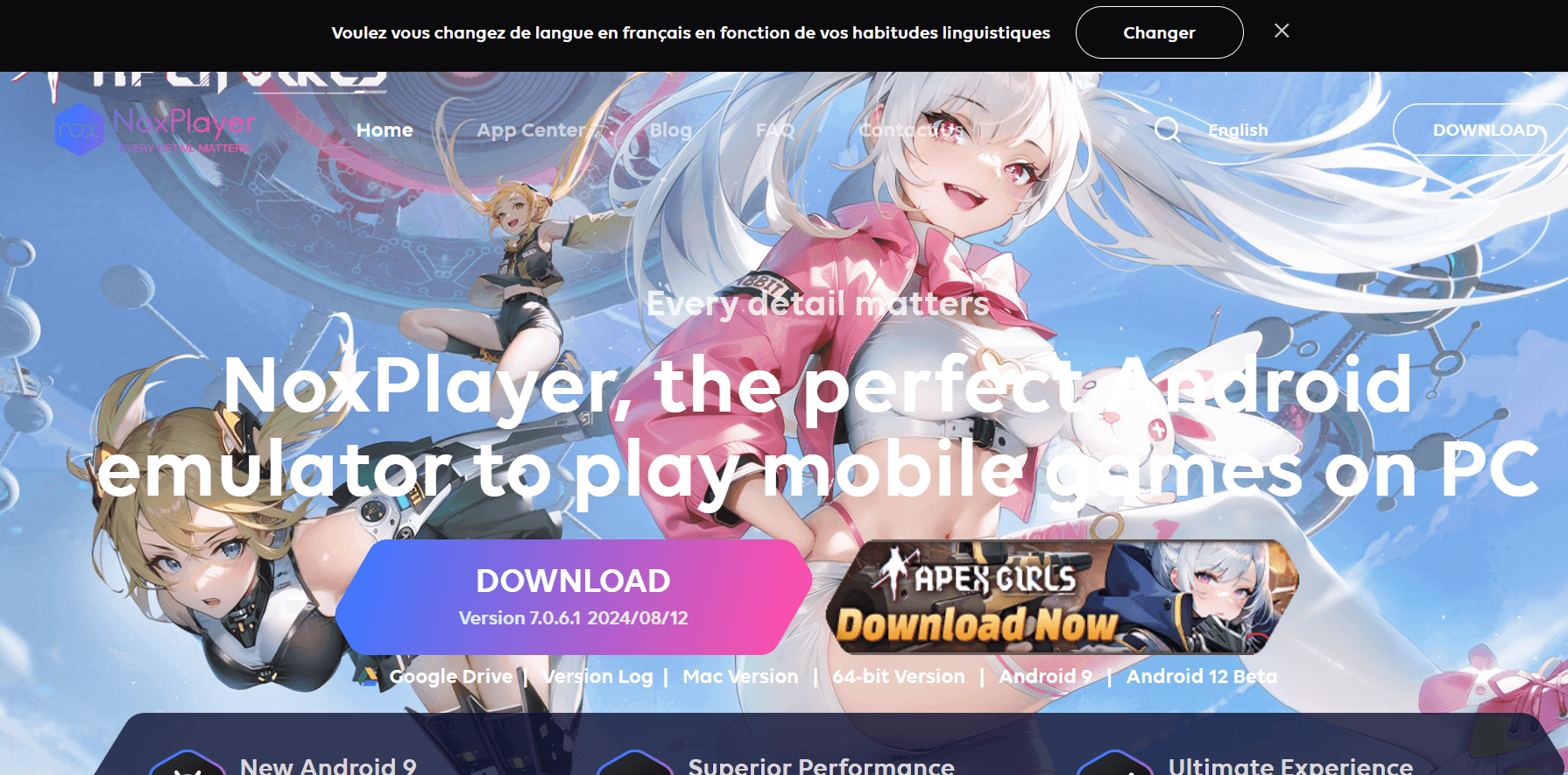
4. NoxPlayer – Balanced Gaming & Productivity Emulator
image.png
Overview

NoxPlayer offers a good middle ground between gaming and general Android use, making it suitable for both entertainment and productivity.
Best For:
  • Users who want an emulator for both apps and games.
  • Those who need root access for testing.
Standout Features:
  • Macro Recorder – Automate repetitive actions.
  • Controller Support – Connect gamepads for mobile titles.
  • Root Mode – Enable or disable as needed.
✅ Verdict: Versatile option for mixed-use scenarios.
5. Windows Subsystem for Android (WSA) – Best for Casual & Native Integration
Overview
WSA is Microsoft’s native solution for running Android apps inside Windows 11 without a separate emulator.
Best For:
  • Users who want Android apps without installing heavy software.
  • Developers who need basic app testing.
Standout Features:
  • Native Windows Integration – Apps appear alongside regular Windows apps.
  • APK Sideloading – Install apps not available in the Amazon Appstore.
  • Lightweight Performance – Minimal resource usage.
✅ Verdict: Ideal for casual users who value simplicity and integration.

6. Android Studio (AVD) – Best for App Developers

Overview
Android Studio’s built-in AVD (Android Virtual Device) is the official Google emulator designed for app testing.
Best For:
  • Developers who need to test apps on different Android versions and devices.
Standout Features:
  • Multiple Device Profiles – Simulate different brands and models.
  • Latest Android Builds – Always up to date with new versions.
  • Deep Debugging Tools for app development.
✅ Verdict: The go-to solution for serious Android app developers.

Comparison Table – 2025 Android Emulators for Windows 11

EmulatorBest ForCloud-BasedMulti-AccountGaming OptimizedDeveloper Tools
BitCloudPhoneMulti-account & automation✅✅✅✅
BlueStacksGaming & streaming❌ Limited✅❌
LDPlayerLightweight gaming & multitasking❌✅✅❌
NoxPlayerMixed gaming & productivity❌✅✅❌
WSANative Windows integration❌❌ Limited Limited
Android Studio (AVD)App development & testing❌❌❌✅

Final Thoughts

If you just want to casually run Android apps, WSA is clean and simple. If you’re a gamer, BlueStacks or LDPlayer are your best bets. But if your priority is running multiple Android accounts securely, at scale, and without local hardware strain, BitCloudPhone by BitBrowser is the clear #1 Android emulator for Windows 11 in 2025.
 
Reddit is often called “the front page of the internet,” offering millions of communities covering almost every topic imaginable. However, as Reddit’s moderation and anti-abuse systems become more sophisticated, browsing or managing accounts anonymously — especially on mobile devices — has become significantly more difficult.


Many users assume that enabling Reddit’s built-in anonymous mode or simply turning on a VPN is enough to stay private. In reality, mobile devices expose far more identifying information than most people realize. As a result, users often encounter account linking, shadowbans, ad tracking, or sudden restrictions even when they believe they are browsing anonymously.


This guide explains why mobile anonymity on Reddit is challenging, how Reddit’s own anonymous browsing feature works (and where it falls short), and how cloud-based device isolation with BitCloudPhone provides a more robust solution.
 
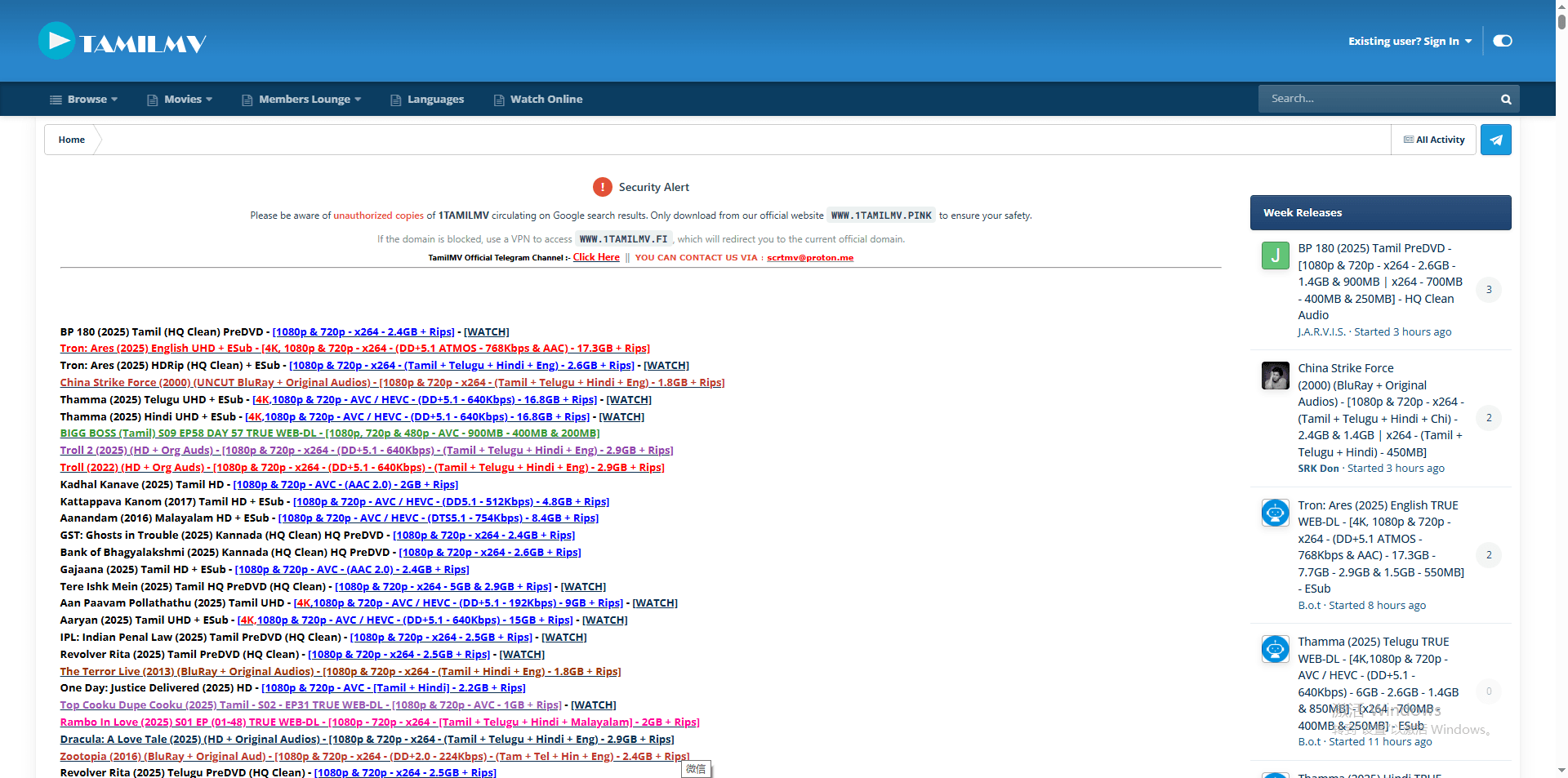
Can't access TamilMV? You're not alone. The popular website for Tamil, Indian, and regional film content is frequently inaccessible for users worldwide due to a combination of legal restrictions and technical blocks. This guide explains why TamilMV gets blocked and provides five safe, effective methods to unblock it in 2025, from VPNs to anti-detect browsers.

What is TamilMV and Why is it Popular?

TamilMV is a widely recognized online portal known for offering a vast library of movies and TV shows, particularly those in Tamil, Telugu, Hindi, and other South Asian languages. It fills a significant gap for audiences seeking content that may not be readily available on mainstream streaming platforms in their region due to licensing restrictions.

For detailed instructions on accessing this website's content in 2025, please visit this resource: What is TamilMV? How to Access TamilMV in 2025?


For many, it is the primary source for latest regional releases, classic cinema, and niche content. However, attempting to visit the site often results in frustration, with browsers displaying errors like "This site can't be reached" or "Access Denied." This guide will navigate the reasons behind these blocks and provide clear solutions.


Why is TamilMV Blocked?

Access issues with TamilMV are not random but the result of specific enforcement actions and technical barriers. Understanding these root causes is the first step to bypassing them.

1. Regional Copyright & Licensing Laws

This is the fundamental reason. Film distributors hold exclusive rights to content in specific geographic territories. To protect these rights and their revenue from licensed streaming services, they actively seek to block websites like TamilMV that distribute content without authorization. This leads to geo-blocking, where access is restricted based on the user's location.
geo-blocking

Geo-blocking

2. Technical Blocking Methods

· ISP (Internet Service Provider) Blocking: Governments or copyright holders can obtain court orders that compel local ISPs to block access to TamilMV's domain at the network level. This is a common and direct form of censorship.

· IP Geolocation Tracking: The TamilMV website itself, or its hosting infrastructure, can analyze your connection's IP address to determine your country. If you are in a restricted region, the server will simply refuse to serve you the website content.


· Advanced Detection Systems: To combat circumvention, sophisticated platforms employ systems that detect and blacklist IP addresses known to belong to commercial VPNs and proxy servers. They may also analyze browser fingerprints (unique configurations of your browser's settings) to identify and block automated or suspicious access patterns.

3. Operational Instability

Due to constant legal pressure, the main TamilMV domain is often seized or forced to change. This results in a game of "whack-a-mole" with old URLs becoming inactive and new mirror sites popping up frequently.

How to Unblock TamilMV: 4 Working Methods

Fortunately, several methods can circumvent these blocks. Each has its strengths and considerations.

1. Using a Premium VPN (Virtual Private Network)

This is the most effective and reliable method for the average user. A VPN encrypts your internet traffic and routes it through a server in a country of your choice (e.g., Singapore, India, or a European nation). This masks your real IP address and makes it appear as if you are browsing from an unrestricted location.

For streaming content, it is crucial to choose a VPN known for strong speeds, robust security, and a history of bypassing geo-restrictions. Avoid free VPNs, as they often have data caps, slow speeds, and may compromise your privacy by logging and selling your data.

Using a Premium VPN

Using a Premium VPN

2. Changing Your DNS Server

Sometimes, the block is implemented at the DNS level by your ISP. DNS translates domain names (like tamilmv.com) into IP addresses. By switching from your ISP's default DNS to a public, privacy-focused DNS service like Google DNS (8.8.8.8, 8.8.4.4) or Cloudflare DNS (1.1.1.1), you can bypass this simple form of blocking. It's a quick, free fix you can do in your network settings. However, this method will not work against more sophisticated IP-based or server-side blocks.

3. Finding Active TamilMV Mirror or Proxy Sites

When the main domain is down, the community often relies on mirror sites (exact copies) or proxy portals (which fetch the site for you). These can be found on community forums like Reddit (e.g., subreddits dedicated to movie or regional cinema).

Exercise extreme caution: these sites are often ad-heavy and may host malicious pop-ups or phishing attempts. Always ensure your antivirus is active and never download suspicious files from these portals. Their lifespan is also very short.

Proxy Sites

This is the latest list of available Tamilmv proxy sites:

Proxy Sites for TamilMV (Updated Dec. 2025)
https://www.1tamilmv.red
Note: The domain names listed may change frequently, and access may be restricted. Please be mindful of cybersecurity and comply with local laws and regulations.

4. Exploring Legal Alternatives for Watching Tamil Movies

The most sustainable long-term solution is to reduce dependency on a single, unstable source. Research other legitimate streaming platforms, regional services, or community-driven forums that may offer the content you seek through different means. This requires time and adaptation but offers greater stability.

Legal Tamil Streaming Platforms: You should know that many legal Tamil movie platforms offer large, high-quality libraries without the risks of piracy sites. Premium services such as Einthusan, Disney+ Hotstar, Amazon Prime Video, Netflix, Zee5, and Sony LIV provide extensive Tamil catalogs, frequent new releases, and affordable subscription options.

Einthusan

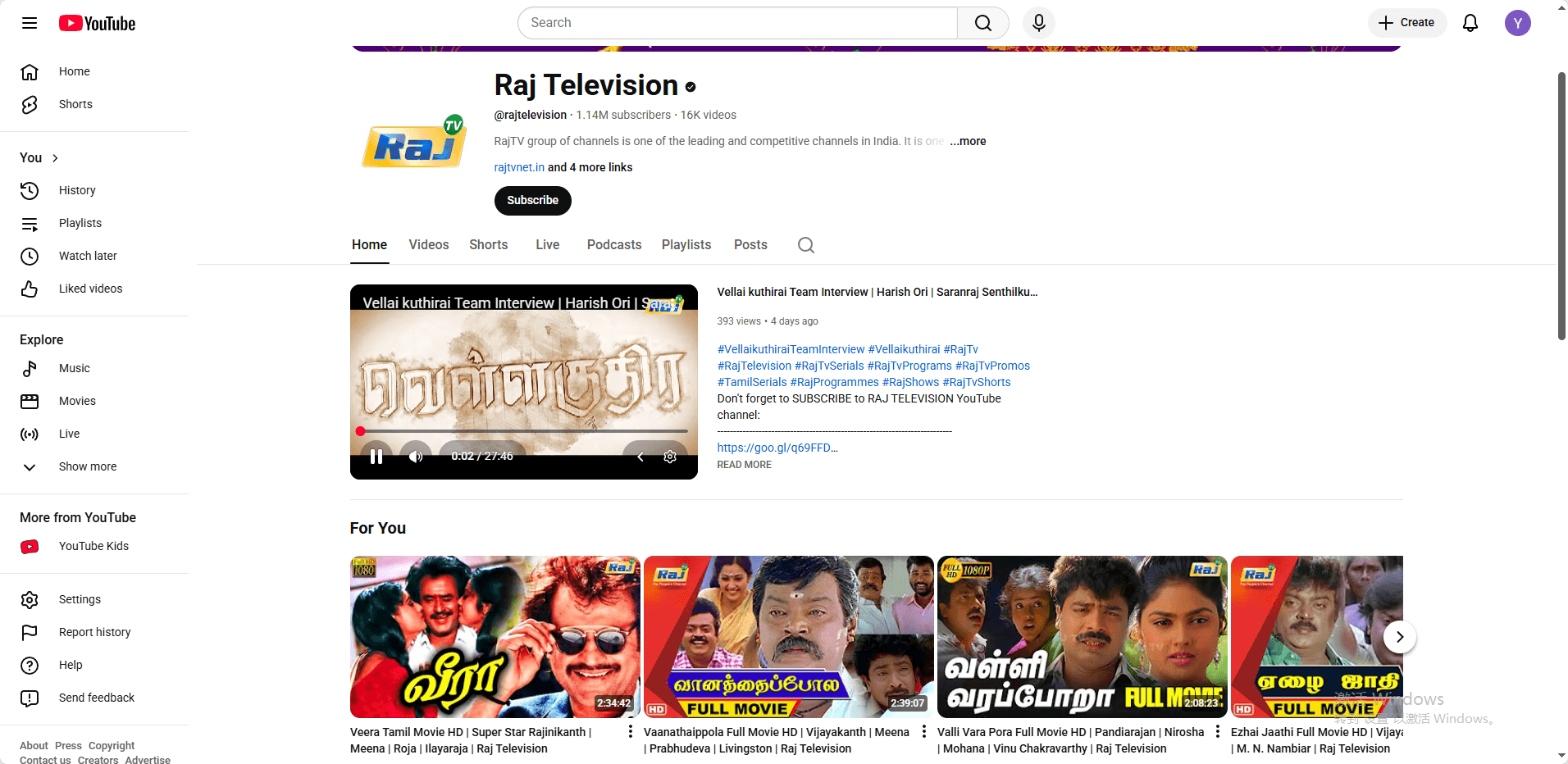
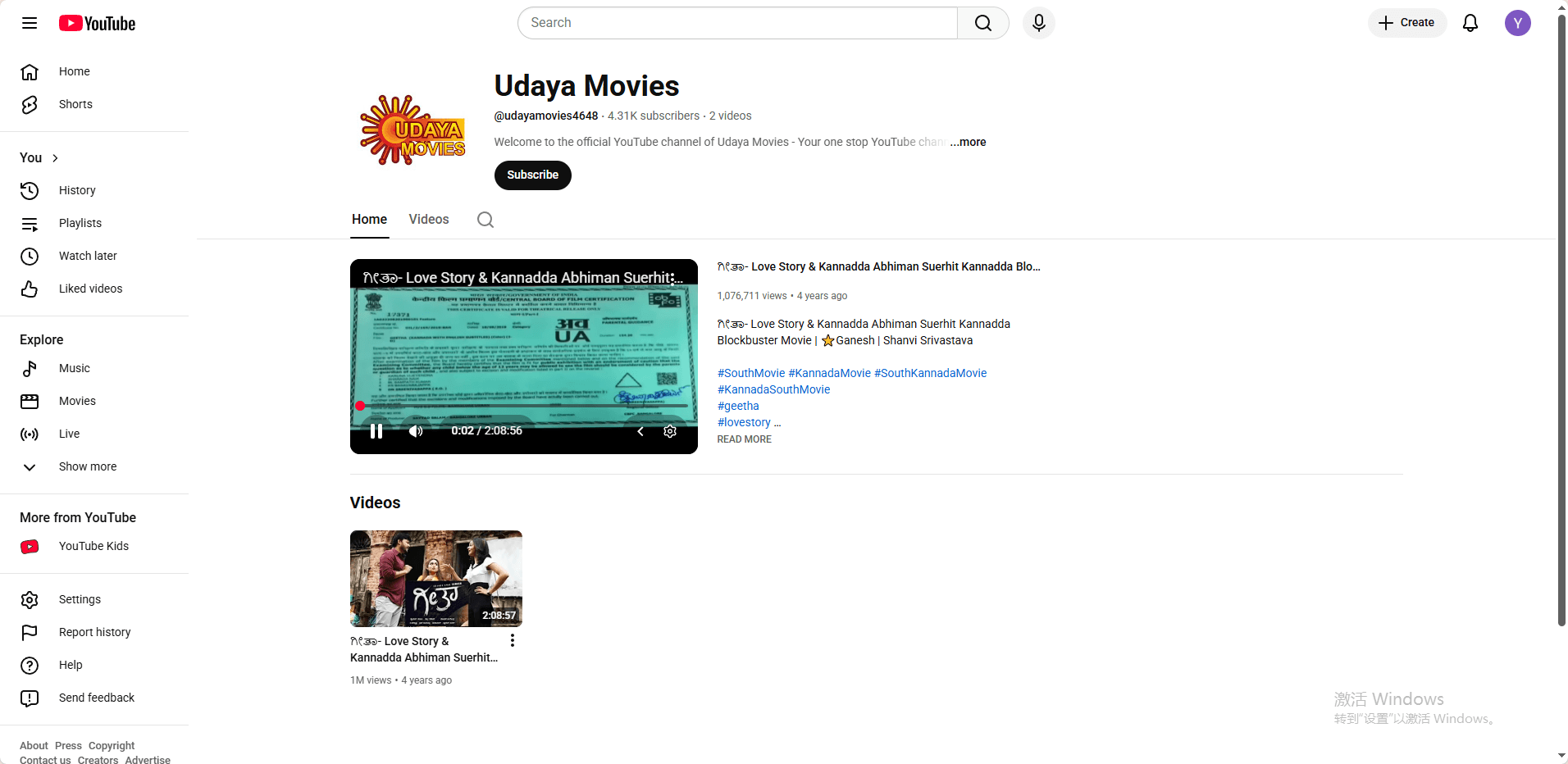
Free and Safe Alternatives: For free legal access, official YouTube channels from studios including Sun TV, Raj TV, and Udaya Movies upload properly licensed full-length movies. These TamilMV alternatives offer safer streaming, better quality, and genuine support for creators, making them far more reliable and cost-effective than risky proxy or VPN-based piracy sites.


image.png

image.png

image.png

The Advanced Solution: Why Use an Antidetect Browser?

For users who face persistent blocking even with VPNs, or who need to manage multiple accounts, standard methods may fail. This is often due to browser fingerprinting.

1. The Limitation of Basic Tools

Websites can create a unique "fingerprint" of your browser based on dozens of parameters: your installed fonts, screen resolution, browser version, active plugins, and more. Advanced sites can use this fingerprint to detect and link your activity, identifying you as a user who is employing a known VPN IP.
image.png

2. How Antidetect Browsers Work

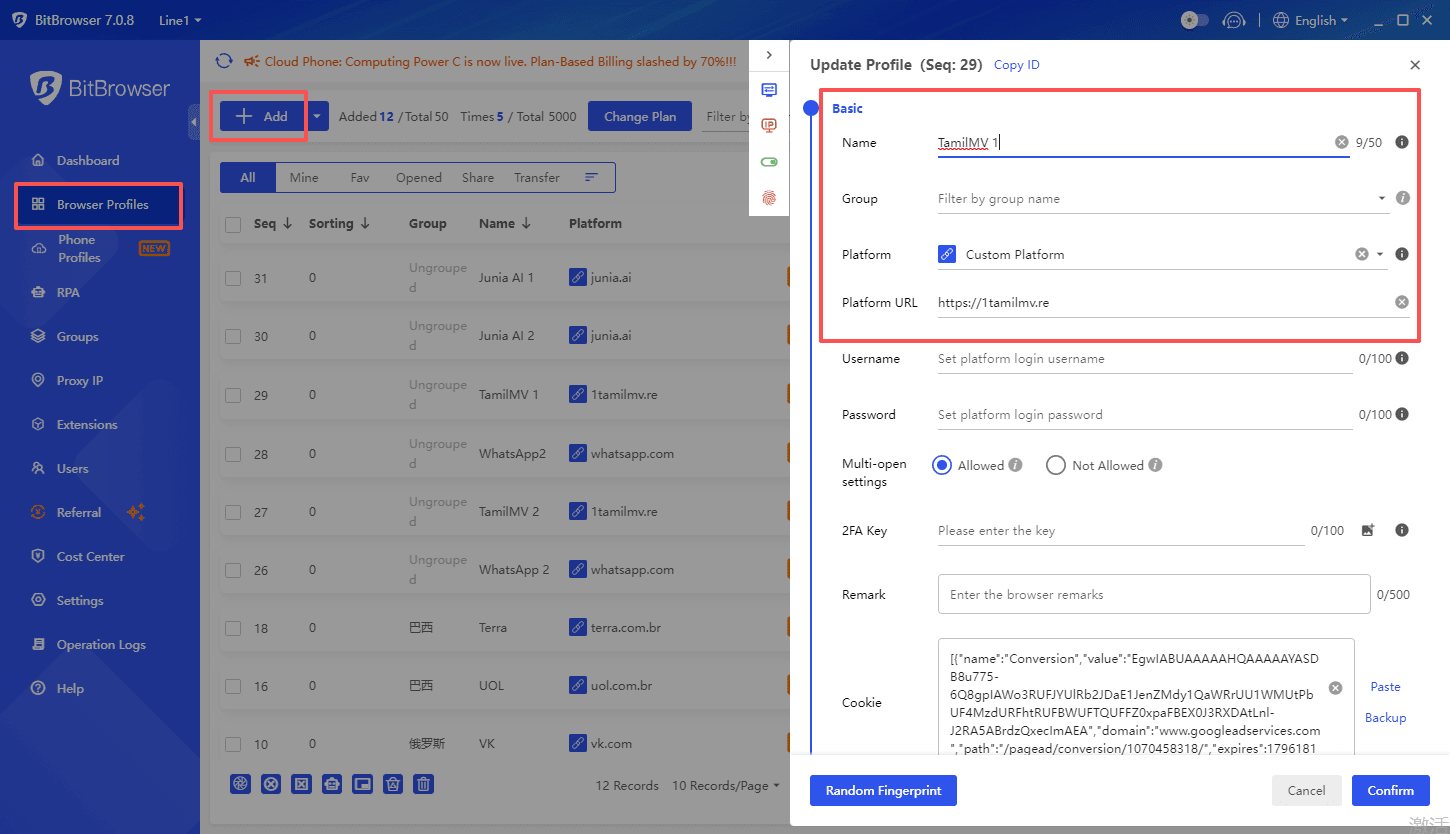
Tools like BitBrowser is specifically designed to combat this. They allow you to create multiple, isolated browser profiles where you can spoof or carefully customize every aspect of the browser fingerprint. Each profile appears to the website as a completely unique, real computer from a different location, even if you are using the same underlying VPN IP. This makes detection nearly impossible.
bitbrowser
For maximum effectiveness and access, pairing an anti-detect browser with a reliable residential proxy is often the best practice. The anti-detect browser handles the digital fingerprint, making your browser look unique and legitimate, while a quality residential proxy provides a clean, stable IP address from your desired location. This layered approach significantly strengthens your anonymity and success rate.

In practice, for sites that are frequently blocked (such as TamilMV), this combination is key. You would route one of your customized browser profiles through a dedicated proxy to establish a secure and untraceable connection. For insights on finding quality proxy services suited for this very purpose, especially for accessing entertainment sites, you can refer to this resource: The Best TamilMV Proxy Alternatives in 2025. This makes advanced detection and blocking nearly impossible.

bitbrowser

3. Primary Use Case

This is a specialized tool ideal for power users, researchers, or digital marketers who require a high degree of anonymity and profile separation. It is more complex to set up than a simple VPN but offers unparalleled success rates against the most advanced blocking systems.
bitbrowser

Guide to Safe and Informed Access

1. Finding Reliable Information

Your safest bet for finding working links is through community consensus. Look for active threads on platforms like Reddit where users upvote and verify the latest working mirrors. Tech-savvy forums and dedicated trackers also share information. Always check the date of the last post to ensure the information is current.

2. Legal & Safety Disclaimer

· Respect Copyright: This article is intended for educational purposes only, explaining how internet restrictions work. We encourage readers to always respect copyright laws and support content creators by using official streaming services where available.

· Security First: When accessing any site, prioritize your cybersecurity. Use a reputable antivirus, an ad-blocker (like uBlock Origin), and never enter personal information or passwords on unverified proxy sites.


· Understand the Risks: Downloading or streaming copyrighted content without permission may be illegal in your jurisdiction and can carry risks, including malware exposure or legal notices from your ISP.


Conclusion & Final Recommendations

To access platforms like TamilMV safely and reliably, you need to choose the appropriate tools based on your specific circumstances.

For users who face persistent blocking or need to manage multiple accounts, advanced tools are necessary to combat browser fingerprinting. For this, we recommend using an anti-detection browser like BitBrowser. It allows you to create multiple, isolated browser profiles with unique digital fingerprints, making each session appear to originate from a different, legitimate device. This effectively bypasses detection systems that flag VPNs or proxy traffic. For optimal results, you can run BitBrowser in conjunction with a reliable residential proxy or VPN service.


Finally, never compromise on security. The digital landscape around such sites is fraught with risks. The tools that protect your access, like VPNs and secure browsers, also exist to protect your privacy and data. Choose them wisely, use them responsibly, and always consider supporting official distribution channels when possible.


FAQ (Frequently Asked Questions)

1. Why does TamilMV sometimes still not work even when I'm using a VPN?

This is because the website employs more advanced blocking techniques. In addition to your IP address, it can detect your "browser fingerprint" (details like your fonts, screen resolution, plugins, etc.). If this fingerprint is recognized as being linked to a known VPN server, your access will be blocked even with a different IP. To solve this, you need to combine a VPN with a tool that can modify your browser fingerprint, such as an Anti-detect Browser.

2. Is it safe to access sites like TamilMV? What are the risks?

There are inherent risks. The main ones are: 1) Legal Risk: Accessing pirated content may be illegal in your jurisdiction; 2) Security Risk: Such sites are often filled with malicious ads, pop-ups, and can lead to phishing attacks or malware infections.

3. Are there completely legal and free alternatives?

Yes. Many official streaming platforms offer extensive legal Tamil and regional content. For example, Disney+ Hotstar, Amazon Prime Video, and Netflix have rich regional libraries in areas like India. Furthermore, official channels on YouTube (such as Sun TV) frequently upload full-length, licensed movies. While free options may not have as vast a catalog as paid services or TamilMV, they are safer, legal, and better ways to support creators.
 

Introduction

Kickass Torrents (KAT) remains one of the most sought-after torrent indexing platforms in 2026, despite its official shutdown years ago. The site's enduring popularity has led to numerous mirror sites and proxies that continue to serve millions of users worldwide. Yet accessing these platforms has become increasingly challenging due to copyright laws, ISP restrictions, and regional censorship that block torrent sites across multiple countries.

Safety and privacy should be your top priorities when attempting to access Kickass Torrents in 2026. The landscape of torrent sites has become riddled with malware-infected mirrors, phishing scams, and fake clones designed to steal your data or infect your device. Without proper protection, you risk exposing your identity to legal consequences and compromising your system's security.


This article provides a comprehensive, up-to-date guide for accessing KAT safely in 2026, covering the latest proxy lists, essential tools like VPNs and anti-detect browsers, and crucial safety practices.


What Is Kickass Torrents?

Kickass Torrents (KAT) launched in 2008 as one of the internet's most comprehensive torrent indexing platforms. You need to understand that KAT never hosted actual files on its servers, it simply indexed torrent files and magnet links that pointed to content shared across a vast peer-to-peer (P2P) network. At its peak, KAT surpassed even The Pirate Bay in popularity, offering millions of torrents spanning movies, TV shows, music, software, and games.

The platform operated until 2016 when authorities shut it down following copyright enforcement actions and the arrest of its founder. Despite this closure, numerous mirror sites and proxies emerged to continue providing access to the KAT database and functionality.

image.png

Understanding Torrent Technology

When you download from Kickass Torrents, you're not downloading from a central server. Instead, you're using torrent files or magnet links that contain metadata about the content you want. Torrent files are small files you download first, while magnet links are clickable URLs that skip this step entirely.

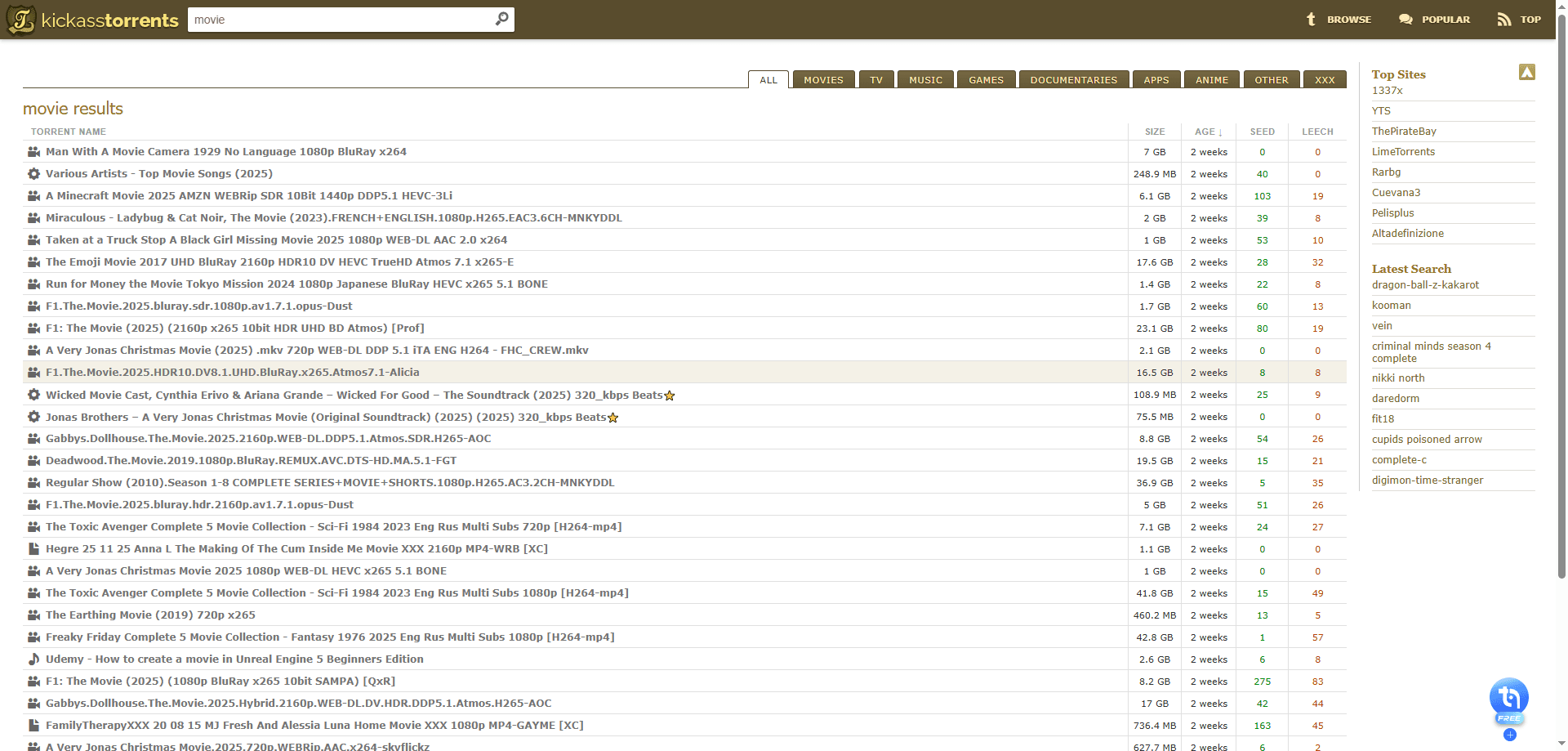
The actual downloading happens through peer-to-peer (P2P) sharing. Your torrent client connects you to other users called seeders (those who have the complete file) and leechers (those currently downloading). You download small pieces of files from multiple seeders simultaneously, which explains why torrents can be faster than traditional downloads.


How Torrent Sites Like Kickass Torrents Work?

Understanding how torrent sites such as Kickass Torrents function helps you use them more safely, efficiently, and responsibly. Unlike traditional download websites, torrent platforms do not host files directly, they act as indexes for peer-to-peer file sharing.

1. Indexing Instead of Hosting

Kickass Torrents operates as an indexing platform rather than a file hosting service.

It organizes and displays metadata about files available on the BitTorrent network. When you search on Kickass Torrents, you’re not browsing files stored on its servers, you’re browsing torrent records and magnet links that point to files distributed across thousands of users’ computers worldwide.

2. Torrent Files vs. Magnet Links

There are two main ways to start a torrent download:

· Torrent files: Small files that contain metadata such as file names, sizes, and tracker information.
· Magnet links: URI links that contain the same information but do not require downloading a separate .torrent file.

Magnet links have become the preferred method because they are faster to use and leave fewer local traces on your device.

3. Peer-to-Peer (P2P) Architecture

BitTorrent uses a peer-to-peer model instead of centralized servers:

· Seeders are users who already have the complete file and share it with others.


· Leechers are users who are currently downloading the file while simultaneously sharing the parts they’ve already downloaded.


More seeders generally mean faster and more reliable downloads. For example, a torrent with 500 seeders will usually download much faster than one with only 5 seeders.

4. The Role of Torrent Clients

You cannot download content from Kickass Torrents without a torrent client installed on your device.

Torrent clients interpret torrent files or magnet links and manage the technical process behind downloading.


These clients manage your connections to other peers, assemble downloaded pieces into complete files, and allow you to control upload/download speeds.


Important Legal Disclaimer

This guide focuses only on explaining how Kickass Torrents works and how to access it safely from a technical perspective. You are responsible for ensuring that your downloads comply with the copyright laws of your country. Many legitimate uses for torrents exist, including:

· Downloading open-source software
· Accessing public-domain content
· Sharing files licensed under Creative Commons

However, downloading copyrighted material without permission is illegal in many jurisdictions. Always use torrent technology responsibly and within the law.


Latest Kickass Torrents Proxy List & Mirror Sites (Updated Jan. 2026)

Accessing KAT in 2026 relies on finding functional mirror and proxy sites. These sites often change domains to avoid blocks. The following table lists some of the most commonly referenced and historically reliable addresses. Always verify a site's safety before interacting with it.

The most commonly referenced and historically reliable addresses:

https://katcr.to
https://kickasstorrents.cc
https://kickasstorrent.cr
https://kickasstorrents.cr
https://kickasstorrents.to
https://thekat.info
https://kickass.cm
https://kickass.sx
https://thekat.info
https://thekat.cc
https://kickasstorrents.unblockninja.com
https://kickasst.net/
https://kickasstorrents.bz/
https://kickasstorrents.id/
https://kickasshydra.dev/

Note: The landscape becomes more dangerous with fake clones masquerading as legitimate Kickass Torrents mirrors. These malicious sites distribute ransomware, crypto-mining scripts, and phishing redirects disguised as popular downloads. You need to verify each mirror carefully before clicking any links or downloading content from unfamiliar domains.


Step-by-Step Guide: How to Safely Access Kickass Torrents

Merely finding a working proxy is not enough. Security is paramount. Follow this step-by-step process for a secure experience.

Step 1: Secure Your Connection with a VPN or Residential Proxy

Before you visit any torrent or proxy site, the first and most important step is to hide your real IP address. This prevents your Internet Service Provider (ISP), network administrators, and third parties from directly seeing or monitoring your activity, and helps reduce the risk of bandwidth throttling or warning notices related to P2P traffic.

Why this matters:

In many regions, ISPs actively monitor or limit peer-to-peer connections, and some may issue copyright warnings when torrent activity is detected. Using a VPN encrypts your traffic and routes it through a remote server, making your activity harder to inspect and your real location harder to trace. Residential proxies offer an alternative by routing traffic through IP addresses associated with real household connections, which can appear more natural and less likely to be flagged.

What to look for in a VPN or proxy:

Choose a reputable, paid provider that explicitly supports P2P traffic and follows a strict no-logs policy. A good service should offer:

· A kill switch that immediately blocks your internet connection if the VPN disconnects
· DNS and IP leak protection to prevent accidental exposure
· Strong encryption protocols such as OpenVPN or WireGuard
· High-speed servers located in torrent-friendly countries like Switzerland, the Netherlands, or Romania

How to use it correctly:

Always connect to your VPN or residential proxy before opening any browser or torrent client. After connecting, verify that your IP address has changed by using a leak-test or IP-check website. A properly configured connection not only masks your real location but also helps prevent ISP throttling when torrent-related traffic is detected.

Step 2: Select a Verified HTTPS Proxy Site from Trusted Lists

Access Kickass Torrents Safely by choosing only mirror sites that display the padlock icon in your browser's address bar. HTTPS encryption protects the data transmitted between your browser and the mirror site. You need to bookmark verified mirrors immediately after confirming they work, as these addresses change frequently.

Watch for warning signs of fake mirrors:

· Excessive pop-up advertisements that appear before you click anything
· Download buttons that seem deliberately confusing or misleading
· Requests to install browser extensions or plugins
· Layouts that look significantly different from the authentic KAT interface

Step 3: Safely Access the Kickass Torrents Proxy Site with an Anti-Detect Browser

Standard browsers can leave digital fingerprints that websites can use to track you. For enhanced privacy and to manage multiple online identities securely, an anti-detect browser is a powerful tool.

Why an Anti-Detect Browser is essential?

These browsers spoof your digital fingerprint, modifying parameters like your user agent, screen resolution, and installed fonts, making each browsing session appear to come from a unique, legitimate device.

Integration with BitBrowser:

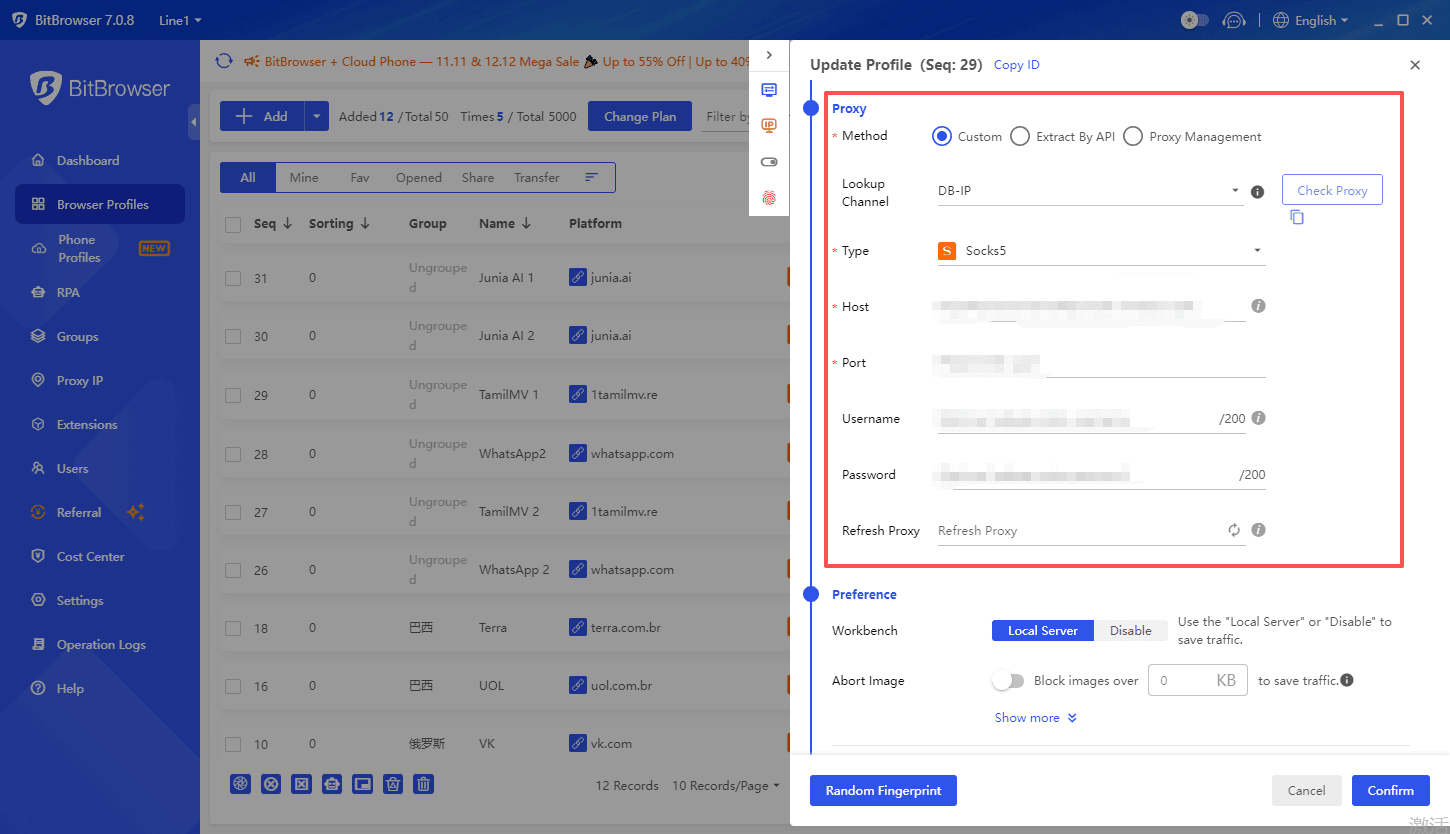
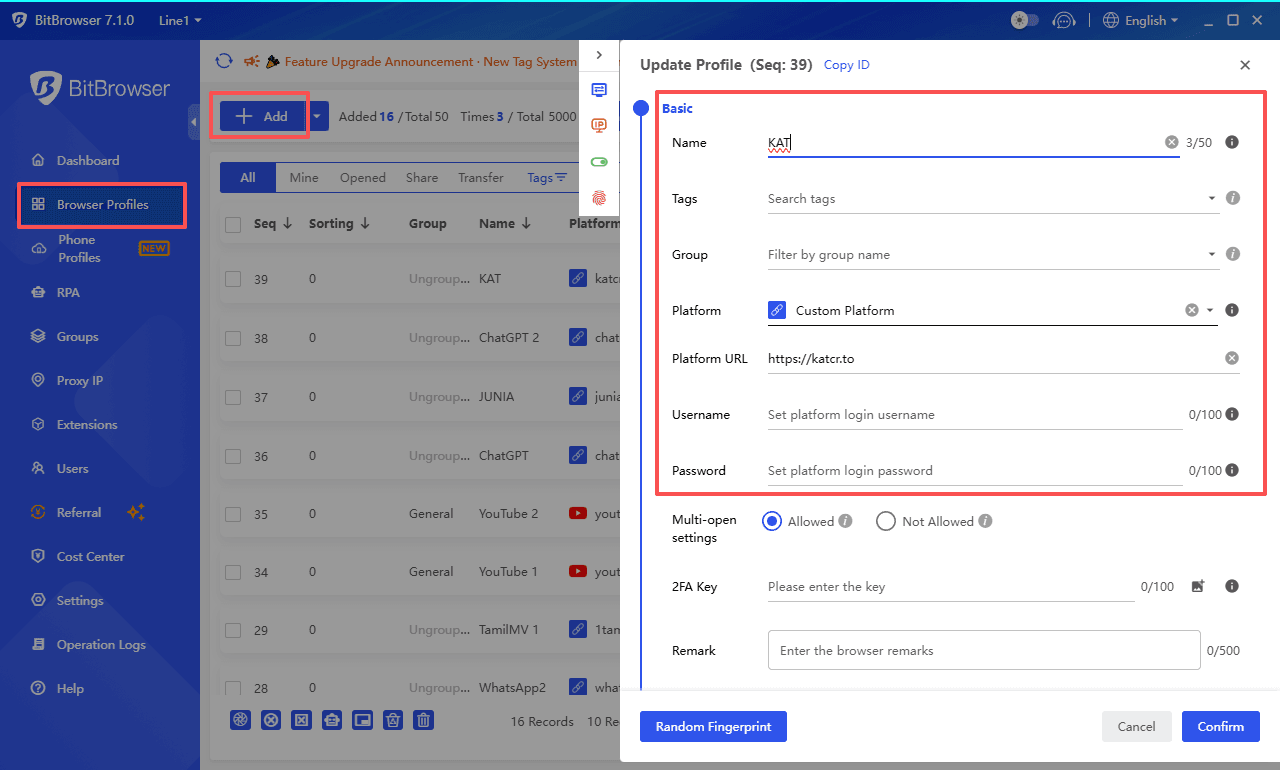
For tasks like securely managing multiple accounts or browsing with an extra layer of anonymity, tools like BitBrowser are used by professionals. BitBrowser is a professional anti-detect browser built on a dual-engine architecture (Chromium and Firefox) that lets users create multiple fully isolated browser profiles, each with its own fingerprint, storage, and settings.
bitbrowser

It is particularly recognized in scenarios requiring batch environment isolation, such as managing multiple e-commerce stores or social media accounts. By assigning a unique, clean proxy IP to each profile, it helps prevent online activities from being linked together, which is a valuable security principle when accessing any site.


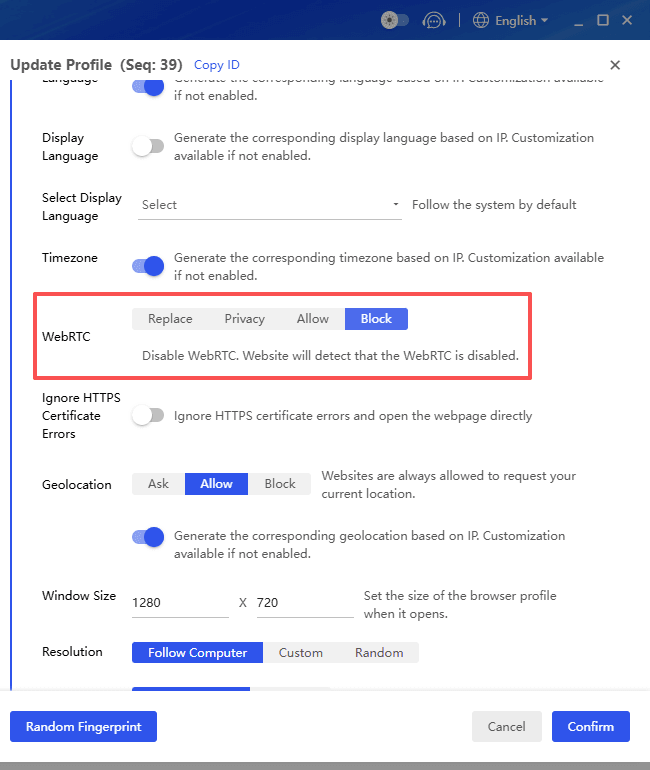
Create a separate browser profile exclusively for torrent activities. This will isolate your torrenting from your regular browsing, reducing the risk of tracking and potential exposure of personally identifiable information. It also allows you to fine-tune privacy settings specific to torrenting, such as disabling WebRTC, which can leak your real IP address.

bitbrowser

By following this step, you can navigate the complex world of torrenting more safely and protect yourself from potential threats. However, it's important to note that no method is foolproof, and caution should always be exercised when engaging in any online activity.

bitbrowser

Check out unlock guides for other popular websites here:

👉What is TamilMV? How to Access TamilMV in 2025? (Updated December 2025)

👉How to Get Unblocked ChatGPT for School in 2026: A Complete Guide


Try BitBrowser's 10 permanently free personal accounts and experience nearly all core features.


Step 4: Prepare a Reliable Torrent Client

To download and manage torrent or magnet links safely, you need a reliable and well-maintained torrent client. This software is responsible for handling file transfers, verifying data integrity, and managing your connections to the peer-to-peer network.

Popular torrent clients include:

· qBittorrent: Open-source, ad-free, with built-in encryption
· Transmission: Lightweight and simple interface
· BitTorrent: BitTorrent is the official client of the BitTorrent protocol, offering rich features with a free ad-supported version
Recommendations: Use well-maintained, open-source clients. Avoid outdated or adware-packed clients. Ensure the client is updated to the latest version for security and compatibility.


Step 5: Navigate, Search, and Download Safely

Now you can visit a proxy site from the list above.

1. Use an Ad-Blocker and Script Protection

Proxy & mirror sites are often laden with intrusive and potentially malicious ads. A robust ad-blocker is non-negotiable to avoid fake download buttons and pop-ups.

2. Search Carefully and Verify the Source

Use the site's search function. Before downloading, always check the comments and seed/leech ratio. A high number of seeders and positive user comments are good indicators of a healthy, safe file.

Be cautious with files that are brand new but already extremely popular, as these are sometimes used as bait.

3. Choose Magnet Links When Available

When available, opt for magnet links over .torrent file downloads. They are often more convenient and reduce the risk of downloading a malicious file.

4. Check File Type and Content Before Opening

Avoid torrents that contain executable files (.exe, .bat, .cmd) or “cracks,” “patches,” and “keygens,” which are common carriers of malware. Legitimate torrents usually contain media files, documents, or archives, not programs that need to be installed.

5. Download in Your Client and Keep Protection Active

Open the magnet link or torrent in your client, choose a specific download folder, and start the transfer. Keep your VPN or proxy connection active throughout the entire process to prevent IP exposure.

6. Scan and Verify After Download

After the download finishes, scan the files with up-to-date security software before opening them. If a checksum or hash is provided by the source, verify it to ensure file integrity.

Note: Always make sure you have the legal right to access and download the content you choose.


Troubleshooting Common Issues When Accessing Kickass Torrents

1. Site Loading Failures

When you encounter blank pages or timeout errors while trying to access Kickass Torrents mirrors, your first step should be switching your VPN server location. ISPs often block specific IP ranges, so connecting to a different country server can bypass these restrictions immediately.

If the problem persists after changing servers, select an alternative mirror from your trusted proxy list.

2. Magnet Link Problems

Magnet links that won't open in your torrent client typically indicate outdated software or restrictive firewall settings. Update your torrent client to the latest version, cause developers regularly patch compatibility issues with newer magnet link protocols.

You should also check your device's firewall settings to ensure your torrent client has permission to receive incoming connections. Windows Defender and third-party security software sometimes block torrent applications by default, requiring manual exceptions.

3. Slow Download Speeds

Your VPN server selection directly impacts download performance. Connect to servers geographically closer to you or specifically optimized for P2P traffic, most quality VPN providers clearly label these servers. Timing matters too.

Downloading during off-peak hours (typically late night or early morning in your timezone) reduces network congestion and increases available bandwidth from seeders.

4. CAPTCHA Loop Issues

Getting stuck in endless CAPTCHA verification cycles indicates you're using an overcrowded VPN IP address that torrent sites flag as suspicious.

Switch to a less popular server location with fewer simultaneous users. Clear your browser cache and cookies before attempting access again, cause stored data from previous failed attempts can trigger repeated verification requests.


Using HTTPS mirrors instead of HTTP versions also reduces CAPTCHA frequency since encrypted connections appear more legitimate to site security systems.


Top Alternatives to Kickass Torrents in 2026

You don‘t have to rely solely on Kickass Torrents proxies. Several established and actively maintained torrent sites offer vast libraries, strong communities, and often better security practices than unverified mirrors.

Here is a comparison of the top alternatives available as of 2026:


Site NameKey AdvantagesConsiderations
The Pirate BayLargest and most resilient torrent archive.
Trusted uploaders marked with skull icons.
Heavy ads and fake buttons.
Domains change frequently.
1337xClean interface and strong moderation.
Reliable torrent quality.
Main domain often blocked. Mirrors may be needed.
YTSHigh-quality HD movies with small file sizes.
Ideal for limited bandwidth.
Focused on movies, with a single resource type.
Audio quality may be compressed.
TorrentGalaxyGrowing library for movies and TV.
IMDb info included.
Newer site with limited niche depth.
NyaaBest source for anime and East Asian content.
Fast releases.
Niche-focused.
Basic interface.
Critical Reminder: The operational status and domain names of these sites can change. Always verify the latest official URL through trusted communities or forums before visiting, and ensure your VPN connection is active to protect your privacy and security.

Discover more Kickass Torrents alternative torrent sites here: Best 10 Kickass Torrents Alternatives in 2026


Legal & Security Notice (Must-Read)

Please note that the legality of downloading and sharing content in your region depends on whether such content is protected by copyright. We recommend that you familiarize yourself with and comply with the relevant local laws and regulations.

Security Warnings

· Use comprehensive antivirus and anti-malware software.
· Obtain proxy or mirror links only from trusted sources. Never submit personal data on these sites.
· Be aware that your browser creates a unique fingerprint that can be tracked. Consider privacy-focused tools to manage this.
· Avoid torrenting on public Wi-Fi without a VPN.
Combining a secure VPN, an anti-detect browser like BitBrowser to manage your digital fingerprint, and other cautious practices can significantly enhance your privacy. No method provides complete anonymity. Always prioritize accessing legal, non-copyrighted content.


Conclusion

Accessing Kickass Torrents safely in 2026 is about reducing risk, not chasing links. Verified mirrors, a secure network connection, a clean torrent client, and isolated browsing together help minimize exposure to malware, tracking, and unwanted data leakage. For users who want better isolation, BitBrowser makes it easy to separate privacy-sensitive browsing from personal accounts through fingerprint-isolated browser profiles.

Frequently Asked Questions (FAQ)

1. Is Kickass Torrents legal to use in 2026?

Kickass Torrents itself is a directory that indexes torrent metadata, but the legality depends on what you download and where you are located. Many torrents contain copyrighted material, and downloading or sharing such content may violate local laws. Always check your regional regulations and only download content you have the legal right to access.

2. Why is Kickass Torrents blocked in many countries?

Kickass Torrents is often blocked by ISPs due to copyright enforcement requests from rights holders. In some regions, courts require providers to block access to known torrent sites or their mirror domains. This is why users rely on updated mirror lists, DNS changes, or alternative access methods to reach the site.

3. Is using a VPN or proxy enough to stay safe on torrent sites?

A VPN or proxy helps hide your IP address, but it does not protect you from everything. You still need to avoid fake mirrors, verify torrents, use a clean torrent client, and limit tracking through browser isolation. Safety comes from combining multiple layers, not relying on a single tool.
 
You open X. You type your password. It spins. Or it says “Something went wrong.” Or it just kicks you back to the login screen like you never existed.


Annoying. And weirdly common.


If you’re searching because you cannot log into X (Twitter) in 2026, you’re not alone. In most cases, the issue can be resolved if you follow the right steps in the right order.


Before changing random settings or guessing passwords, start with this checklist from top to bottom.

image.png


What Type of X Login Problem Do You Have?​

Before you do anything, figure out what “type” of login problem this is. X login issues usually fall into one of these buckets:


1. Wrong credentials (username, email, password, or you’re using the wrong account)


2. 2FA problems (authenticator codes, SMS not arriving, lost backup codes)


3. App or browser issues (cache, cookies, outdated app, broken session)


4. Network or DNS issues (your Wi-Fi, VPN, corporate network blocking, weird DNS)


5. Account restrictions (locked, limited, temporarily blocked, suspicious activity)


6. X is actually down (it happens)


Now let’s fix it.


Step 1: Check if X is down​

Before you tear apart your phone settings, confirm the obvious.


· Try loading https://x.com in a browser you’re not logged into.


· Check Downdetector for “X (Twitter)”.

image.png


· If you can, ask a friend to open X, or try on mobile data vs Wi-Fi.


If it’s down, it’s down. Your fastest fix is patience. Otherwise keep going.


Step 2: Confirm you're using the right login identifier​

X allows login with:


· Username


· Email


· Phone number


People get stuck because they’re trying to log in with a username for a different account. Or they changed their email months ago and forgot.


Quick check:​


· If you have access to the email inbox you think is linked, search for old “Twitter” or “X” security emails.

image.png
image.png

· If you have multiple accounts, write down the username you want before you reset anything.


Also, yes, capitalization doesn’t matter for passwords usually, but keyboard auto correct and password managers absolutely can mess this up. Especially on mobile.


Step 3: Try logging in from a different device or network​

This sounds too simple, but it isolates the problem fast.


Do this:​


· If you’re on the app, try x.com in your browser. (App → Browser)


· If you’re on a browser, try the app. (Browser → App)


· If you’re on a work laptop, try your phone on mobile data.


Why this works: if you can log in somewhere else, your account is probably fine and the issue is local (cache, cookies, VPN, browser extensions, corporate network).


Step 4: Disable VPNs, blockers, and privacy tools​

X does not always play nicely with:


· VPNs (especially “cheap” rotating IP ones)


· Private DNS filters


· Ad blockers


· Script blockers


· Aggressive tracking prevention modes


Fix:


· Turn off VPN.


· On desktop, disable extensions for x.com (or open an Incognito window with extensions disabled).


· On iPhone Safari, try turning off Prevent Cross-Site Tracking” temporarily.


· If you use a custom DNS (AdGuard, NextDNS), temporarily disable it.


Then try to log in again.


Step 5: Clear cookies and cache for x.com​

Login loops are often just corrupted cookies. X thinks you’re logged in. Your browser thinks you’re not. You get bounced around forever.

On Chrome (desktop)​

1. Go to Settings


2. Privacy and security


3. Third-party cookies (or Cookies and other site data, depending on your version)


4. See all site data and permissions


5. Search x.com and twitter.com


6. Delete both


7. Restart browser and try again

On Safari (Mac)​

1. Safari settings


2. Privacy


3. Manage Website Data


4. Search x.com and twitter.com


5. Remove

On iPhone (Safari)​

If you want the fast path:


· SettingsSafariClear History and Website Data


That’s a bit nuclear, but it works.


Then attempt login again.


Step 6: Update or reinstall the app​

If the app is broken, you can waste hours typing passwords into a broken login screen.


Do this:​


· Update X from the App Store / Play Store.


· If that doesn’t work, uninstall X and reinstall it.


· Restart your phone after reinstalling. Not optional. It clears weird session junk.


Also, if you’re using an ancient OS version, the app can become flaky. Just saying.


Step 7: Reset your password safely​

If you’re not 100 percent sure your password is right, stop guessing. Guessing can trigger lockouts.


Use:

· Forgot password? on the login screen.

image.png


A few notes that matter:


· If you don’t get the reset email, check Spam, Promotions, and All Mail.


· If you used a phone number, you might get an SMS link instead.


· Open the reset link on the same device you plan to log in with.


When you create a new password:


· Make it unique.


· Don’t let your keyboard auto insert spaces.


· Save it in a password manager immediately.


Then try logging in again.


Step 8: Fix 2FA problems (this is usually the real issue)​

This is the part that makes people panic because you can have the correct password and still be locked out.


If 2FA is blocking you, fix 2FA:

Scenario A: Authenticator app codes don’t work​

Common causes:


· Your phone time is slightly off


· You switched phones and lost the authenticator seed


· You’re entering a code for the wrong account


Fixes:


· Turn on automatic time on your phone (date and time settings). This can often be resolved by checking your time settings for accuracy.


· In Google Authenticator, Microsoft Authenticator, Authy, etc. make sure you’re using the entry for the correct X account.


· Try 2 or 3 fresh codes, not the same one.


Scenario B: SMS codes never arrive​

Try:​


· Switch from Wi-Fi to mobile data.


· Restart your phone.


· Wait 2 minutes and request again. Don’t spam requests 10 times.


· Check if your carrier blocks short codes, or if you have SMS filtering apps enabled.


If SMS still fails and you don’t have backup codes, keep reading.


Scenario C: You lost your 2FA device and have no backup codes​

This is where X can take longer than 10 minutes, depending on what recovery options you set up. But you can still move fast.


First, check whether you have backup codes. These are one-time codes generated when you enable 2FA in the X iOS or Android app, or later on X.com. They’re meant for exactly this situation and are not the same as temporary passwords.


Your options:


· If you’re logged in on any other device, go there first. You can disable 2FA or generate new backup codes from Settings → Account → Security.


· If you’re not logged in anywhere, your only option is account recovery through X support.


Note: If SMS text message two-factor authentication is your only 2FA method and you’re still logged in, you can remove your phone number in Mobile settings on X.com. Click Delete my phone, and SMS-based 2FA will be automatically turned off.


Step 9: Check if your X account is locked, limited or compromised​

Sometimes you can’t log in because X detects suspicious activity on your account. Depending on the situation, your account might be locked, limited, or compromised.

Scenario A: Locked account

Common signs:


· Messages like “Locked out!


· Alerts about a “Suspicious login attempt” or “Unusual activity


· Prompts to verify your email or phone number


How to fix it:


· Follow the on-screen verification steps.


· Check your email for security alerts from X and approve any actions if required.


· If you used a VPN, turn it off and try logging in from a normal network.


If verification gets stuck or won’t complete, clear your cookies (Step 5) and try logging in from another device (Step 3).


Scenario B: Limited account

X may temporarily restrict certain actions if it detects suspicious or potentially rule-violating behavior.

Common Signs:​

You may be unable to tweet, follow new accounts, or perform other normal actions, and you might see alerts about account limits.


Fix:​

If your account is limited or suspended, you’ll usually see a message when logging in explaining the restriction. Follow the on-screen instructions to appeal or restore access.


Scenario C: Compromised account

If your account has been hacked or phished, X may proactively reset your password to block unauthorized access. In these cases, you’ll receive an email with instructions on how to reset your password. Follow the steps in that email to regain access if you can’t log in.

Common Signs:​


· Unexpected posts or messages sent from your account


· Actions you didn’t approve (following, unfollowing, blocking)


· Notifications that your account may be compromised


· Password no longer works or account info changed without your knowledge


Steps to secure your account:​


· Change your password immediately (Settings → Password or Forgot Password if logged out) and revoke app access on iOS/Android.


· Secure your email and reverse any unexpected changes from verify@x.com emails.


· Revoke unknown third-party app access. For X Pro Teams, check member lists for unfamiliar users.


· Update passwords in trusted third-party apps that use your X password.


· Extra precautions: Delete unwanted posts, scan for malware, install updates, enable 2FA, and don’t share credentials.


· Contact Support if you still can’t log in; include your username and last access date.


How accounts get compromised:​


· Weak or reused passwords


· Malicious third-party apps or websites


· Malware or viruses on your devices


· Accessing X on unsafe networks


Even if unusual activity is caused by app bugs, changing your password and revoking app access stops it. Act quickly to minimize risk.


Step 10: Do a “clean room” test​

This is the fastest way to prove whether it’s your device or your account.

Do this exactly:​


1. Use a device you rarely use (or a fresh browser profile).


2. Use Incognito/Private mode.


3. Turn off VPN.


4. Use mobile data if possible.


5. Go straight to https://x.com/login


6. Enter credentials carefully (copy paste from password manager if you have one)


Outcomes:​


· If it works here: your normal browser/app environment is the problem. Extensions, cookies, cached sessions. Fixable.


· If it fails everywhere: it’s either credentials, 2FA, or an account restriction.


At that point, stop trying random stuff. You’ll just trigger security checks.


The fastest “10 minute” order (if you want the short version)​

If you just want the speedrun, do this:


1. Check if X is down


2. Try login on another device/browser


3. Disable VPN and blockers


4. Clear x.com and twitter.com cookies


5. Update or reinstall the app


6. Reset password (don’t guess)


7. Fix 2FA (time sync, backup codes, recovery)


That flow solves most cases.


Common weird issues and what to do​

“Login successful” then instantly logs out​

Usually cookie/session corruption.


Fix:

· Clear cookies for x.com and twitter.com.


· Disable extensions.


· Try another browser profile.

“Something went wrong. Try again.”​

Could be:

· X outage


· Network filter


· DNS block


· Browser extension breaking scripts


Fix:

· Try mobile data


· Disable VPN


· Try a different browser

“Oops, something went wrong” only on Wi-Fi​

That’s your Wi-Fi, router, or ISP level filtering.


Fix:

· Restart router


· Switch DNS to automatic (temporarily)


· Try mobile data

You’re sure the password is right, but it won’t accept it​

Most likely:


· You’re on the wrong account identifier (email vs username)


· Your password manager is filling an old password


· Invisible whitespace got pasted


Fix:

· Manually type it once


· Or reset password and move on


How to Prevent Future X (Twitter) Login Issues?​

Most X login problems are not random. They are triggered when X’s security systems detect something that looks unstable, automated, or suspicious — even if you did nothing wrong.


If you want to avoid seeing “cannot log into X (Twitter)” again in the future, focus on keeping your login environment stable, consistent, and clean.


Here are the practices that matter most:

1. Keep a stable login environment​

Avoid constantly switching between devices, browsers, networks, and profiles when logging into X. Sudden changes in your device fingerprint, IP address, or location can trigger security checks or temporary blocks.


Pick one main environment for your primary account and use it consistently whenever possible.

2. Avoid aggressive VPN or IP rotation on login​

Cheap VPNs and constantly rotating IP addresses are one of the most common reasons accounts get flagged for “suspicious activity.”


If you need privacy or IP control, use a stable IP rather than one that changes every session — especially when logging in.

3. Separate multiple X accounts properly​

If you manage more than one X account (personal, business, client, or automation), never log them into the same browser profile.


Sharing cookies, storage, and fingerprints between accounts is a very common cause of:


· Login loops


· Unexpected logouts


· Security challenges


· Temporary restrictions


Each account should have its own isolated environment.

4. Keep sessions and cookies isolated​

Many login errors are caused by corrupted or overwritten cookies. This often happens when:


· You reuse the same browser profile for multiple accounts


· You log in and out of different accounts repeatedly


· Extensions interfere with session storage


This is where using a professional anti-detect browser like BitBrowser becomes extremely useful.

BitBrowser

· Create isolated browser profiles with separate cookies, storage, and fingerprints


· Assign a consistent IP or proxy to each profile


· Prevent cross-account contamination


· Maintain a stable, trusted login environment for each account


· Manage multiple X accounts safely without causing login issues


This dramatically reduces login loops, security flags, and account locks, especially if you manage multiple accounts or log in from different locations.


In simple terms: if X always sees you as the same “device + browser + network profile,” it has far less reason to block or challenge your login.


Try it yourself: BitBrowser provides 10 permanently free browser profiles.


BitBrowser

Conclusion​

Most X (Twitter) login issues are caused by incorrect credentials, 2FA problems, corrupted sessions, unstable networks, or temporary account restrictions.


Following the checklist in this guide allows you to resolve most login problems.


If login issues keep returning, the cause is usually not your account but your environment. Keeping your setup stable and isolating accounts properly helps prevent repeated errors.


For users who manage multiple X accounts or work across different networks, using a tool like BitBrowser to isolate browser profiles and sessions can reduce login conflicts and security flags.


Fix the issue once, understand why it happened, and you are unlikely to face it again.


FAQ: X (Twitter) Login Issues​

Why can’t I log into X even with the correct password?​

Most commonly it’s 2FA failing, a cookie/session loop, or you’re logging into the wrong account (wrong email/username). Try logging in via a different device, then clear cookies for x.com and twitter.com, then verify 2FA.

What should I do if I’m stuck in a login loop?​

Clear cookies and site data for x.com and twitter.com, disable extensions, and try Incognito mode. Login loops are almost always broken cookies or a browser extension interfering.

I’m not receiving the SMS login code. What can I do?​

Switch to mobile data, restart your phone, wait a minute between requests, and make sure your carrier allows short code SMS. If possible, use backup codes or an authenticator app instead of SMS.

Can I log into X without 2FA if I lost my phone?​

Only if you have backup codes or you’re still logged in on another device where you can disable/reset 2FA. Otherwise you’ll need to use X’s account recovery prompts.

What if X says my account is locked?​

Follow the verification steps (email or phone). If it doesn’t work, try the process on a different network/device and make sure VPN is off. If you can’t complete verification, you may need to use X’s support and recovery flow.

How can I manage multiple X accounts safely without causing login issues?​

Managing multiple X accounts in the same browser or environment can lead to session conflicts and security checks. To avoid this, each account should run in a fully isolated environment.


BitBrowser allows you to:


· Create isolated browser profiles with separate cookies, storage, and fingerprints

· Assign a consistent IP or proxy to each profile

· Prevent cross-account contamination

· Maintain a stable and trusted login environment for each account

This approach reduces login conflicts and lowers the risk of account restrictions when managing multiple accounts.
 
BitBrowser(Official website: https://www.bitbrowser.net) is a multi-account anti-association fingerprint browser developed by HongKong Bit-Internet Technology Limited!

Deeply developed based on the global mainstream Chrome and Firefox open-source kernels, creating a completely independent browser environment for each account/store, matching completely independent device information and completely pure new account segment IPs, eliminating account/store associations, and ensuring account/store security.

Each team member can assigne an independent account.
 

Run Multiple Accounts on Different E-commerce Platforms​

Best Anti-detect Browser to Keep Accounts Separate. Don't Miss 10 Free Profiles!

✓ No Bans Any More🔒 Stay Secure Forever⚡ Improve Efficiency Immediately
DownloadSign Up

What is E-commerce Account Ban and Suspension​

When you create more than one account on Amazon, eBay, AliExpress, and other e-commerce platforms, chances are that you might be identified by the platform as the same seller, and all your accounts get banned. For example, Amazon does not allow multiple seller accounts per seller, and will ban accounts from the same IP.

To avoid IP association and account bans, you can use BitBrowser, the best anonymous browser that prevents Amazon seller account bans, eBay account suspension, and e-commerce selling account bans.
Instead of waiting for banned account recovery or losing all accounts all of a sudden, we recommend you use BitBrowser in the first place to protect your accounts from IP bans and avoid unnecessary risks!

Prevent Multiple E-commerce Accounts from Suspension​

BitBrowser simulates different user environments, making your account look real and distinct. Through the BitBrowser, you can change device fingerprints and create multiple separate e-commerce accounts and shops. Each has a unique IP address, device ID, and browser cookies, effectively avoiding the risk of being detected and banned by a platform.
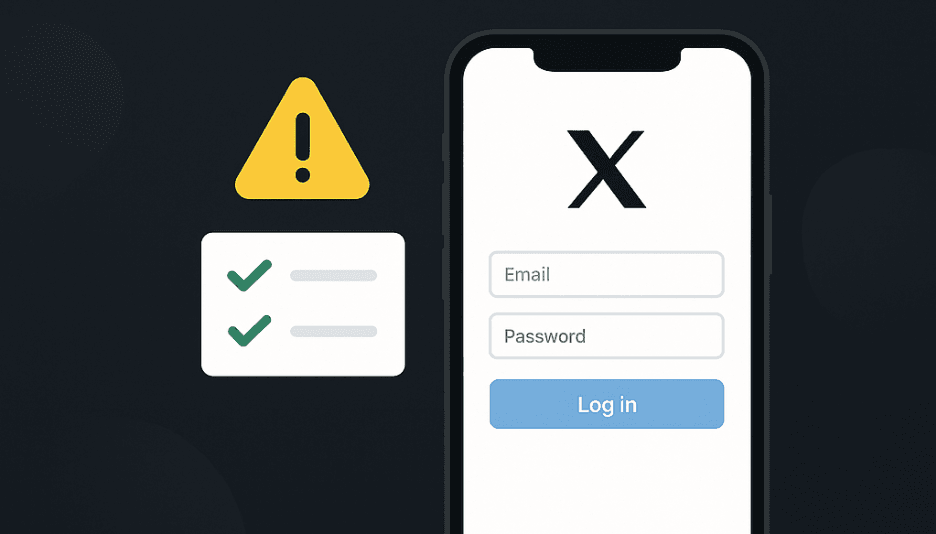
Reduce the risks of e-commerce account bans or checks and keep your multiple Amazon, eBay, and Shopify accounts separate and safe.

» A Full Guide to Creating Multiple Amazon Accounts
Try with 10 Free Profiles
E-commerce Account Management Interface

Multi-Shop Management Dashboard

Manage Multiple E-commerce Shops & Accounts Effectively​

BitBrowser supports multiple browsers or tabs opening & sharing and RPA automation. With the versatile unblock website browser, you can run accounts on different e-commerce platforms with one click, use bots to perform routine operations across different accounts, and share browsers with your teams to manage accounts together.

Save the trouble of switching between different e-commerce accounts and improving your workflow, efficiency, and output.
» How to Manage Multiple Amazon Seller Accounts for Different Brands
Try with 10 Free Profiles

Get the Most Out of BitBrowser​

🛒

E-commerce

Run multiple business accounts without hassle.

🔗

Affiliate Marketing

Promote products and services to earn more commissions.
📊

Brand Management

Boost brand reputation and presence.
🎯

Digital Marketing

Get fresh insights & know competitors better.
🔍

SEO & SERP

Conduct a SERP analysis and improve your SEO.
🤖

Web Scraping

Scrape data from any site with simple clicks.

Frequently Asked Questions of E-commerce​

Can you have multiple Amazon seller accounts?​

Amazon allows more than one account per seller as long as you will not be selling the same product and in the same product category. You can write an email to apply for permission. Do note that the very real risk is that one of the accounts gets suspended for something and the other accounts will be suspended too.

If you are 1 company and want to create multiple accounts on Amazon for different brands or sell the same product, this is prohibited on Amazon. The solution is creating separate accounts. Use our antidetect browser to first create accounts from different IP addresses, then register accounts with different email, identity, physical addresses, and bank accounts.

How does Amazon detect multiple seller accounts?​

Amazon would monitor account behavior, track IP addresses and cookies, and analyze credit card and bank records to identify and link associated accounts. If you create accounts with the same identity information, log into multiple accounts from the exact same IP address, and pay with a credit card number and street address, Amazon might detect and ban your accounts permanently.

Is it okay to log into multiple seller accounts on Amazon from the same computer?​

When you do this, Amazon will detect you logging into accounts from the same device and IP address, recognize them as related, and thus get all your accounts suspended. To avoid this, you can use the best anti-detection browser - BitBrowser - to change your IP address and cookies so that Amazon can't detect you.

Check tips for logging into and switching Amazon accounts on your computer.

If you have multiple eBay selling accounts associated with the same Tax ID and one of them gets suspended, will eBay connect the two and suspend both accounts?​

If eBay considers the two accounts connected, and your account has suspicious activities, then other accounts could end up banned too.

To avoid eBay associated account suspension, you can create separate eBay selling accounts. Use BitBrowser to create accounts with different IP addresses, and use another email and phone number to create new accounts on eBay.
 
Recently, a large-scale supply chain attack named "Shai Hulud" has swept through the npm ecosystem, affecting hundreds of critical software packages and even being able to precisely identify user environments, posing serious threats to development environments and enterprise data security.

Attack Overview​

This attack began on November 24, 2025, when attackers compromised 492 npm packages by implanting a self-replicating worm virus. These infected packages had a cumulative monthly download volume exceeding 132 million times, affecting numerous well-known projects including Zapier, PostHog, AsyncAPI, and others.

The core objective of the attack was to steal developers' sensitive credentials. Malicious scripts would execute during the package installation process and utilize the secret scanning tool TruffleHog to steal system passwords, API keys, cloud access tokens, and GitHub or npm credentials. After successful acquisition, this data was exfiltrated to a public GitHub repository named "Sha1-Hulud: The Second Coming."


The Attack Chain​

The attack's implementation relied on a sophisticated chain with the following core methods and evasion techniques:

Supply Chain Entry and Propagation​

Attackers primarily impersonated the Bun runtime environment to implant malicious scripts (such as setup_bun[.]js and bun_environment[.]js) into software packages. When infected packages were installed, these scripts would automatically execute, not only stealing information but also abusing GitHub Actions to establish persistent access. Furthermore, they used stolen credentials to publish more malicious packages, forming a self-replicating worm cycle.

Precise Environment Identification and Diversion​

To evade detection and conduct precise strikes, attackers also abused commercial cloaking services like Adspect for environment fingerprinting. Malicious code would collect hundreds of parameters including browser user agents, hostnames, referrer pages, screen resolution, font lists, and more. Based on these fingerprints, the Adspect service would determine whether the visitor was a genuine victim or a security researcher and dynamically return different content to hide the real attack page.

Multiple Anti-Analysis Techniques​

To counter security analysis, these malicious software packages integrated various anti-analysis techniques, such as disabling right-click menus, blocking F12 developer tools, and intercepting view source code operations. When developer tools were detected, the page would automatically refresh, making it difficult for researchers to conduct static code analysis and reverse engineering.


Profound Impact on Developers​

The impact of this attack incident far exceeds ordinary data breaches:

Risk to Enterprise Core Infrastructure​

Since stolen credentials often include access tokens for cloud services like AWS, Azure, and GCP, attackers could not only steal data but also directly control enterprise cloud infrastructure. They could even attempt privilege escalation in Docker environments, thereby deploying ransomware, conducting cryptocurrency mining, or carrying out data extortion.

Supply Chain Security Trust Erosion​

The attack affected numerous widely used and trusted open-source projects. This weaponized the trust relationships based on the open-source ecosystem, demonstrating that a single compromised maintainer account is enough to endanger the entire downstream ecosystem, highlighting the fragility of the open-source supply chain.


Protection Measures and Recommendations​

Faced with increasingly complex supply chain attacks, developers and organizations need to adopt multi-layered, in-depth protection strategies:

Immediate Investigation and Remediation​

· Check if affected software packages are used in your projects and immediately remove and replace them.

· Rotate all potentially compromised credentials, including GitHub tokens, npm tokens, SSH keys, API keys, and environment variable keys.

· Check GitHub for the presence of actionsSecrets.json files created by the malware or repositories named "Sha1-Hulud: The Second Coming".

Strengthen Development Environment and Processes​

· In CI/CD environments, if possible, disable the execution permissions for npm's postinstall scripts to break the attack chain.

· Implement strict version pinning and package lockfiles to prevent dependencies from being automatically updated to malicious versions.

· Enable two-factor authentication (2FA) for all software package registry accounts and train developers to identify phishing emails targeting maintainers.

Implement Continuous Monitoring and Auditing​

· Use Software Composition Analysis (SCA) tools like npm audit and Snyk to continuously scan project dependencies, promptly identifying known vulnerabilities and malicious versions.

· Integrate logs from platforms like GitHub into SIEM systems to enhance monitoring of abnormal activities.

Important Note for Anti-Detect Browser Users​

For users employing anti-detection browsers for multi-account operations, this attack also serves as a warning: attackers' environment identification technology is becoming increasingly sophisticated. Therefore, even when using professional tools, strict credential management and profiles isolation measures must be implemented, and tools must be kept updated promptly.

Protect Your Digital Operations with BitBrowser​

In the face of increasingly sophisticated cyber attacks that can precisely identify user environments, traditional security measures are no longer sufficient. For professionals managing multiple accounts and sensitive operations, a dedicated anti-detect browser like BitBrowser provides essential protection against today's advanced threats.

Why Choose BitBrowser for Enhanced Security:​

· Advanced Fingerprint Protection: Effectively masks your digital footprint and prevents environment identification by malicious actors

· Secure Profile Isolation: Maintain complete separation between different accounts and browsing sessions

· Team Collaboration Features: Safely manage team access while maintaining individual security protocols

· Regular Security Updates: Stay protected against emerging threats with continuous platform improvements

As we've seen in the recent npm supply chain attack, attackers are constantly evolving their techniques to identify and target vulnerable environments.

Don't wait until you become a victim. Take proactive steps to secure your digital operations today.
 
In 2026, managing multiple online accounts while maintaining privacy and avoiding detection requires specialized tools. Anti‑detect browsers help marketers, social media managers, and digital professionals simulate authentic user environments, isolate sessions, and protect account integrity. This guide reviews the top 10 anti‑detect browsers, comparing features, ease of use, and pricing to help you choose the right solution for your workflow.


1. BitBrowser

bitbrowser
Strengths: Feature‑rich and deeply customizable fingerprint engine; strong Google & Firefox kernel support.


Best for: Beginners, freelancers, and cost‑sensitive teams.


Why it stands out: Realistic browser fingerprinting plus isolated environments that prevent cross‑profile leaks. Built‑in proxy management and API automation add versatility.


Limitations: Fewer advanced automation features than some enterprise tools.


Pricing: Free plan with up to 10 profiles; paid tiers start at ~$10/month for 50 profiles.

bitbrowser
Pros: Excellent cost‑performance; cloud sync and team role permissions.


Cons: Not as powerful for high‑volume automation compared with enterprise tools.


2. Multilogin

Multilogin

Strengths: One of the most precise fingerprint‑generation engines on the market.


Best for: Large agencies and expert operators who need high stability.


Why it stands out: Dual‑core browser kernels (Chromium + Firefox) and solid automation integration (Selenium/Puppeteer).


Limitations: Steep learning curve and high prices; no free plan beyond trial.


Pros: Very high fingerprint realism; thorough team management.


Cons: Costly at scale.


3. Linken Sphere

Linken Sphere

Strengths: Extremely granular customization and multiple fingerprint engines.


Best for: Advanced users focused on research and deep anti‑detection work.


Why it stands out: Offers low‑level control of fingerprints, cookies, audio, WebGL, and more.


Limitations: Complex UI and setup; not beginner‑friendly; associated with controversial usage contexts.


Pros: Deep customization; strong session isolation.


Cons: Complexity can hamper everyday workflow.


4. Kameleo

Kameleo

Strengths: Strong mobile device emulation and fingerprinting.


Best for: Mobile ads, TikTok/Instagram operations, QA testers.


Why it stands out: Real Android device emulation with extensive mobile fingerprinting support.


Limitations: High pricing, especially for mobile emulation features; steep learning curve.


Pros: Excellent mobile environment simulation.


Cons: Heavy system requirements.


5. Ghost Browser

Ghost Browser

Strengths: Lightweight multi‑session tool with tab isolation.


Best for: Productivity use‑cases (multiple logins, research).


Why it stands out: Organizes sessions in a single window; integrates with Chrome extensions.


Limitations: Not truly anti‑detect — fingerprint spoofing is basic compared with others.


Pros: Simple and efficient for light multi‑session tasks.


Cons: Not recommended for serious anti‑ban operations.


6. GoLogin

gologin

Strengths: User‑friendly with solid fingerprint generation and built‑in proxy marketplace.


Best for: Small agencies and mid‑level users.


Why it stands out: Straightforward proxy buying and assignment inside the dashboard.


Limitations: Fingerprint accuracy slightly below top‑tier; occasional performance issues at scale.


Pros: Easy to start; good balance of features for price.


Cons: Less robust than enterprise‑grade tools.


7. Incogniton

Incogniton

Strengths: Simple, intuitive interface with generous free tier.


Best for: Individuals, freelancers, and light multi‑account users.


Why it stands out: Friendly onboarding and built‑in automation support.


Limitations: Advanced fingerprinting options are limited compared to higher‑end tools.


Pros: Great for solo operators and small teams.


Cons: Free tier has restrictions after a couple of months.


8. AdsPower

adspower

Strengths: Competitive pricing with built‑in RPA (Robotic Process Automation).


Best for: Crypto traders, social media account farmers, users who value automation.


Why it stands out: No‑code automation workflows and good proxy integrations.


Limitations: Some reported data security concerns in 2025 — worth verifying updates.


Pros: Strong automation and workflow optimization.


Cons: Security reputation needs careful attention.


9. Octo Browser

Octo Browser

Strengths: High fingerprint quality and rich team collaboration tools.


Best for: Medium to large teams with collaboration needs.


Why it stands out: Fast kernel updates keep detection avoidance consistent.


Limitations: No free plan; advanced features locked behind high‑tier pricing.


Pros: Excellent for team operations and APIs.


Cons: Limited language support and batch organization features.


10. MoreLogin

image.png

Strengths: User‑friendly and affordable anti‑detect browser with solid multi‑account management.


Best for: Small to mid‑sized teams, marketers wanting simplicity with strong fingerprint realism.


Why it stands out: Provides unique fingerprints with machine‑learning‑driven canvas generation, synchronized operations, and team collaboration capabilities.


Limitations: Relies on external proxy services (no built‑in free proxies), and advanced automation must use APIs which may require technical setup.


Pros: Friendly UI; 2 free profiles forever; low‑cost plans start around ~$9/month.


Cons: Proxy integration not native; support quality and refund policies vary per user reports.
 
SMS-Activate was once one of the most widely used online SMS verification platforms, known for providing temporary phone numbers for account registration and testing across hundreds of services.


However, by the end of 2025, SMS-Activate officially ceased operations, leaving many users confused about account access, remaining balances, and the announced transition to HeroSMS.


This article explains what SMS-Activate was, why it shut down, what the HeroSMS transition means for users, the key security risks after the shutdown, and how to safely use SMS verification services with tools like BitBrowser.


What Was SMS-Activate?​

SMS-Activate (https://sms-activate.ru/) was an online SMS receiving service that allowed users to rent or purchase virtual phone numbers to receive one-time passwords (OTP) and verification codes.

image.png

It was widely used for:


· Account registration and verification


· App testing and QA workflows


· Managing multiple online accounts


· Temporary number usage without exposing real phone numbers


The platform supported numbers from dozens of countries and integrated with popular services such as Google, Telegram, WhatsApp, Facebook, and more.


The Official Shutdown of SMS-Activate​

In late December 2025, SMS-Activate announced that it would stop operating entirely.

What users experienced:​

· The website became partially or fully inaccessible


· Recharge and withdrawal functions stopped working


· SMS delivery became unreliable or unavailable


· Remaining balances were difficult or impossible to recover


The team advised users not to continue adding funds and announced a migration path to a new platform: HeroSMS.


Transition to HeroSMS: What We Know​

SMS-Activate stated that users should move to HeroSMS (https://hero-sms.com/), described as a new service intended to replace the original platform.

image.png

However, it is important to note:


· HeroSMS is a separate platform, not a continuation of SMS-Activate infrastructure


· Balance transfers and account migration details were unclear or inconsistent


· Many users reported uncertainty regarding asset recovery


As a result, users are advised to treat HeroSMS as a new service, evaluate it independently, and avoid assuming automatic continuity from SMS-Activate.


Security Risks After the Shutdown​

Following the closure, a significant risk emerged: fake or unofficial SMS-Activate websites.

Common risks include:​

· Phishing sites using similar domain names


· Fake login pages collecting credentials


· Scam platforms requesting deposits


· Unofficial “mirrors” pretending to be active services


Once a popular service shuts down, its brand name often becomes a target for impersonation. Users should be extremely cautious when interacting with any site claiming to be “SMS-Activate” after its official closure.


Recommended SMS Platforms in 2026​

While HeroSMS is the official successor, diversification is important:

1. Cost-effective virtual number platforms

· Examples: 5sim, Smspva


· Suitable for low-risk platforms or apps


· Must combine with BitBrowser to avoid IP/fingerprint linkage

2. Stable real-number (Non-VoIP) services

· Real SIM-based cloud numbers


· Higher cost but more reliable for high-security apps like WhatsApp or Telegram


· Better success and longevity for accounts


How to Use SMS Verification Services Safely in 2026​

If you rely on SMS verification platforms, protecting your accounts and privacy is more important than ever. Here’s how to do it safely using BitBrowser.

1. Use Isolated Browser Profiles for Each Account​

BitBrowser creates fully isolated virtual environments for every account, preventing fingerprint correlation. Each browser window simulates a unique device, including:


· Different OS versions, screen resolutions, fonts, and User-Agent strings


· Separate cookies, local storage, and sessions


This ensures that every registration appears as a brand-new device with no prior record, keeping your accounts private and secure.

bitbrowser

2. Streamline Workflows with RPA Automation​

BitBrowser’s RPA automation tools save time and reduce errors when managing multiple SMS accounts:


· Automatically fill registration forms


· Retrieve verification codes via SMS APIs


· Sync multiple browser windows for bulk account management


Cookies and credentials are encrypted in the cloud, protecting data when switching devices or staff.

bitbrowser

3. Apply Safe Account Management Practices​

Even with BitBrowser, good operational habits are essential:


· Use one profile per SMS account and one profile per target service (e.g., Google, Telegram)


· Avoid logging into multiple SMS platforms in the same browser environment


· Never reuse old SMS-Activate passwords or the same email across multiple services


· Use separate payment methods when possible


These practices minimize correlation risks and protect your operational security.

4. Maintain Privacy and Efficiency​

By combining isolated profiles, automation, and disciplined account management, BitBrowser allows you to:


· Safely manage multiple SMS verification accounts


· Reduce the risk of fingerprinting and account linkage


· Maintain operational efficiency in 2026


BitBrowser ensures that SMS verification can be done securely, even when using multiple platforms or testing new services.


Practical Registration Formula for 2026​

A tested approach for high account survival rate:


Clean IP Proxy + BitBrowser (isolated fingerprint environment) + Real SIM numbers (or HeroSMS numbers from less common countries) = High success, long-living accounts


The key takeaway: no matter which SMS platform you use, protecting your account environment and cutting correlation risks is essential for stable account operations.


Final Thoughts​

The shutdown of SMS-Activate reflects ongoing changes in the SMS verification market rather than the disappearance of such services altogether. While the platform is no longer available, SMS verification remains a widely used method for account registration and testing across many services.


In 2026, the main challenge is no longer finding a single “replacement platform,” but adapting to higher platform risk controls and more frequent service changes. Using verified SMS providers, avoiding over-reliance on any single platform, and maintaining isolated browsing environments are now essential practices.


By combining reliable SMS services with clean IPs and isolated browser profiles using tools like BitBrowser, users can reduce correlation risks and maintain stable account operations, even as SMS platforms and policies continue to evolve.
 
Accessing Tamil movies online has become increasingly challenging in recent years, as popular streaming and download sites face frequent blocks and takedowns. One such site that remains a popular choice is Tamil.mv, a platform known for hosting Tamil movie releases. However, many users struggle to open the site due to regional restrictions, ISP blocks, or constantly changing domains.

This 2026 guide explains what TamilMV is, why it’s frequently blocked, whether it's safe to access, and most importantly, how to unblock TamilMV using practical and reliable methods. We’ll also compare solutions like TamilMV proxy sites, VPNs, and advanced tools such as antidetect browsers, helping you choose the safest and most effective option.


What Is TamilMV and Why Is It So Popular?

image.png
TamilMV (also referred to as Tamil movie mv or Tamil movie download sites) has become a go-to destination for Tamil cinema fans. The site is known for offering fast access to new Tamil movies, web series, and dubbed content, often shortly after their theatrical or OTT release.

Key reasons for TamilMV's popularity:

  • A wide variety of Tamil films, including both classics and recent releases
  • Multiple formats and resolutions for downloads
  • Mobile-friendly with lightweight pages
  • High demand for Tamil content in regions with limited access to legal streaming
  • options
For many users, TamilMV became a popular choice when official platforms delayed releases or restricted content based on geographical regions.


Why Is TamilMV Blocked in Many Countries?

TamilMV is blocked in several countries because it distributes copyrighted content without proper licensing. Governments and ISPs often restrict access to sites that host pirated material, and TamilMV is no exception.

Common reasons for blocking include:

• Copyright infringement complaints from filmmakers and distributors
• Court-ordered ISP blocks at national or regional levels
• Domain seizures or blacklisting by authorities
• Dynamic blocking, where entire IP ranges or mirror domains are restricted
As a result, users may encounter error messages like “This site can’t be reached” or “Access denied” when trying to visit TamilMV.


Is It Safe to Access TamilMV?

While many users search for ways to unblock TamilMV, safety concerns are often overlooked. The site can pose several risks:
Malware and pop-up ads: Many proxy and mirror sites can expose you to malicious ads and software.
Phishing attempts: Some websites trick users into clicking on fake download buttons.
Tracking: ISPs or network administrators may monitor your activity.
Unstable access: Domains can stop working suddenly due to blocks or takedowns.
Accessing TamilMV without the right precautions may expose your IP address, browsing behavior, and device security. Therefore, it's crucial to choose a safe and reliable method to unblock TamilMV.


How to Unblock TamilMV – 6 Practical Methods

Here are six common methods to unblock TamilMV, from basic solutions to more advanced options.

Method 1 – Using TamilMV Proxy or Mirror Sites

TamilMV proxy sites mirror the original TamilMV content. These proxies allow users to access TamilMV through different URLs, even when the main site is blocked.

Pros:

Simple to use
No software installation needed
Quick access when the proxy is active

Cons:

Often blocked quickly
High risk of fake or malicious sites
Heavy ads and pop-ups
Proxy sites may work temporarily, but they are unreliable and can be unsafe.

Method 2 – Changing DNS Settings

Switching to public DNS services like Google DNS or Cloudflare DNS can sometimes bypass ISP-level blocks.

Common DNS options:

• Google DNS (8.8.8.8 / 8.8.4.4)
• Cloudflare DNS (1.1.1.1)

Pros:

• Easy setup
• May improve browsing speed

Cons:

• Ineffective against deep packet inspection
• Doesn’t hide your IP address
• Limited success in heavily restricted regions
DNS changes may help bypass mild restrictions but are unlikely to work in highly censored regions.

Method 3 – VPNs: When They Work and When They Don’t

VPNs are one of the most popular solutions for unblocking TamilMV. They route your traffic through different servers, masking your IP address.

Pros:

• Encrypts internet traffic
• Bypasses many geo-blocks
• Widely available

Cons:

• Free VPNs may log data
• Many VPN IPs are blacklisted by streaming sites
• May experience slower speeds
VPNs can work but the success rate depends on server quality and detection systems.

Method 4 – Using a Web-Based Proxy Tool

Web proxies allow you to access TamilMV directly through your browser without installing any software.

Pros:

• Quick and simple
• Ideal for one-time access

Cons:

• Slow speeds
• Poor compatibility with media downloads
• Exposure to tracking and ads
Web-based proxies are not recommended for frequent or long-term use.

Method 5 – Tor Browser (Optional, Advanced Users)

Tor routes traffic through encrypted nodes, providing strong anonymity.

Pros:

• High level of privacy
• Difficult to trace

Cons:

• Very slow speeds
• Many sites block Tor traffic
• Poor experience for media downloads
Tor is best for privacy-focused browsing, not for streaming or downloading Tamil movies.

Method 6 – Using an Antidetect Browser for Stable Access

Antidetect browsers isolate browser fingerprints, cookies, and IPs. These tools create distinct, consistent browser profiles that are harder to track or block.

Pros:

• Stable access, even when domains change
• Prevents fingerprint tracking
• Works well with proxies or residential IPs
• Reduces frequency of blocks

Cons:

• Requires setup
• Best for advanced users
Antidetect browsers offer the most reliable long-term solution for accessing TamilMV safely in 2026.

Comparison: TamilMV Proxy vs VPN vs Antidetect Browser

Here's a quick comparison of TamilMV proxy sites, VPNs, and antidetect browsers:
FeatureTamilMV ProxyVPNAntidetect Browser
Ease of UseHighMediumMedium
StabilityLowMediumHigh
Privacy ProtectionLowMediumHigh
IP MaskingLimitedYesYes (Advanced)
Block ResistanceVery LowMediumVery High
Best for Long-Term UseNoSometimesYes

Why Antidetect Browsers Are the Best Solution for TamilMV Access

Many modern blocks focus on tracking user behavior via browser fingerprints, not just IP addresses. Antidetect browsers solve this by:
• Creating isolated environments for each browser session
• Maintaining consistent digital fingerprints
• Preventing cross-session tracking
• Allowing flexible proxy integration
This makes antidetect browsers far more effective than proxy solutions, especially when TamilMV's domains change frequently.

How to Use BitBrowser to Access TamilMV More Reliably

BitBrowser is a powerful antidetect browser that allows users to create isolated browser profiles with unique fingerprints. Here's how to set it up for reliable access to TamilMV:

Step-by-Step Setup:

1. Install BitBrowser

Download and install BitBrowser on your desktop system.
bitbrowser

2. Create a New Browser Profile

Set up a new profile with a unique browser fingerprint.
bitbrowser

3. Configure Proxy or IP Settings

Use a residential or ISP proxy like brightata on noscks net for enhanced stability.
bitbrowser

4. Enter the TamilMV Link

Choose "Other" in the dropdown menu and input the latest TamilMV proxy link.

5. Customize Browser Environment

Adjust timezone, language, OS, and screen settings to match the proxy location.

6. Launch the Profile

Open TamilMV within the isolated profile.

7. Save Cookies and Session Data

This ensures consistent access even if domains change.

By using BitBrowser, you reduce detection risks and minimize the need to constantly search for new unblock methods.


You may also want to read:


What is TamilMV? How to Access TamilMV in 2026? (Updated Jan. 2026)


Best Unblocked YouTube Sites in 2026


How to Safely Access Kickass Torrents in 2026 (Unblocked & Secure Guide)


Conclusion

TamilMV remains popular due to the high demand for Tamil movie content, but accessing it safely has become more complex. While proxies and VPNs may offer temporary access, they are not foolproof against modern detection systems.

For reliable, private, and long-term access in 2026, antidetect browsers, like BitBrowser, provide the most stable solution. Regardless of the method you choose, always prioritize privacy, security, and awareness of local laws when accessing TamilMV or similar platforms.
 
Top