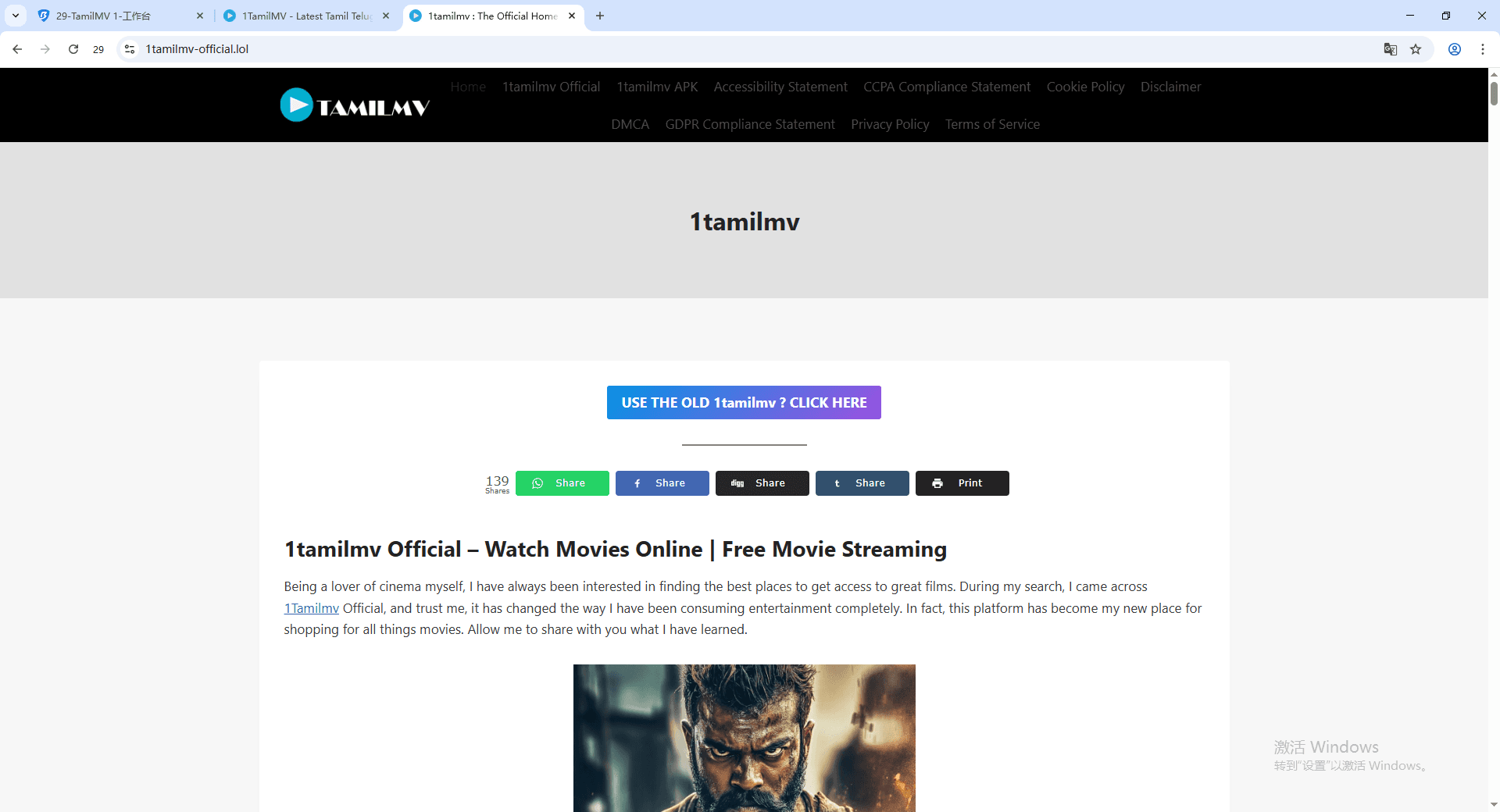
Step 6: Update or reinstall the app​

If the app is broken, you can waste hours typing passwords into a broken login screen.


Do this:​


· Update X from the App Store / Play Store.


· If that doesn’t work, uninstall X and reinstall it.


· Restart your phone after reinstalling. Not optional. It clears weird session junk.


Also, if you’re using an ancient OS version, the app can become flaky. Just saying.


Step 7: Reset your password safely​

If you’re not 100 percent sure your password is right, stop guessing. Guessing can trigger lockouts.


Use:

· Forgot password? on the login screen.
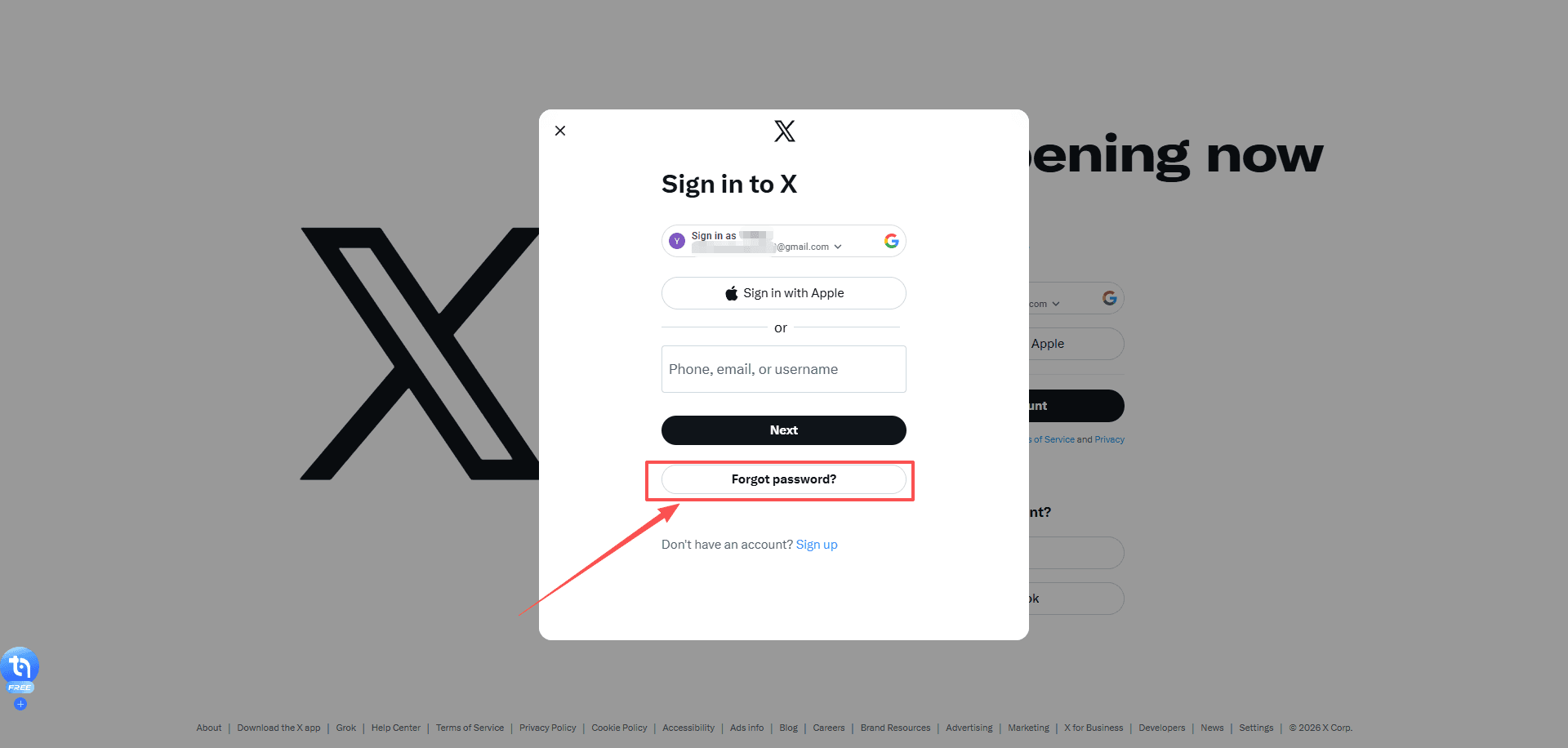
image.png


A few notes that matter:


· If you don’t get the reset email, check Spam, Promotions, and All Mail.


· If you used a phone number, you might get an SMS link instead.


· Open the reset link on the same device you plan to log in with.


When you create a new password:


· Make it unique.


· Don’t let your keyboard auto insert spaces.


· Save it in a password manager immediately.


Then try logging in again.


Step 8: Fix 2FA problems (this is usually the real issue)​

This is the part that makes people panic because you can have the correct password and still be locked out.


If 2FA is blocking you, fix 2FA:

Scenario A: Authenticator app codes don’t work​

Common causes:


· Your phone time is slightly off


· You switched phones and lost the authenticator seed


· You’re entering a code for the wrong account


Fixes:


· Turn on automatic time on your phone (date and time settings). This can often be resolved by checking your time settings for accuracy.


· In Google Authenticator, Microsoft Authenticator, Authy, etc. make sure you’re using the entry for the correct X account.


· Try 2 or 3 fresh codes, not the same one.


Scenario B: SMS codes never arrive​

Try:​


· Switch from Wi-Fi to mobile data.


· Restart your phone.


· Wait 2 minutes and request again. Don’t spam requests 10 times.


· Check if your carrier blocks short codes, or if you have SMS filtering apps enabled.


If SMS still fails and you don’t have backup codes, keep reading.


Scenario C: You lost your 2FA device and have no backup codes​

This is where X can take longer than 10 minutes, depending on what recovery options you set up. But you can still move fast.


First, check whether you have backup codes. These are one-time codes generated when you enable 2FA in the X iOS or Android app, or later on X.com. They’re meant for exactly this situation and are not the same as temporary passwords.


Your options:


· If you’re logged in on any other device, go there first. You can disable 2FA or generate new backup codes from Settings → Account → Security.


· If you’re not logged in anywhere, your only option is account recovery through X support.


Note: If SMS text message two-factor authentication is your only 2FA method and you’re still logged in, you can remove your phone number in Mobile settings on X.com. Click Delete my phone, and SMS-based 2FA will be automatically turned off.


Step 9: Check if your X account is locked, limited or compromised​

Sometimes you can’t log in because X detects suspicious activity on your account. Depending on the situation, your account might be locked, limited, or compromised.

Scenario A: Locked account

Common signs:


· Messages like “Locked out!


· Alerts about a “Suspicious login attempt” or “Unusual activity


· Prompts to verify your email or phone number


How to fix it:


· Follow the on-screen verification steps.


· Check your email for security alerts from X and approve any actions if required.


· If you used a VPN, turn it off and try logging in from a normal network.


If verification gets stuck or won’t complete, clear your cookies (Step 5) and try logging in from another device (Step 3).


Scenario B: Limited account

X may temporarily restrict certain actions if it detects suspicious or potentially rule-violating behavior.

Common Signs:​

You may be unable to tweet, follow new accounts, or perform other normal actions, and you might see alerts about account limits.


Fix:​

If your account is limited or suspended, you’ll usually see a message when logging in explaining the restriction. Follow the on-screen instructions to appeal or restore access.


Scenario C: Compromised account

If your account has been hacked or phished, X may proactively reset your password to block unauthorized access. In these cases, you’ll receive an email with instructions on how to reset your password. Follow the steps in that email to regain access if you can’t log in.

Common Signs:​


· Unexpected posts or messages sent from your account


· Actions you didn’t approve (following, unfollowing, blocking)


· Notifications that your account may be compromised


· Password no longer works or account info changed without your knowledge


Steps to secure your account:​


· Change your password immediately (Settings → Password or Forgot Password if logged out) and revoke app access on iOS/Android.


· Secure your email and reverse any unexpected changes from verify@x.com emails.


· Revoke unknown third-party app access. For X Pro Teams, check member lists for unfamiliar users.


· Update passwords in trusted third-party apps that use your X password.


· Extra precautions: Delete unwanted posts, scan for malware, install updates, enable 2FA, and don’t share credentials.


· Contact Support if you still can’t log in; include your username and last access date.


How accounts get compromised:​


· Weak or reused passwords


· Malicious third-party apps or websites


· Malware or viruses on your devices


· Accessing X on unsafe networks


Even if unusual activity is caused by app bugs, changing your password and revoking app access stops it. Act quickly to minimize risk.


Step 10: Do a “clean room” test​

This is the fastest way to prove whether it’s your device or your account.

Do this exactly:​


1. Use a device you rarely use (or a fresh browser profile).


2. Use Incognito/Private mode.


3. Turn off VPN.


4. Use mobile data if possible.


5. Go straight to https://x.com/login


6. Enter credentials carefully (copy paste from password manager if you have one)


Outcomes:​


· If it works here: your normal browser/app environment is the problem. Extensions, cookies, cached sessions. Fixable.


· If it fails everywhere: it’s either credentials, 2FA, or an account restriction.


At that point, stop trying random stuff. You’ll just trigger security checks.


The fastest “10 minute” order (if you want the short version)​

If you just want the speedrun, do this:


1. Check if X is down


2. Try login on another device/browser


3. Disable VPN and blockers


4. Clear x.com and twitter.com cookies


5. Update or reinstall the app


6. Reset password (don’t guess)


7. Fix 2FA (time sync, backup codes, recovery)


That flow solves most cases.


Common weird issues and what to do​

“Login successful” then instantly logs out​

Usually cookie/session corruption.


Fix:

· Clear cookies for x.com and twitter.com.


· Disable extensions.


· Try another browser profile.

“Something went wrong. Try again.”​

Could be:

· X outage


· Network filter


· DNS block


· Browser extension breaking scripts


Fix:

· Try mobile data


· Disable VPN


· Try a different browser

“Oops, something went wrong” only on Wi-Fi​

That’s your Wi-Fi, router, or ISP level filtering.


Fix:

· Restart router


· Switch DNS to automatic (temporarily)


· Try mobile data

You’re sure the password is right, but it won’t accept it​

Most likely:


· You’re on the wrong account identifier (email vs username)


· Your password manager is filling an old password


· Invisible whitespace got pasted


Fix:

· Manually type it once


· Or reset password and move on


How to Prevent Future X (Twitter) Login Issues?​

Most X login problems are not random. They are triggered when X’s security systems detect something that looks unstable, automated, or suspicious — even if you did nothing wrong.


If you want to avoid seeing “cannot log into X (Twitter)” again in the future, focus on keeping your login environment stable, consistent, and clean.


Here are the practices that matter most:

1. Keep a stable login environment​

Avoid constantly switching between devices, browsers, networks, and profiles when logging into X. Sudden changes in your device fingerprint, IP address, or location can trigger security checks or temporary blocks.


Pick one main environment for your primary account and use it consistently whenever possible.

2. Avoid aggressive VPN or IP rotation on login​

Cheap VPNs and constantly rotating IP addresses are one of the most common reasons accounts get flagged for “suspicious activity.”


If you need privacy or IP control, use a stable IP rather than one that changes every session — especially when logging in.

3. Separate multiple X accounts properly​

If you manage more than one X account (personal, business, client, or automation), never log them into the same browser profile.


Sharing cookies, storage, and fingerprints between accounts is a very common cause of:


· Login loops


· Unexpected logouts


· Security challenges


· Temporary restrictions


Each account should have its own isolated environment.

4. Keep sessions and cookies isolated​

Many login errors are caused by corrupted or overwritten cookies. This often happens when:


· You reuse the same browser profile for multiple accounts


· You log in and out of different accounts repeatedly


· Extensions interfere with session storage


This is where using a professional anti-detect browser like BitBrowser becomes extremely useful.

BitBrowser

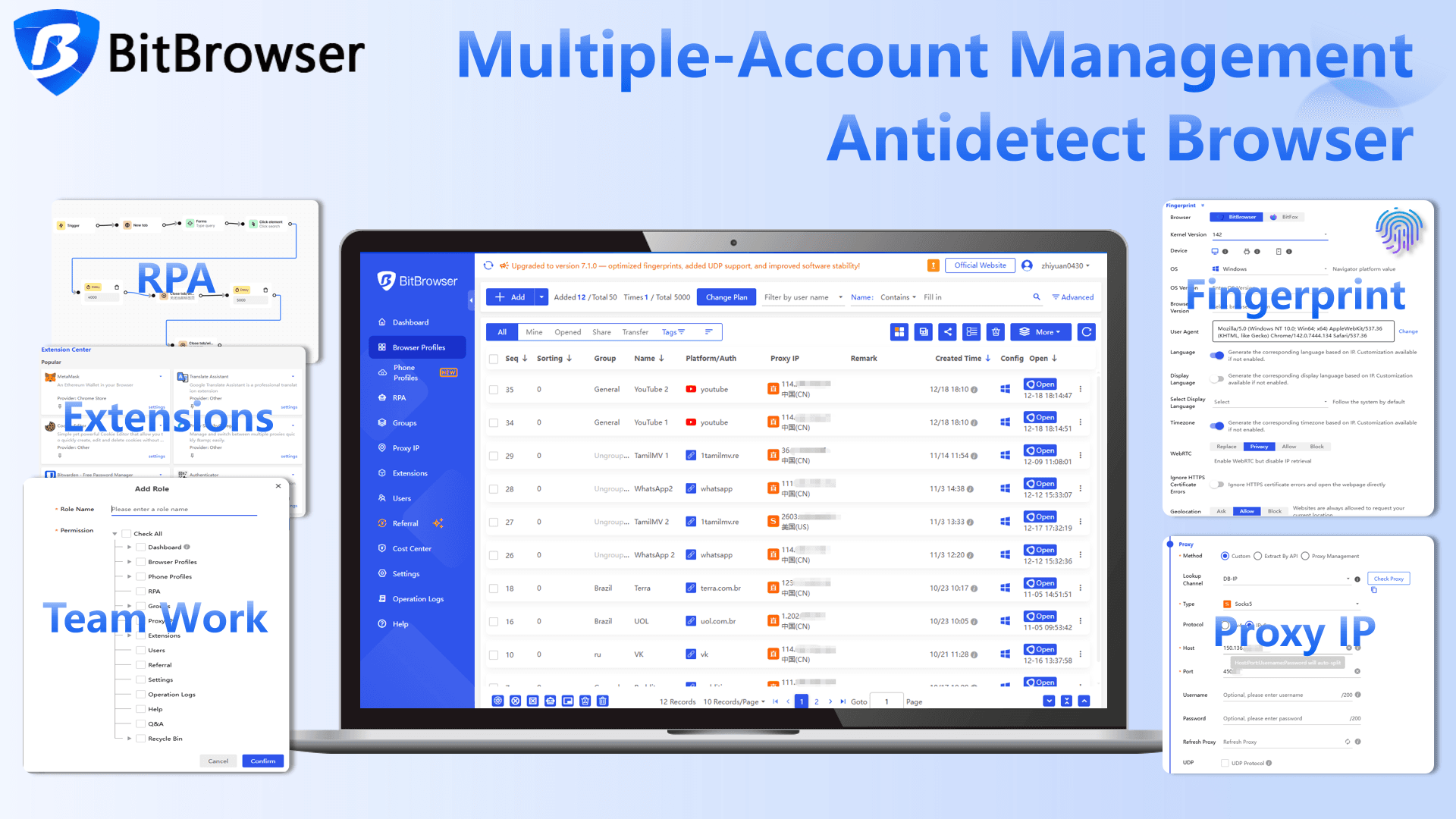
· Create isolated browser profiles with separate cookies, storage, and fingerprints


· Assign a consistent IP or proxy to each profile


· Prevent cross-account contamination


· Maintain a stable, trusted login environment for each account


· Manage multiple X accounts safely without causing login issues


This dramatically reduces login loops, security flags, and account locks, especially if you manage multiple accounts or log in from different locations.


In simple terms: if X always sees you as the same “device + browser + network profile,” it has far less reason to block or challenge your login.


Try it yourself: BitBrowser provides 10 permanently free browser profiles.


BitBrowser

Conclusion​

Most X (Twitter) login issues are caused by incorrect credentials, 2FA problems, corrupted sessions, unstable networks, or temporary account restrictions.


Following the checklist in this guide allows you to resolve most login problems.


If login issues keep returning, the cause is usually not your account but your environment. Keeping your setup stable and isolating accounts properly helps prevent repeated errors.


For users who manage multiple X accounts or work across different networks, using a tool like BitBrowser to isolate browser profiles and sessions can reduce login conflicts and security flags.


Fix the issue once, understand why it happened, and you are unlikely to face it again.


FAQ: X (Twitter) Login Issues​

Why can’t I log into X even with the correct password?​

Most commonly it’s 2FA failing, a cookie/session loop, or you’re logging into the wrong account (wrong email/username). Try logging in via a different device, then clear cookies for x.com and twitter.com, then verify 2FA.

What should I do if I’m stuck in a login loop?​

Clear cookies and site data for x.com and twitter.com, disable extensions, and try Incognito mode. Login loops are almost always broken cookies or a browser extension interfering.

I’m not receiving the SMS login code. What can I do?​

Switch to mobile data, restart your phone, wait a minute between requests, and make sure your carrier allows short code SMS. If possible, use backup codes or an authenticator app instead of SMS.

Can I log into X without 2FA if I lost my phone?​

Only if you have backup codes or you’re still logged in on another device where you can disable/reset 2FA. Otherwise you’ll need to use X’s account recovery prompts.

What if X says my account is locked?​

Follow the verification steps (email or phone). If it doesn’t work, try the process on a different network/device and make sure VPN is off. If you can’t complete verification, you may need to use X’s support and recovery flow.

How can I manage multiple X accounts safely without causing login issues?​

Managing multiple X accounts in the same browser or environment can lead to session conflicts and security checks. To avoid this, each account should run in a fully isolated environment.


BitBrowser allows you to:


· Create isolated browser profiles with separate cookies, storage, and fingerprints


· Assign a consistent IP or proxy to each profile


· Prevent cross-account contamination


· Maintain a stable and trusted login environment for each account


This approach reduces login conflicts and lowers the risk of account restrictions when managing multiple accounts.
 

How to create multiple social media accounts for a business?​

The stated rules of Facebook, Instagram, etc., don't allow for multiple accounts. These social media will suspend accounts from the same IP address as they consider suspicious. The key to having multiple accounts is keeping accounts separate and changing your digital fingerprint - the IP address, device, geo-location - with BitBrowser and then creating accounts with another email.

How to safely run multiple social media accounts from the same IP?​

To run multiple accounts for your business or different brands on the same platform, you can use an anti-detect browser like BitBrowser to keep accounts separate and safely manage TikTok, Instagram, and more from one location. With BitBrowser, you can create digital fingerprints and change IPs for each account. This will prevent IP associations which could lead to shadow bans from Facebook, Twitter, Instagram, etc.


What can you do to make running many accounts simple?​

Social media marketers and managers often feel overwhelmed with tons of tasks like content creation, post scheduling, and reporting for accounts on different social media platforms. It's recommended to use versatile anti-detect browsers for multiple accounts to run multiple accounts in one place simultaneously and to automate your social interactions along with social media management tools to track and report data with ease.
 
In 2026, Instagram users are increasingly curious about viewing other profiles anonymously. Whether it’s for competitor research, content inspiration, or simply satisfying curiosity, many turn to an Instagram profile viewer to browse public accounts without logging in. However, the landscape has changed. Instagram’s anti-cheat systems have become stronger, and third-party tools now carry higher risks.


The real question isn’t whether these tools work (many do), but whether they are safe, legal, and suitable for your goals. In this guide, we’ll break down the top free Instagram profile viewers available, discuss their risks and limitations, and introduce better, safer alternatives for 2026.


What Is an Instagram Profile Viewer?​

An Instagram profile viewer is a third-party tool or platform that lets you browse public Instagram profiles without logging into your own account (or without using Instagram’s official app). These tools usually fall into three categories:


1) Web-based platforms: You paste a username into a website and it shows profile info and public posts.


2) Mobile apps: Apps that claim to view profiles, stories, or highlights anonymously, often with extra features like downloads.


3) Browser extensions: Extensions that claim to add viewing or downloading features directly inside your browser.


In theory, the appeal is simple: view a public profile without leaving traces, without logging in, and sometimes download content.


In practice, most of the risk comes from how these tools get the data and what they ask from you in return.


Why People Use Instagram Profile Viewers?​

People use Instagram profile viewers for a variety of reasons:


1) Curiosity: Quickly check friends, celebrities, or public accounts without leaving a trace.


2) Competitor research: Marketers and creators monitor trends, hashtags, and top-performing posts.


3) Content inspiration: Save ideas, reels, or visual trends for campaigns or personal projects.

image.png

However, as more users rely on these viewers, Instagram’s detection mechanisms for suspicious activity have become more sophisticated. Using an anonymous Instagram viewer safe is not just about hiding your identity, it’s about avoiding account ban risk and staying compliant.


Top 10 Free Instagram Profile Viewers (And What to Watch Out For)​

In 2025, there are several free Instagram profile viewers that allow users to anonymously browse public accounts, download content, or gather insights. To make it easier to understand, we’ve categorized these tools into three types: Full Anonymous Browsing & Download Tools, Analysis-Focused Tools, and Lightweight Browsing Tools.

1. Full Anonymous Browsing & Download Tools​

This category is ideal for users who want to anonymously explore Instagram profiles or collect content without logging in. The following tools offer a combination of browsing and download capabilities:


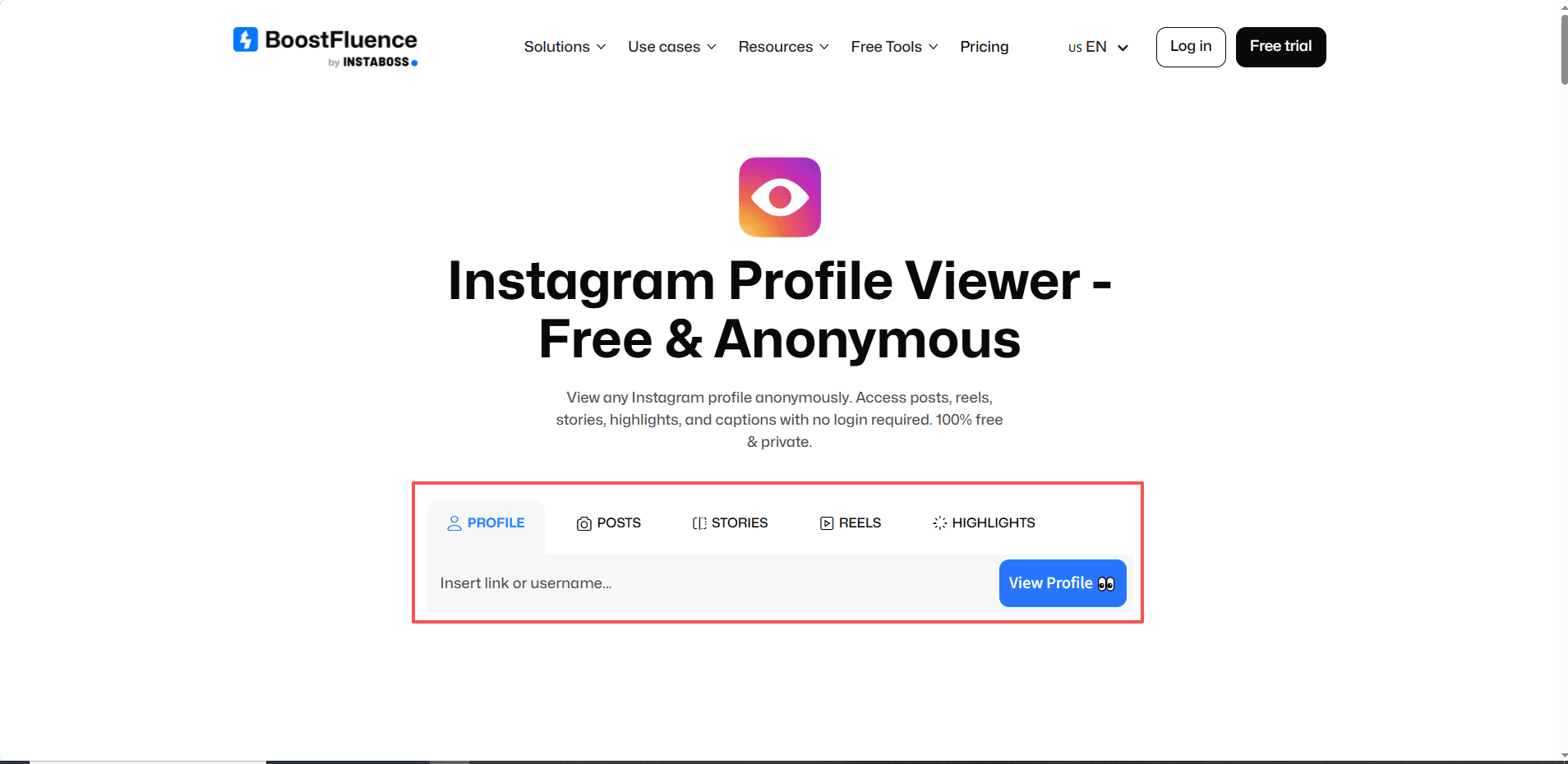
1)BoostFluence: Browse posts, Stories, Reels, and Highlights anonymously. Supports downloading photos and videos without watermarks, perfect for saving content. No login required and unlimited free usage.


Limitations: Free version may have occasional load issues; no advanced analytics


Website: Instagram Profile Viewer – Free & Anonymous


image.png


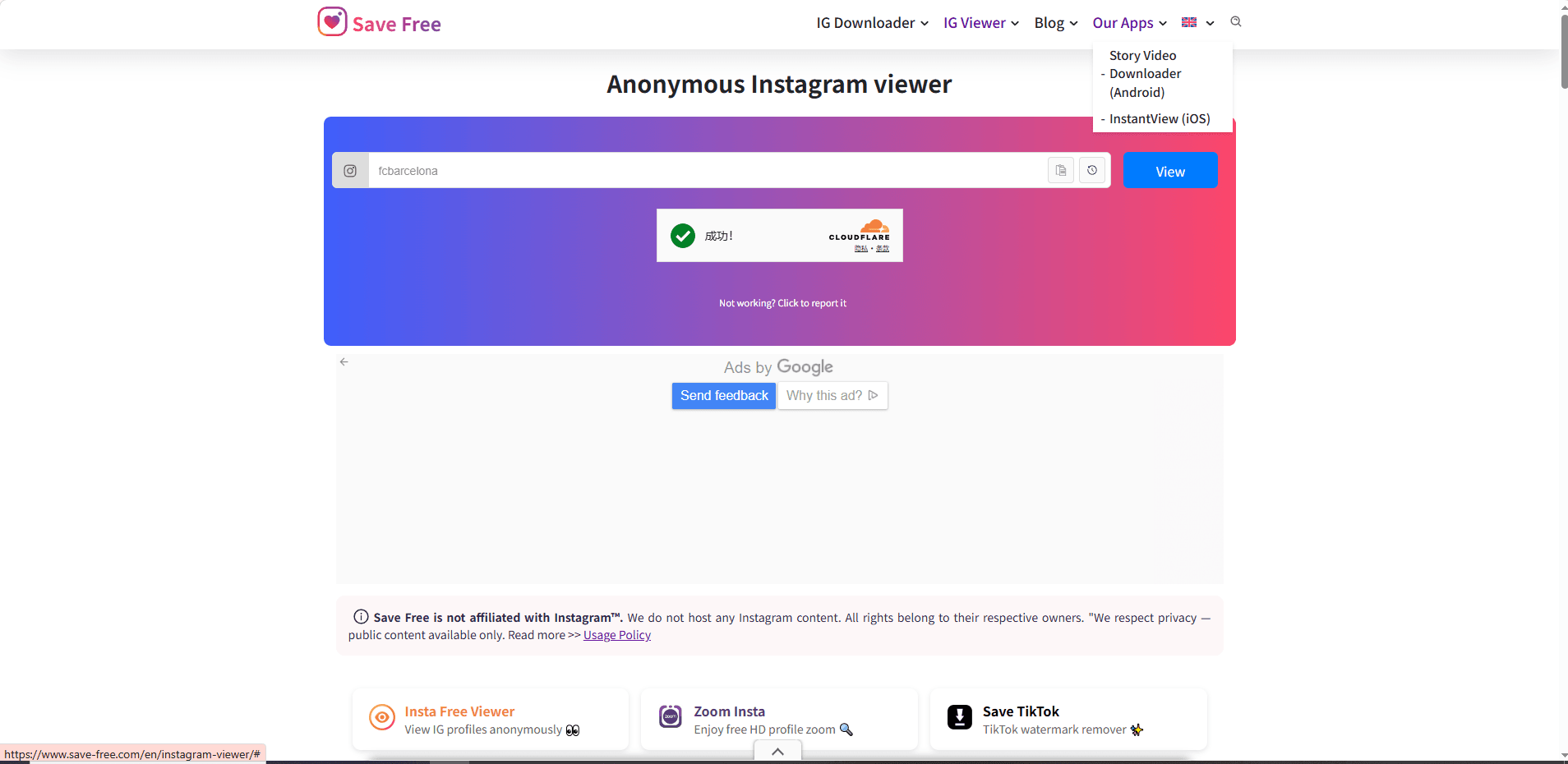
2)Save Free: View profiles and download Stories, Reels, posts, and profile pictures in HD. Available as an Android app for mobile users. No login required and unlimited free usage.


Limitations: Lacks analytics; only supports public profiles; Ads


Website: Instagram Viewer - View Instagram Story, post and Profile Picture


image.png


3)AnonyIG: Minimalist anonymous browsing of Stories, Reels, and Highlights. Access to story collections longer 24 hours. Allows downloading high-resolution photos and videos. No registration required and unlimited free usage.


Limitations: Minimal features; no engagement or trend data; Ads


Website: Anonymous Instagram Story Viewer - AnonyIG


image.png


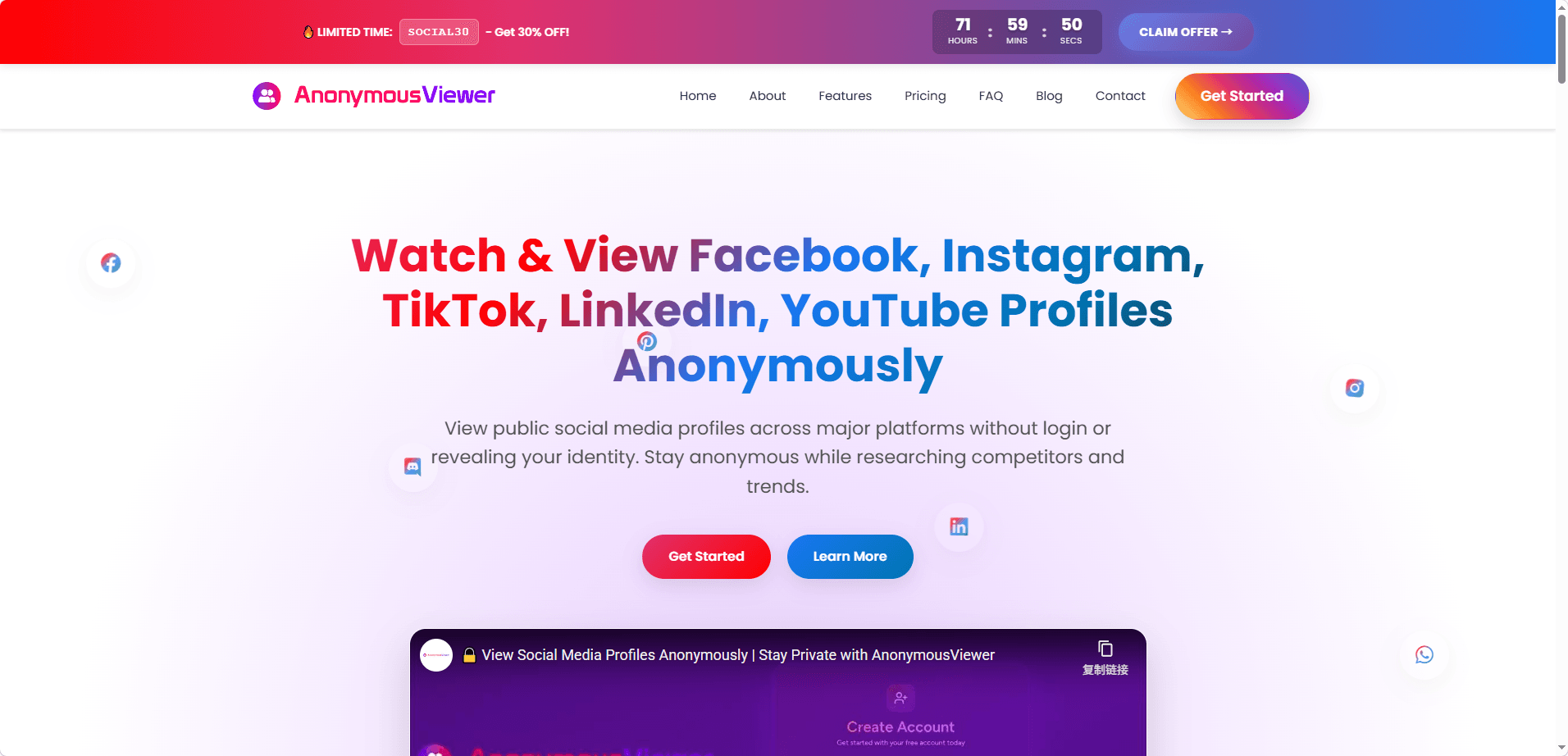
4)AnonymousViewer.io: Multi-platform support beyond Instagram. Allows anonymous browsing and downloading of posts, Stories, and photos, suitable for cross-platform research. No login required and unlimited free usage.


Limitations: No analytics; may have slower loading on multiple platforms


Website: Anonymous Viewer – View Social Media Profiles Privately


image.png


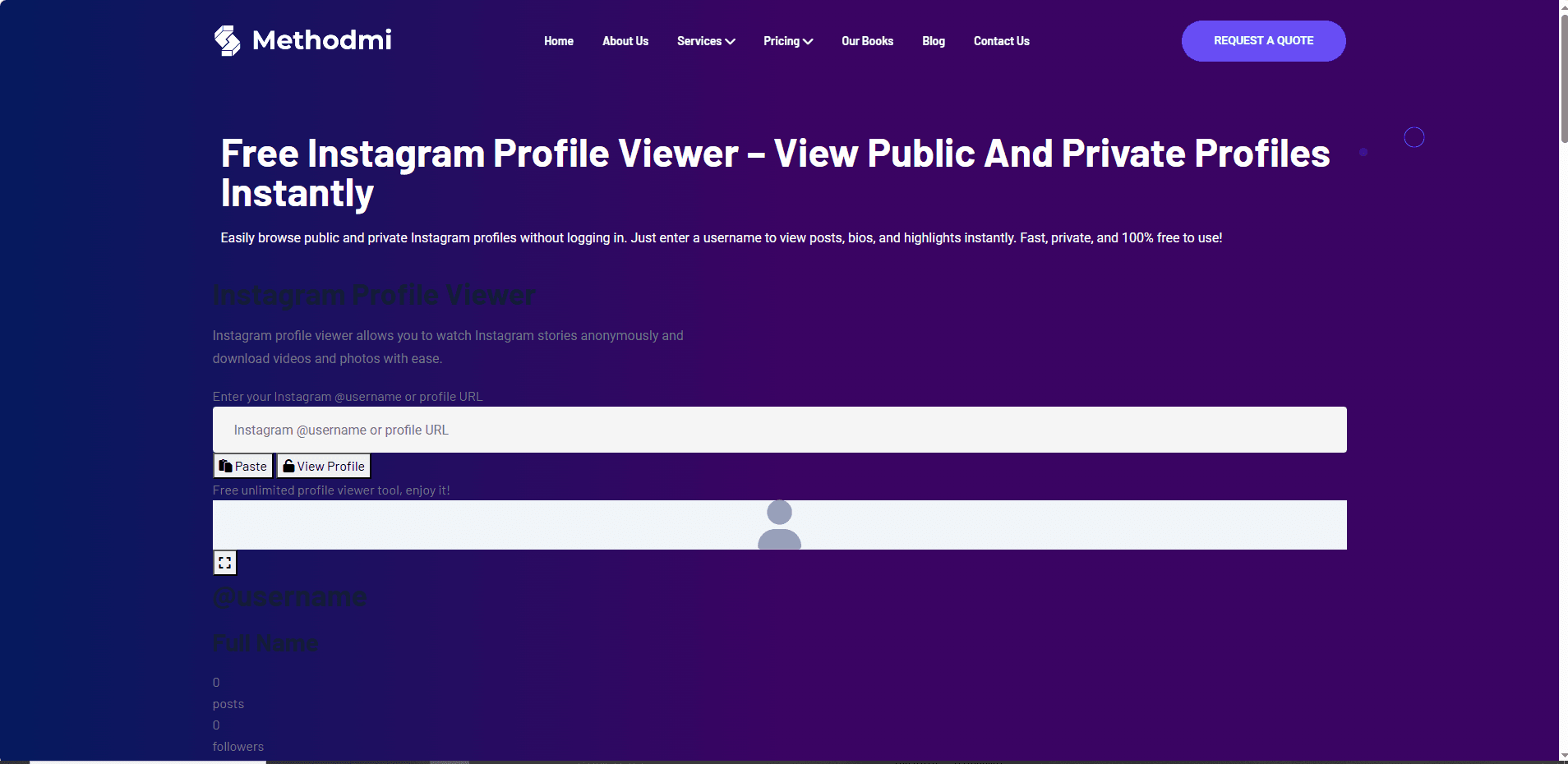
5)Methodmi Free Instagram Profile Viewer: Unlimited browsing of Stories, posts, and Highlights without logging in. Simple, clean interface; Ad-free


Limitations: No analytics support; May have slower loading


Website: Free Instagram Profile Viewer – Methodmi


image.png


⚠️ Risk Note: Although these tools claim to be anonymous, using download features or frequent visits may pose privacy risks. They only access public profiles and cannot view private accounts.
2. Analysis-Focused Tools

These tools are more suitable for creators, marketers, or anyone conducting competitive research. They provide additional analytics features beyond simple browsing:


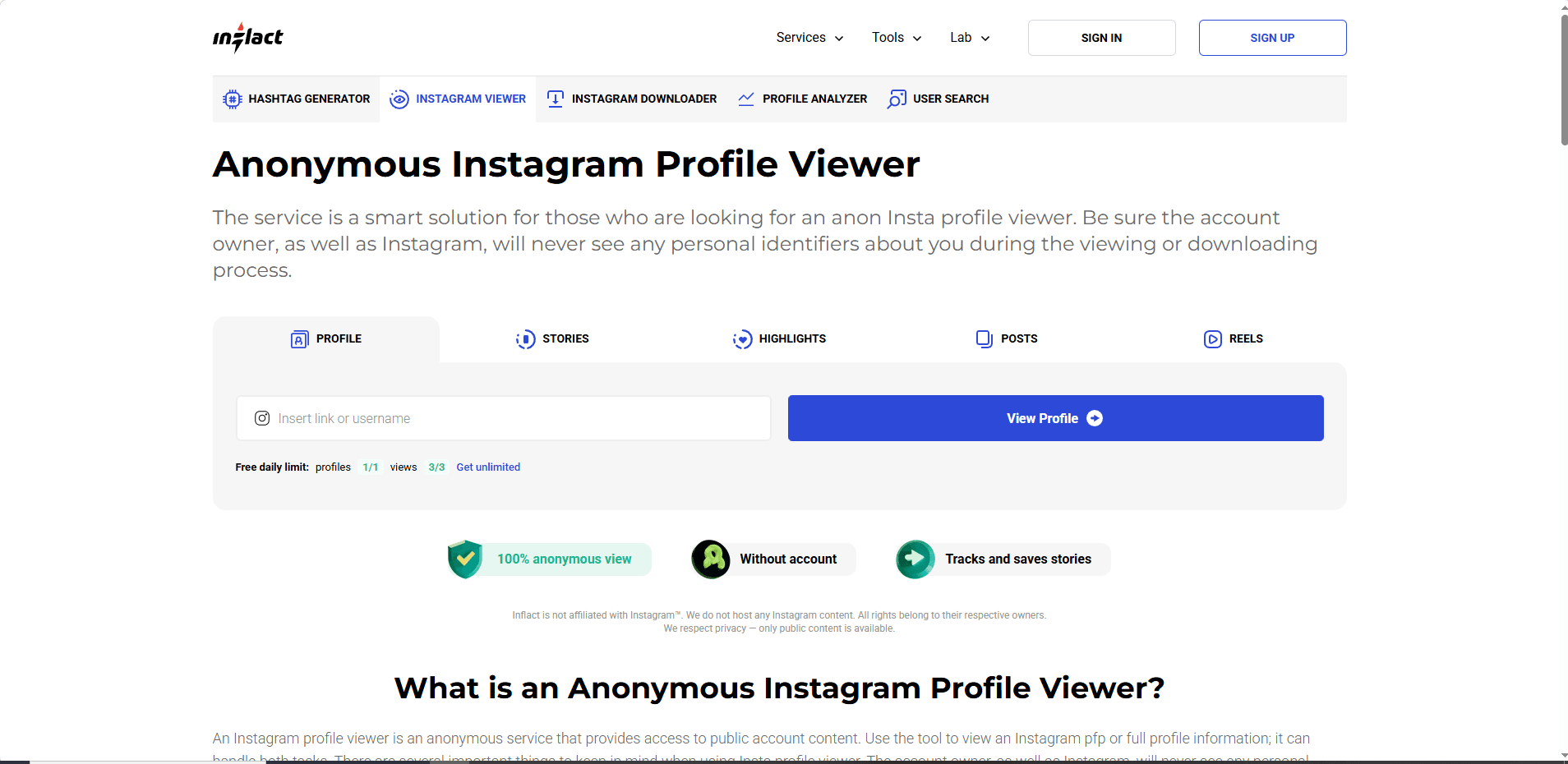
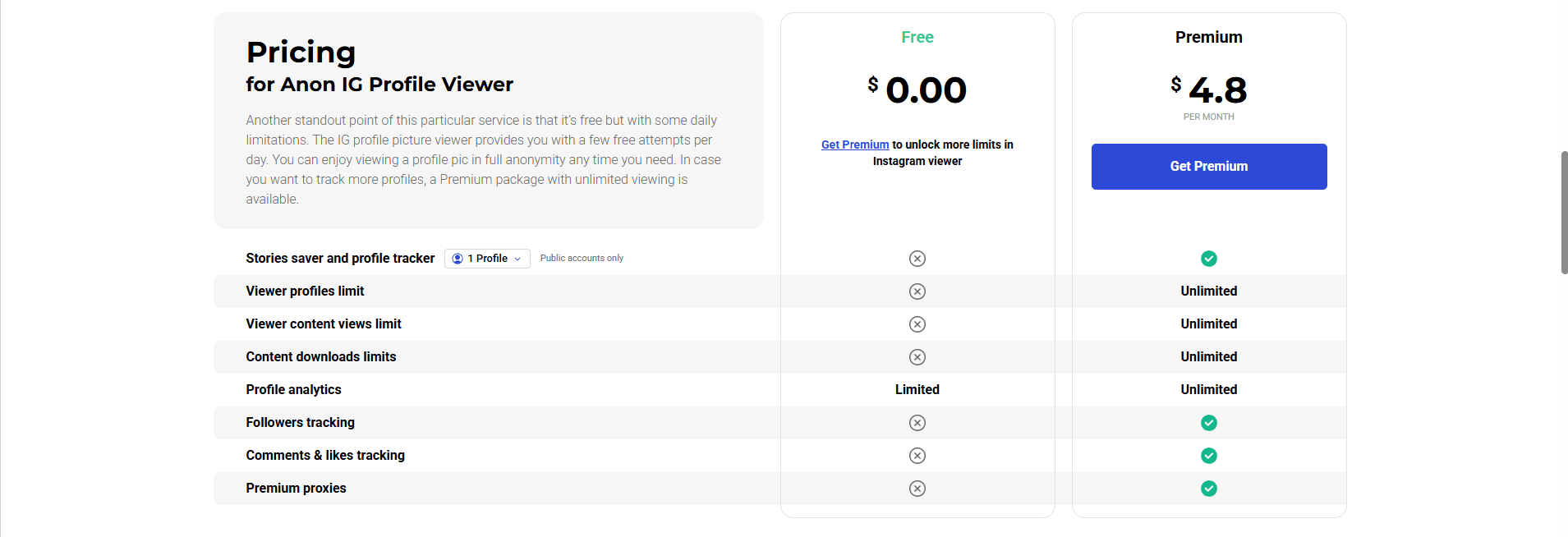
1)Inflact: View posts, Stories, Reels, and Highlights, with engagement rate tracking, top post analysis, and hashtag performance. Free version allows one profile per day.


Limitations: Free version very limited; cannot manage multiple accounts


Website: Instagram Profile Viewer ✧ Private

image.png
image.png


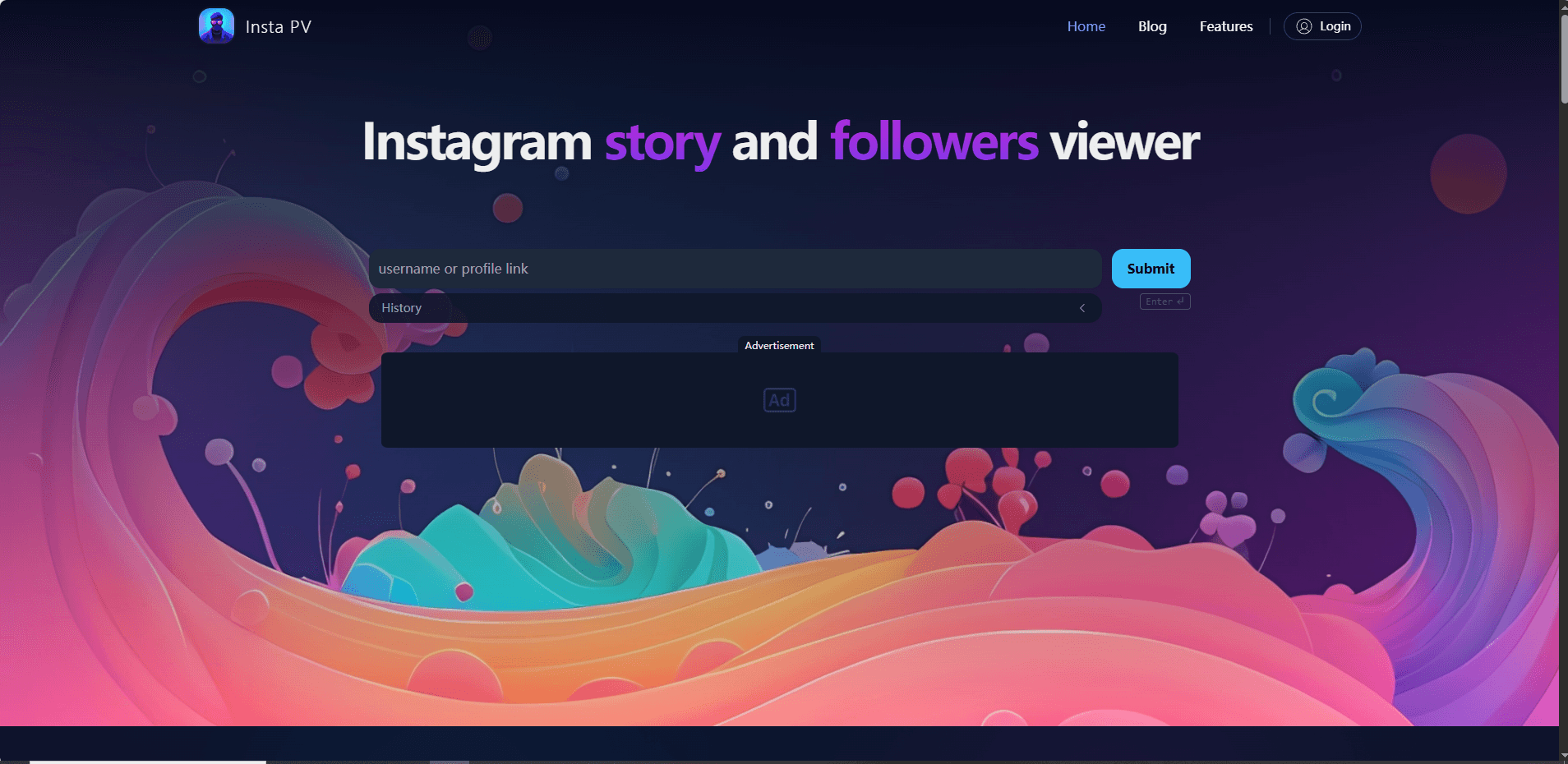
2)InstaPV: Chronologically track followers and following activity, browse Stories and Highlights, and download profile pictures; Access detailed post information and view recent post likes in chronological order.


Limitations: Only shows first 50 followers/following per account; cannot post or manage accounts; Ads.


Website: Instagram Story and Followers Viewer | InstaPV

image.png


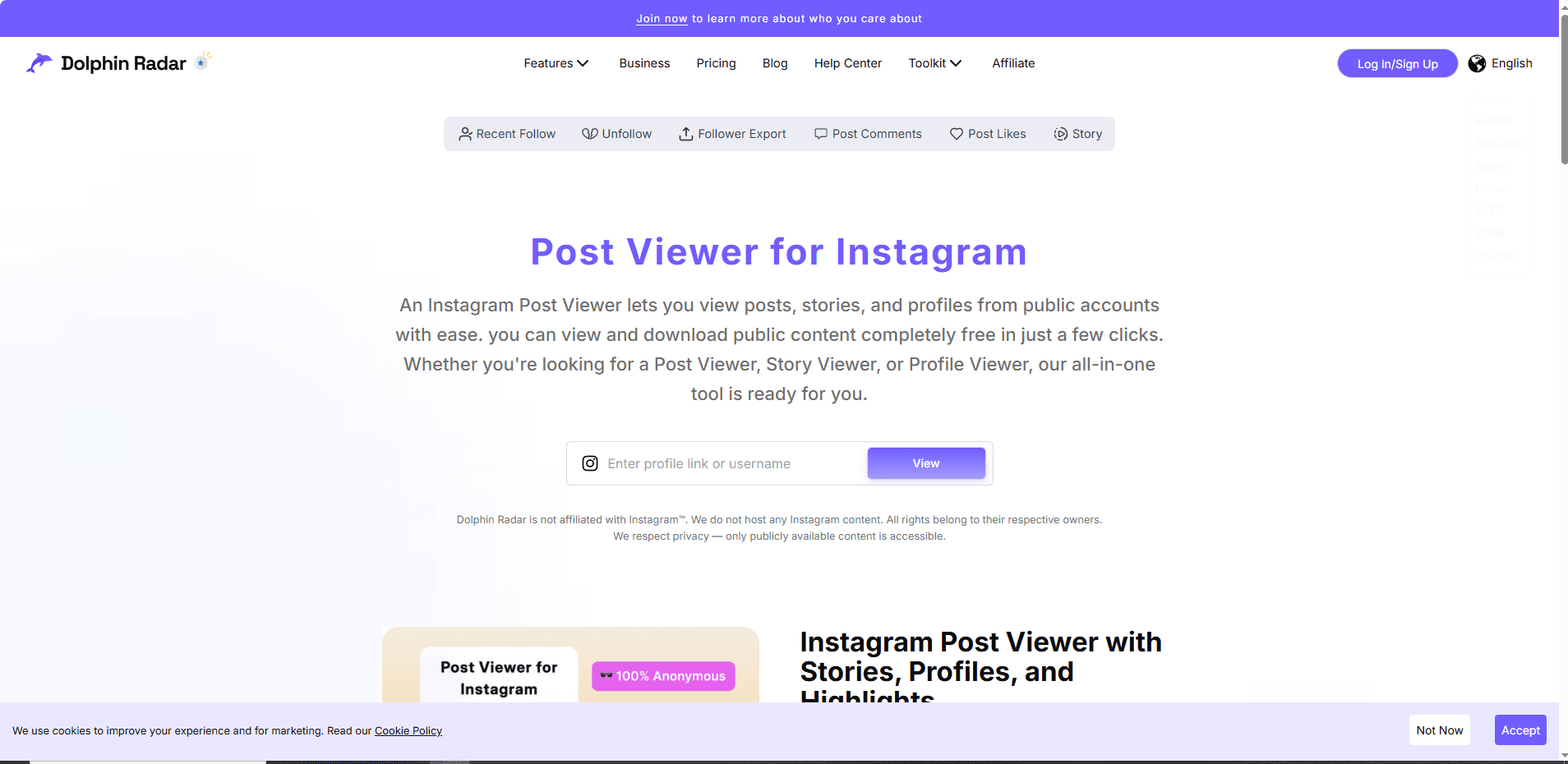
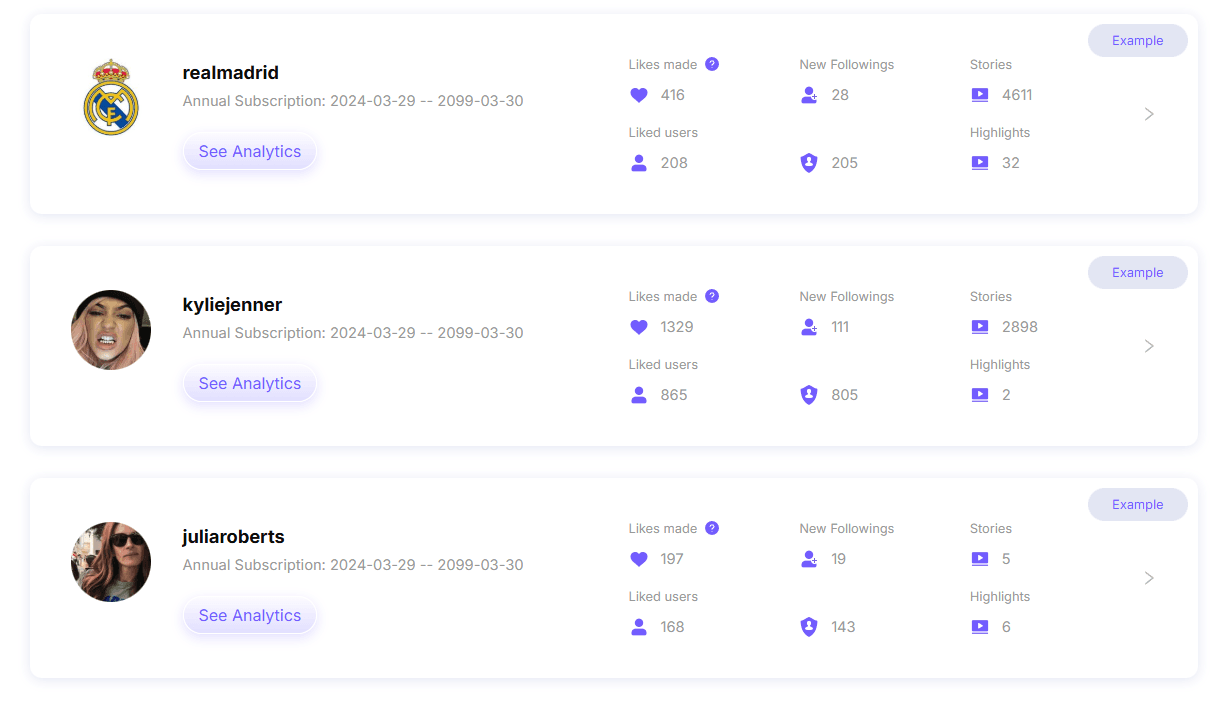
3)Dolphin Radar: View public posts, Stories, and profiles. Download contents in one click, and export the data to Excel for easy organization. Clear, actionable Instagram analytics including follower trends to engagement metrics.


Limitations: Limited daily searches; Download requires registration.


Website: Instagram Post Viewer – View IG Posts, Stories and Profiles

image.png
image.png

⚠️ Note: Even though these tools offer analytics, they are still read-only. You cannot post, comment, or manage multiple accounts with them. For commercial use or multi-account management, caution is advised due to potential Instagram profile viewer risks.

3. Lightweight Browsing Tools

Lightweight tools are designed for users who want fast, simple, and anonymous browsing of Instagram profiles without downloads or analytics.


1)Claptools IG Profile Viewer: Lightweight and fast tool for loading public posts. No login or plugin required.


Limitations: No download or analytics; read-only; cannot track engagement


Website: Instagram Profile Viewer | Anonymous IG Viewer with No Login

image.png


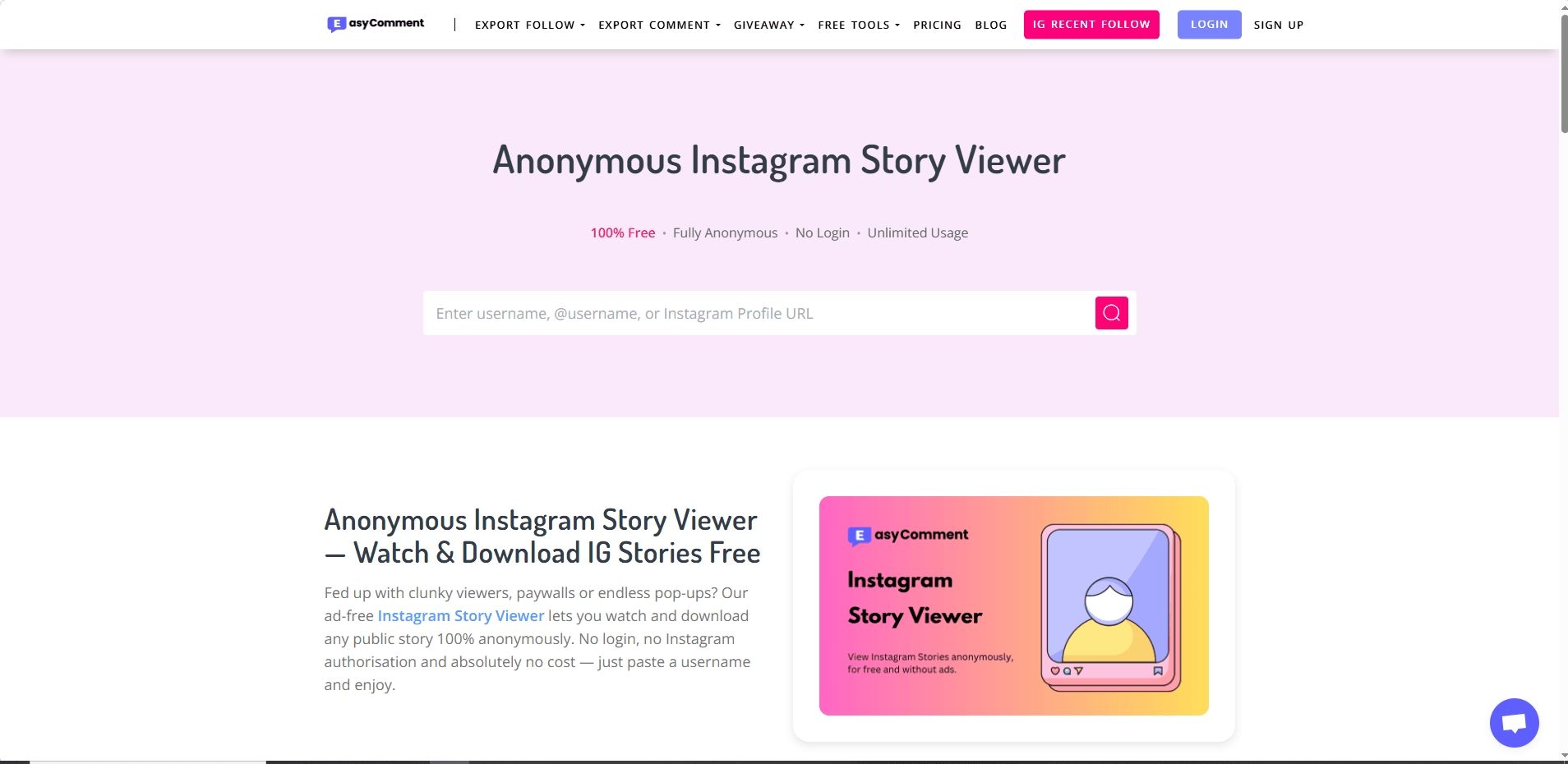
2)EasyComment IG Viewer: Quickly view public profiles, posts, and followers without logging in, with HD profile picture enlargement. No Ads or Pop-ups. No any daily limits on viewing or downloading.


Website: Anonymous Instagram Story Viewer — Watch IG Stories Free

image.png

⚠️ Summary: Lightweight viewers are perfect for users who need speed and simplicity but are not suitable for research, analytics, or multi-account operations.
 

Is Using an Instagram Profile Viewer Safe in 2026?​

Sometimes, but “safe” depends on which kind of viewer you use and what you do with it.


Here’s the simplest way to think about it: Risk increases with the level of access a tool demands. A website that merely fetches public data without requiring a login carries lower risk. The risk becomes higher with any tool asking for your Instagram credentials, and it is highest for apps or extensions that require permissions, install profiles, or push through additional “verification” steps.

image.png

Even with lower-risk tools, the bigger problem in 2026 is not just “can it steal my Instagram password.” It is:


· Tracking (your IP, browser fingerprint, device identifiers)

· Malware and malicious redirects

· Fake “download” buttons

· Captcha loops that lead to affiliate offers

· Credential phishing (especially if you ever log in)

· Account security issues if you reuse passwords

· Violations of Instagram’s Terms if the tool scrapes aggressively or uses automation


So yes, some people use viewers without immediate consequences. But the risk is not theoretical, and it has increased as Instagram has become better at detecting and limiting automated access.

Limitations of Instagram Profile Viewers

· Read-only tools: Cannot post, comment, or manage accounts.

· No scalability: Unsuitable for multi-account operations.

· Limited business utility: Cannot replace official tools or automation platforms.


Best Alternatives in 2026: Why Teams Use BitCloudPhone Instead​

Instagram profile viewers are useful for looking, but not for operating. They are read-only, cannot scale, and offer no protection once you start logging in, managing, or growing accounts.

That’s where BitCloudPhone comes in. Not as another viewer, but as a safe operating environment for Instagram.

Instead of scraping data from the outside, BitCloudPhone gives you isolated cloud-based mobile devices where each Instagram account runs like it belongs to a real person, on a real phone, in a real location.


BitCloudPhone


BitCloudPhone

Key Advantages of BitCloudPhone​

1. Anti-detection by design​

Each account runs in its own isolated device with a unique fingerprint and IP. This prevents Instagram from linking your accounts and reduces the risk of shadowbans or suspensions.

2. Safe multi-account management​

You can manage dozens or hundreds of accounts without shared cookies, sessions, or device identities. One account getting flagged will not affect the others.

3. Built-in automation​

BitCloudPhone lets you automate warm-up, posting, messaging, and engagement safely inside isolated environments so actions look human, not robotic.

4. Long-term stability​

No scraping, no bypassing, no gray-area tricks. Just real devices, normal Instagram usage, and infrastructure built for scale.

Who Is It For?​

· Casual users can rely on profile viewers.

· Creators and marketers can use analytics tools.

· Agencies, growth teams, and businesses benefit most from BitCloudPhone.


Viewers answer “Can I see this?”


BitCloudPhone answers “How do I run this safely?”


If Instagram matters to your business, you need infrastructure, not shortcuts.


👉Create your cloud phone profile.


Conclusion​

Instagram profile viewers can be helpful for quick, anonymous browsing of public accounts. They are useful for curiosity, light research, or saving inspiration. However, in 2026, they also come with increasing risks, including privacy tracking, malware exposure, and account restrictions.


More importantly, profile viewers are read-only tools. They cannot help you manage, grow, or scale Instagram accounts safely. For anyone using Instagram professionally, relying on viewers alone is no longer enough.


If your goal is simply to look, a profile viewer may be fine with caution. If your goal is to operate, grow, or manage multiple accounts, you need a safer foundation. That is where infrastructure tools like BitCloudPhone become the better long-term choice.


Frequently Asked Questions (FAQ)​

1. Is using an Instagram profile viewer legal?​

In most cases, viewing publicly available content is legal. However, some profile viewers collect data in ways that may violate Instagram’s Terms of Service or local data protection laws. The legal risk depends on the tool, how it operates, and how you use it.

2. Can Instagram detect that I am using a profile viewer?​

Instagram cannot directly see which external website you visit. However, it can detect unusual traffic patterns, scraping behavior, or automated access to its platform. If a viewer logs into your account or uses aggressive automation, the risk of detection and restriction increases.

3. Are Instagram profile viewers safe to use?​

Some low-access viewers that only fetch public data are relatively low risk. However, many tools track users, show malicious ads, or attempt to collect login credentials. Frequent use, downloading content, or installing apps and extensions increases your exposure to privacy and security risks.
 
Managing multiple social media accounts is no small feat. One device change can trigger logouts, additional verifications, or account reviews, consuming hours of your week. The solution? Cloud phones — virtual Android devices that allow stable, persistent, and isolated account management without juggling physical hardware.


In this guide, we’ll compare the best cloud phones for social media marketing in 2026, highlighting features that matter most: persistent device identity, account isolation, team workflows, and cost efficiency. We’ll also provide a practical setup checklist to maintain account stability as your client list grows.


What “Best” Means for Social Media Teams

Not all cloud phones are created equal. Some are gaming-focused, others are virtual Android emulators, and a few are actual device-as-a-service platforms. For social media managers handling multiple accounts, the following characteristics are non-negotiable:


· Persistent Device Identity – The cloud phone should maintain the same device identity over weeks or months. Sudden changes trigger verification loops.


· Isolation per Workflow – Each client account or project should have a separate device environment. Switching between accounts should not share fingerprints.


· Reliable Location Control – IP addresses and geolocation signals must align. Mismatched locations can lead to platform verification alerts.


· Native App Support – Real Android apps, not just web views, ensuring platforms treat the device as authentic.


· Central Management – Easily start, stop, and organize multiple cloud phones from a single dashboard.


· Team Access – Multiple team members can access accounts without sharing physical devices.


· Cost Model that Scales – Pay for active usage, not idle devices.


Keep these criteria in mind as we review the top cloud phone platforms for social media marketing.


Top Cloud Phones for Social Media Marketing (2026)

1. BitCloudPhone — Best for Agencies and Multi-Client Operations

image.png


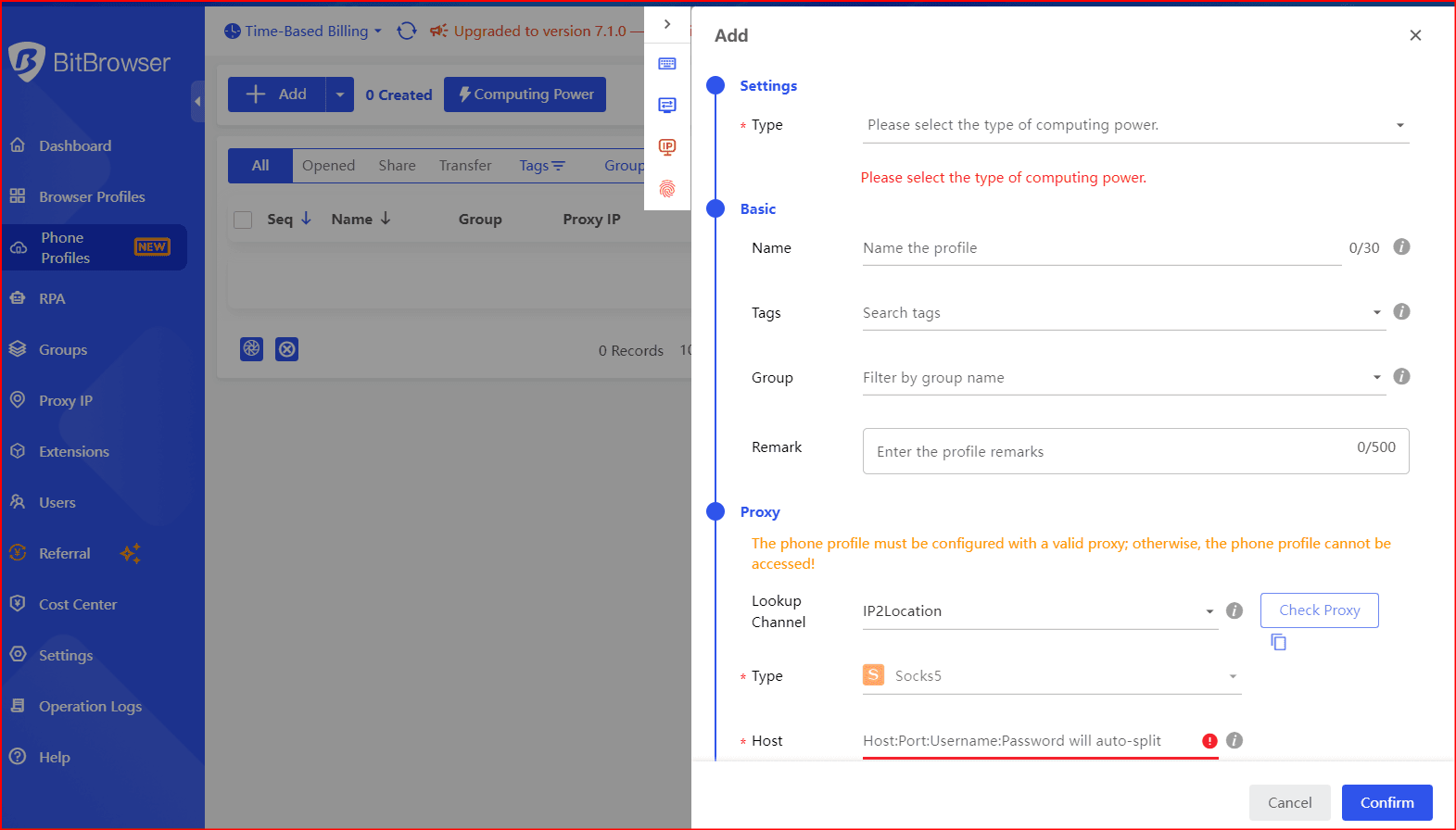
BitCloudPhone, from BitBrowser, is explicitly designed for managing multiple accounts and projects. It uses a profile-based system, where each profile represents a separate device, making it perfect for agency workflows.


Key Features:


· Unique device fingerprint per profile – Persistent across sessions.


· Native app support – Real Android apps in a virtualized environment.


· Time-based billing – Pay for active usage only.


· Multi-profile management – One profile per client or project, fully isolated.


· Centralized dashboard – Organize, start, and stop profiles without hardware juggling.


Best Use Case: Agencies managing multiple client accounts, requiring persistent device identities and organized multi-profile workflows.


What to Watch: Marketed as an emulator environment, so always pilot test with your apps to verify platform tolerance for virtualized signals.


image.png


Get more BitCloud Phone vouchers here: Get your free $5 and $10 vouchers


2. Multilogin Cloud Phone — Persistent & Reliable Device Identity

image.png

Multilogin offers true cloud-hosted Android phones controlled via their desktop app. Each cloud phone has its own device fingerprint and isolated environment.


Key Features:


· Built-in residential proxies with city-level targeting


· 55+ configurable parameters across device/OS/browser/network signals


· Pay-by-active-minute billing


· Desktop integration with browser profiles


Best Use Case: Agencies needing clean separation between multiple client accounts with stable workflows across months.


When It Excels: Persistent session management, Facebook/Instagram ad operations, TikTok campaigns, or other high-risk social media workflows.


3. VMOS Cloud — Multi-Instance Batch Operations

image.png


VMOS Cloud specializes in multi-instance Android environments, enabling one operator to run several accounts simultaneously.


Key Features:


· Multi-instance support for repetitive tasks


· Access via Google Play ecosystem


· Designed for batch posting, analytics, and engagement workflows


Caution: Virtualization signals may trigger extra verification on sensitive platforms. Test stability with your apps before scaling.


You may need to read:


VMOS Cloud Review: Is It a Viable Android Cloud Phone Alternative?


4. DuoPlus Cloud Phone — Real ARM Devices for Teams

image.png


DuoPlus focuses on team workflows with native app support, emphasizing real ARM devices for social marketing operations.


Key Features:


· Centralized management of multiple devices


· Supports app installation via Google Play or app manager


· Native Android experience


Best Use Case: Teams needing multiple stable devices to run social media campaigns without browser-only limitations.


Caution: Confirm device authenticity claims (ARM vs virtual) with a small pilot.


You may need to read:


DuoPlus Cloud Phone Review and the Best Alternatives


5. Redfinger — Emulator-Style Cloud Android

image.png


Redfinger is a cloud Android emulator designed for quick access from anywhere.


Key Features:


· Simple setup and remote access


· Useful for small-scale operations or personal use


Caution: Emulator signals may trigger platform detection; best suited for less strict apps
 

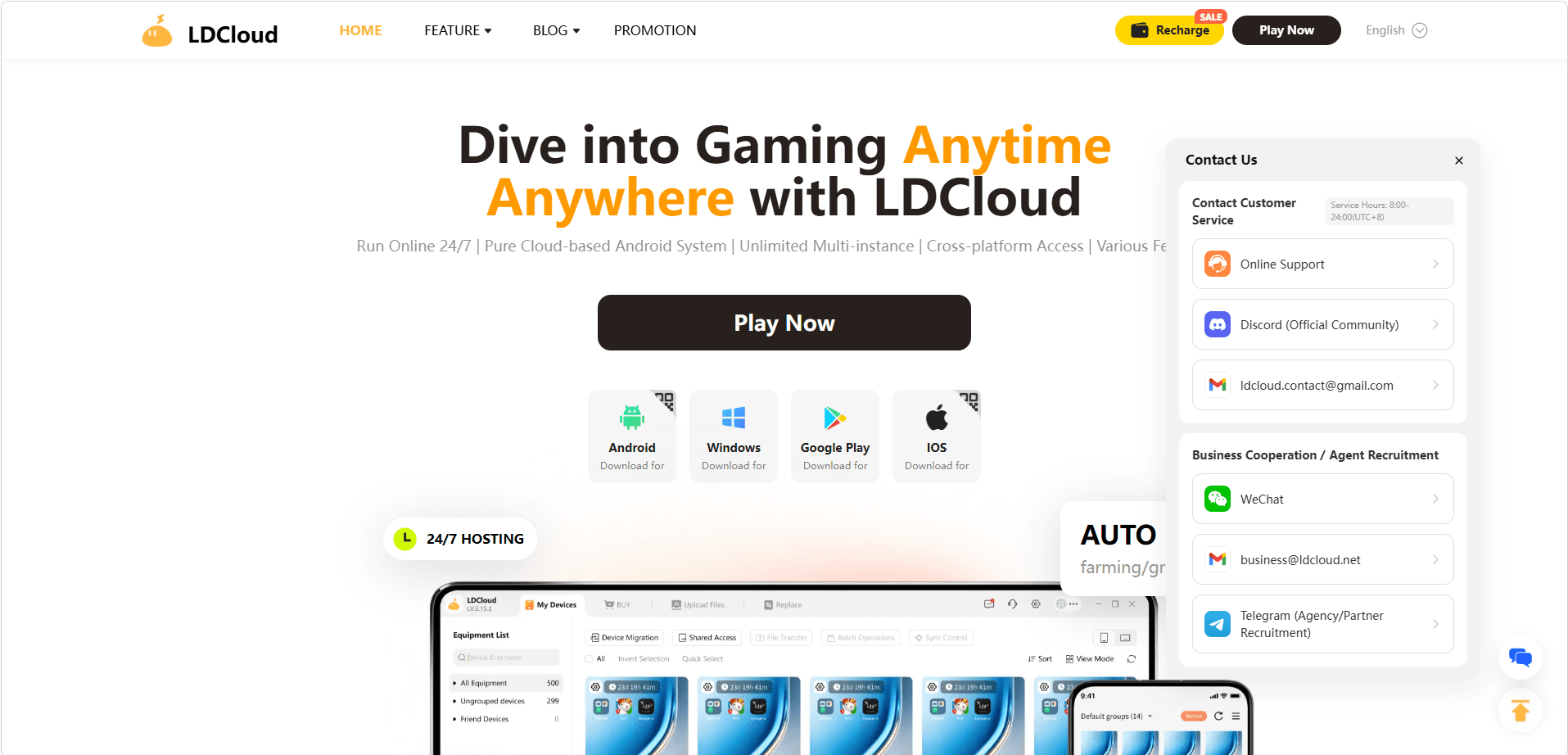
6. LDCloud — Multi-Instance & Synchronized Operations

image.png


LDCloud enables synchronized actions across multiple cloud phones, ideal for batch posting or repetitive account management tasks.


Key Features:


· Multi-instance and synchronized operations


· Centralized management for productivity


· Suitable beyond gaming for social media teams


Caution: Always verify that device signals are “phone-like” to reduce verification frequenc


Choosing the Right Cloud Phone Quickly

Agency / Multi-client / Long-term: Start with BitCloudPhone or Multilogin for persistent device identity.


Batch multi-instance workflows: Consider VMOS Cloud or LDCloud.


Quick access or smaller operations: Redfinger or DuoPlus may suffice.


Cloud Phone Setup Checklist

1. One cloud phone per account cluster – Avoid sharing identities.


2. Maintain consistent location signals – IP region + device region + timezone should match.


3. Avoid rapid switching behavior – Logins should appear human-paced.


4. Clean team handoffs – No sharing credentials; use shared profiles.


5. Stay within platform rules – Use Business Pages, proper roles, and avoid violating account ownership policies.


Real-World Workflow Example

Before:


· One phone shared across the team


· Frequent logouts and verification loops


· Random account reviews


· 2–3 hours lost weekly managing devices


After (Cloud Phone):


· One profile per client


· Dedicated residential proxies for location consistency


· Shared team access without device changes


· Persistent login sessions


· Result: near-zero verification loops, ~10 hours saved per month


Conclusion

In 2026, social media teams need cloud phones that preserve device identity, isolate accounts, and scale efficiently.


Top Recommendations:


· Best for Agencies / Persistent Workflows: BitCloudPhone, Multilogin


· Best for Multi-Instance Operations: VMOS Cloud, LDCloud


· Best for Quick or Small-Scale Use: Redfinger, DuoPlus


Invest in the right cloud phone setup, follow best practices, and your workflow will stay stable, efficient, and verification-free.
 
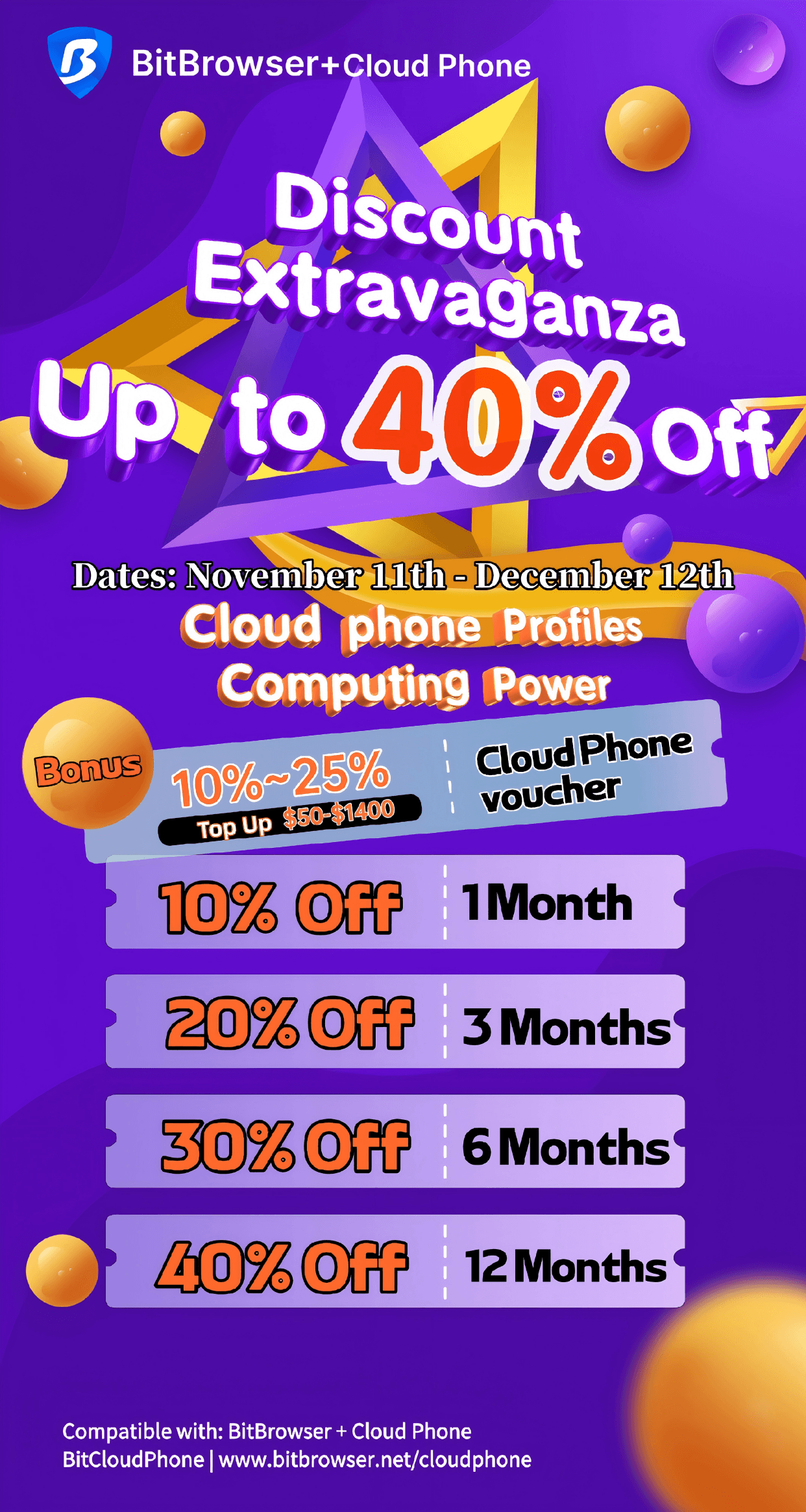
This November, we're launching a limited-time promotion to thank our global user community. Get ready for incredible savings on both BitBrowser and BitCloudPhone, plus exclusive recharge benefits that give you more value for your money.

This is the perfect opportunity to power up your workflow and unlock new possibilities at an unbeatable price.

bitbrowser

🔥 BitCloudPhone: Unleash Mobile Power in the Cloud – Save Up to 40%!​

Run Android applications 24/7 on our virtual mobile devices. Perfect for app testing, social media automation, gaming, and more, all from your browser.

✨ Exclusive Cloud Phone Profiles & Computing Power Discounts:​

✅ 1 Month: 10% Off

✅ 3 Months: 20% Off

✅ 6 Months: 30% Off

✅ 12 Months: 40% Off

🎉 Limited-Time Offer:​

November 11th - December 12th

【Discounts + Recharge Benefits for All Users】

Explore BitCloudPhone: www.bitbrowser.net/cloudphone

bitcloudphone.png

💰 Double the Joy: Recharge & Get Free Cloud Phone Vouchers!​

When you top up your balance during the event, you'll receive a generous Cloud Phone Voucher on top of any subscription discounts! It's our way of giving you extra value. Your balance is versatile and can be used for both BitBrowser and BitCloudPhone services.

Recharge Amount & Voucher Rewards:​

👉Recharge $50-$149: 10% Voucher

👉Recharge $150-$449: 15% Voucher

👉Recharge $450-$1399: 20% Voucher

👉Recharge $1400+: 25% Voucher
💰Balance Applicable to: BitBrowser + Cloud Phone


Don't Miss Out!​

This is the biggest sale event of the year for BitBrowser and BitCloudPhone. It's the perfect opportunity to extend your subscriptions, try a new plan, or explore the power of our cloud phone services at an unbeatable price.
 
4 ways to run APk mobile software on PC, tested and available

The need to run APKs on Windows is becoming more common—whether for development and debugging or playing mobile games on a larger screen. An APK is an Android application package, which by default can only be run on a phone, but there are several reliable ways to do this on a PC.


Here are four practical methods:


1. Bit Cloud Phone (Recommended)

Bit Cloud Phone can simulate a complete Android environment on Windows or macOS. It supports direct import and installation of APKs and also allows you to download and install apps from the built-in Google Play Store. Its features include multi-instance operation (you can simulate multiple independent "phone profiles" for different accounts or purposes), support for ADB and Root permissions, and customizable device fingerprints and geographical location settings, which are convenient for testing and account management. For users who don't want to deal with complex configurations but need to run APKs stably, Bit Cloud Phone balances ease of use and functionality, making it a very practical choice.


Windows 11's WSA integrates the Android environment into the system, allowing you to run some Android apps directly after installing the Amazon Appstore. The advantages are native integration and a relatively smooth experience. However, it is only available on Windows 11 and has limited compatibility with some apps. If you use Windows 11 and want a system-level experience, WSA is a solution worth trying.


3. Android Studio (Developer Solution)

Android Studio comes with an emulator (AVD), which is suitable for developers who need deep debugging and performance analysis. You can create virtual devices of different models and Android versions and then install APKs via `adb install`. It is powerful but more complex for beginners and has high startup and resource usage, making it more suitable for development and testing scenarios.


4. BlueStacks (For Gamers and General Users)

BlueStacks is a mature desktop Android emulator with a user-friendly interface and good game optimization. It supports drag-and-drop APK installation and provides features like keyboard and mouse mapping. It is suitable for general users who want to play mobile games or use a few apps on their PC, but certain advanced testing features and multi-instance isolation management are not as flexible as Bit Cloud Phone.

Summary:


If your main goal is development and debugging or you need detailed debugging information, choose Android Studio. If you want a native system-level experience and use Windows 11, try WSA. For a preference for gaming or simple app experiences, BlueStacks is a quick choice. However, if you need to run multiple isolated accounts on the same machine simultaneously, quickly import APKs, and maintain stability and control, Bit Cloud Phone is a better choice for daily use due to its balance of convenience and functionality. Its multi-instance management, Google Play support, and ADB/Root options can significantly reduce operational complexity and save time for testing and use.

Usage advice: First, choose a solution based on your purpose. If you frequently test or manage multiple accounts, you can download and try Bit Cloud Phone first to experience its multi-instance and direct APK import features before deciding whether to use it long-term.

Click to Get Free Trial Credits

Bit Cloud Phone
 
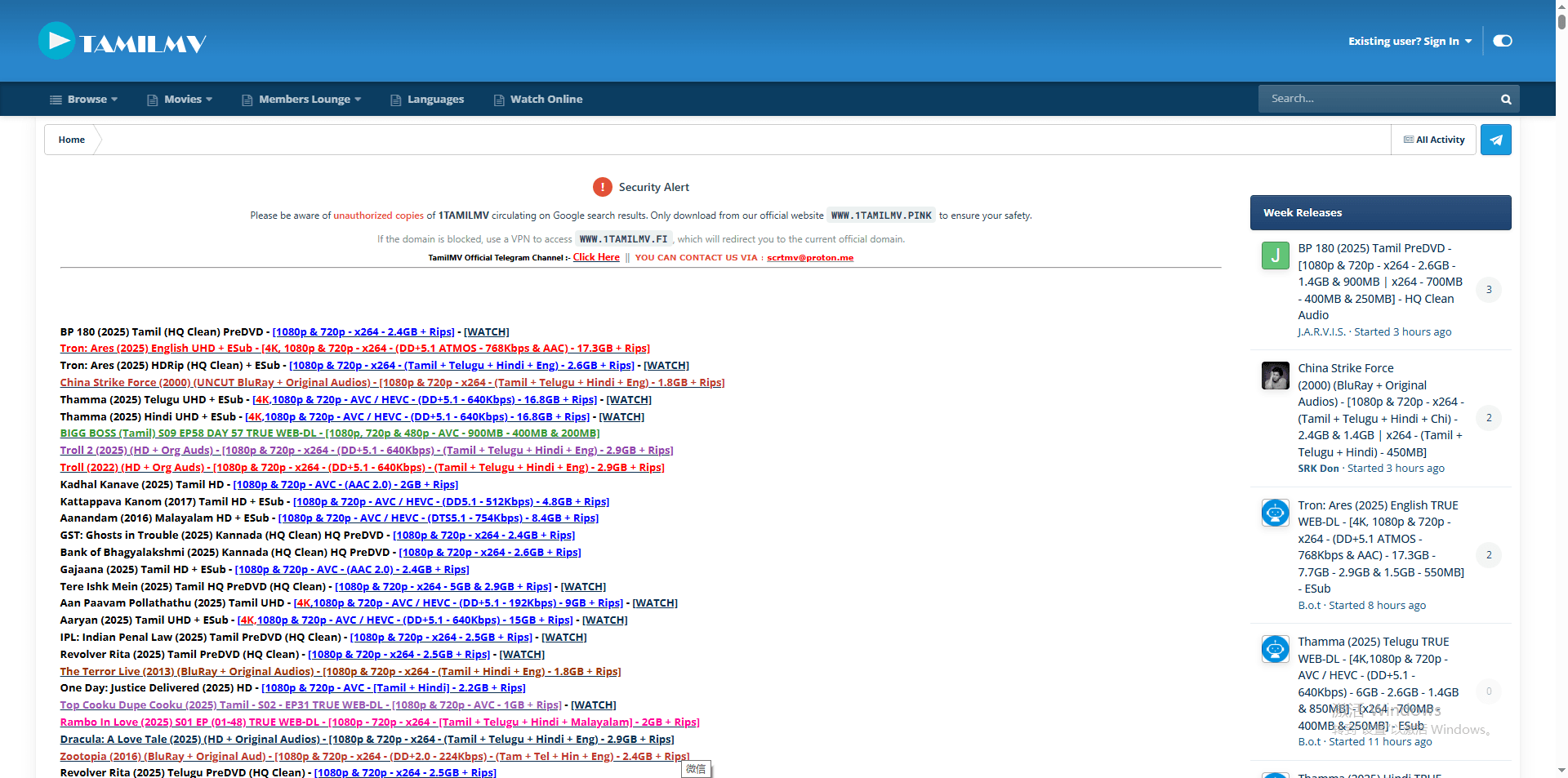
Can't access TamilMV? You're not alone. The popular website for Tamil, Indian, and regional film content is frequently inaccessible for users worldwide due to a combination of legal restrictions and technical blocks. This guide explains why TamilMV gets blocked and provides five safe, effective methods to unblock it in 2026, from VPNs to anti-detect browsers.

What is TamilMV and Why is it Popular?

TamilMV is a widely recognized online portal known for offering a vast library of movies and TV shows, particularly those in Tamil, Telugu, Hindi, and other South Asian languages. It fills a significant gap for audiences seeking content that may not be readily available on mainstream streaming platforms in their region due to licensing restrictions.

For detailed instructions on accessing this website's content in 2025, please visit this resource: What is TamilMV? How to Access TamilMV in 2025?


For many, it is the primary source for latest regional releases, classic cinema, and niche content. However, attempting to visit the site often results in frustration, with browsers displaying errors like "This site can't be reached" or "Access Denied." This guide will navigate the reasons behind these blocks and provide clear solutions.


Why is TamilMV Blocked?

Access issues with TamilMV are not random but the result of specific enforcement actions and technical barriers. Understanding these root causes is the first step to bypassing them.

1. Regional Copyright & Licensing Laws

This is the fundamental reason. Film distributors hold exclusive rights to content in specific geographic territories. To protect these rights and their revenue from licensed streaming services, they actively seek to block websites like TamilMV that distribute content without authorization. This leads to geo-blocking, where access is restricted based on the user's location.
geo-blocking

Geo-blocking

2. Technical Blocking Methods

· ISP (Internet Service Provider) Blocking: Governments or copyright holders can obtain court orders that compel local ISPs to block access to TamilMV's domain at the network level. This is a common and direct form of censorship.
· IP Geolocation Tracking: The TamilMV website itself, or its hosting infrastructure, can analyze your connection's IP address to determine your country. If you are in a restricted region, the server will simply refuse to serve you the website content.
· Advanced Detection Systems: To combat circumvention, sophisticated platforms employ systems that detect and blacklist IP addresses known to belong to commercial VPNs and proxy servers. They may also analyze browser fingerprints (unique configurations of your browser's settings) to identify and block automated or suspicious access patterns.

3. Operational Instability

Due to constant legal pressure, the main TamilMV domain is often seized or forced to change. This results in a game of "whack-a-mole" with old URLs becoming inactive and new mirror sites popping up frequently.

How to Unblock TamilMV: 4 Working Methods

Fortunately, several methods can circumvent these blocks. Each has its strengths and considerations.

1. Using a Premium VPN (Virtual Private Network)

This is the most effective and reliable method for the average user. A VPN encrypts your internet traffic and routes it through a server in a country of your choice (e.g., Singapore, India, or a European nation). This masks your real IP address and makes it appear as if you are browsing from an unrestricted location.

For streaming content, it is crucial to choose a VPN known for strong speeds, robust security, and a history of bypassing geo-restrictions. Avoid free VPNs, as they often have data caps, slow speeds, and may compromise your privacy by logging and selling your data.

Using a Premium VPN

Using a Premium VPN

2. Changing Your DNS Server

Sometimes, the block is implemented at the DNS level by your ISP. DNS translates domain names (like tamilmv.com) into IP addresses.

By switching from your ISP's default DNS to a public, privacy-focused DNS service like Google DNS (8.8.8.8, 8.8.4.4) or Cloudflare DNS (1.1.1.1), you can bypass this simple form of blocking. It's a quick, free fix you can do in your network settings.


However, this method will not work against more sophisticated IP-based or server-side blocks.

3. Finding Active TamilMV Mirror or Proxy Sites

When the main domain is down, the community often relies on mirror sites (exact copies) or proxy portals (which fetch the site for you). These can be found on community forums like Reddit (e.g., subreddits dedicated to movie or regional cinema).

Exercise extreme caution: these sites are often ad-heavy and may host malicious pop-ups or phishing attempts. Always ensure your antivirus is active and never download suspicious files from these portals. Their lifespan is also very short.


Proxy Sites

This is the latest list of available Tamilmv proxy sites:

Proxy Sites for TamilMV (Updated Jan. 2026)
1tamilmv.haus1tamilmv.lc1tamilmv.day
1tamilmv.bike1tamilmv.moda1tamilmv.pet
1tamilmv.ms1tamilmv.farm1tamilmv.kim
1tamilmv.re1tamilmv.best1tamilmv.boo
1tamilmv.ac1tamilmv.dog1tamilmv.love
1tamilmv.at1tamilmv.sarl1tamilmv.app
1tamilmv.legal1tamilmv.cab1tamilmv.ist
1tamilmv.gold1tamilmv.vc1tamilmv.fi
tamilarasan.com1tamilmv.se1tamilmv.moi
tamilmvmob.com1tamilmv.onl1tamilmv.red
Note: The domain names listed may change frequently, and access may be restricted. Please be mindful of cybersecurity and comply with local laws and regulations.

4. Exploring Legal Alternatives for Watching Tamil Movies

The most sustainable long-term solution is to reduce dependency on a single, unstable source. Research other legitimate streaming platforms, regional services, or community-driven forums that may offer the content you seek through different means. This requires time and adaptation but offers greater stability.

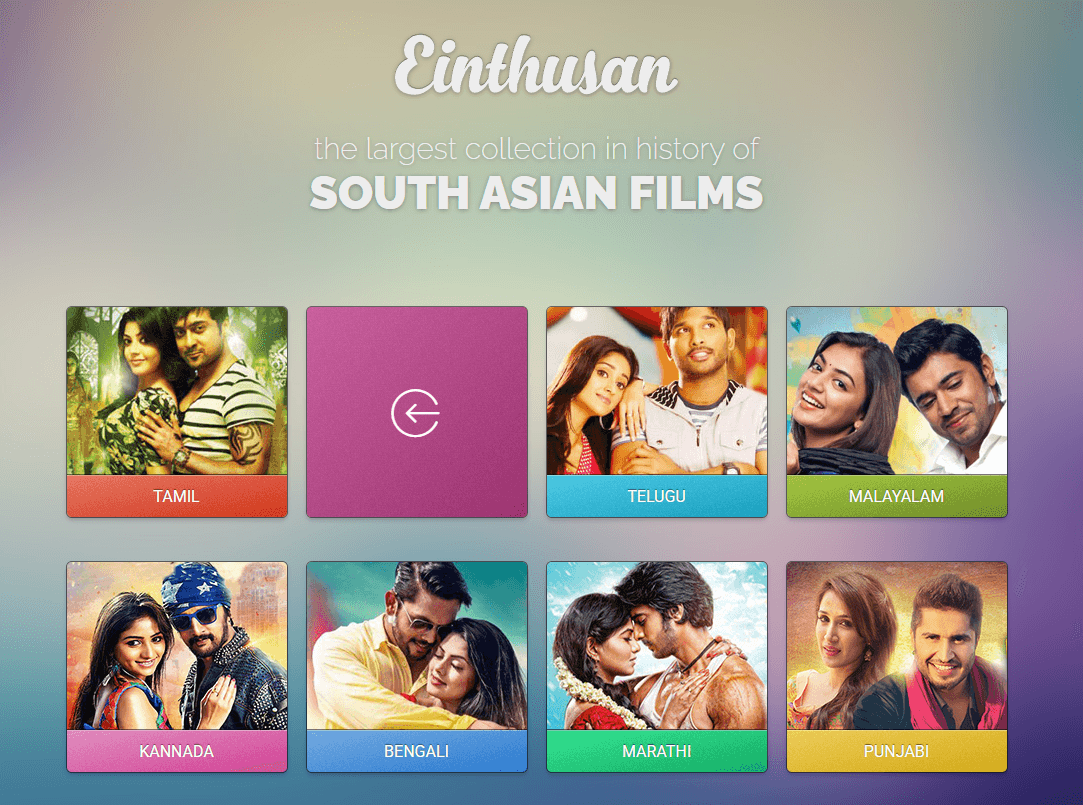
Legal Tamil Streaming Platforms: You should know that many legal Tamil movie platforms offer large, high-quality libraries without the risks of piracy sites. Premium services such as Einthusan, Disney+ Hotstar, Amazon Prime Video, Netflix, Zee5, and Sony LIV provide extensive Tamil catalogs, frequent new releases, and affordable subscription options.

Einthusan

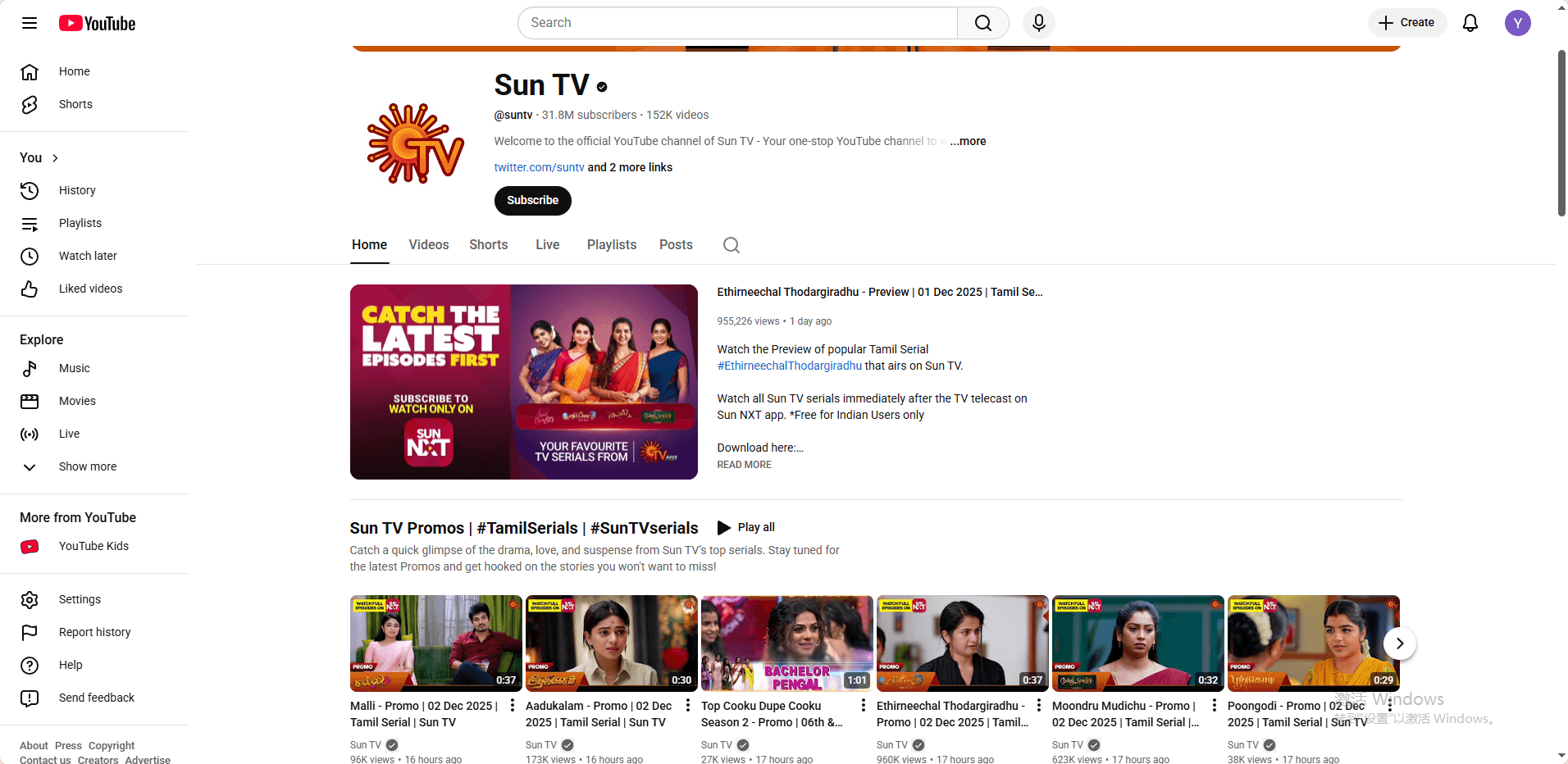
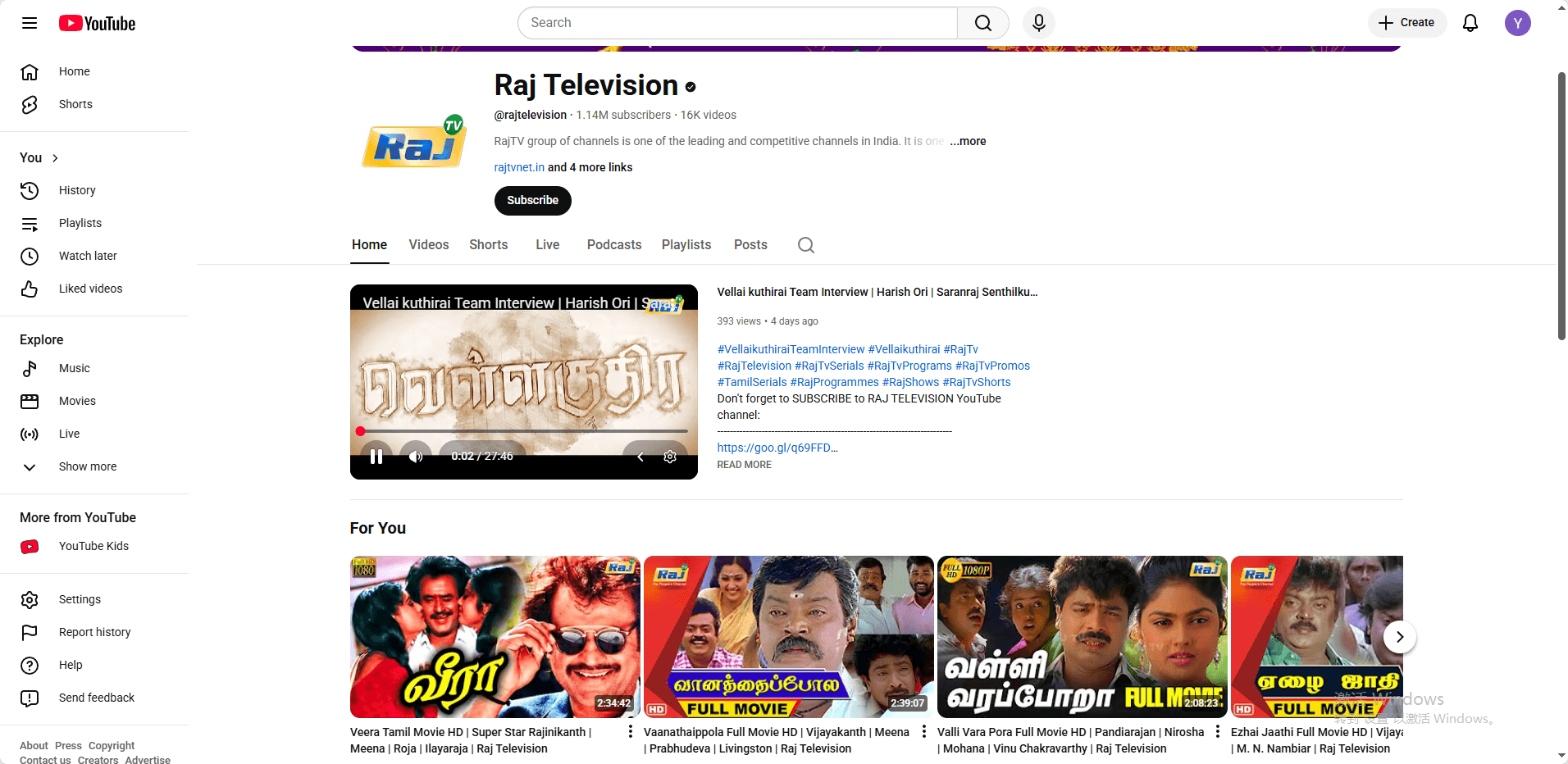
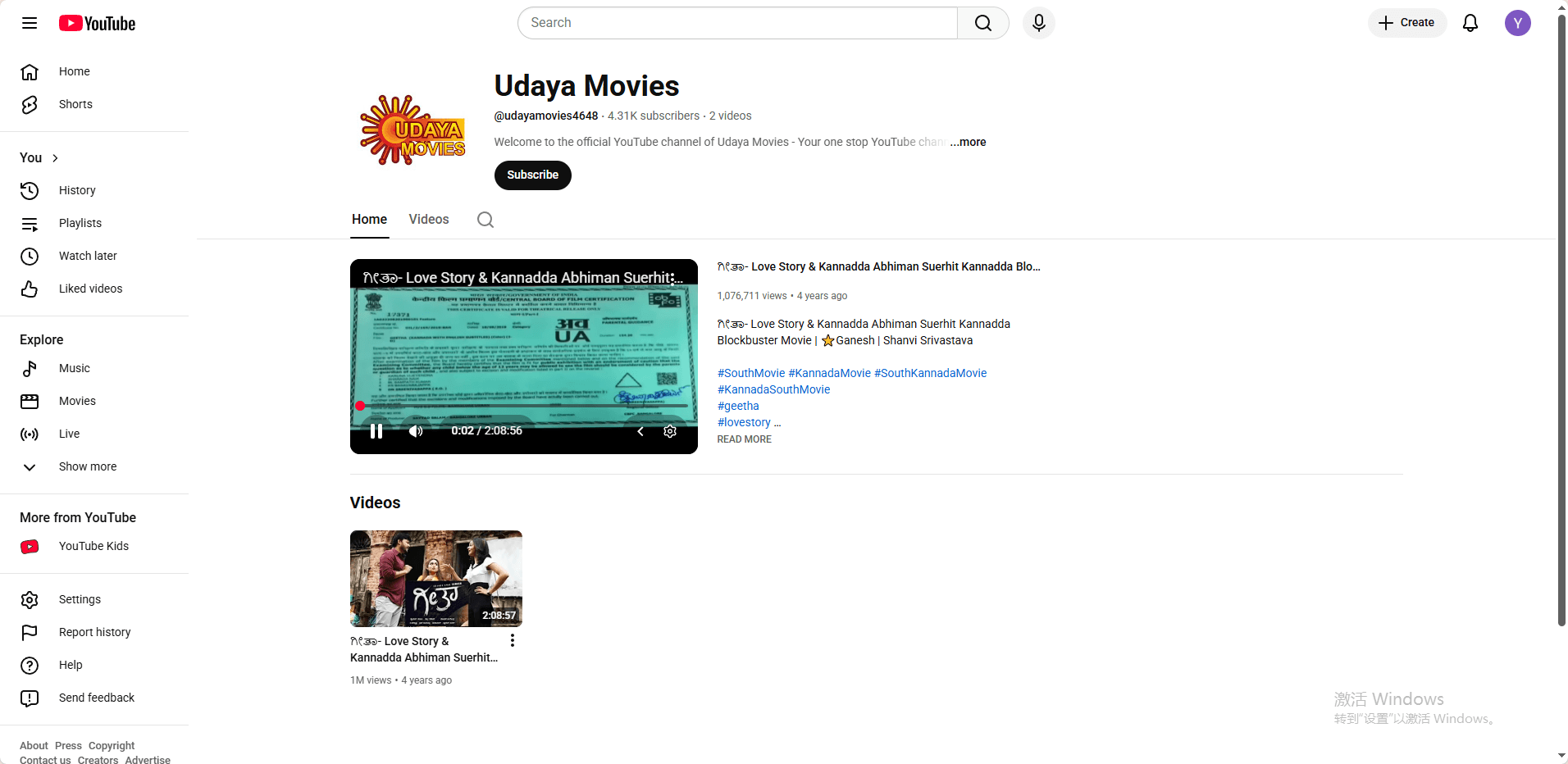
Free and Safe Alternatives: For free legal access, official YouTube channels from studios including Sun TV, Raj TV, and Udaya Movies upload properly licensed full-length movies. These TamilMV alternatives offer safer streaming, better quality, and genuine support for creators, making them far more reliable and cost-effective than risky proxy or VPN-based piracy sites.


image.png

image.png

image.png
If your access to YouTube is also restricted, please refer to this guide: Best Unblocked YouTube Sites in 2026


The Advanced Solution: Why Use an Antidetect Browser?

For users who face persistent blocking even with VPNs, or who need to manage multiple accounts, standard methods may fail. This is often due to browser fingerprinting.

1. The Limitation of Basic Tools

Websites can create a unique "fingerprint" of your browser based on dozens of parameters: your installed fonts, screen resolution, browser version, active plugins, and more. Advanced sites can use this fingerprint to detect and link your activity, identifying you as a user who is employing a known VPN IP.
image.png

2. How Antidetect Browsers Work

Tools like BitBrowser is specifically designed to combat this. They allow you to create multiple, isolated browser profiles where you can spoof or carefully customize every aspect of the browser fingerprint. Each profile appears to the website as a completely unique, real computer from a different location, even if you are using the same underlying VPN IP. This makes detection nearly impossible.
bitbrowser

For maximum effectiveness and access, pairing an anti-detect browser with a reliable residential proxy is often the best practice. The anti-detect browser handles the digital fingerprint, making your browser look unique and legitimate, while a quality residential proxy provides a clean, stable IP address from your desired location. This layered approach significantly strengthens your anonymity and success rate.


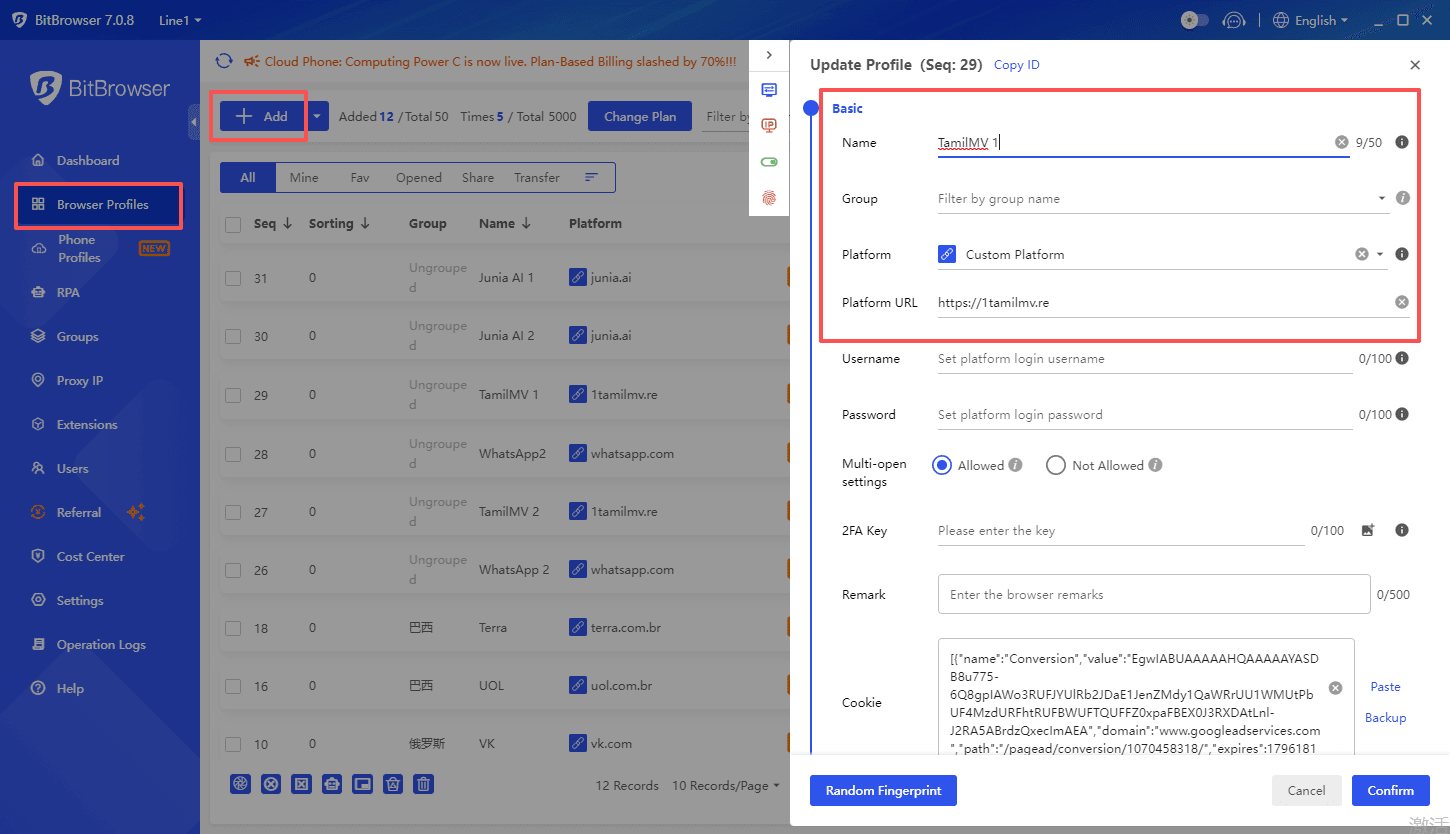
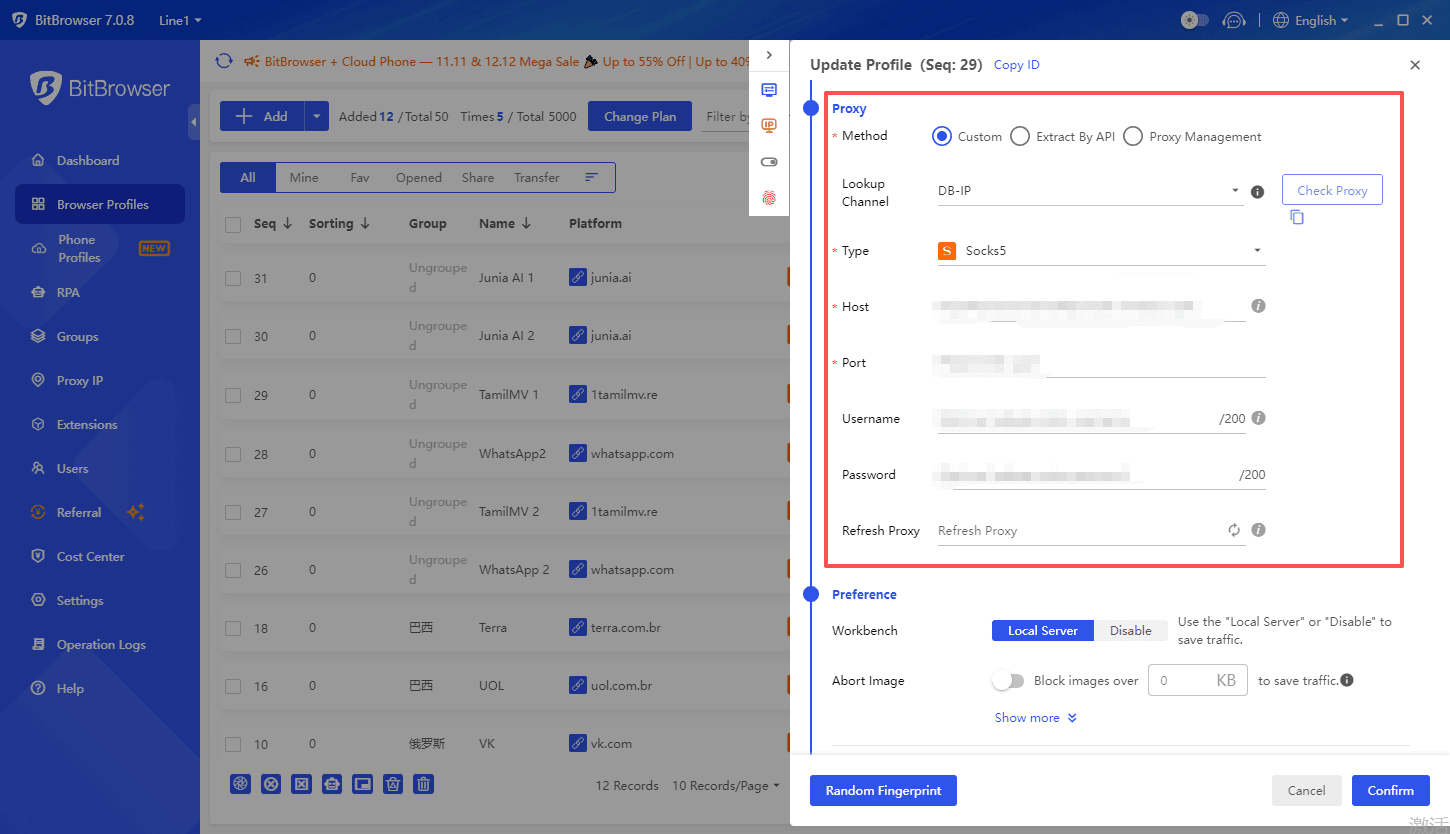
In practice, for sites that are frequently blocked (such as TamilMV), this combination is key. You would route one of your customized browser profiles through a dedicated proxy to establish a secure and untraceable connection. For insights on finding quality proxy services suited for this very purpose, especially for accessing entertainment sites, you can refer to this resource: The Best TamilMV Proxy Alternatives in 2025. This makes advanced detection and blocking nearly impossible.

bitbrowser

3. Primary Use Case

This is a specialized tool ideal for power users, researchers, or digital marketers who require a high degree of anonymity and profile separation. It is more complex to set up than a simple VPN but offers unparalleled success rates against the most advanced blocking systems.
bitbrowser

Guide to Safe and Informed Access

1. Finding Reliable Information

Your safest bet for finding working links is through community consensus. Look for active threads on platforms like Reddit where users upvote and verify the latest working mirrors. Tech-savvy forums and dedicated trackers also share information. Always check the date of the last post to ensure the information is current.

2. Legal & Safety Disclaimer

· Respect Copyright: This article is intended for educational purposes only, explaining how internet restrictions work. We encourage readers to always respect copyright laws and support content creators by using official streaming services where available.
· Security First: When accessing any site, prioritize your cybersecurity. Use a reputable antivirus, an ad-blocker (like uBlock Origin), and never enter personal information or passwords on unverified proxy sites.
· Understand the Risks: Downloading or streaming copyrighted content without permission may be illegal in your jurisdiction and can carry risks, including malware exposure or legal notices from your ISP.

Conclusion & Final Recommendations

To access platforms like TamilMV safely and reliably, you need to choose the appropriate tools based on your specific circumstances.

For users who face persistent blocking or need to manage multiple accounts, advanced tools are necessary to combat browser fingerprinting. For this, we recommend using an anti-detection browser like BitBrowser. It allows you to create multiple, isolated browser profiles with unique digital fingerprints, making each session appear to originate from a different, legitimate device. This effectively bypasses detection systems that flag VPNs or proxy traffic. For optimal results, you can run BitBrowser in conjunction with a reliable residential proxy or VPN service.


Finally, never compromise on security. The digital landscape around such sites is fraught with risks. The tools that protect your access, like VPNs and secure browsers, also exist to protect your privacy and data. Choose them wisely, use them responsibly, and always consider supporting official distribution channels when possible.


FAQ (Frequently Asked Questions)

1. Why does TamilMV sometimes still not work even when I'm using a VPN?

This is because the website employs more advanced blocking techniques. In addition to your IP address, it can detect your "browser fingerprint" (details like your fonts, screen resolution, plugins, etc.). If this fingerprint is recognized as being linked to a known VPN server, your access will be blocked even with a different IP. To solve this, you need to combine a VPN with a tool that can modify your browser fingerprint, such as an Anti-detect Browser.

2. Is it safe to access sites like TamilMV? What are the risks?

There are inherent risks. The main ones are: 1) Legal Risk: Accessing pirated content may be illegal in your jurisdiction; 2) Security Risk: Such sites are often filled with malicious ads, pop-ups, and can lead to phishing attacks or malware infections.

3. Are there completely legal and free alternatives?

Yes. Many official streaming platforms offer extensive legal Tamil and regional content. For example, Disney+ Hotstar, Amazon Prime Video, and Netflix have rich regional libraries in areas like India. Furthermore, official channels on YouTube (such as Sun TV) frequently upload full-length, licensed movies. While free options may not have as vast a catalog as paid services or TamilMV, they are safer, legal, and better ways to support creators.
 
You’re sitting in class, trying to access YouTube on your school-issued Chromebook, and suddenly… it’s blocked. Many students immediately search for “unblocked YouTube sites,” but on Chromebooks, these sites often fail to work reliably. In this guide, we’ll explain why this happens and explore real solutions that actually work in 2026, including a safe, browser-based method using BitBrowser.

Why Is YouTube Blocked on School Chromebooks?​

If YouTube won’t load on a school Chromebook, it’s usually not an accident. In most cases, it’s blocked on purpose. This normally happens for two main reasons.

1. School Device Management​

School Chromebooks are managed by the school, so administrators control what students can open.


Common restrictions include:


• Blocking certain websites like YouTube


• Limiting which apps or extensions can be installed


• Forcing YouTube Restricted Mode or SafeSearch on student accounts


Even if everything looks normal on the surface, these rules are always running in the background.

2. School WiFi and Network Restrictions​

The school network adds another layer of control.


This often includes:


• DNS filtering that blocks video or entertainment sites


• Network rules that limit or stop video streaming altogether


Because of this, YouTube may not load properly even if the Chromebook itself isn’t fully blocking it.


When both the device restrictions and the network filters are in place, YouTube usually ends up being inaccessible.


Do Unblocked YouTube Sites Work on School Chromebooks?​

Short answer: sometimes. But usually not for very long.


A lot of students try “unblocked” YouTube sites and mirrors. They might work at first, but after a few days, many of them suddenly stop loading or get blocked again. That’s pretty common.


Some typical reasons are:


• The site’s IP address gets blocked by the school


• The domain changes too often and gets flagged


• Too many ads or scripts trigger filters

Common Problems Students Face​

Even when these sites do open, the experience is often rough:


• Videos don’t load or keep buffering


• Pages redirect to random sites


• Some sites are filled with trackers or even malware


If you want a full list of unblocked YouTube sites and a clear breakdown of how they work, check out our detailed guide here


How to Unblock YouTube in 2026: 12 Proven Ways to Watch YouTube Anywhere Safely
 
Top