


Hacker
Professional
- Messages
- 1,041
- Reaction score
- 857
- Points
- 113
Terminal emulator for Android
Tool Terminal Emulator for Android, I take a very long time. It is useful for running various commands on a mobile device. And with root rights, there will be even more options: for example, you can view information about any process or access files of any application.
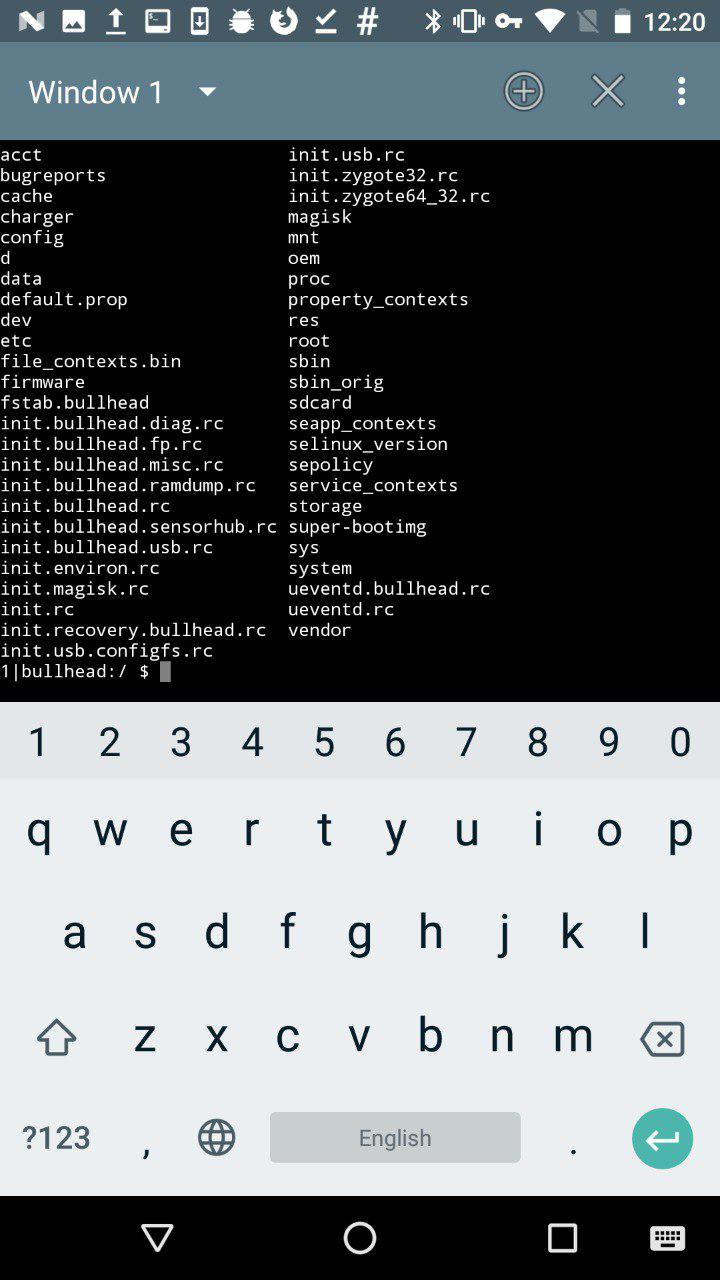
Terminal Emulator for Android
This is somewhat similar to ADB, only in the context of a mobile application.
Xposed Installer
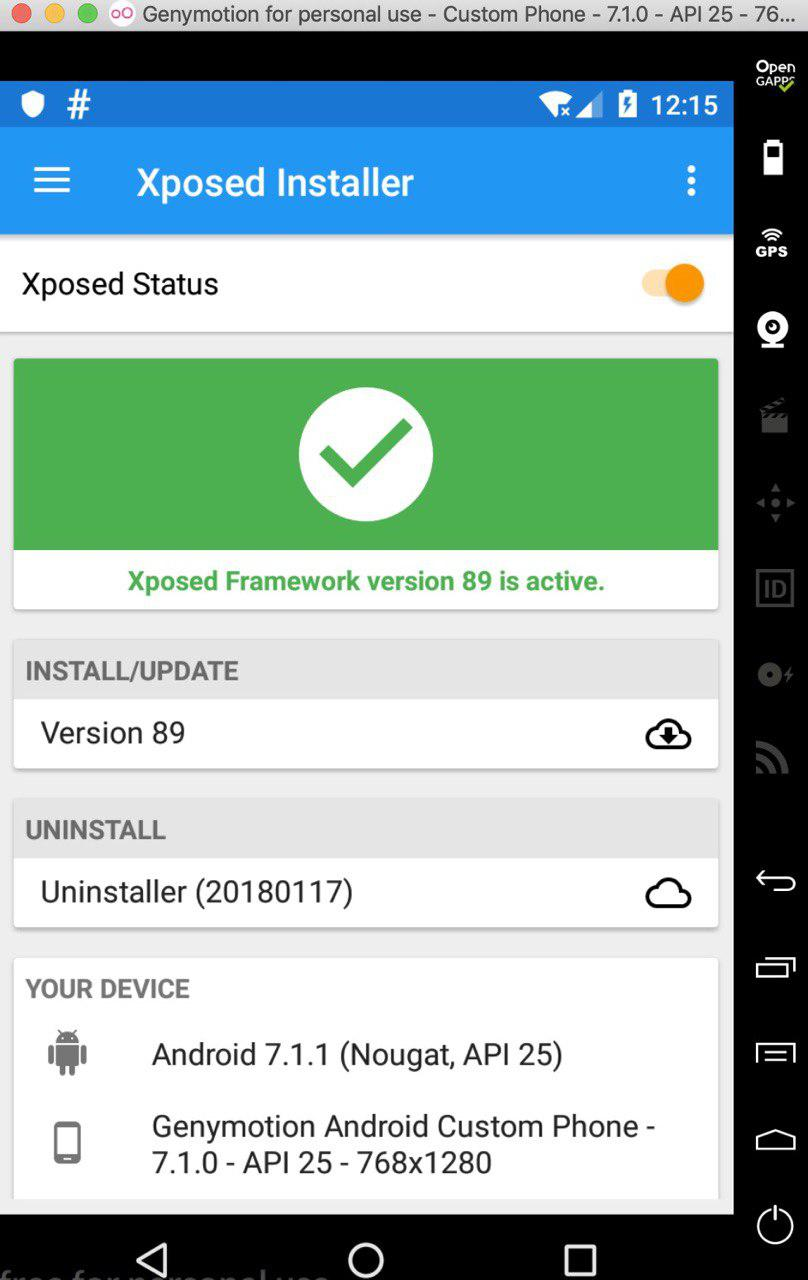
Xposed Installer
This tool only works under root and allows you to modify Android apps and system services. The most common examples of modifications: removing ads from applications, reassigning tasks to the main buttons, increasing battery life. Sounds pretty cool, doesn't it? However, the most common problem faced by most people who want to install this tool is the complexity of the installation. Very often this application is simply not installed on the device. Sometimes the Xposed installation can "turn" the device.
The Xposed platform principle is the ability to load code for a specific Java module before starting any app_process, thereby controlling its behavior. So Xposed modules can execute code when the app process starts. It may sound inspiring, but it's actually a scary thing. For example, you launch a module, and it captures all possible functions of the application, including money transfers and entering passwords, if this behavior is provided in the application. Therefore, if you do not trust the author of a particular module, I advise you to refrain from installing it on your device.
Better try to write your own module, in which you will be completely confident.
INFO
Read more about working with Xposed in the article "Your own modder: how to change Android using Xposed". On the desktop, you can use Frida as an alternative, for more details see the article “ Injection for Android. Injecting code into other people's applications using Frida".
MT Manager
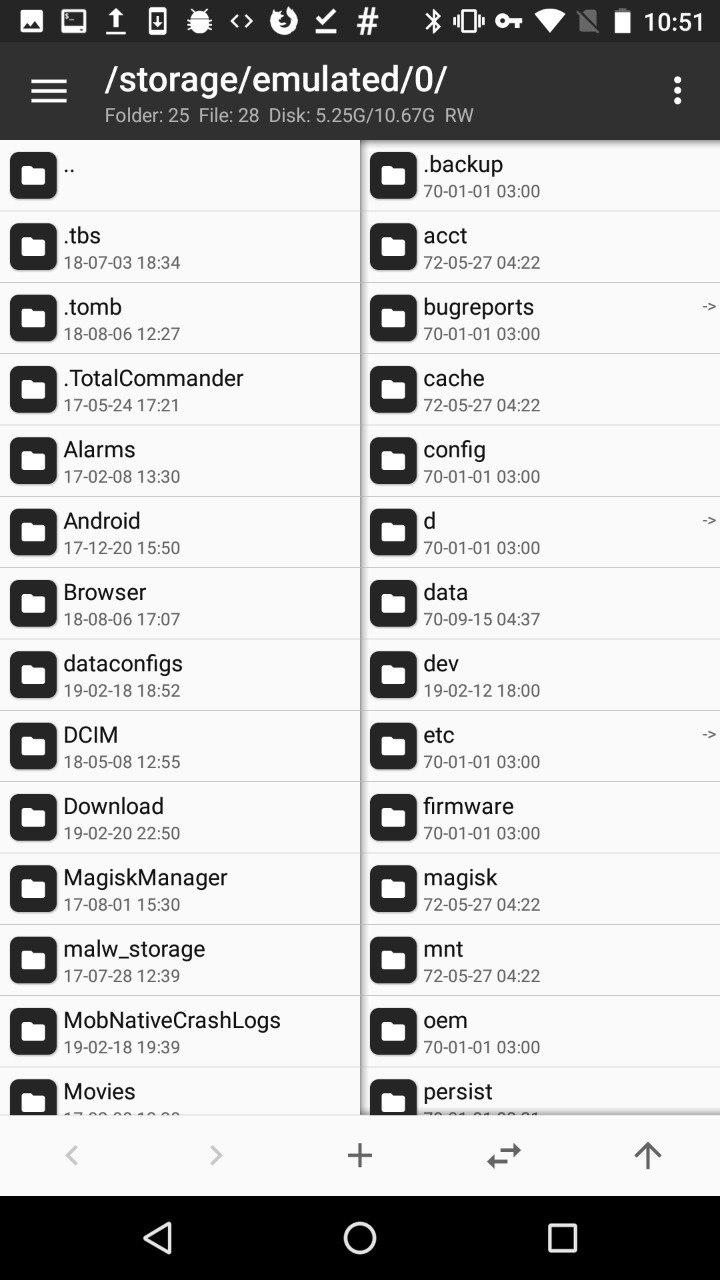
A very powerful and easy to use file management tool.
MT Manager
It is designed to edit, clone, encrypt and optimize user and system APK files right on your phone. In fact, it is a file manager that can work with the APK and its contents. It is often used to hack paid features of an app.
The way this tool works is quite simple: it parses DEX files and APK resource files, allows you to modify them, and then repackages them. MT Manager can be found in the public domain.
INFO
APK Studio is an analogue of an application for a personal computer.
Root Explorer
This tool is quite famous, its functions are similar to what MT Manager does, but it is more focused on viewing, changing and other operations on all files that are on the device. Root Explorer will do a great job of browsing the database or XML files from the application sandbox, which is why testers and security auditors usually use this tool.
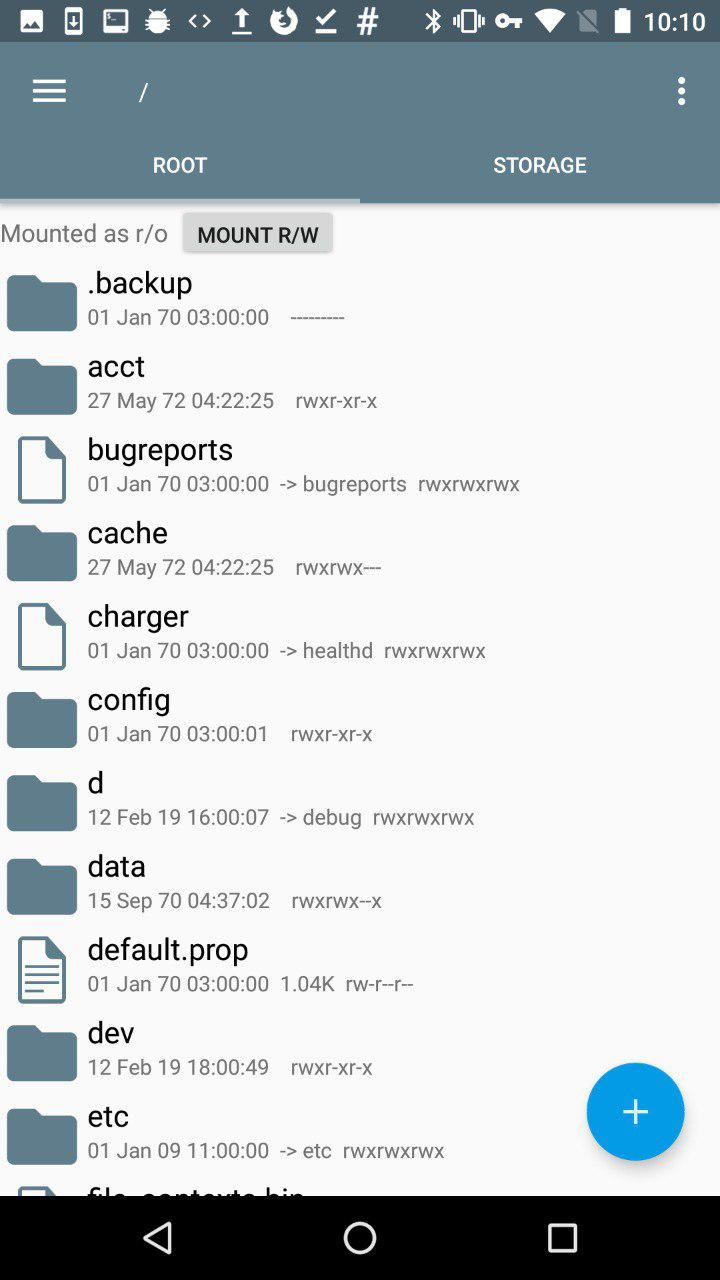
After installing RE, its interface looks like this
The root directory of the mobile phone is displayed here. It can be changed. Then you can change the default RE directory so that it opens immediately in a place convenient for you.
The /datadevice software is installed in the directory. This section is used to install applications, save the settings file. Applications that have been installed in the device memory can be found in the catalog /data/app.
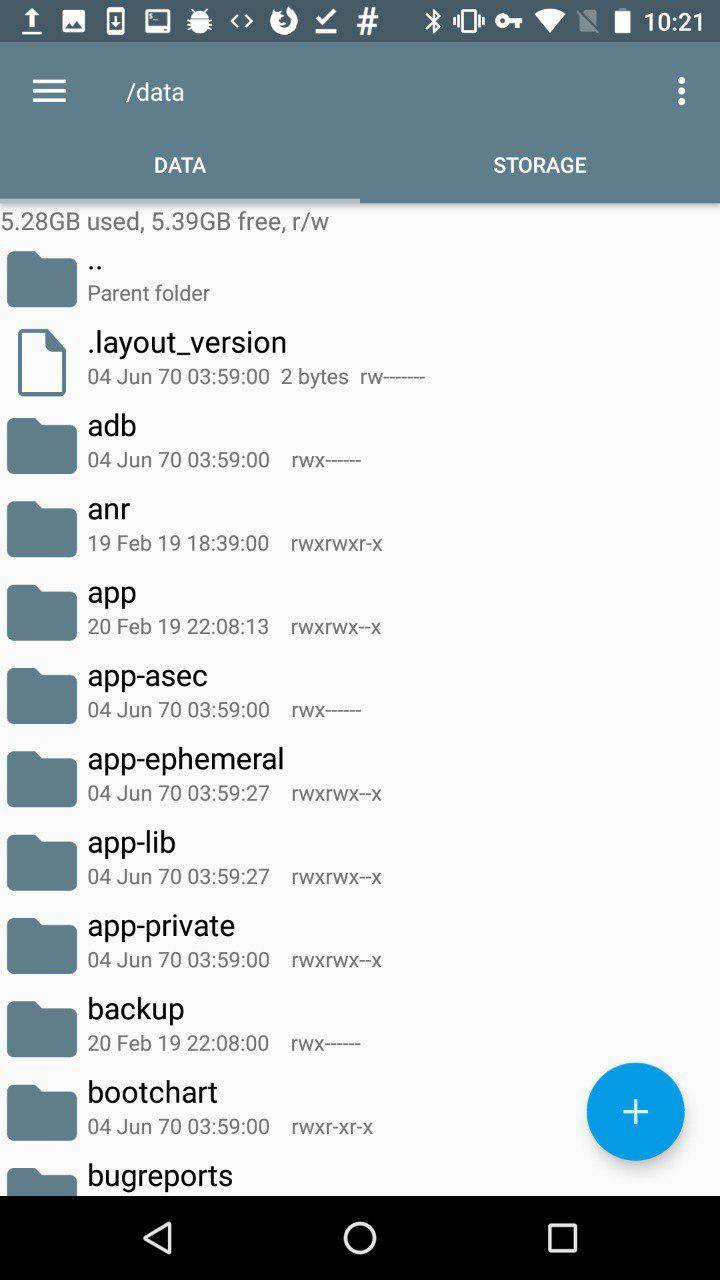
RE /data
sdcard- memory card space. On Android, the application can be installed in two places: dataor sdcard.
Besides this, there are also system applications that are located in the directory /system/app. If you want to uninstall a preinstalled app, this is where you go, but be careful. Before deleting an application from this directory, make sure that the system does not need it, otherwise you will have to reflash the device.
SuperSU
SuperSU was written by a developer known as ChainFire.

SuperSU
As the name suggests, this application is required to manage the device with superuser rights. If you have rooted your phone, then you should understand that any application can capture elevated rights and do something very bad. Just for such situations, SuperSU is needed, which allows you to control application access to root: for example, to grant privileges for a limited amount of time. In addition, it can be used to disable the ability to receive susome applications by default .
INFO
Unfortunately, on October 4, 2017, ChainFire posted the SuperSU Retirement statement on its Google+. He announced that he would no longer participate in the development of SU and would sell his brainchild to a Chinese commercial company.
Magical
Magisk is the superuser rights system administrator. It has two main functions: managing root permissions and installing extension modules with various functions.
When we talk about root administration, many people immediately think of SuperSU. But, as I said, the author left his project. Magisk came to replace him.

Magical
Replacing SuperSU was difficult at first, and despite issues with support, many continued to use it anyway. In addition, Magisk had a very crude interface until recently, which also scared off potential users. Now the interface has become more pleasing to the eye, in accordance with the Google Material Design specification.
This app has been removed from Google Play but can still be found in the public domain.
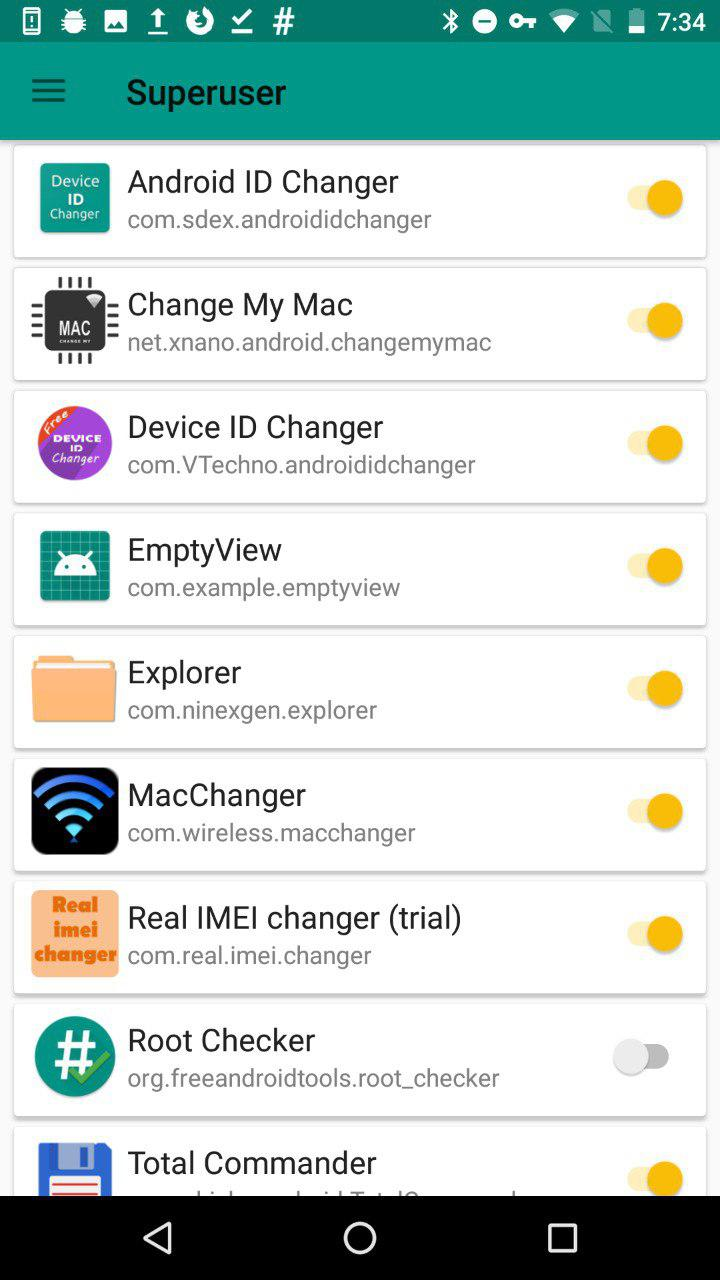
Here we hide from Root Checker that the device is rooted
Magisk's most popular feature is hiding root from selected apps, like bank clients, who usually don't want to run on a rooted device.
INFO
Read more about Magisk in the article “Magisk. We are modifying the Android firmware with comfort".
Root Checker
With this application, you can check for root rights on the device. Above, speaking about Magisk, I noted that root must hide from the Root Checker. The screenshot shows the result of this manipulation.

The application can make a request to SafetyNet, which contains information about the devices. This allows you to evaluate the security and compatibility of the Android environment in which the applications run.

SafetyNet
SafetyNet checks the software and hardware information of the device on which the application is installed, and then creates a profile for this device. Then it searches its database for a similar device profile among the models available to it that have been tested for compatibility with Android. In addition, the integrity of the device's software and hardware is assessed, and the APK that made the request is checked.
Hex Editor
This tool will allow you to view any file on the device in hexadecimal format. Hex Editor can be used together with MT Manager to edit APK file.
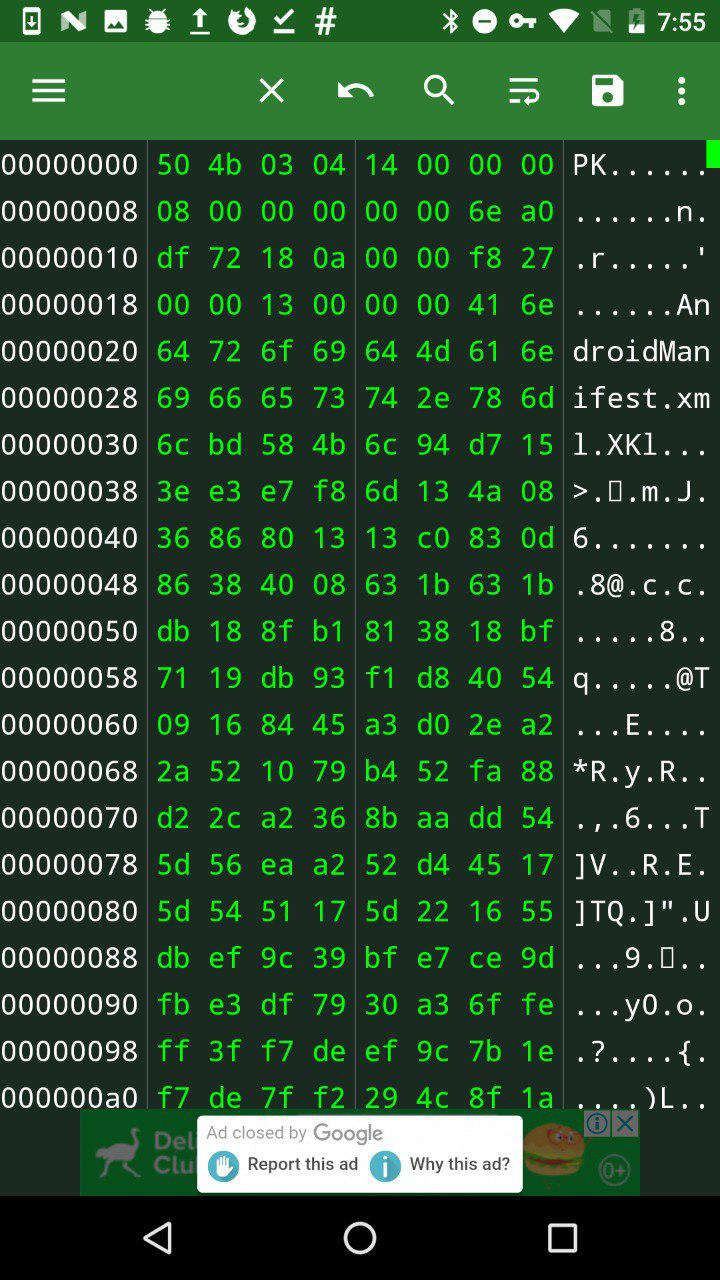
Hex Editor
Using the app, you can directly edit the contents of the memory. Hex Editor also has a data export function: you can directly output hexadecimal data to C, Java and other program code formats. By importing data directly into the program, you do not have to do it manually.
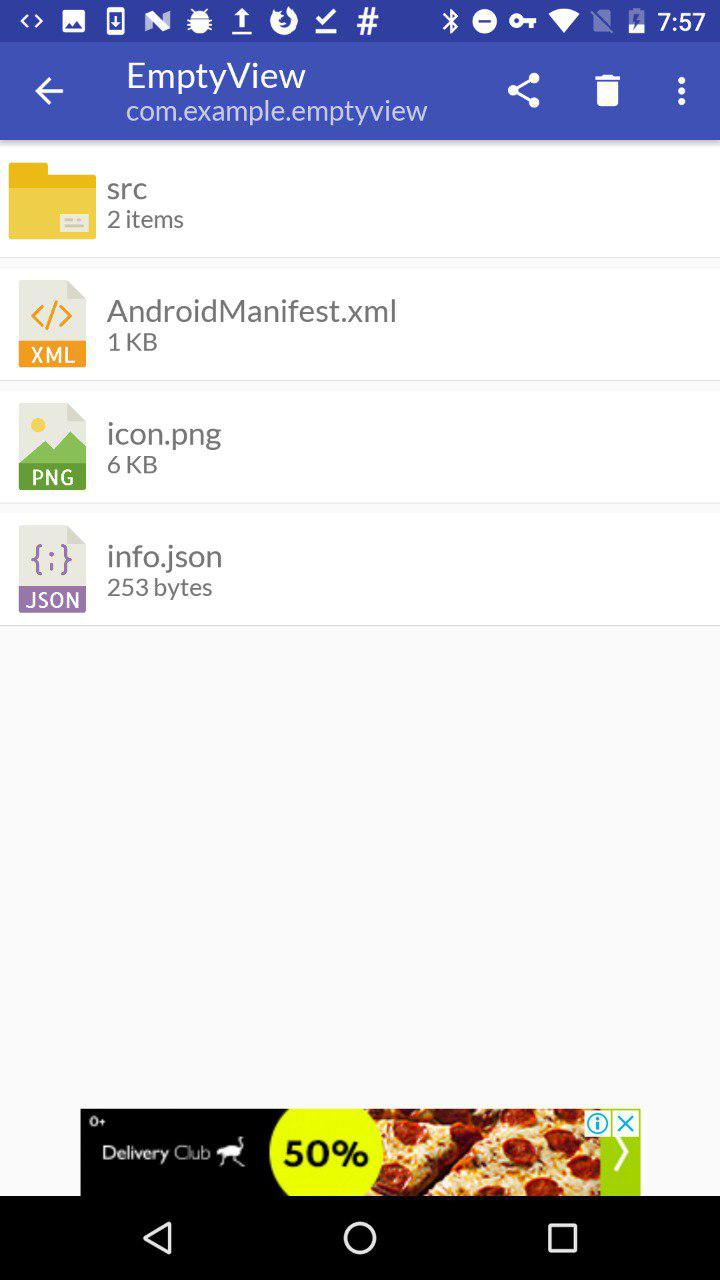
Show Java
Sometimes you need to quickly decompile an application that is already installed on the device, and Show Java is perfect for this task. This program allows you to decompile APKs and view the unpacked files.
Show Java и Java decompileINFO
On a personal computer, I recommend using JADX or javadecompilers.

This is my desktop and I am confident in these tools.
These tools allow the researcher to be more mobile and do interesting things without a computer. I hope you learned new ways for mobile app analytics and it was interesting for you.
Don't forget to keep updating your toolbox!
Tool Terminal Emulator for Android, I take a very long time. It is useful for running various commands on a mobile device. And with root rights, there will be even more options: for example, you can view information about any process or access files of any application.
Terminal Emulator for Android
This is somewhat similar to ADB, only in the context of a mobile application.
Xposed Installer
Xposed Installer
This tool only works under root and allows you to modify Android apps and system services. The most common examples of modifications: removing ads from applications, reassigning tasks to the main buttons, increasing battery life. Sounds pretty cool, doesn't it? However, the most common problem faced by most people who want to install this tool is the complexity of the installation. Very often this application is simply not installed on the device. Sometimes the Xposed installation can "turn" the device.
The Xposed platform principle is the ability to load code for a specific Java module before starting any app_process, thereby controlling its behavior. So Xposed modules can execute code when the app process starts. It may sound inspiring, but it's actually a scary thing. For example, you launch a module, and it captures all possible functions of the application, including money transfers and entering passwords, if this behavior is provided in the application. Therefore, if you do not trust the author of a particular module, I advise you to refrain from installing it on your device.
Better try to write your own module, in which you will be completely confident.
INFO
Read more about working with Xposed in the article "Your own modder: how to change Android using Xposed". On the desktop, you can use Frida as an alternative, for more details see the article “ Injection for Android. Injecting code into other people's applications using Frida".
MT Manager
A very powerful and easy to use file management tool.
MT Manager
It is designed to edit, clone, encrypt and optimize user and system APK files right on your phone. In fact, it is a file manager that can work with the APK and its contents. It is often used to hack paid features of an app.
The way this tool works is quite simple: it parses DEX files and APK resource files, allows you to modify them, and then repackages them. MT Manager can be found in the public domain.
INFO
APK Studio is an analogue of an application for a personal computer.
Root Explorer
This tool is quite famous, its functions are similar to what MT Manager does, but it is more focused on viewing, changing and other operations on all files that are on the device. Root Explorer will do a great job of browsing the database or XML files from the application sandbox, which is why testers and security auditors usually use this tool.
After installing RE, its interface looks like this
The root directory of the mobile phone is displayed here. It can be changed. Then you can change the default RE directory so that it opens immediately in a place convenient for you.
The /datadevice software is installed in the directory. This section is used to install applications, save the settings file. Applications that have been installed in the device memory can be found in the catalog /data/app.
RE /data
sdcard- memory card space. On Android, the application can be installed in two places: dataor sdcard.
Besides this, there are also system applications that are located in the directory /system/app. If you want to uninstall a preinstalled app, this is where you go, but be careful. Before deleting an application from this directory, make sure that the system does not need it, otherwise you will have to reflash the device.
SuperSU
SuperSU was written by a developer known as ChainFire.
SuperSU
As the name suggests, this application is required to manage the device with superuser rights. If you have rooted your phone, then you should understand that any application can capture elevated rights and do something very bad. Just for such situations, SuperSU is needed, which allows you to control application access to root: for example, to grant privileges for a limited amount of time. In addition, it can be used to disable the ability to receive susome applications by default .
INFO
Unfortunately, on October 4, 2017, ChainFire posted the SuperSU Retirement statement on its Google+. He announced that he would no longer participate in the development of SU and would sell his brainchild to a Chinese commercial company.
Magical
Magisk is the superuser rights system administrator. It has two main functions: managing root permissions and installing extension modules with various functions.
When we talk about root administration, many people immediately think of SuperSU. But, as I said, the author left his project. Magisk came to replace him.
Magical
Replacing SuperSU was difficult at first, and despite issues with support, many continued to use it anyway. In addition, Magisk had a very crude interface until recently, which also scared off potential users. Now the interface has become more pleasing to the eye, in accordance with the Google Material Design specification.
This app has been removed from Google Play but can still be found in the public domain.
Here we hide from Root Checker that the device is rooted
Magisk's most popular feature is hiding root from selected apps, like bank clients, who usually don't want to run on a rooted device.
INFO
Read more about Magisk in the article “Magisk. We are modifying the Android firmware with comfort".
Root Checker
With this application, you can check for root rights on the device. Above, speaking about Magisk, I noted that root must hide from the Root Checker. The screenshot shows the result of this manipulation.
The application can make a request to SafetyNet, which contains information about the devices. This allows you to evaluate the security and compatibility of the Android environment in which the applications run.
SafetyNet
SafetyNet checks the software and hardware information of the device on which the application is installed, and then creates a profile for this device. Then it searches its database for a similar device profile among the models available to it that have been tested for compatibility with Android. In addition, the integrity of the device's software and hardware is assessed, and the APK that made the request is checked.
Hex Editor
This tool will allow you to view any file on the device in hexadecimal format. Hex Editor can be used together with MT Manager to edit APK file.
Hex Editor
Using the app, you can directly edit the contents of the memory. Hex Editor also has a data export function: you can directly output hexadecimal data to C, Java and other program code formats. By importing data directly into the program, you do not have to do it manually.
Show Java
Sometimes you need to quickly decompile an application that is already installed on the device, and Show Java is perfect for this task. This program allows you to decompile APKs and view the unpacked files.
Show Java и Java decompileINFO
On a personal computer, I recommend using JADX or javadecompilers.
This is my desktop and I am confident in these tools.
These tools allow the researcher to be more mobile and do interesting things without a computer. I hope you learned new ways for mobile app analytics and it was interesting for you.
Don't forget to keep updating your toolbox!