The main purpose of using a virtual fingerprint browser is to protect users’ online privacy and anonymity to prevent your online activities from being tracked and linked to your real identity or other online accounts.

When choosing a virtual fingerprint browser, you should consider the following factors:

1. Anonymity: Choose a browser that provides strong anonymity, usually using multiple IP address rotations to route your network requests through a proxy server, thereby hiding your true IP address.

2. Privacy protection functions: Make sure your browser has reliable privacy protection functions, including blocking ad tracking, disabling third-party cookies, and automatically clearing your browsing history and cache.

3. Security: Make sure your browser undergoes appropriate security testing and is regularly updated to fix vulnerabilities and add new security features.

4. User-friendliness: Choose a browser that is easy to use and has a user-friendly interface that allows you to easily control and manage your privacy settings.

The function of BitBrowser

BitBrowser plays an important role in protecting user privacy and preventing association. It not only provides efficient management tools, but also ensures the security and convenience of operations.

1. Manage multiple accounts at the same time: BitBrowser allows sellers to manage stores with multiple accounts on the same computer, saving a lot of time and energy in account switching.

2. High-quality network services: Provide stable network services, speed up store page loading, and ensure operational efficiency.

3. Anti-correlation technology: BitBrowser’s fixed IP environment isolation effectively reduces the risk of correlation between different stores and prevents the risk of account ban.

4. Team collaboration: The sub-account function and permission management tools allow sellers to assign different roles and permissions to team members to achieve efficient multi-person collaboration.

5. Data security: The security measures provided by BitBrowser ensure the data security during merchant operations and prevent information leakage.

Overall, BitBrowser provides a safe and efficient solution for cross-border e-commerce operations, allowing merchants to improve operational efficiency and expand their global market influence while ensuring data security.
 
1-2211041I011a2.jpg

In order to prevent your information from being stolen and discover your user's abnormal login in time, we can identify you by checking the characteristics of the browser you use. This information that can be used to identify you is your browser fingerprint, which allows browsers to modify the browser environment to establish multiple identities.
1. The role of the fingerprint browser

(1) Advertising, social marketing

Create multiple advertising and marketing accounts, and facilitate account login and management.

(2) E-commerce platform

Opening multiple stores, sharing risks, registering a buyer account and swiping orders through a fingerprint browser can increase the store's praise and exposure opportunities.

(3) Ad Verification

Use the fingerprint browser to simulate the user's local device to deliver advertisements to eliminate misleading advertisements.

(4) Protection of user privacy

The fingerprint browser creates a virtual independent browsing environment, prevents websites from retrieving your real information, and fully protects your privacy.

2. Which fingerprint browser is easy to use?

Bit fingerprint browser is a relatively mature fingerprint browser in China. Released earlier than other fingerprint browsers, that is to say, it has better technical accumulation and more complete functions.

Physical separation is achieved by modifying the underlying code of the browser kernel. Creating a browser configuration file with a BitFingerprint browser is equivalent to establishing an independent virtual browser environment. The anti-association effect is good, and it also supports simple browserization to help you complete repetitive tasks. The configuration file of the bit fingerprint browser can be transferred and shared, which is very suitable for team use.

In recent years, with the increasing globalization of the economy, more and more small partners have begun to get involved in cross-border business. Bit Fingerprint Browser is our account security and personal privacy protector. If you are still hesitating, you can try it for free.

The new online synchronization system of BitFingerprint Browser was born to facilitate the window synchronization operation of BitBrowser users. The main features are: 1. By setting the main browser window, all mouse and keyboard events in the main window are sent to multiple controlled windows, which can serve multiple purposes. 2. All browser windows can perform batch synchronization operations. This includes basic window operations, window layout operations, tab page operations, simulated input of the same text, simulated input of different texts, one-key identification verification code printing, etc.
 
In the world of cross-border e-commerce, sellers not only have to manage stores on multiple e-commerce platforms such as Amazon, eBay, Shopee, etc., but also deal with distributed team collaboration and network security issues. These challenges require sellers to find effective tools and strategies to improve efficiency and security.

Multi-platform store management

Managing a store on multiple e-commerce platforms is a complex process. To increase efficiency, sellers need tools that can centrally manage all platforms. For example, BitBrowser provides such a one-stop solution for sellers. Through this tool, sellers can access all platforms and manage their stores within a single interface, greatly simplifying the management process.

Enhance team collaboration

Globally distributed teams need powerful collaboration tools to stay connected and productive. BitBrowser provides a collaboration platform that supports task distribution, instant communication and data sharing, allowing team members to collaborate efficiently no matter where they are.

Ensure network security

In the digital world, cybersecurity is critical to protecting corporate data and customer information. Merchants must take various steps to protect their stores from cyberattacks and data breaches, including using secure browsers, data encryption, and strong passwords. BitBrowser can effectively prevent malware intrusion, enhance account security management, and protect sellers’ important data.

For cross-border e-commerce sellers, it is crucial to effectively manage multi-platform stores, improve team collaboration efficiency, and protect network security. By leveraging BitBrowser tools, sellers can not only improve operational efficiency but also ensure the security of business operations.
 
In the field of cross-border e-commerce, managing multiple accounts is a tedious but essential task. However, with the increasing awareness of network security and privacy protection, how to manage accounts safely and efficiently has become an important challenge for e-commerce practitioners. As an emerging browser technology, virtual fingerprint browser provides a solution to this problem.

1. The concept of virtual fingerprint browser

Virtual fingerprint browser is a technology that can create a unique browser fingerprint for each user. The virtual fingerprint browser can generate a unique browser fingerprint for each user by collecting and identifying various characteristics of the user's browser, such as operating system, browser version and plug-in list. In this way, even if the user operates multiple accounts on the same device, the virtual fingerprint browser can accurately identify and manage these accounts to ensure the user's privacy and security.

2. Application of virtual fingerprint browser in cross-border e-commerce platform

Managing multiple accounts is a common need for cross-border e-commerce platforms. For example, some cross-border e-commerce practitioners may need to open multiple stores on different platforms or operate multiple accounts on the same platform to increase exposure. At this time, virtual fingerprint browsers play an important role. Virtual Fingerprint Browser allows you to create a unique browser fingerprint for each account to avoid association between accounts and ensure the security and independence of each account. At the same time, the virtual fingerprint browser also supports multiple accounts to log in at the same time, greatly improving work efficiency.

3. Advantages and application scenarios of BitBrowser

BitBrowser has many advantages and is suitable for various cross-border e-commerce scenarios. First of all, BitBrowser can simulate different operating system environments, such as Windows and MacOS systems on the PC side, iOS and Android systems on the mobile side, to meet the needs of different platforms. Secondly, BitBrowser has a powerful fingerprint protection function that can effectively prevent account association and ban. Moreover, BitBrowser also supports simultaneous multi-tasking, greatly improving your work efficiency.

In the field of cross-border e-commerce, managing multiple accounts is a complex but necessary task. As an emerging browser technology, virtual fingerprint browser provides an effective solution to this problem. Through BitBrowser, you can safely and efficiently manage multiple accounts on the cross-border e-commerce platform to ensure account privacy, security and independence. It is believed that the continued development and popularization of virtual fingerprint browser technology will enable cross-border e-commerce practitioners to better cope with account management challenges and achieve better results.
 
With the continuous development of e-commerce, more and more companies and individuals choose to conduct business on cross-border e-commerce platforms. However, when conducting business on a cross-border e-commerce platform, you will also face many risks and challenges. For example, association leads to account bans, product removal, order cancellations, etc. These problems cause huge economic losses to sellers. So how can we effectively reduce the risks of cross-border e-commerce platforms?

Bit Browser is a virtual fingerprint browser specially designed for e-commerce platforms. It creates a unique browser fingerprint and independent IP login environment for each account. It is safe and reliable and can easily log in and manage multiple accounts. Bit Browser allows users to log in to multiple accounts on the same computer at the same time without worrying about the accounts being linked.

Bit Browser has the following advantages:

1. Support multiple platforms: Bit Browser supports multiple operating systems such as Windows and MacOS to meet the different needs of users.

2. Supports multiple browser kernels: Bit Browser supports multiple browser kernels such as Chrome and Firefox, and can adapt to users' different browser habits.

3. Support account batch management: Bit Browser supports account batch management, allowing users to manage multiple accounts in one interface to achieve efficient operation and management.

4. Customized browser fingerprint: Bit Browser supports customized browser fingerprint. Users can customize browser fingerprint to meet their unique needs and obtain better security protection.

5. Support proxy IP login: Bit Browser supports proxy IP login. Users can use different proxy IPs to log in to different accounts for better security protection and risk control management. In short, Bit Browser is a virtual fingerprint browser specially designed for e-commerce platforms. By creating a unique browser fingerprint and independent IP login environment for each account, it can effectively reduce the risks of e-commerce platforms. At the same time, it also has multiple functions such as multi-platform support, multiple browser cores, batch management accounts, customized browser fingerprints, agent IP login, etc., bringing higher security protection and risk management control to cross-border e-commerce sellers. Therefore, if you are a user of a cross-border e-commerce platform, Bit Browser is definitely one of your must-have tools.
 
Bit Browser is a tool specially used to manage multiple accounts. Generate unique browser fingerprints by simulating different devices, operating systems and browser environments. In cross-border e-commerce, sellers often open multiple stores on different platforms, so how to ensure the account security of multiple stores is an important issue. In this case, Bit Browser comes in handy.

Bit Browser can generate a unique browser fingerprint for each store so that each store appears as a separate individual on the platform, thereby reducing the risk of the account being associated or banned. At the same time, Bit Browser also supports proxy settings, which can maliciously configure independent IP addresses for each store to further ensure account security.

Sellers must comply with security regulations when using Bit Browser to manage the account security of multiple cross-border e-commerce stores. First, sellers need to create a unique browser environment for each store, including operating system, browser type, resolution and other parameters. Next, sellers need to set up independent agents for each store. They can also choose free agents, purchase dedicated agents, and set the agent type and location according to their own needs. Third, sellers need to import the account information of each store, which also supports batch import or manual addition. When importing account information, you can set a unique browser environment and proxy settings for each account.

In addition to the above steps, sellers should also pay attention to some safety issues. For example, do not use public WIFI to log in to your account in public places. Do not share your account password with anyone or use the same email or mobile number to register multiple accounts. At the same time, sellers should also regularly update their browser environment and proxy settings to ensure account security.

Please note that although the fingerprint browser can help merchants manage the account security of multiple stores, it is not a panacea. If the seller violates the platform rules or performs malicious operations, the platform may also take measures to ban the account. Therefore, sellers should abide by the platform rules and try to avoid malicious operations when using fingerprint browsers.

In short, fingerprint browser is an effective means of cross-border e-commerce multi-store account security. By creating a unique browser fingerprint and configuring independent proxy settings for each store, you can effectively reduce the risk of your account being linked or banned. At the same time, sellers also need to comply with some security regulations to further ensure the security of their accounts. Only in this way can sellers successfully carry out cross-border e-commerce business.
 
Успех продавца Amazon неотделим от стабильной базы аккаунтов. Однако все усилия могут оказаться напрасными, если пренебрегать безопасностью аккаунта. Первый шаг в обеспечении безопасности вашей учетной записи — избегать ненужных ассоциаций. Потому что проблемы с ассоциацией могут не только привести к закрытию вашего магазина, но и ваша учетная запись может даже быть заблокирована в одночасье. В этой статье подробно описаны риски, связанные с учетными записями Amazon и способы их защиты, а также способы использования Bit Browser для обеспечения безопасности вашей учетной записи.

1. Риски, связанные с магазином

Проблемы с привязкой учетной записи Amazon — это риск, который продавцы не могут игнорировать. Как только ассоциация сработает, как минимум ваш магазин будет закрыт, или, в худшем случае, ваша учетная запись будет заблокирована, что сделает все ваши ранние усилия напрасными. Поэтому предотвращение сопутствующих рисков является главным приоритетом для всех продавцов.

2. Приведет ли вход с одного и того же IP к ассоциации?

Многие друзья-продавцы обеспокоены тем, что вход в систему с тем же IP-адресом приведет к проблемам с привязкой учетной записи. Фактически, вход в две разные учетные записи Amazon с одного и того же IP-адреса может создать корреляционные риски. Amazon записывает информацию для входа по IP, поэтому, если вы часто входите в несколько учетных записей, используя один и тот же IP-адрес, система может подумать, что они связаны. Даже если вы используете один и тот же IP-адрес для входа в разные учетные записи, риск все равно существует.

3. Степень риска зависит от статуса входа.

Если вы нажмете кнопку входа, используя тот же IP-адрес, но не сможете успешно войти в систему, риск относительно невелик. Однако это не означает, что вы можете ослабить бдительность, поэтому в данной ситуации рекомендуется быть осторожнее и восстановить ее в апелляционном порядке, если будет установлено, что это связано.

4. Время и механизм срабатывания ассоциации

Поскольку срабатывание корреляции не происходит сразу, Amazon может отслеживать его с течением времени. Amazon проводит очистку аккаунтов каждый год, чтобы обеспечить справедливость и порядок на своей платформе. Конкретное время и механизм объединения не определены, но следует сохранять высокую степень бдительности.

5. Риски, связанные с новыми аккаунтами

Если вновь зарегистрированная учетная запись Amazon использует IP-адрес и информацию, переданную ранее, она может быть определена как связанная в течение короткого периода времени. Чтобы этого избежать, рекомендуется пока не выполнять каких-либо крупных операций и не входить в систему с новым IP-адресом. Предварительная регистрация новой учетной записи Amazon для работы может эффективно снизить связанные с этим риски.

6. Bit Browser обеспечивает безопасность аккаунтов продавцов.

Если вы столкнулись с рисками, связанными с вашей учетной записью Amazon, BitBrowser может оказать вам полезную помощь. Встроенные многочисленные функции, среда прокси-сервера IP+, безопасный вход в систему делают вашу работу более удобной и эффективной. BitBrowser эффективно снижает риск входа в несколько учетных записей с одним и тем же IP-адресом и защищает безопасность учетных записей трансграничных продавцов.
 
When we talk about Amazon account issues, we often encounter the situation that a person may have multiple Amazon accounts, but in some cases, these accounts may be linked by the Amazon system, resulting in a series of question. For example, a violation of one account may affect other accounts, or the seller wants to maintain a certain degree of independence between different accounts for better management and operation. In this case, how to use a virtual fingerprint browser to solve the Amazon account association problem has become the focus of attention. Bit Browser is an excellent anti-correlation tool and provides sellers with a series of new solutions.

Before solving the Amazon account association problem, sellers must first understand the nature of the problem. How does the Amazon system determine whether accounts are related? Generally speaking, Amazon will use a variety of factors to determine whether accounts are related, including but not limited to the user's IP address, browser fingerprint, login device, etc. to determine the correlation between accounts. Browser fingerprinting is a technology that uniquely identifies users by collecting browser hardware and software configuration information. If multiple accounts use the same browser fingerprint to log in to the same device, Amazon may determine these accounts as linked accounts.

So how to use a virtual fingerprint browser to solve this problem? One of the core functions of the virtual fingerprint browser is to simulate the fingerprints of different browsers, making different accounts appear to come from different devices and users in the Amazon system. For example, sellers can use Bit Browser to create multiple browser environments, each with its own browser fingerprint and privacy settings. In this way, even if you log in to multiple Amazon accounts on the same device, you can effectively solve the problem of account association, because the Amazon system cannot determine the association between these accounts through browser fingerprints.

BitBrowser not only simulates your browser fingerprint, but also provides other features to enhance your account security and privacy protection. For example, an IP address proxy function is provided so that you can easily switch between different IP addresses and avoid being identified by the Amazon system. In addition, BitBrowser can also clear the browser's cache, cookies and other information to further protect the privacy and security of your account.

In summary, using BitBrowser to solve the Amazon account association problem is a feasible method. By simulating the fingerprints of different browsers and providing privacy protection functions, BitBrowser effectively prevents the Amazon system from judging the correlation between accounts and protects the security and independence of seller accounts.
 
Daily e-commerce operations often require processing the business of multiple e-commerce platforms at the same time, and traditional browsers often cannot meet the needs of multiple browsers. Therefore, a virtual fingerprint browser tool called Bit Browser appeared. Bit Browser has a powerful multi-browser function, which greatly improves work efficiency.

Understand the multi-browser function of virtual fingerprint browser:

Traditional browsers usually limit the ability to open multiple windows at the same time, while virtual fingerprint browsers can easily open multiple browsers. First of all, the virtual fingerprint browser has a multi-tab function, allowing you to open multiple tabs within the same browser window and operate each tab independently, greatly improving work efficiency. Secondly, the virtual fingerprint browser supports simultaneous login of multiple accounts, allowing you to log in to multiple e-commerce platform accounts at the same time in the same browser window, allowing you to handle business on different platforms conveniently and quickly. Most importantly, the virtual fingerprint browser provides stable and reliable multi-browser functionality, which means that even if you open multiple windows, the browser will not crash or freeze and run smoothly, ensuring that your work proceeds smoothly.

Use BitBrowser to achieve efficient e-commerce operations:

The multi-browser function of BitBrowser allows you to perform e-commerce operations more efficiently. First of all, you can monitor the dynamics of multiple e-commerce platforms at the same time, keep abreast of market changes and competition, and provide a basis for business decisions. Secondly, you can handle multiple orders and customer inquiries simultaneously, improving order processing and customer service efficiency. Best of all, you can open multiple browsers and perform multiple tasks at the same time, such as editing product information, posting promotions, etc. This saves a lot of time and effort and improves the efficiency of e-commerce operations.

The multi-browser function of BitBrowser has become a powerful business support and greatly improved the efficiency of cross-border e-commerce operations. Through this feature, you can handle your e-commerce business more efficiently, better understand market opportunities, and realize your e-commerce dreams.
 
If you have multiple Amazon accounts, a key question is how to manage them effectively. Each Amazon account requires different product management, order processing, and customer service, which creates many management challenges. For example, you may need to frequently switch between accounts to fulfill orders, or you may need to monitor sales from multiple accounts at the same time. So, how to use virtual fingerprint browser to operate multiple Amazon accounts?

In the process of operating multiple Amazon accounts, the first problem you need to solve is how to effectively manage these accounts and maintain their independence. Traditionally, interacting with these accounts might require logging into different accounts in different browser tabs or using different devices. However, this approach is often inefficient and error-prone, especially when multiple accounts need to be handled simultaneously.

Currently, virtual fingerprint browser is a solution. As one of the best fingerprint browsers, BitBrowser provides an innovative way to manage multiple Amazon accounts. By simulating multiple browser environments, the separation and independence between accounts is achieved. Each browser environment has independent browser fingerprints and privacy settings. This means you can log in and use multiple Amazon accounts at the same time on the same device, but the system won't recognize the dependencies between the accounts.

In addition to account isolation, Virtual Fingerprint Browser also provides other functions to improve the efficiency of account management. For example, you can save your login information and settings so that you can directly enter your account the next time you log in without having to enter your password again. The proxy information between BitBrowser window accounts is different. Use BitBrowser more Open the window setting, and you can open employee sub-accounts for shared offices with different roles.

Another important function is the IP address proxy function. Amazon may determine the geographical location and identity of your account based on your IP address, which may affect the display and sales of your account. IP address proxy allows you to easily switch between different IP addresses, preventing the system from identifying your true identity information, thereby protecting the security and privacy of your account.

Using BitBrowser is an effective way to manage multiple Amazon accounts. Not only does it improve the efficiency of account management, it is permanently free for use in 10 environments, but it also protects account security and privacy.
 
multi-login browser

The multi-login browser is a special web browser that runs in a virtual environment. Most computer users only need to install a web browser on their local terminal computers to browse the web, search for information, conduct online transactions, and communicate with other users. Browsing the web in this way exposes the user's device to various web-based threats, such as malware, viruses, adware, Trojan horses, ransomware, etc. Multi-login browser is a tool that can be used to mitigate such web-based threats. Alternatives to threats.

Advantages of BDT account browser:

It is especially suitable for users with high environmental requirements. The personal premium version has no restrictions on environment creation, and the price is very affordable. After testing, the success rate of account opening is much higher than that of other browsers.

The built-in webpage translation function can basically translate the languages of different countries, there is no compatibility problem, teamwork, support for creating sub-account and cross-account environments, which is very useful for studios and companies.

You can also simulate the function of real keyboard input to achieve the effect of real input when using the copy and paste function.

With the cookie preheating function, you can automatically visit other websites before visiting the target website, so that the platform can determine your account characteristics based on cookie data.

Before carrying out the Amazon evaluation project, you should choose a registered account, account maintenance tools, reliable proxy IP resources, physical delivery addresses, overseas mailboxes, useful virtual cards and gift cards, etc., each link will affect your order Success rate.

To solve the security problems in your account login environment, the latest anti-fingerprint technology bypasses the intelligent detection of the platform, can perform tasks completely independently, binds an independent and clean fixed IP, and sets corresponding fingerprints, time zones, etc., to ensure the reliability of the account environment.

Efficient and stable anti-association technology, cookies, local storage and other cached files of each browser file are kept completely independent, each person's information is independent, and each other's information cannot be disclosed, so farewell to the problem of changing computers and broadband.

High-efficiency operation. Generally, Amazon sellers do not have only one store account. They are worried that the account will be suspected by the platform. There are many concerns when using it, especially if the account is operated by a multi-person team and frequently logs in and out on multiple devices, it will be judged by the platform as a suspicious account. However, the Bittodden account browser can manage multiple platforms and multiple accounts at the same time.
 
Simulating different devices is becoming more and more important in advertising network marketing. However, how to achieve this goal is still one of the problems that advertising alliance practitioners must solve. In this article, we will explore how virtual fingerprint browsers can help ad networks emulate different devices, specifically through Bit Browser, providing ad network marketers with more choices and greater flexibility and ease of operation.

1. The importance of simulating different devices

Advertising affiliate marketing needs to cater to different audience groups, which may use different types of devices to access, such as PCs and mobile phones. Therefore, it is important for ad networks to emulate different devices. Simulating different devices allows you to better adapt to the browsing habits and device characteristics of different audiences, improving advertising effectiveness and conversion rates.

2. The role of virtual fingerprint browser

The Virtual Fingerprint Browser is a professional tool designed to provide advertising alliance personnel with the ability to simulate different devices. Through BitBrowser, you can easily simulate the PC and mobile device environment. This flexible simulation approach provides ad network marketers with more choices and operational flexibility to better serve the needs of different audiences.

3. Practical operation

In actual operation, ad alliance marketers can set up proxy and simulation environments through BitBrowser to easily simulate access from various devices. Device types and simulation parameters can be flexibly selected based on audience characteristics and advertising needs to achieve the best advertising results. In this way, ad network marketers can better understand their audience and increase ad exposure and conversion rates.

By simulating different devices through virtual fingerprint browsers, ad alliance marketers can better meet the needs of different audiences and improve advertising effects. As a leading virtual fingerprint browser, BitBrowser provides stable and reliable services for ad alliance personnel and helps users achieve Simulate targets for various devices.
 
Privacy and security issues have received widespread attention, and browser fingerprinting technology is one of them. As a digital security enthusiast, I know that browser fingerprinting is an important factor in privacy breaches. However, a virtual browser can hide your fingerprints and protect your privacy. Next, I will share some experiences about browser fingerprinting and how to use virtual browsers for fingerprinting.

1. What is browser fingerprinting?

Browser fingerprint is a unique identifier generated by the browser when a user visits a web page. It includes information about the user's device and environment, such as operating system, browser version and screen resolution. This information constitutes the user's "fingerprint" and can be used to identify and track the user's online behavior. Browser fingerprinting technology has become a common tool for advertisers and data analysis companies to track user browsing behavior and personal preferences, thereby enabling accurate advertising and user behavior analysis.

2. How to use virtual fingerprint browser for fingerprint anonymity?

The virtual fingerprint browser is a software tool that can simulate the behavior of a real browser. It helps users hide their true identity and browsing behavior on the Internet. The use of virtual fingerprint browsers for fingerprint anonymity mainly involves simulating different browsers and devices and changing the user's IP address or other identifying information to confuse or hide the user's browsing fingerprint. Specifically, the virtual fingerprint browser allows users to easily switch between different browser environments to simulate different user behaviors and preferences, thereby interfering with and confusing the browser's fingerprint recognition process, thereby protecting user privacy.

3. How does BitBrowser achieve fingerprint anonymity?

Among the many virtual fingerprint browsers, BitBrowser stands out for its powerful functions and stable performance. It provides a variety of browser fingerprint simulation functions that can simulate the browser environment of different operating systems and devices, allowing users to easily switch between different browser IDs. At the same time, BitBrowser also has functions such as IP proxy recommendation and privacy protection, which can effectively hide the user’s real IP address and personal information and protect the user’s privacy and security. This makes BitBrowser a tool that helps users hide fingerprints, protect privacy, and achieve a safer and more private web browsing experience.

Browser fingerprinting technology has become an important issue in network security and privacy protection. In response to this situation, the emergence of virtual fingerprint browser provides an effective solution. As a leading virtual fingerprint browser tool, BitBrowser not only has a powerful browser fingerprint simulation function, but also can effectively protect users' privacy and security, helping users achieve a safer and more private web browsing experience.
 
Overseas social media has become an important platform for people to communicate, exchange, and obtain information. However, when multiple overseas social media accounts need to be managed, the challenge is how to manage these accounts effectively. In this case, virtual fingerprint browsers, especially bit browsers, play an important role. This article will explore the role and advantages of virtual fingerprint browsers in overseas social media multi-account management.

In overseas social media multi-account management, the role of fingerprint browsers is mainly reflected in the following aspects:

1. Multiple account isolation to protect privacy

On overseas social media platforms, users use multiple accounts based on their purposes, such as personal accounts and corporate accounts. However, traditional browsers often cannot effectively separate these accounts, and information between accounts can easily cross and correlate, which may affect user privacy and security. The virtual fingerprint browser effectively protects user privacy and avoids information leakage and multi-account association by creating a unique browser fingerprint and independent IP login environment for each account.

2. Improve the security of multiple accounts

The security of user accounts is particularly important on overseas social media platforms. However, account hacking and theft are common problems. The virtual fingerprint browser creates a unique browser fingerprint and independent IP login environment for each account, effectively reducing the risk of the user's account being attacked or stolen. Even if one account is attacked, the security of other accounts is guaranteed, and the security of multiple accounts is also improved.

3. Operational flexibility

Overseas social media multi-account management may require users to log in to multiple accounts at the same time to publish content, interactive comments and other operations. Traditional browsers often fail to meet this need because they only allow one account to be logged in at a time. The virtual fingerprint browser can create a unique browser fingerprint and independent IP login environment for each account, allowing users to log in to multiple accounts at the same time without worrying about account association or security issues. This operational flexibility increases user convenience and makes users' activities on foreign social media platforms more free and efficient.

By providing virtual functions such as account separation, privacy protection, increased account security, and operational flexibility, BitBrowser is very helpful for users to efficiently manage multiple overseas social media accounts as well as personal privacy and information security. It provides 10 windows for free. Permanent use, with 800,000+ users at home and abroad, it is of great help to account management and operation teams for cross-border business.
 
In the online world, many people are worried about their accounts being banned. Whether on social media, cross-border e-commerce platforms or other services, account suspension may cause inconvenience and financial losses. The birth and development of virtual fingerprint browsers have attracted much attention, but an important question is: How does virtual fingerprint browsers prevent account association and bans? For example, how do the popular bit browsers on the market solve this problem? Below, we will study this problem in detail and provide corresponding solutions.

1. Virtual fingerprint browser account protection mechanism

It is committed to protecting the security of user accounts and reducing the risk of accounts being associated. It uses a series of advanced technical measures such as virtualization, isolation, and proxy technology to provide a more secure and reliable network environment.

2.Virtualization technology

Through virtualization technology, an independent virtual environment can be created on the user's computer, isolated from the host environment. In this virtual environment, each account has its own independent browser profile and identity, completely isolated from other accounts.

3. Application of isolation technology

In addition to virtualization technology, BitBrowser also uses isolation technology to isolate browser configuration files and data of different accounts. In this way, even if multiple accounts are used on the same computer, they are independent of each other and do not affect each other.

4.Agent technology

BitBrowser can configure an independent proxy for each account, so each account has a unique network identity. This way, even if users use different accounts on the same computer, their online behavior is considered independent and cannot be easily detected or traced. The application of this proxy technology further strengthens the security of accounts and reduces the risk of being banned.

Through virtualization, isolation, proxy and other technical measures, the virtual browser effectively prevents the risk of account being blocked, provides users with a safer network environment, and allows users to enjoy network services more freely without worrying about account security issues.
 
With the rapid development of cross-border e-commerce and the trend of globalization, more and more companies and individuals are involved in the field of cross-border e-commerce. However, it also brings many challenges such as account management, e-commerce operations, and order processing. The emergence of the virtual fingerprint browser is to solve these problems. By creating an independent browser fingerprint and login environment, the virtual fingerprint browser effectively prevents account-related risks and provides safe and efficient account management solutions for cross-border e-commerce. So why are virtual fingerprint browsers becoming more and more popular in cross-border e-commerce? This article explores this issue from multiple angles and analyzes it based on the application and advantages of bit fingerprint browsers.

1. Improve account security

Cross-border e-commerce operators often need to register and manage multiple accounts on multiple e-commerce platforms to meet the sales needs of different regions and platforms. If you use the same browser to log in to multiple accounts, it will bring the risk of account association. Once detected by the platform, the account may be banned. By creating an independent browser fingerprint and login environment for each account, the virtual fingerprint browser can effectively prevent account association risks and improve account security. This is one of the important reasons why cross-border e-commerce operators choose to use virtual fingerprint browsers. .

2. Improve operational efficiency

Cross-border e-commerce operations involve product listing, order processing, customer communication and many other tasks, requiring frequent account switching. Using traditional browsers to log in to various accounts requires regular login and logout, which is cumbersome and inefficient. The virtual fingerprint browser supports simultaneous login and management of multiple accounts, and can easily switch and manage different accounts, greatly improving business efficiency and saving cross-border e-commerce operators time and energy.

3. Avoid regional restrictions

Cross-border e-commerce companies may need to promote and sell products in different regions. Some e-commerce platforms will restrict certain functions and services based on your login region. The virtual fingerprint browser allows users to set independent IP addresses for each account to simulate login environments in different regions, thereby avoiding the problem of regional restrictions and allowing cross-border e-commerce operators to freely expand their business globally.

4. Protection of personal information

Cross-border e-commerce operators may need to register and manage sensitive information such as personal information and bank account numbers on multiple e-commerce platforms. There are security holes in traditional browsers that may lead to the leakage of personal information. The virtual fingerprint browser effectively protects the security and privacy of personal information by creating an independent browser fingerprint and login environment for each account, allowing cross-border e-commerce operators to operate their businesses with greater peace of mind.

5. Bitbrowser applications and advantages

As an excellent virtual fingerprint browser tool, BitBrowser is widely used in cross-border e-commerce. First of all, BitBrowser uses advanced technical measures such as canvas fingerprints, hardware fingerprints, and user agents to create independent browser fingerprints and login environments for each account, effectively reducing account association risks and improving account security. Secondly, BitBrowser supports simultaneous login and management of multiple accounts, allowing cross-border e-commerce operators to easily manage multiple accounts and improve business efficiency. In addition, BitBrowser also provides the ability to freely configure independent IPs, which can simulate login environments in different regions, avoid regional restrictions, and facilitate cross-border e-commerce operators to expand their business. Bit Browser also has a strong customer service technical support team, which can provide users with timely and professional technical support and solutions to ensure user experience.

In short, virtual fingerprint browsers are becoming more and more popular in cross-border e-commerce, mainly because they can improve account security, improve operational efficiency, avoid geographical restrictions, and protect personal information. As an excellent virtual fingerprint browser tool, BitBrowser has been widely used and recognized in cross-border e-commerce with its advanced technology and powerful functions. With the further development and globalization of cross-border e-commerce, it is believed that the application of virtual fingerprint browsers in cross-border e-commerce will become more popular and provide better account management solutions for cross-border e-commerce.
 
The issue of account association has always been a headache in cross-border e-commerce projects. Some unscrupulous merchants may use multiple accounts to engage in bad behaviors such as fraudulent orders and malicious reviews, disrupting fair market competition. In order to solve this problem, many sellers have begun to explore how to use virtual fingerprint browsers to prevent association in cross-border e-commerce?

BitBrowser has become the preferred tool for cross-border e-commerce sellers to prevent association. It uses advanced technical means such as virtualization, isolation, and proxy to allow sellers to independently manage accounts and minimize association risks.

Thanks to virtualization technology, BitBrowser creates an independent virtual environment on the user's computer, isolated from the host environment. In this virtual environment, each account has its own independent browser configuration file, so it does not interfere with each other and avoids information leakage and related risks.

At the same time, the virtual fingerprint browser uses isolation technology to separate browser configuration files and data. In this way, even if multiple accounts are used on the same computer, they are independent of each other and do not affect each other. This separation design effectively prevents account correlation and protects sellers from fair competition in cross-border e-commerce.

In addition, BitBrowser can also configure an independent proxy for each account, so each account has a unique network identity. In this way, even if the account is tracked, it will not be easily identified. The agent technology seller's account provides a more secure and reliable network environment.

In general, BitBrowser, as an excellent virtual fingerprint browser, successfully avoids the problem of cross-border seller account association. It uses virtualization, isolation, agency and other technical measures to bring a safer, more convenient and more efficient operating environment to cross-border sellers.
 
As a fingerprint browser, BitBrowser realizes multiple logins for multiple accounts and separate independent applications. Using BitBrowser can avoid the correlation between multiple accounts and use high-purity agents to create different windows separately.
bitbrowser

Some e-commerce foreign trade sellers have numerous store accounts. In order to avoid platform policies and the risk of being detected by logging in to prevent identification, they use a fingerprint browser to log in separately and set up a fingerprint environment, constantly simulating a real fingerprint environment to log in, and deeply hiding the browser. Cookies and other information in the browser, using BitBrowser can avoid this detail.
Multiple store accounts use the group control function in BitBrowser to control multiple windows with one click, and can perform simple and repetitive tasks such as one-click coding and registration.
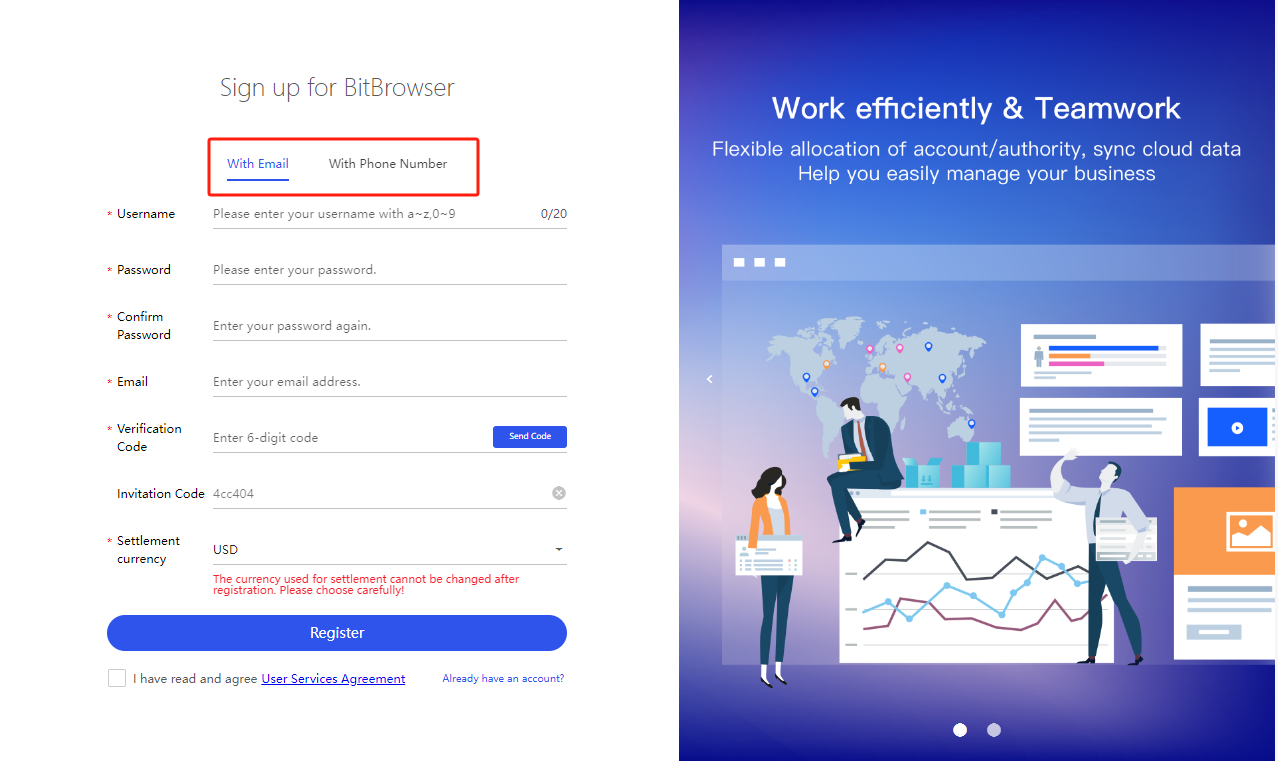
Using BitBrowser, mainland users can register directly using their mobile phone number and email account, and foreign users can register directly using their mobile phone number and email account. If you have problems or don’t understand something during use, you can directly find tutorials and relevant customer service personnel for remote guidance.
 
Can batch modify the web information behind each account! #BitBrowser Group control synchronization for managing multiple profiles. Will not be associated with the blocked number! Protect privacy and prevent website tracking!
1.jpg
 
With the popularization of the Internet and the acceleration of informatization, more and more business activities are moving to online platforms. Whether it is e-commerce, social media or advertising alliances, you need to manage multiple accounts and stores. However, account management issues also arise. To solve this problem, virtual fingerprint browser appeared. The virtual fingerprint browser helps users manage multiple accounts while protecting the security and privacy of account information. However, among the many virtual fingerprint browsers, how to choose a virtual fingerprint browser suitable for your own enterprise has become a question worth considering. This article introduces how to choose a suitable virtual fingerprint browser for your enterprise, as well as the advantages and applicable scenarios of BitBrowser in this regard.

1.Business needs

Before choosing a virtual fingerprint browser, you should first consider your business needs. Enterprises of different industries and sizes may have different needs for virtual fingerprint browsers. For example, cross-border e-commerce may need a virtual fingerprint browser that can manage multiple accounts and stores, while social media personnel may be more concerned about account privacy protection and anti-detection functions. Therefore, understanding the characteristics and needs of your business is the first step in choosing the right virtual fingerprint browser for your business.

2. Consider virtual fingerprint browser technology and functions

When choosing a virtual fingerprint browser, you should consider its technology and functionality. A good virtual fingerprint browser should have advanced technical means and powerful functions, and can effectively protect the security and privacy of your account information. For example, Bit 、Browser uses technical means such as canvas fingerprints, hardware fingerprints, and user agents to create independent browser fingerprints and login environments for each account to avoid account association risks. In addition, BitBrowser also provides powerful functions such as multi-account management and free configuration of independent IP networks to meet the different needs of different users.

3. Comprehensive consideration of cost performance and user reputation

When choosing a virtual fingerprint browser, you need to consider not only technology and functions, but also cost-effectiveness and user reputation. The price/performance ratio is a comparison between the price and performance of a virtual fingerprint browser. Users should choose a fingerprint browser with reasonable price and stable performance. At the same time, user reputation is also an important reference factor when choosing a virtual fingerprint browser. You can understand the actual situation of the virtual fingerprint browser by checking user reviews and usage. As an excellent virtual fingerprint browser, BitBrowser is well received by users and provides users with a good experience with its stable performance and high-quality services.

When choosing the right virtual fingerprint browser for your enterprise, you should examine your business needs, consider virtual fingerprint browser technology and features, and consider cost-effectiveness and user reputation. BitBrowser relies on advanced technology and powerful functions to provide users with safe and efficient account management solutions.
 
Top