


Teacher
Professional
- Messages
- 2,669
- Reaction score
- 832
- Points
- 113
An article on how you can fake a site along with the changed code, which will be static!
Preparation and software
We need:
If you want to build the apk itself directly, you will need:
Start
For example, I want to fake myself a visually admin badge, a red nickname and a balance on the forum - respectively, we go to the element code and change all the values. Prepare in advance all the pages on which the changes should be visible if you click on them.
Let's leave our pages for now, let's move on to installing intel XDK, you can download it here.
We open it and create a new empty project, you just need to enter the name of the application.

A project window will appear in front of us, we are interested in the www folder, which we need to open in the explorer.
It will contain our project files, directly and the site itself.

We need to copy the path, in my case it is "C: \ Users \ ***** \ Documents \ lolzteamapp \ www".
Going back to our home page in Firefox Developer Edition or Google Chrome Dev.

It will need to be saved in our path, replacing index.html there, not forgetting to specify All Files.

Alas, this method does not save what we changed, but Notepad ++ will come to our aid.
The pages are prepared in advance so that through the element code it is faster to find the line we need and replace it.

We need to register the path to page1.html here so that we can get to our profile page from the top menu.
In general, all dependent paths and pages need to be written in this way so that it all works and can be navigated, so for large projects it will be difficult.
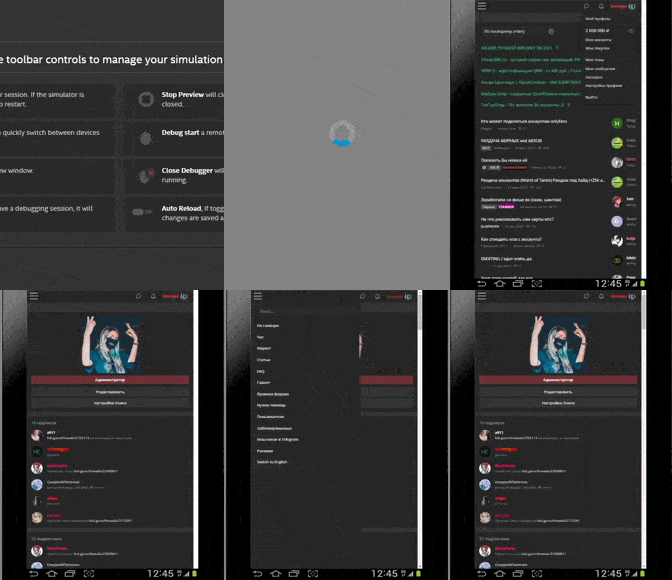
In Intel XDK, we are interested in the SIMULATE tab
That's all! Good luck!
The article is of an educational nature, we do not call for anything or oblige. The information is presented for informational purposes only.
Preparation and software
We need:
- First of all: a little patience, and it's a good idea to have an idea of "what" you want to do beforehand.
- Firefox Developer Edition or Google Chrome Dev
- Intel XDK
- Notepad ++
If you want to build the apk itself directly, you will need:
- Android SDK for API19 and a customized JVM, where it will be important to register the PATH of the necessary paths to Ant, AndroidSDK. Also, it's not bad to understand at least basic how to work with the SDK.
- Node.js
- PhoneGap
Start
- And so, download (not advertising) Firefox Developer Edition or Google Chrome Dev
- We go to the site that interests us, I will show it using the example of a forum.
For example, I want to fake myself a visually admin badge, a red nickname and a balance on the forum - respectively, we go to the element code and change all the values. Prepare in advance all the pages on which the changes should be visible if you click on them.
Let's leave our pages for now, let's move on to installing intel XDK, you can download it here.
We open it and create a new empty project, you just need to enter the name of the application.
A project window will appear in front of us, we are interested in the www folder, which we need to open in the explorer.
It will contain our project files, directly and the site itself.
We need to copy the path, in my case it is "C: \ Users \ ***** \ Documents \ lolzteamapp \ www".
Going back to our home page in Firefox Developer Edition or Google Chrome Dev.
It will need to be saved in our path, replacing index.html there, not forgetting to specify All Files.
Alas, this method does not save what we changed, but Notepad ++ will come to our aid.
The pages are prepared in advance so that through the element code it is faster to find the line we need and replace it.
Next, in our index.html, we are looking for the following line:Naturally, we save the whole thing and do it with our profile page using a similar method, but we will save the whole thing along the same path, creating a separate folder for it, for example page1, and call the document itself page1.html
Code:
<a href=" THERE WILL BE A LINK TO OUR PROFILE" class="> My Profile </a>We need to register the path to page1.html here so that we can get to our profile page from the top menu.
Code:
<a href="C:\Users\****\Documents\lolzteamapp\www\page1\page1.html" class="> My Profile </a>In general, all dependent paths and pages need to be written in this way so that it all works and can be navigated, so for large projects it will be difficult.
In Intel XDK, we are interested in the SIMULATE tab
That's all! Good luck!


