


Lord777
Professional
- Messages
- 2,576
- Reaction score
- 1,565
- Points
- 113
Content
What does it take to hack WiFi?
Universal gentleman's set: laptop with Linux and WiFi-adapter with USB interface (also called dongles). You can also use a smartphone (see the link above), but for some attacks a second USB port is corny required. Even a laptop without an OS installed and no storage device at all is suitable.
All information is provided for educational purposes only and is intended for pentesters (white hackers). Neither the editors of the www.spy-soft.net website nor the author are responsible for any possible harm caused by the materials of this article.
Which OS to Choose for WiFi Hacking?
Linux allows fine control of devices (in particular, dongles) through open source drivers. Almost any distribution kit is suitable, but it is more convenient to use a ready-made assembly. For example, BlackArch, BackBox, Parrot Security, Kali Linux .
The most widely promoted assemblies of Kali Linux, in which not only sets of hacking utilities are already integrated, but also the drivers of most chips potentially suitable for wardriving, plus small tweaks were initially made.
A lot has been rethought in recent releases of Kali. Now he can externally mimic Windows (so that the pentester is not burned when he sees something strange on the monitor), root is disabled by default (either enable or write sudo before commands that require superuser rights). Most importantly, Kali now immediately supports the new 802.11ac dongles and it is extremely easy to increase the power of the Wi-Fi adapter.
How to use Linux on a laptop without uninstalling Windows?
The developers do not recommend installing Kali on a hard drive, although technically the multiboot option is quite possible through the same GRUB. It's just that the boundaries of legal actions during an audit are very blurred, and for your own safety, it is better to use Live Persistence mode. Work in it will hardly differ from work in the installed OS. All updates, configs, new scripts and your personal files will be picked up at the next reboot in Persistence mode. For greater privacy, it can be encrypted.
In my opinion, a memory card is more convenient than a flash drive, since it does not occupy the USB port and does not stick out at hand. Ports (especially with split power supplies) are always in short supply on laptops. Choose a card with at least Class 10 marking (the declared linear write speed is 10 MB / s), or better - UHS-I V30 and faster (if the built-in card reader supports it).
How do I make a bootable Kali USB stick with a Persistence partition?
To do this, you need to create two partitions on a USB Flash or SD card. One will be FAT32 for starting the OS - the image from kali.org is unpacked onto it. The second section is ext3 for saving settings, custom files and session changes.

Markup schema with Persistence section
Windows cannot handle flash drives with more than one partition and does not support ext3. However, in it such markup is simply done by the free utility Rufus. The main thing is to run the regular version (not portable).

Creating a USB stick to hack WiFi
Which WiFi adapter is suitable for wardriving?
In general, it is capable of switching to monitoring mode (required) and performing network packet injection (desirable). Whether it is or not depends on the chip on which the adapter is built and its driver. A universal technique for selecting suitable dongles is described in the articles:
This site has a table of WiFi drivers for Linux. We are not interested in everything, but only those for which yes is indicated in the monitor column, in the next column (PHY modes) there is the designation N or AC (a guarantee that relatively new standards are used), and in the Bus column - USB.
Additional information about drivers can be taken from two labels in the English-language wiki. The principle is the same - we are looking for a combination of parameters: 802.11n (ac) + monitor mode + USB.
At the time of preparing the article (March 2020), the following drivers were found in the bottom line: ath9k_htc, carl9170, mt76, mt7601u, p54, rt2800usb, rt2x00, rtl8187, rtl8192cu, zd1211, zd1211rw.
We click on the link for the description of each suitable driver and see a list of the chipsets it supports, and then the devices. For example, here is a page about the ath9k_htc driver. It contains a list of chipsets (with USB - only AR9271) and devices produced on it . Examining it shows that the TL-WN722N is a good fit as it has a detachable external antenna.
By analogy, we look at other drivers / chips / devices and make a list of models. Then we choose the fresher one and buy one (for the start) or several dongles. Here you need to be careful with the version of the device. Often models with the same number but different revisions are just two different devices in the same case.
Driver lists are updated by volunteers, that is, with unpredictable delays. In reality, the list of suitable chips is longer. Previously, it boiled down mainly to models from Ralink and Atheros, and now Realtek RTL8812AU and RTL8814AU have suddenly replenished. The latter works with 802.11ac and, in addition to monitoring mode, supports packet injection. True, he needs USB 3.0 (900 mA and 5 Gb / s instead of 500 mA and 0.48 Gb / s for USB 2.0).
Why buy multiple WiFi adapters?
To perform advanced attacks (eg "evil clone") and increase the success rate of any others. Simply because there is no universal adapter. Each has its own characteristics. For example, the AR9271 based dongles mentioned above are better at dealing with WPS attacks. Devices with RT3572, RT5572 and RTL881xAU chips can attack targets in the 5 GHz range, and oldies with the RTL8187L chip can see the target hundreds of meters away due to 802.11g support. Of course, the standard is outdated, but it is often turned on in compatibility mode even on new routers with 802.11ac / ax support.
Why are Alfa Networks dongles advised for WiFi hacking?
This Taiwanese manufacturer specializes in wireless equipment, and makes it slightly better (and much more expensive) than others. For example, in many of its adapters there is shielding (increases the receiver sensitivity) or an integrated amplifier (increases the peak power of the transmitter). Almost all models are equipped with detachable antennas (you can screw on your own, which is more suitable). For the convenience of choosing, there is even a special Kali WiFi USB section, where adapters are indicated that are guaranteed to work in Kali Linux in monitoring mode. If you have money, but no time - take "Alpha", you will not be mistaken. It's like Cisco for admins.
What settings to make before hacking WiFi?
By running Kali in the default configs and plugging in a freshly unpacked WiFi adapter, you can only hack your router, no pentest is out of the question. To find out the possibility of a remote attack from the street (or at least from an adjacent room), you need to do the following:
How to disable power saving for WiFi adapter in Kali?
In the terminal we write:
If you turn off power saving and increase the power of the adapter, do not forget to arrange for cooling. It is also better to use USB 3.0 or power-enhanced USB 2.0 ports. They are usually highlighted in color.
How to increase the power of the Wi-Fi adapter?
There are two methods to fire them up. The first is through the global settings in Kali. It is suitable for those adapters that read the region code from the OS.
Method 1
First, we look at the current parameters:
Further, the frequency window in the 2.4 and 5 GHz bands and the channel width in megahertz are indicated. How many channels you see depends on these parameters.
To change the region, just write in the terminal:
The scale here is logarithmic, so a doubling of power (up to 200 mW) corresponds to a gain of 3 dBm (up to 23 dBm). Simply put, TxPower (dBm) = 10 * LOG (P / 1), where P is the power in milliwatts.

Changing the region and getting 1000 mW
Do not rush to immediately cut in the dongle to the fullest. There is a reasonable limit for each device, which is selected experimentally. One of my adapters is more stable at 27 dBm (500 mW) than at 30 dBm (1000 mW), and the other is generally useless to drive above 23 dBm.
If you are lucky enough to buy a high-quality dongle with a large power reserve (for example, street performance), then try specifying the PA region. This is Panama, where transmitters up to 4W (36dBm) are allowed. However, you won't get that much from a USB 2.0 port - you need USB 3.0 or additional power.
Method 2
It is used for those WiFi adapters that have the regional code in their own memory. For example, these are all Alfa Networks adapters that I have come across. They ignore global settings (including iw reg set BZ), so you will have to change the restrictions themselves for the country that is already recorded in the dongle's memory.

Changing the power limitation of WiFi transmitters in regional settings
We find the required country by code and instead of 20 (dBm) in brackets we write 30 everywhere (or even 33, that is, 2000 mW). We make similar changes for country 00 (yes, at least for all countries) and save db.txt.
Previously, to compile a database from a text file and sign it, you had to install a Python wrapper for the OpenSSL library, but the new Kali version already has it (python3-m2crypto). Therefore, we simply write the make command and get a new regulatory.bin, where all restrictions are removed (more precisely, they are set deliberately large).

Build your base with more powerful WiFi permissions
Next, we delete the old (original) database, copy our (modified) database instead, copy our public key (since the database is digitally signed) and restart.

Changing the power limit in regional settings
Everything! Now, after rebooting into Live USB Persistence, we expose the adapters to the increased power in the standard way.
Checking the result:
It should be something like this (here a 10 dBm increase in power).

Increase the power of the WiFi adapter tenfold
Which antenna to use to hack WiFi?
Depends on specific tasks. Some provide wide coverage, others allow you to reach a distant access point, focusing the EMP with a narrow beam.
It is more convenient to carry out reconnaissance on the air with dipole antennas, which have a wide radiation angle, but a low gain (KU). These values are always interrelated, since the antenna does not add power, but simply focuses the electromagnetic waves. Therefore, with a vertical orientation in the horizontal direction, the connection improves, and in the other direction (towards the upper and lower floors), it worsens.
Tiny antennas with a gain of up to 5 dBi have the widest radiation pattern. Here, for the sake of marketing effect, the decibel is used in relation not to a milliwatt, but to an isotropic emitter - a mathematical model of an antenna with a diagram in the form of a sphere. If the customer sees two antennas, which are written "5 dBi" and "3 dBm", then he considers the first "more powerful", although they are almost identical.
Simple dipole antennas are often offered in the kit, and they are enough to get you started. Then I recommend trying the Alfa ARS-N19 antenna with a gain of 9 dBi - the most reasonable for omnidirectional antennas. This is a long rod with a narrower radiation angle, but the range of reliable reception is greater.
The main disadvantages of such antennas are dimensions (for ARS-N19 - 39 cm, you can't put it in your pocket) and a small frequency range (either 2.4 GHz or 5 GHz). Therefore, one cannot do.
More compact and versatile antenna - Alfa APA-M25. It is panel (partially directional) and dual band. At 2.4 GHz, it provides 8 dBi, and at 5 GHz - 10 dBi. With it, it is convenient to attack pre-selected access points, the location of which you at least roughly imagine. The antenna will have to both be deflected vertically and twisted horizontally in order to aim at the selected router.
Quite hardcore options are directional antennas with a large gain and a very narrow beam (sector radiation pattern). These can reach the target even for a kilometer, but it is extremely difficult to execute and fix their precise guidance. They were developed mainly for the 802.11b / g standards - long-range, but slow. An attempt to use them for communication according to the 802.11n standard and even more so 802.11ac is justified only in exceptional cases.
How to find the position of the antenna?
The easiest way is to run the Wifite2 script (about it below). In the new version, the signal strength of all found access points is updated every second - both during scanning and during an attack. Just rotate the antenna slowly, first vertically and then horizontally. Fix the position in which the numbers will be maximum.
Another important note: the signal-to-noise ratio also changes depending on the location of the adapter itself, especially if its board is not shielded. In my experiment, the deviation of the Alfa Tube-UNA WiFi adapter from vertical to horizontal position added 7 dBm with the same antenna orientation. The selected access point left the poor reception area and was successfully ... inspected.
How to connect a custom antenna?
In practice, the antennas have to be changed, so it is worth choosing an adapter with a connector for connecting an external antenna. The problem is that they are different and do not fit together. Typically for indoor equipment, the miniature RP-SMA connector is used, and the more powerful "outdoor" adapters such as Alfa Tube-UNA have a large N-Type socket. Coaxial adapters help them make friends. Choose the highest quality possible, otherwise the signal-to-noise ratio (SNR) will deteriorate. The photo shows an N-Type to RP-SMA adapter. I used it to connect ARS-N19 and APA-M25 antennas to Alfa Tube-UNA with built-in signal amplifier.

Connecting RP-SMA Antenna to N-Type Adapter
How to automate auditing of Wi-Fi hotspots?
The entry threshold for learning to hack WiFi is constantly dropping. Over the past couple of years, a collection of simple and effective utilities has grown again to automate most types of wireless attacks. Once upon a time in Kali (then BackTrack) there were only raw scripts, but now your eyes run up from the abundance of ready-made tools.
Today, you don't even have to start by learning Aircrack-ng - the package on which almost all Wi-Fi hacking tools are based. The WiFi-autopwner scripts from Alexey Miloserdov and Wifite2 from Derv Merkler (the pseudonym of the Seattle programmer) will help you quickly get a practical result .
I like both scripts, but Wifite2 and its popular fork are more familiar. It intelligently uses additional utilities to improve audit efficiency and allows you to automatically execute the five most common types of attacks on all at once or only on specified access points.
Wifite2 uses bully, tshark and reaver to perform PixieDust or pin brute force attacks on WPS. It uses coWPAtty and pyrit to test the handshakes captured during the WPA (2) attack and implements a new PMKID attack using hashcat.

Successful capture of PMKID handshake
All types of attacks are already sorted by execution speed. First, the fastest (WPS, WEP, PMKID) are used for the selected access point, and in case of failure, the script proceeds to the next options. Moreover, when you turn on the verbose -vv mode, all the commands used and their result are displayed in the terminal. Essentially, this is a learning and debugging mode.
What is the fastest WiFi hacking technique?
Before, I would answer: WPS. If Wi-Fi Protected Setup is enabled on the access point, then it is most likely that it is opened by brute-force attacks on known pins or a more elegant PixieDust attack. The list of pins to search for is taken from the manufacturer's default configs, which is determined by the MAC address. To do an exhaustive search of all options (brute force) is most often pointless, since after N unsuccessful attempts to authorize via WPS, the router blocks further ones for a long time.

Successful selection of WPS PIN using WiFi-Autopwner
In any case, the attack on the WPS took up to five minutes and seemed to be fast compared to waiting for the WPA handshake to be taken, which then had to be brutalized for a painfully long time. However, now a new type of attack has appeared - PMKID (Pairwise Master Key Identifier). On vulnerable routers, it allows you to capture a handshake in a matter of seconds, and even in the absence of clients connected to it! With it, you do not need to wait for anyone and deauthenticate, just one (even unsuccessful) authorization attempt on your part is enough.
Therefore, the optimal hacking (audit) algorithm is as follows: we determine whether the WPS mode is enabled on the target access point. If so, launch PixieDust. Unsuccessfully? Then the enumeration of known pins. Did not work out? We check if WEP encryption is enabled, which also bypasses the entry. If not, then we perform a PMKID attack on WPA (2). If it didn't work out that way, then we recall the classics and wait for the handshake (so as not to get fired) or actively kick clients in order to catch their authorization sessions.
I found out the WPS PIN, what's next?
Then you can use it to connect to the router and find out the password, no matter how long and complex it may be. In general, WPS is a huge security hole. On my equipment, I always turn it off, and then I also check with a WiFi scanner if WPS is really turned off.
I intercepted a handshake. What to do with him?
The four-way handshake is written by the Wifite2 script to a file with the .cap extension.

Capturing classic WPA handshake
TCPdump, Wireshark, Nmap, and other programs use the .pcap format. The PMKID handshake will be in .16800 format.
By default, Wifite uses Aircrack-ng to guess passwords. He sends a command like
In the simplest versions, this is enough, but more often you have to convert handshakes using hcxtools to feed one of the advanced password brute force utilities. For example, John the Ripper or hashcat.
I like hashcat better. To work with it, you need to convert .cap to .hccapx format. You can also do this online or locally using the cap2hccapx utility. In the latter case, you will have to download the source and compile it.
It is more convenient to put the resulting executable file cap2hccapx-converter into / bin, so that you can then access it from anywhere.

Successfully hacked WiFi password in hashcat using WPA2 handshake
PMKID hashes are baked in the same way. You just need to explicitly specify the handshake type and dictionary to hashcat.

Brutus PMKID in hashcat
How to brute WiFi passwords?
It is better to try passwords locally on a desktop computer with a powerful vidyuha, and if it is not there, use online services. They offer limited sets for free, but sometimes even they are enough.

Hack two WiFi passwords online
Another interesting option is to use a distributed computing network. This can be done, for example, by Elcomsoft Distributed Password Recovery. This versatile program understands dozens of password and hash formats, including .cap, .pcap, and .hccapx. Up to ten thousand computers can simultaneously work on one task in it, combining the resources of their processors and video cards.

Distributed brute WPA hashes
Plus she has a very advanced approach to dictionary attack. You can use masks, prefixes and mutations, in fact, expanding the volume of the dictionary several times.
Why do they perform a dictionary attack instead of a brute?
The WPA (2) -PSK key is generated with a length of 256 bits. The number of possible combinations (2 ^ 256) is such that even on a powerful server with graphics accelerators it will take years to sort through them. Therefore, it is more realistic to perform a dictionary attack.
Usually Wifite2 does it itself. After capturing a handshake, he checks its quality. If all the necessary data has been saved in it, an attack on the wordlist-top4800-probable.txt dictionary is automatically launched. As you might guess, it contains only 4800 of the most common passwords.
It is convenient in that it works quickly even on an old laptop, but with a high probability the desired combination will not be in this dictionary. Therefore, it is worth making your own.
How to compose your own dictionary?
I first put together a collection of dictionaries from various sources. These were pre-installed dictionaries in password brute-force programs, the / usr / share / worldlists / directory in Kali Linux itself, databases of real passwords leaked to the Network from various accounts and collections on specialized forums. I have brought them to a single format (encoding) using the recode utility. Then I renamed the dictionaries using the dict ## template, where ## is a two-digit counter. It turned out 80 dictionaries.

Combining 80 dictionaries by skipping identical entries
In the next step, I merged them into one, removing explicit duplicates, and then ran the PW-Inspector utility to clear the merged dictionary of garbage. Since WiFi password can be from 8 to 63 characters, I deleted all entries shorter than 8 and longer than 63 characters.
Then I thought that the file was too large, which could be reduced further without clearly compromising the efficiency of the iteration. Have you seen Wi-Fi passwords longer than 16 characters in real life? So I have not seen.
The resulting dictionary can be downloaded from Kim Dotcom's file hosting service (647 MB in ZIP-archive, 2.8 GB in unpacked form).
How do I switch to the 5 GHz band?
First, you need to connect a Wi-Fi adapter with 5 GHz support and equip it with a suitable antenna (they are also made for different bands). Then just start Wifite with the -5 key, and you will see 5 GHz access points. They are usually much less than 2.4 GHz. This is due to both their relatively small distribution and shorter range. The higher the frequency, the (other things being equal) the faster the signal decays.

Enabling 5 GHz Mode in Wifite
Can a hidden network be attacked?
Yes. If the network name (ESSID) is hidden, you can see the MAC address of the access point in the same way when scanning the air. The first client to connect will reveal her name. Therefore, just wait for the connection or speed up the process by sending out deauthentication packets.

Finding the name of a hidden WiFi network
Conclusion
When I wrote this article, my goal was to help readers get practical results from scratch as quickly as possible and almost without compromising understanding of the essence of the process. I wanted to fit everything into one publication for a powerful start and ignite a spark of interest that would prompt an independent continuation.
On the courses on pentests, I have repeatedly drawn attention to the fact that for your hard-earned money you get information that is not the first freshness. In response, the teachers usually said that they tell the basics, the essence does not change for years, so you yourself google and modify our materials with a file. In my opinion, the point is in the details, and they change very quickly. Hopefully my tortured outline will help you pick up the steepness of your learning curve.
- 1. What does it take to hack WiFi?
- 1.1 Which OS to Choose for WiFi Hacking?
- 1.2 How to use Linux on a laptop without uninstalling Windows?
- 1.3 How do I make a bootable Kali USB stick with a Persistence partition?
- 1.4 Which WiFi adapter is suitable for wardriving?
- 1.5 Why Buy Multiple WiFi Adapters?
- 1.6 Why are Alfa Networks dongles advised for hacking WiFi?
- 2. What settings should I make before hacking WiFi?
- 2.1 How to disable power saving for WiFi adapter in Kali?
- 2.2 How to increase the power of the Wi-Fi adapter?
- 3. Which antenna to use to hack WiFi?
- 3.1 How to choose the position of the antenna?
- 3.2 How to connect a non-standard antenna?
- 3.3 How to automate audit of Wi-Fi access points?
- 4. What is the fastest WiFi hacking technique?
- 4.1 I found out the WPS PIN, what's next?
- 4.2 I intercepted a handshake. What to do with him?
- 5. How to brute WiFi passwords?
- 5.1 Why do they perform a dictionary attack instead of a brute?
- 5.2 How to compose your own dictionary?
- 6. How do I switch to the 5 GHz band?
- 7. Can a hidden network be attacked?
- 8. Conclusion
What does it take to hack WiFi?
Universal gentleman's set: laptop with Linux and WiFi-adapter with USB interface (also called dongles). You can also use a smartphone (see the link above), but for some attacks a second USB port is corny required. Even a laptop without an OS installed and no storage device at all is suitable.
All information is provided for educational purposes only and is intended for pentesters (white hackers). Neither the editors of the www.spy-soft.net website nor the author are responsible for any possible harm caused by the materials of this article.
Which OS to Choose for WiFi Hacking?
Linux allows fine control of devices (in particular, dongles) through open source drivers. Almost any distribution kit is suitable, but it is more convenient to use a ready-made assembly. For example, BlackArch, BackBox, Parrot Security, Kali Linux .
The most widely promoted assemblies of Kali Linux, in which not only sets of hacking utilities are already integrated, but also the drivers of most chips potentially suitable for wardriving, plus small tweaks were initially made.
A lot has been rethought in recent releases of Kali. Now he can externally mimic Windows (so that the pentester is not burned when he sees something strange on the monitor), root is disabled by default (either enable or write sudo before commands that require superuser rights). Most importantly, Kali now immediately supports the new 802.11ac dongles and it is extremely easy to increase the power of the Wi-Fi adapter.
How to use Linux on a laptop without uninstalling Windows?
The developers do not recommend installing Kali on a hard drive, although technically the multiboot option is quite possible through the same GRUB. It's just that the boundaries of legal actions during an audit are very blurred, and for your own safety, it is better to use Live Persistence mode. Work in it will hardly differ from work in the installed OS. All updates, configs, new scripts and your personal files will be picked up at the next reboot in Persistence mode. For greater privacy, it can be encrypted.
In my opinion, a memory card is more convenient than a flash drive, since it does not occupy the USB port and does not stick out at hand. Ports (especially with split power supplies) are always in short supply on laptops. Choose a card with at least Class 10 marking (the declared linear write speed is 10 MB / s), or better - UHS-I V30 and faster (if the built-in card reader supports it).
How do I make a bootable Kali USB stick with a Persistence partition?
To do this, you need to create two partitions on a USB Flash or SD card. One will be FAT32 for starting the OS - the image from kali.org is unpacked onto it. The second section is ext3 for saving settings, custom files and session changes.
Markup schema with Persistence section
Windows cannot handle flash drives with more than one partition and does not support ext3. However, in it such markup is simply done by the free utility Rufus. The main thing is to run the regular version (not portable).
Creating a USB stick to hack WiFi
Which WiFi adapter is suitable for wardriving?
In general, it is capable of switching to monitoring mode (required) and performing network packet injection (desirable). Whether it is or not depends on the chip on which the adapter is built and its driver. A universal technique for selecting suitable dongles is described in the articles:
- Wardriving adapter
- Wardriving antennas
- Wardriving routers
This site has a table of WiFi drivers for Linux. We are not interested in everything, but only those for which yes is indicated in the monitor column, in the next column (PHY modes) there is the designation N or AC (a guarantee that relatively new standards are used), and in the Bus column - USB.
Additional information about drivers can be taken from two labels in the English-language wiki. The principle is the same - we are looking for a combination of parameters: 802.11n (ac) + monitor mode + USB.
At the time of preparing the article (March 2020), the following drivers were found in the bottom line: ath9k_htc, carl9170, mt76, mt7601u, p54, rt2800usb, rt2x00, rtl8187, rtl8192cu, zd1211, zd1211rw.
We click on the link for the description of each suitable driver and see a list of the chipsets it supports, and then the devices. For example, here is a page about the ath9k_htc driver. It contains a list of chipsets (with USB - only AR9271) and devices produced on it . Examining it shows that the TL-WN722N is a good fit as it has a detachable external antenna.
By analogy, we look at other drivers / chips / devices and make a list of models. Then we choose the fresher one and buy one (for the start) or several dongles. Here you need to be careful with the version of the device. Often models with the same number but different revisions are just two different devices in the same case.
Driver lists are updated by volunteers, that is, with unpredictable delays. In reality, the list of suitable chips is longer. Previously, it boiled down mainly to models from Ralink and Atheros, and now Realtek RTL8812AU and RTL8814AU have suddenly replenished. The latter works with 802.11ac and, in addition to monitoring mode, supports packet injection. True, he needs USB 3.0 (900 mA and 5 Gb / s instead of 500 mA and 0.48 Gb / s for USB 2.0).
Why buy multiple WiFi adapters?
To perform advanced attacks (eg "evil clone") and increase the success rate of any others. Simply because there is no universal adapter. Each has its own characteristics. For example, the AR9271 based dongles mentioned above are better at dealing with WPS attacks. Devices with RT3572, RT5572 and RTL881xAU chips can attack targets in the 5 GHz range, and oldies with the RTL8187L chip can see the target hundreds of meters away due to 802.11g support. Of course, the standard is outdated, but it is often turned on in compatibility mode even on new routers with 802.11ac / ax support.
Why are Alfa Networks dongles advised for WiFi hacking?
This Taiwanese manufacturer specializes in wireless equipment, and makes it slightly better (and much more expensive) than others. For example, in many of its adapters there is shielding (increases the receiver sensitivity) or an integrated amplifier (increases the peak power of the transmitter). Almost all models are equipped with detachable antennas (you can screw on your own, which is more suitable). For the convenience of choosing, there is even a special Kali WiFi USB section, where adapters are indicated that are guaranteed to work in Kali Linux in monitoring mode. If you have money, but no time - take "Alpha", you will not be mistaken. It's like Cisco for admins.
What settings to make before hacking WiFi?
By running Kali in the default configs and plugging in a freshly unpacked WiFi adapter, you can only hack your router, no pentest is out of the question. To find out the possibility of a remote attack from the street (or at least from an adjacent room), you need to do the following:
- disable power saving for WiFi adapter;
- increase the power of the dongle;
- prepare dictionaries for brute-force passwords;
- update all integrated software and install additional;
- check and save changes.
How to disable power saving for WiFi adapter in Kali?
In the terminal we write:
Code:
iw dev # Display a list of Wi-Fi adapters and find an external dongle by its MAC address
iw dev wlan1 set power_save off # Here the external dongle is named wlan1
If you turn off power saving and increase the power of the adapter, do not forget to arrange for cooling. It is also better to use USB 3.0 or power-enhanced USB 2.0 ports. They are usually highlighted in color.
How to increase the power of the Wi-Fi adapter?
There are two methods to fire them up. The first is through the global settings in Kali. It is suitable for those adapters that read the region code from the OS.
Method 1
First, we look at the current parameters:
- iw dev shows a list of wireless adapters and their maximum allowed power settings. Usually we see txpower 20.00 dBm (+20 decibels in relation to milliwatts), which in theory means a transmitter power of 100 mW, but in practice - that the attacked routers will most likely not hear your "whistle".
- iw reg get displays the global WiFi usage restriction settings. In particular, ISO 3166-1 country code, available frequency bands and channel widths. If country 00 is specified, then the country is not specified and severe restrictions apply
Further, the frequency window in the 2.4 and 5 GHz bands and the channel width in megahertz are indicated. How many channels you see depends on these parameters.
To change the region, just write in the terminal:
Code:
iw reg set BZ # Mentally transported to Belize with a laptop
ip link set wlan1 down # Disable external dongle designated as wlan1
iw dev wlan1 set txpower fixed 23 mBm # Double the transmitter power
The scale here is logarithmic, so a doubling of power (up to 200 mW) corresponds to a gain of 3 dBm (up to 23 dBm). Simply put, TxPower (dBm) = 10 * LOG (P / 1), where P is the power in milliwatts.
Changing the region and getting 1000 mW
Do not rush to immediately cut in the dongle to the fullest. There is a reasonable limit for each device, which is selected experimentally. One of my adapters is more stable at 27 dBm (500 mW) than at 30 dBm (1000 mW), and the other is generally useless to drive above 23 dBm.
If you are lucky enough to buy a high-quality dongle with a large power reserve (for example, street performance), then try specifying the PA region. This is Panama, where transmitters up to 4W (36dBm) are allowed. However, you won't get that much from a USB 2.0 port - you need USB 3.0 or additional power.
Method 2
It is used for those WiFi adapters that have the regional code in their own memory. For example, these are all Alfa Networks adapters that I have come across. They ignore global settings (including iw reg set BZ), so you will have to change the restrictions themselves for the country that is already recorded in the dongle's memory.
Code:
iw reg get # Find out for which country the adapter is released
git clone https://kernel.googlesource.com/pub/scm/linux/kernel/git/sforshee/wireless-regdb # Clone our WiFi regional restrictions database
cd wireless-regdb / # Go to this directory
gedit db.txt # Edit the source of the database
Changing the power limitation of WiFi transmitters in regional settings
We find the required country by code and instead of 20 (dBm) in brackets we write 30 everywhere (or even 33, that is, 2000 mW). We make similar changes for country 00 (yes, at least for all countries) and save db.txt.
Previously, to compile a database from a text file and sign it, you had to install a Python wrapper for the OpenSSL library, but the new Kali version already has it (python3-m2crypto). Therefore, we simply write the make command and get a new regulatory.bin, where all restrictions are removed (more precisely, they are set deliberately large).
Build your base with more powerful WiFi permissions
Next, we delete the old (original) database, copy our (modified) database instead, copy our public key (since the database is digitally signed) and restart.
Code:
rm /lib/crda/regulatory.bin
cp regulatory.bin /lib/crda/regulatory.bin
cp $ USER.key.pub.pem / lib / crda / pubkeys /
reboot
Changing the power limit in regional settings
Everything! Now, after rebooting into Live USB Persistence, we expose the adapters to the increased power in the standard way.
Code:
ip link set wlan1 down # Turn off the dongle
iw dev wlan1 set txpower fixed 23 mBm # Double the power
ip link set wlan1 up # Enabled dongle
Checking the result:
Code:
iw reg getIt should be something like this (here a 10 dBm increase in power).
Increase the power of the WiFi adapter tenfold
Which antenna to use to hack WiFi?
Depends on specific tasks. Some provide wide coverage, others allow you to reach a distant access point, focusing the EMP with a narrow beam.
It is more convenient to carry out reconnaissance on the air with dipole antennas, which have a wide radiation angle, but a low gain (KU). These values are always interrelated, since the antenna does not add power, but simply focuses the electromagnetic waves. Therefore, with a vertical orientation in the horizontal direction, the connection improves, and in the other direction (towards the upper and lower floors), it worsens.
Tiny antennas with a gain of up to 5 dBi have the widest radiation pattern. Here, for the sake of marketing effect, the decibel is used in relation not to a milliwatt, but to an isotropic emitter - a mathematical model of an antenna with a diagram in the form of a sphere. If the customer sees two antennas, which are written "5 dBi" and "3 dBm", then he considers the first "more powerful", although they are almost identical.
Simple dipole antennas are often offered in the kit, and they are enough to get you started. Then I recommend trying the Alfa ARS-N19 antenna with a gain of 9 dBi - the most reasonable for omnidirectional antennas. This is a long rod with a narrower radiation angle, but the range of reliable reception is greater.
The main disadvantages of such antennas are dimensions (for ARS-N19 - 39 cm, you can't put it in your pocket) and a small frequency range (either 2.4 GHz or 5 GHz). Therefore, one cannot do.
More compact and versatile antenna - Alfa APA-M25. It is panel (partially directional) and dual band. At 2.4 GHz, it provides 8 dBi, and at 5 GHz - 10 dBi. With it, it is convenient to attack pre-selected access points, the location of which you at least roughly imagine. The antenna will have to both be deflected vertically and twisted horizontally in order to aim at the selected router.
Quite hardcore options are directional antennas with a large gain and a very narrow beam (sector radiation pattern). These can reach the target even for a kilometer, but it is extremely difficult to execute and fix their precise guidance. They were developed mainly for the 802.11b / g standards - long-range, but slow. An attempt to use them for communication according to the 802.11n standard and even more so 802.11ac is justified only in exceptional cases.
How to find the position of the antenna?
The easiest way is to run the Wifite2 script (about it below). In the new version, the signal strength of all found access points is updated every second - both during scanning and during an attack. Just rotate the antenna slowly, first vertically and then horizontally. Fix the position in which the numbers will be maximum.
Another important note: the signal-to-noise ratio also changes depending on the location of the adapter itself, especially if its board is not shielded. In my experiment, the deviation of the Alfa Tube-UNA WiFi adapter from vertical to horizontal position added 7 dBm with the same antenna orientation. The selected access point left the poor reception area and was successfully ... inspected.
How to connect a custom antenna?
In practice, the antennas have to be changed, so it is worth choosing an adapter with a connector for connecting an external antenna. The problem is that they are different and do not fit together. Typically for indoor equipment, the miniature RP-SMA connector is used, and the more powerful "outdoor" adapters such as Alfa Tube-UNA have a large N-Type socket. Coaxial adapters help them make friends. Choose the highest quality possible, otherwise the signal-to-noise ratio (SNR) will deteriorate. The photo shows an N-Type to RP-SMA adapter. I used it to connect ARS-N19 and APA-M25 antennas to Alfa Tube-UNA with built-in signal amplifier.
Connecting RP-SMA Antenna to N-Type Adapter
How to automate auditing of Wi-Fi hotspots?
The entry threshold for learning to hack WiFi is constantly dropping. Over the past couple of years, a collection of simple and effective utilities has grown again to automate most types of wireless attacks. Once upon a time in Kali (then BackTrack) there were only raw scripts, but now your eyes run up from the abundance of ready-made tools.
Today, you don't even have to start by learning Aircrack-ng - the package on which almost all Wi-Fi hacking tools are based. The WiFi-autopwner scripts from Alexey Miloserdov and Wifite2 from Derv Merkler (the pseudonym of the Seattle programmer) will help you quickly get a practical result .
I like both scripts, but Wifite2 and its popular fork are more familiar. It intelligently uses additional utilities to improve audit efficiency and allows you to automatically execute the five most common types of attacks on all at once or only on specified access points.
Wifite2 uses bully, tshark and reaver to perform PixieDust or pin brute force attacks on WPS. It uses coWPAtty and pyrit to test the handshakes captured during the WPA (2) attack and implements a new PMKID attack using hashcat.
Successful capture of PMKID handshake
All types of attacks are already sorted by execution speed. First, the fastest (WPS, WEP, PMKID) are used for the selected access point, and in case of failure, the script proceeds to the next options. Moreover, when you turn on the verbose -vv mode, all the commands used and their result are displayed in the terminal. Essentially, this is a learning and debugging mode.
What is the fastest WiFi hacking technique?
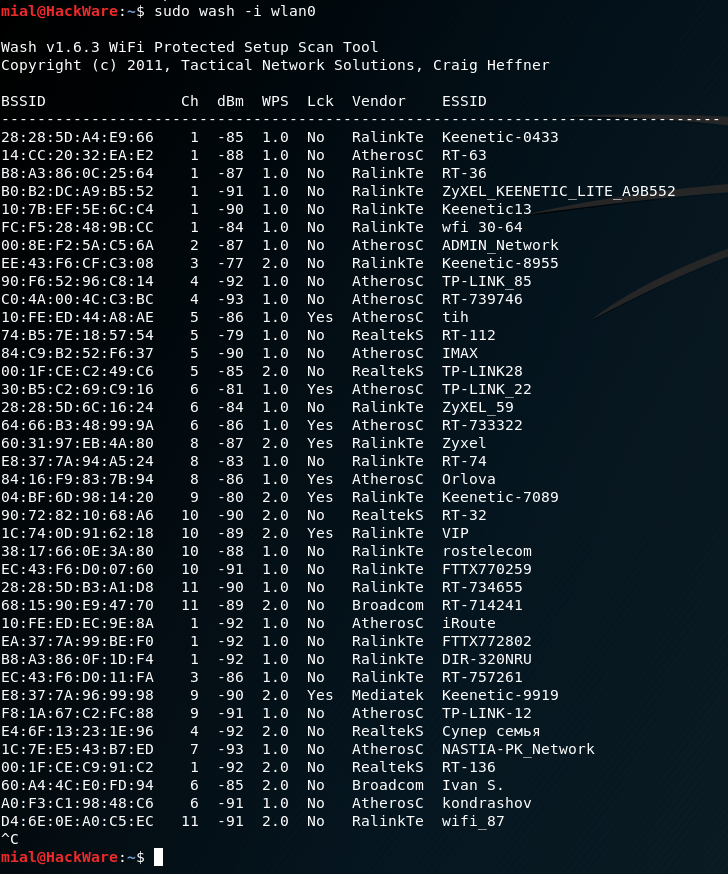
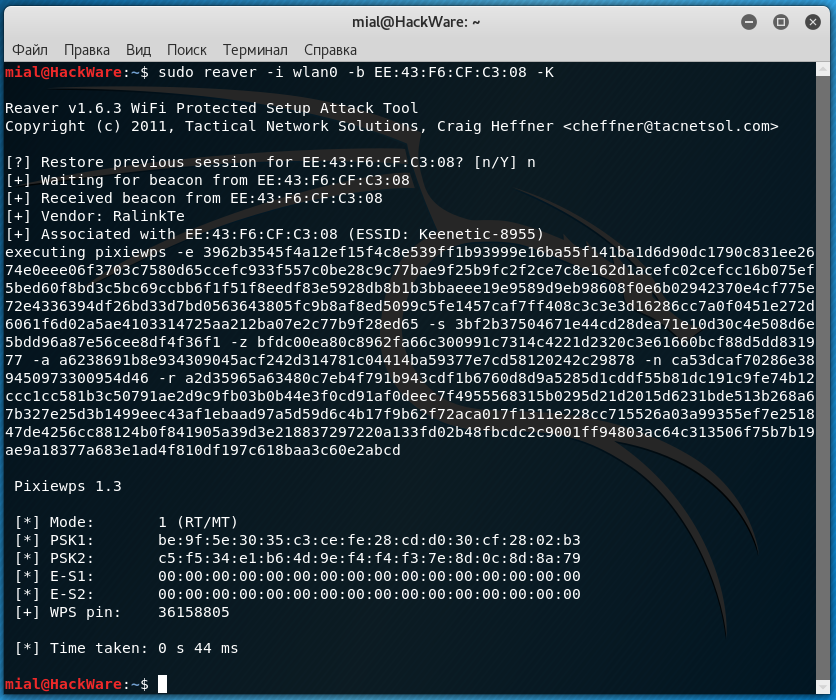
Before, I would answer: WPS. If Wi-Fi Protected Setup is enabled on the access point, then it is most likely that it is opened by brute-force attacks on known pins or a more elegant PixieDust attack. The list of pins to search for is taken from the manufacturer's default configs, which is determined by the MAC address. To do an exhaustive search of all options (brute force) is most often pointless, since after N unsuccessful attempts to authorize via WPS, the router blocks further ones for a long time.
Successful selection of WPS PIN using WiFi-Autopwner
In any case, the attack on the WPS took up to five minutes and seemed to be fast compared to waiting for the WPA handshake to be taken, which then had to be brutalized for a painfully long time. However, now a new type of attack has appeared - PMKID (Pairwise Master Key Identifier). On vulnerable routers, it allows you to capture a handshake in a matter of seconds, and even in the absence of clients connected to it! With it, you do not need to wait for anyone and deauthenticate, just one (even unsuccessful) authorization attempt on your part is enough.
Therefore, the optimal hacking (audit) algorithm is as follows: we determine whether the WPS mode is enabled on the target access point. If so, launch PixieDust. Unsuccessfully? Then the enumeration of known pins. Did not work out? We check if WEP encryption is enabled, which also bypasses the entry. If not, then we perform a PMKID attack on WPA (2). If it didn't work out that way, then we recall the classics and wait for the handshake (so as not to get fired) or actively kick clients in order to catch their authorization sessions.
I found out the WPS PIN, what's next?
Then you can use it to connect to the router and find out the password, no matter how long and complex it may be. In general, WPS is a huge security hole. On my equipment, I always turn it off, and then I also check with a WiFi scanner if WPS is really turned off.
I intercepted a handshake. What to do with him?
The four-way handshake is written by the Wifite2 script to a file with the .cap extension.
Capturing classic WPA handshake
TCPdump, Wireshark, Nmap, and other programs use the .pcap format. The PMKID handshake will be in .16800 format.
By default, Wifite uses Aircrack-ng to guess passwords. He sends a command like
Code:
aircrack-ng yourhandshake.cap -w /yourwordlist.txtIn the simplest versions, this is enough, but more often you have to convert handshakes using hcxtools to feed one of the advanced password brute force utilities. For example, John the Ripper or hashcat.
I like hashcat better. To work with it, you need to convert .cap to .hccapx format. You can also do this online or locally using the cap2hccapx utility. In the latter case, you will have to download the source and compile it.
Code:
wget https://raw.githubusercontent.com/hashcat/hashcat-utils/master/src/cap2hccapx.c
gcc -o cap2hccapx-converter cap2hccapx.c
It is more convenient to put the resulting executable file cap2hccapx-converter into / bin, so that you can then access it from anywhere.
Code:
mv cap2hccapx-converter /binSuccessfully hacked WiFi password in hashcat using WPA2 handshake
PMKID hashes are baked in the same way. You just need to explicitly specify the handshake type and dictionary to hashcat.
Code:
hashcat64 -m 2500 -w3 Beeline.hccapx "wordlist \ wpadict.txt" # We iterate over passwords in our dictionary wpadict.txt to the hash from the WPA (2) handshake in the Beeline.hccapx file
hashcat64 -m 16800 -w 3 RT-WiFi.16800 "wordlist \ rockyou.txt" # We use the PMKID handshake from the RT-WiFi.16800 file and a ready-made dictionary rockyou.txt
Brutus PMKID in hashcat
How to brute WiFi passwords?
It is better to try passwords locally on a desktop computer with a powerful vidyuha, and if it is not there, use online services. They offer limited sets for free, but sometimes even they are enough.
Hack two WiFi passwords online
Another interesting option is to use a distributed computing network. This can be done, for example, by Elcomsoft Distributed Password Recovery. This versatile program understands dozens of password and hash formats, including .cap, .pcap, and .hccapx. Up to ten thousand computers can simultaneously work on one task in it, combining the resources of their processors and video cards.
Distributed brute WPA hashes
Plus she has a very advanced approach to dictionary attack. You can use masks, prefixes and mutations, in fact, expanding the volume of the dictionary several times.
Why do they perform a dictionary attack instead of a brute?
The WPA (2) -PSK key is generated with a length of 256 bits. The number of possible combinations (2 ^ 256) is such that even on a powerful server with graphics accelerators it will take years to sort through them. Therefore, it is more realistic to perform a dictionary attack.
Usually Wifite2 does it itself. After capturing a handshake, he checks its quality. If all the necessary data has been saved in it, an attack on the wordlist-top4800-probable.txt dictionary is automatically launched. As you might guess, it contains only 4800 of the most common passwords.
It is convenient in that it works quickly even on an old laptop, but with a high probability the desired combination will not be in this dictionary. Therefore, it is worth making your own.
How to compose your own dictionary?
I first put together a collection of dictionaries from various sources. These were pre-installed dictionaries in password brute-force programs, the / usr / share / worldlists / directory in Kali Linux itself, databases of real passwords leaked to the Network from various accounts and collections on specialized forums. I have brought them to a single format (encoding) using the recode utility. Then I renamed the dictionaries using the dict ## template, where ## is a two-digit counter. It turned out 80 dictionaries.
Combining 80 dictionaries by skipping identical entries
In the next step, I merged them into one, removing explicit duplicates, and then ran the PW-Inspector utility to clear the merged dictionary of garbage. Since WiFi password can be from 8 to 63 characters, I deleted all entries shorter than 8 and longer than 63 characters.
Code:
cat *> alldicts | sort | uniq
pw-inspector -i alldicts -m 8 -M 63> WPAMegaDict
Then I thought that the file was too large, which could be reduced further without clearly compromising the efficiency of the iteration. Have you seen Wi-Fi passwords longer than 16 characters in real life? So I have not seen.
Code:
pw-inspector -i WPAMegaDict -m 8 -M 16> WPADict_8-16The resulting dictionary can be downloaded from Kim Dotcom's file hosting service (647 MB in ZIP-archive, 2.8 GB in unpacked form).
How do I switch to the 5 GHz band?
First, you need to connect a Wi-Fi adapter with 5 GHz support and equip it with a suitable antenna (they are also made for different bands). Then just start Wifite with the -5 key, and you will see 5 GHz access points. They are usually much less than 2.4 GHz. This is due to both their relatively small distribution and shorter range. The higher the frequency, the (other things being equal) the faster the signal decays.
Enabling 5 GHz Mode in Wifite
Can a hidden network be attacked?
Yes. If the network name (ESSID) is hidden, you can see the MAC address of the access point in the same way when scanning the air. The first client to connect will reveal her name. Therefore, just wait for the connection or speed up the process by sending out deauthentication packets.
Finding the name of a hidden WiFi network
Conclusion
When I wrote this article, my goal was to help readers get practical results from scratch as quickly as possible and almost without compromising understanding of the essence of the process. I wanted to fit everything into one publication for a powerful start and ignite a spark of interest that would prompt an independent continuation.
On the courses on pentests, I have repeatedly drawn attention to the fact that for your hard-earned money you get information that is not the first freshness. In response, the teachers usually said that they tell the basics, the essence does not change for years, so you yourself google and modify our materials with a file. In my opinion, the point is in the details, and they change very quickly. Hopefully my tortured outline will help you pick up the steepness of your learning curve.
Last edited:



 ️WIFI HACKING COURSE BUNDLE
  Download Link:-

