


Carding Forum
Professional
- Messages
- 2,788
- Reaction score
- 1,320
- Points
- 113
We create a bitcoin wallet in less than 10 minutes!
This wallet is highly secure and at the same time allows you to transfer funds through a mobile application and browser.
It will take less than 10 minutes to create such a bitcoin wallet. Later in the article, we described the whole process in detail.
As a reminder, we previously reported on how to buy Bitcoin.
We go to the Matbi website, then select the country, indicate your phone number and come up with a strong password. After all the data is filled in, the user will receive a short SMS code to damage the relevance of his phone number.
Now the user can be considered the owner of a cryptocurrency wallet, with which he can easily receive and send cryptocurrency in the sections "Accept cryptocurrency" and "Send cryptocurrency".
Matbi makes it possible to store several types of cryptocurrencies at the same time, namely Bitcoin, Litecoin, Dash and ZCash.
All cryptocurrency in Matbi is stored in cold wallets, thus the service can guarantee reliable protection of funds from various cyber attacks and hacking. Matbi is the best service for those who want to start their acquaintance with cryptocurrency.
Advantages:
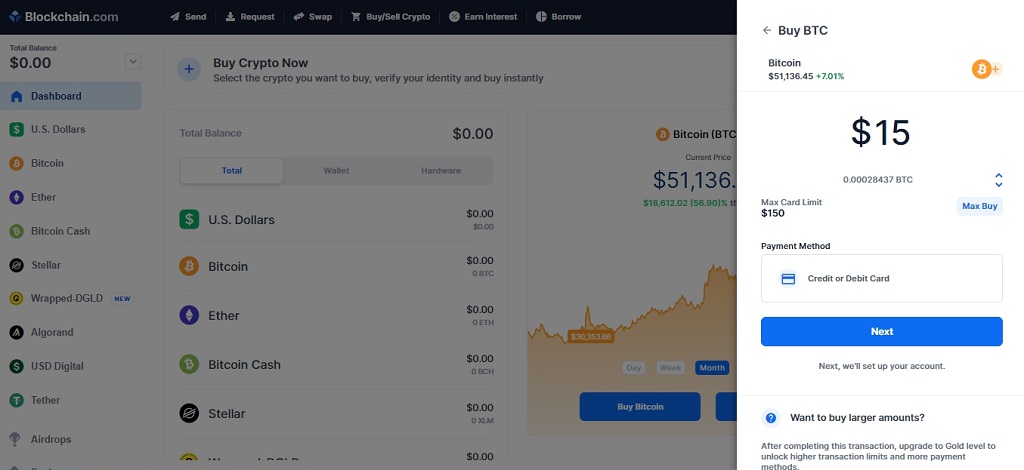
Note. Blockchain.com allows you to link a Ukrainian bank card. We failed to do this with a sportbank card (the neobank application displayed a message about the cancellation of the card verification operation), but it worked with a PrivatBank credit card.
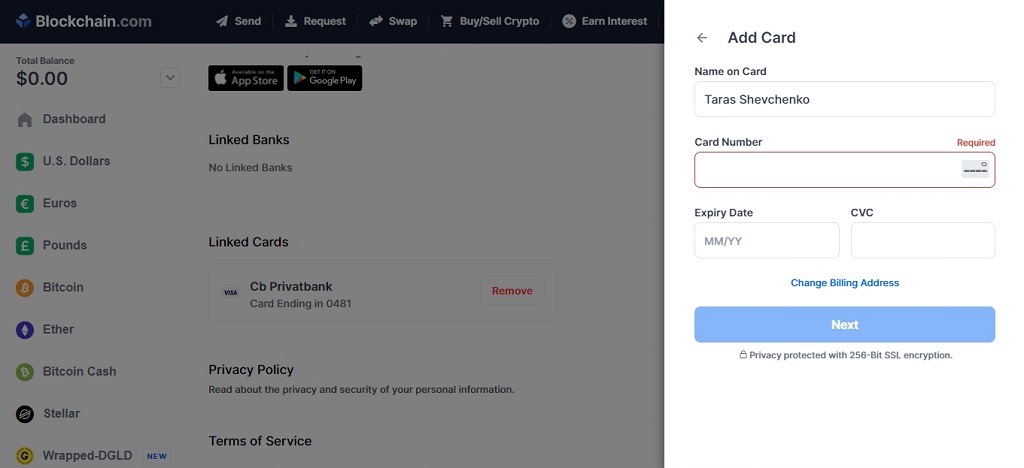
We select payment by card and enter its details: name, surname, card number, expiration date and CVV code. After confirming the payment, the amount of purchased bitcoins will be displayed in your wallet.
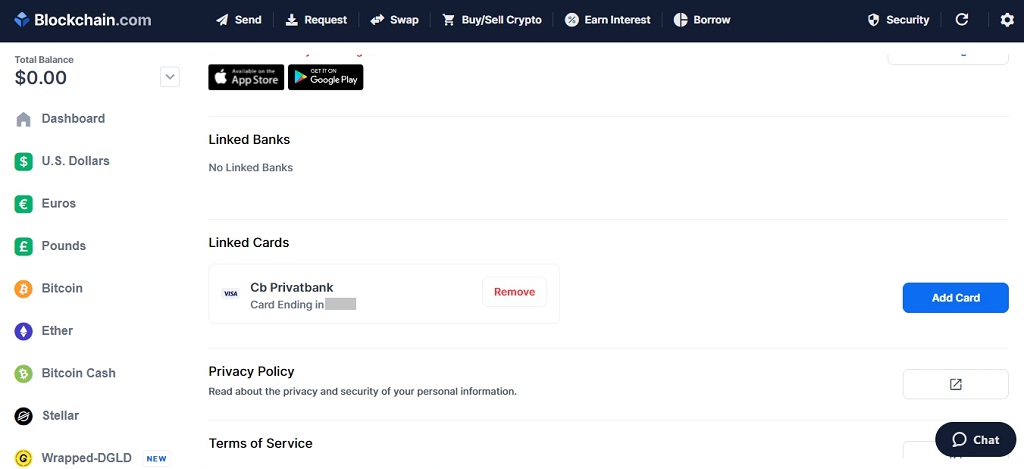
Note. You can always delete the linked card from the wallet. To do this, click on the settings icon in the upper right corner - select General - Linked Cards - Remove.
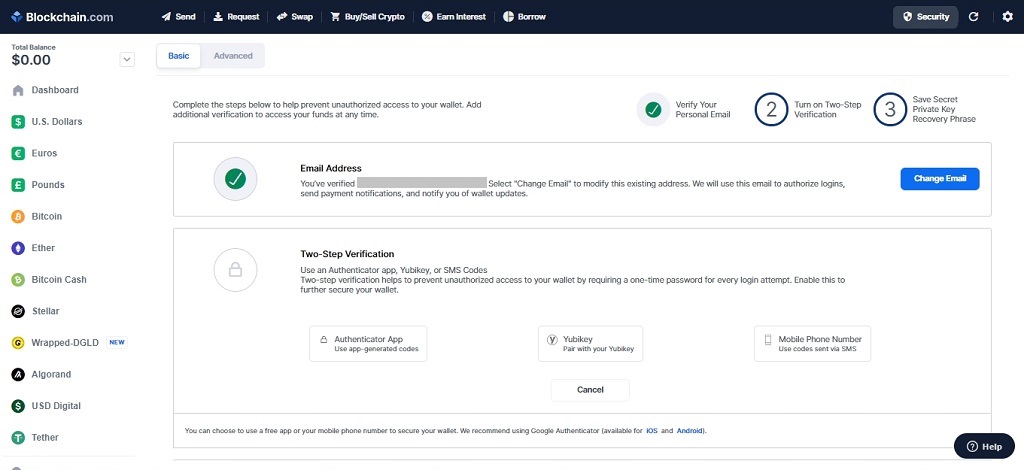
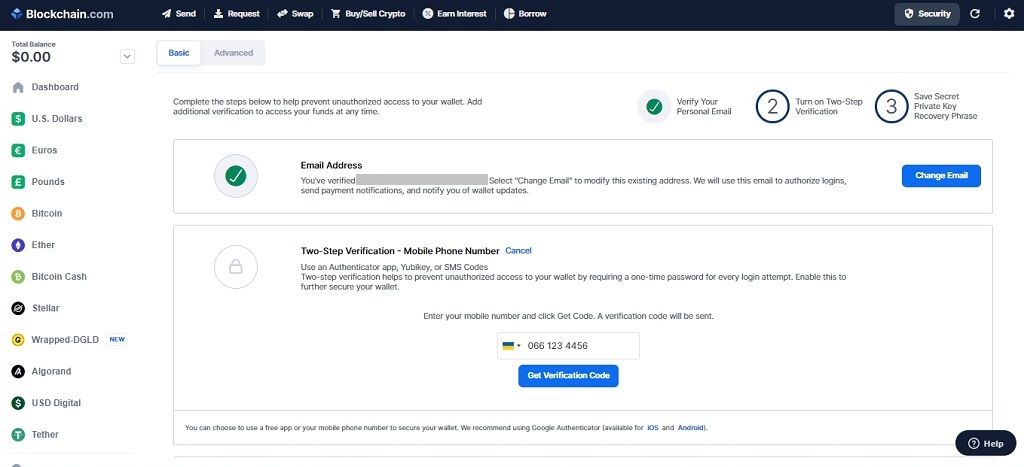
With two-factor authentication, you can choose to confirm your login by entering a code that will come to you in the Blockchain.com mobile app or as an SMS to your phone, as well as using the YubiKey hardware security key. Of these three options, you must choose one.
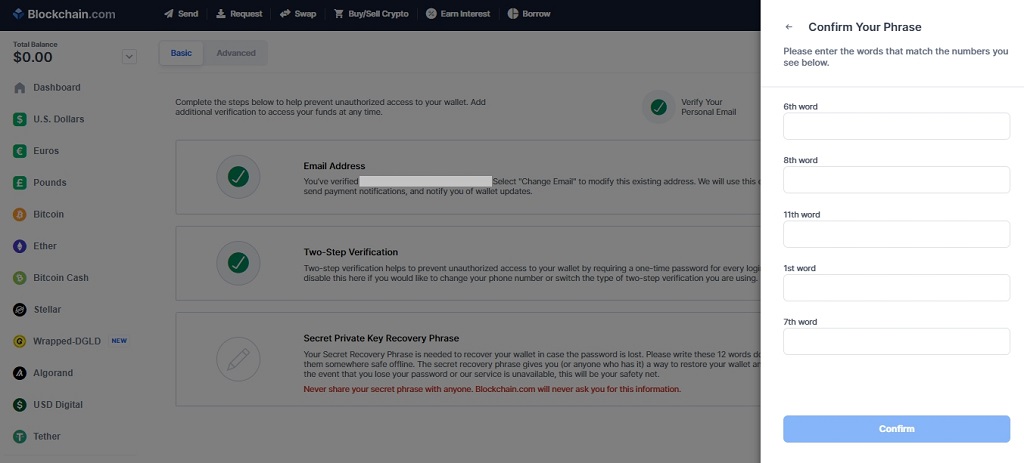
A 12-word secret phrase to gain access to your account is randomly selected by the system. You need to memorize the words and then enter a few of them for confirmation.
We hope our recommendations helped you open your Bitcoin wallet!
(c) psm7.com
This wallet is highly secure and at the same time allows you to transfer funds through a mobile application and browser.
It will take less than 10 minutes to create such a bitcoin wallet. Later in the article, we described the whole process in detail.
As a reminder, we previously reported on how to buy Bitcoin.
How to create a wallet on Matbi and what are its advantages?
In order to become the owner of a cryptocurrency wallet, the user only needs to have an active phone number to register.We go to the Matbi website, then select the country, indicate your phone number and come up with a strong password. After all the data is filled in, the user will receive a short SMS code to damage the relevance of his phone number.
Now the user can be considered the owner of a cryptocurrency wallet, with which he can easily receive and send cryptocurrency in the sections "Accept cryptocurrency" and "Send cryptocurrency".
Why do users choose Matbi?
The main criterion for choosing this service is its reliability and a solid period of work in the cryptocurrency market. Matbi was founded in 2014. The built-in function of the online exchanger easily allows users to exchange cryptocurrencies for rubles on a single platform without searching for third-party services.Matbi makes it possible to store several types of cryptocurrencies at the same time, namely Bitcoin, Litecoin, Dash and ZCash.
All cryptocurrency in Matbi is stored in cold wallets, thus the service can guarantee reliable protection of funds from various cyber attacks and hacking. Matbi is the best service for those who want to start their acquaintance with cryptocurrency.
Advantages:
- round-the-clock access to the service;
- favorable rate;
- available technical support;
- no exchange fees;
- quick exchange of cryptocurrencies for rubles and vice versa;
- accelerated processing of applications (up to 20 minutes);
- service support in Russian and English;
- additional protection (confirmation of all actions by PIN code and Google Authenticator);
- the ability to check and track transactions,
- a large selection of ways to deposit and withdraw funds,
- built-in wallet for storing currencies;
How to create a bitcoin wallet in a browser?
STEP # 1
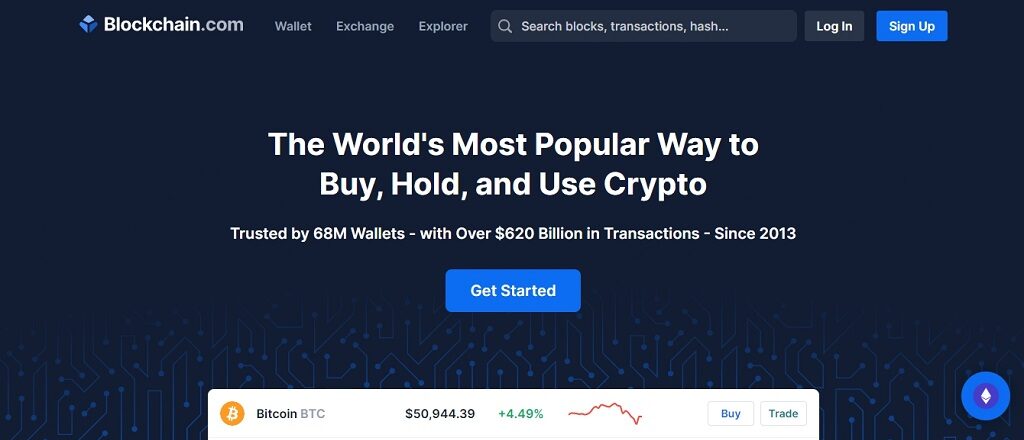
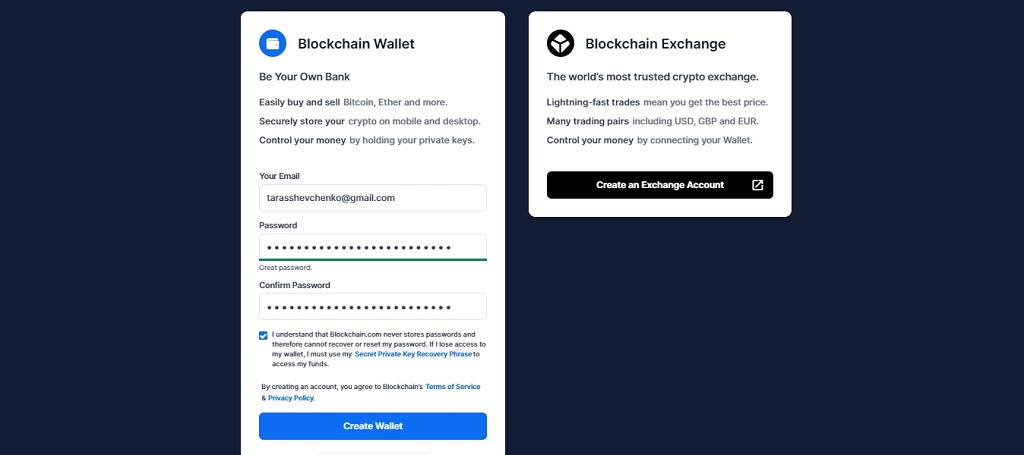
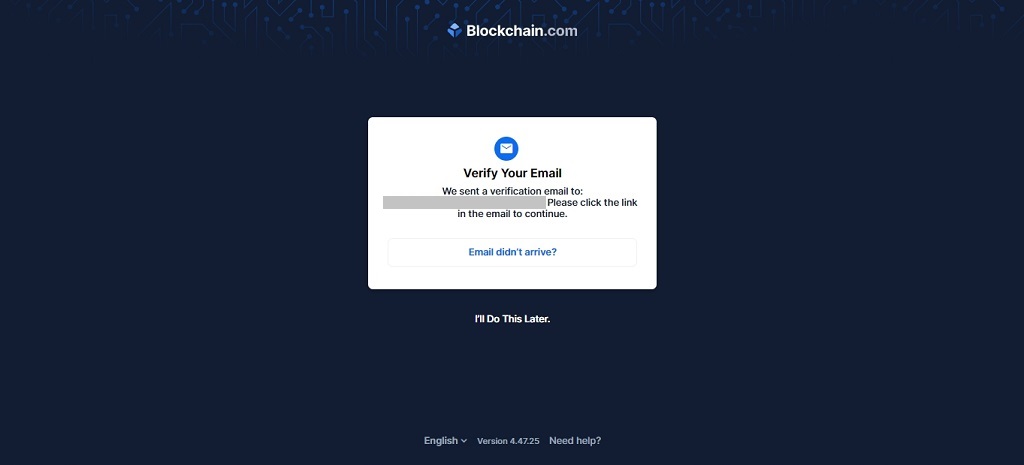
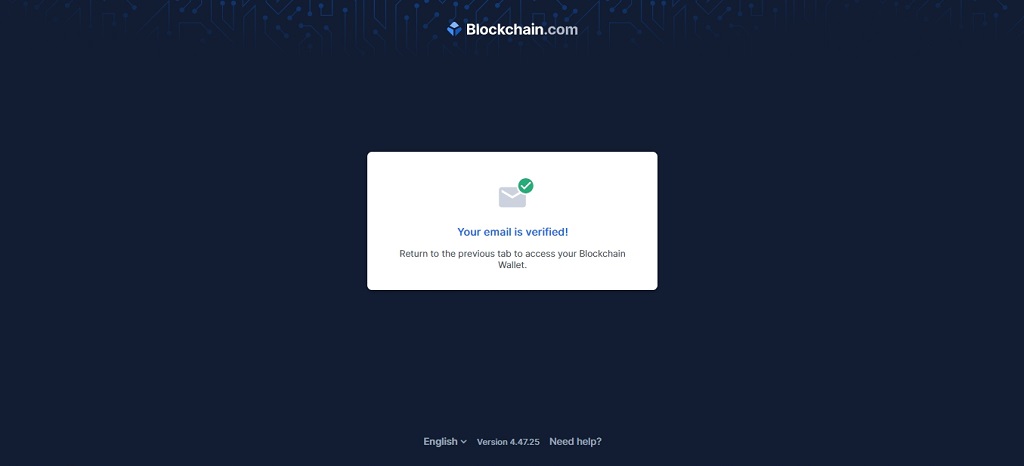
Go to Blockchain.com and click on the Get Started button. After switching to a new page, register on the site using your email address and come up with a password. Then click on the Create Wallet button. Then confirm your email address by clicking on the link that will come to your mail.
STEP # 2
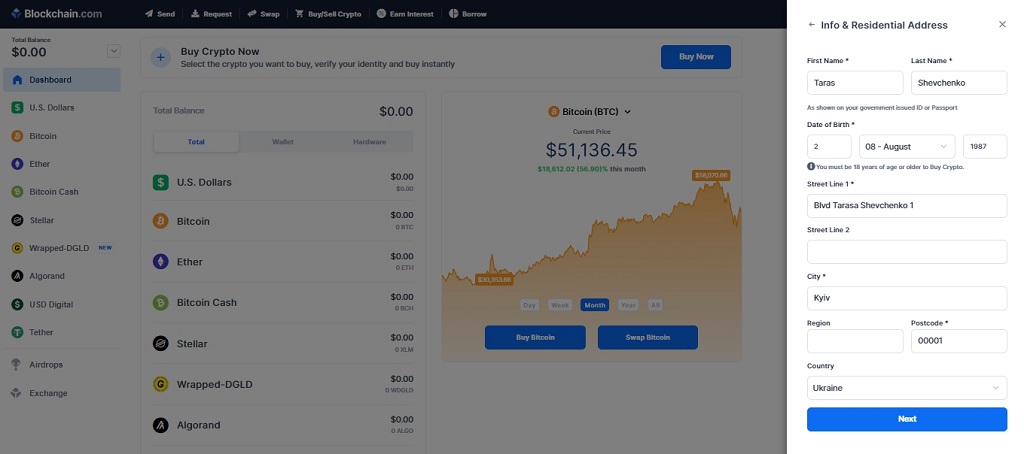
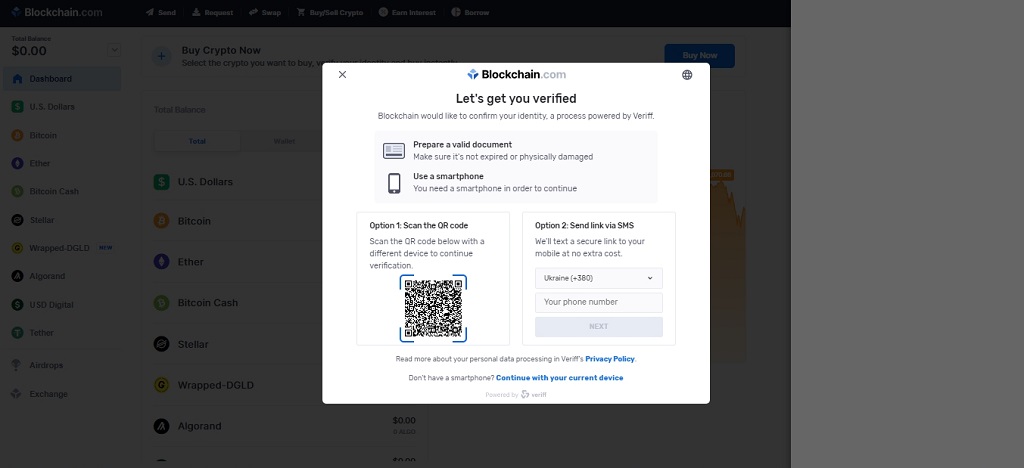
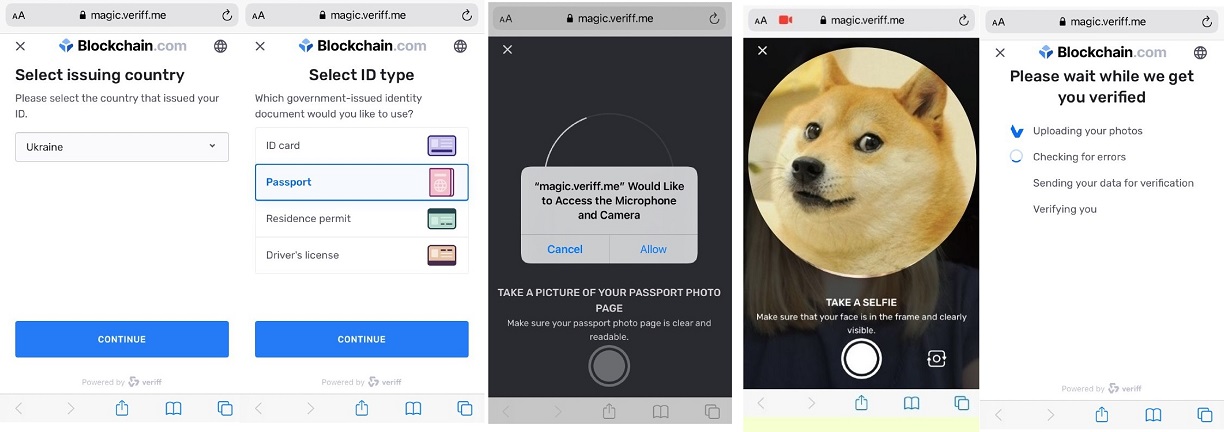
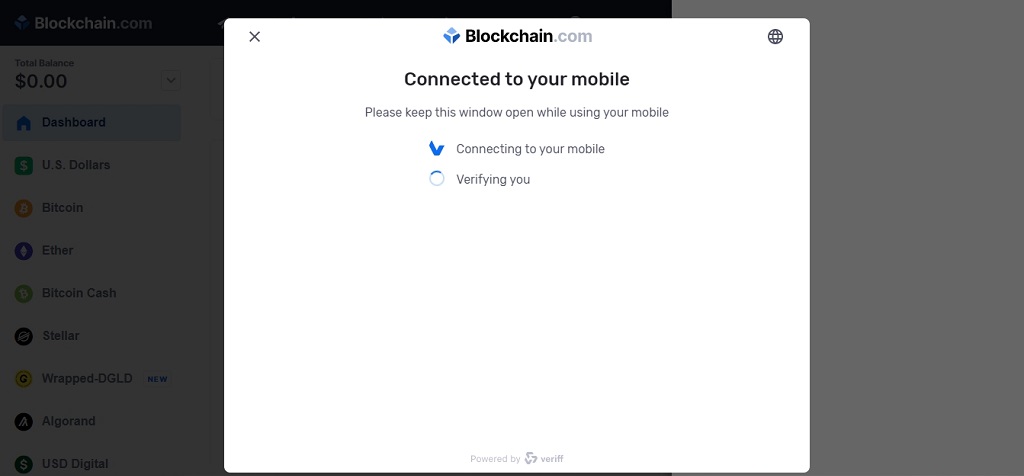
Unlike Binance, in order to use Blockchain.com and buy cryptocurrency, you need to go through mandatory identification. After you select the cryptocurrency, enter your last name and Billing Address (the address you provided when you issued the card), the system will generate a QR code that you need to scan using your smartphone.
STEP # 3
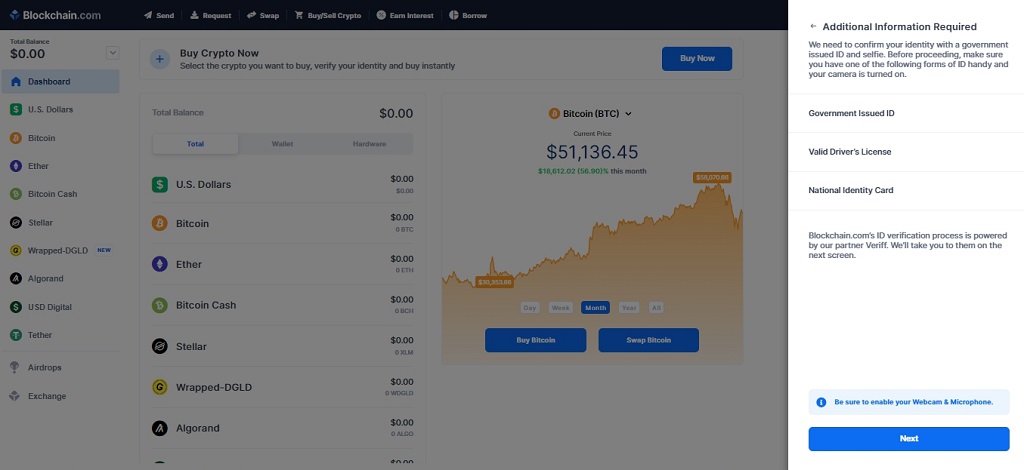
Then you need to take a photo of your passport, ID-card or driver's license. After uploading a photo of documents, the system will ask you to take a selfie. Upon completion of the identification, you will be able to buy cryptocurrencies on Blockchain.com.
How to buy bitcoin?
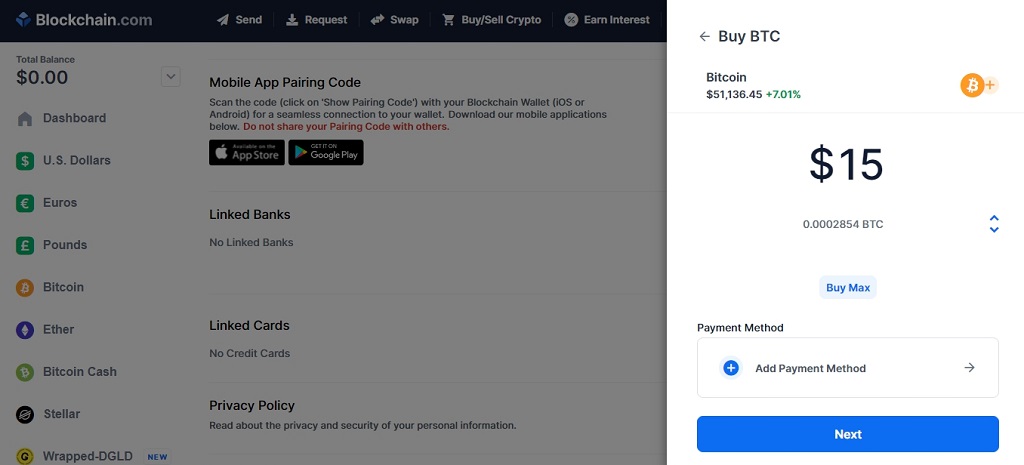
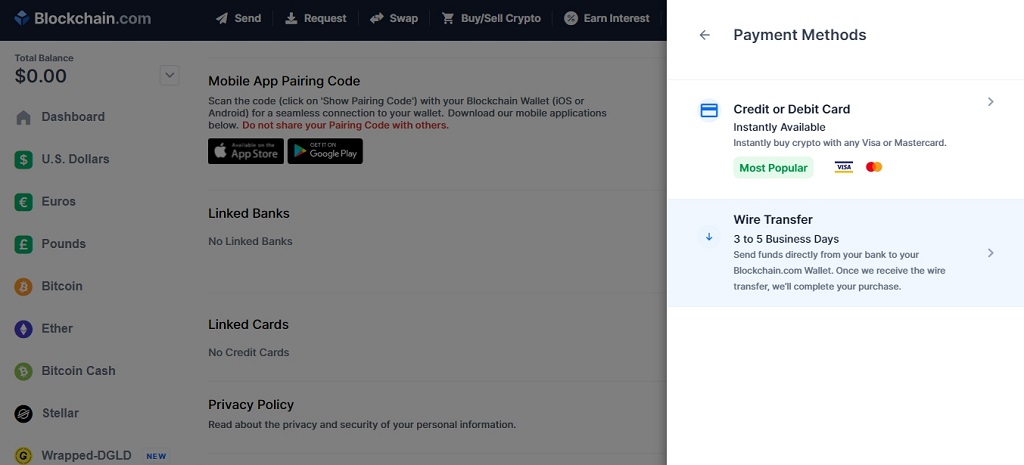
On the wallet page, select the Buy Bitcoin function. In the window that appears, enter the desired amount that you want to spend on the purchase of bitcoin and the method of payment - credit / debit card or money order.Note. Blockchain.com allows you to link a Ukrainian bank card. We failed to do this with a sportbank card (the neobank application displayed a message about the cancellation of the card verification operation), but it worked with a PrivatBank credit card.
We select payment by card and enter its details: name, surname, card number, expiration date and CVV code. After confirming the payment, the amount of purchased bitcoins will be displayed in your wallet.
Note. You can always delete the linked card from the wallet. To do this, click on the settings icon in the upper right corner - select General - Linked Cards - Remove.
How to protect a bitcoin wallet?
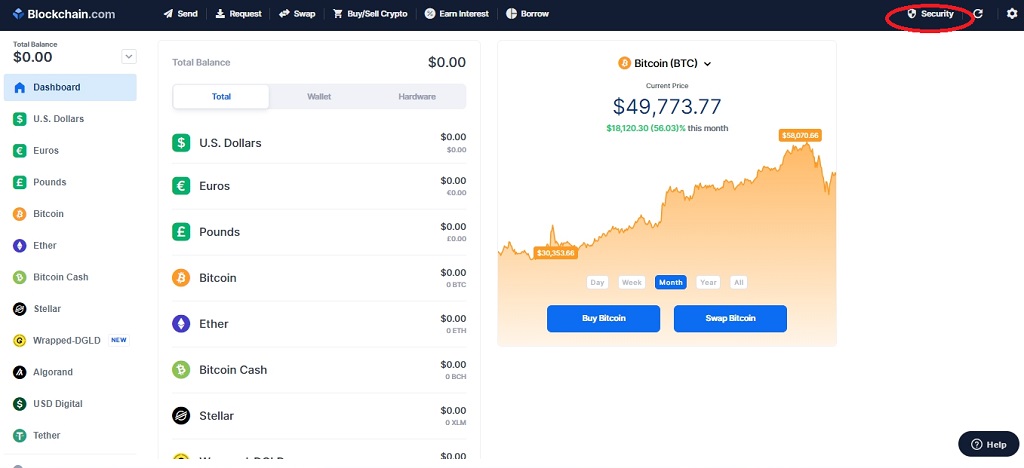
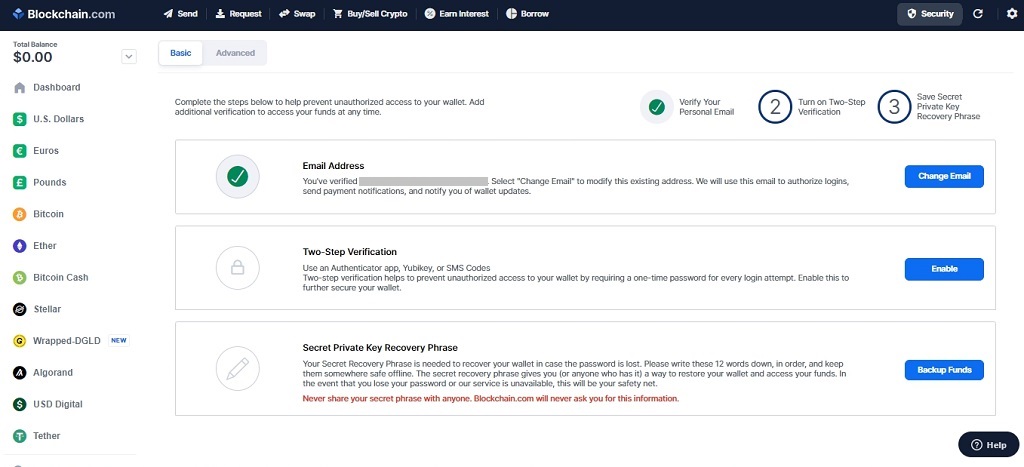
Go to the Security section. In addition to confirming the entrance to the wallet by email (the function is activated by default), you also have access to the options: Two-Step Verification ("Two-factor authentication") and Secret Private Key Recovery Phrase (Secret phrase to gain access to your account).
With two-factor authentication, you can choose to confirm your login by entering a code that will come to you in the Blockchain.com mobile app or as an SMS to your phone, as well as using the YubiKey hardware security key. Of these three options, you must choose one.
A 12-word secret phrase to gain access to your account is randomly selected by the system. You need to memorize the words and then enter a few of them for confirmation.
We hope our recommendations helped you open your Bitcoin wallet!
(c) psm7.com

