


BadB
Professional
- Messages
- 2,455
- Reaction score
- 2,442
- Points
- 113
Let's get started.
We will use an easy - to-use vulnerability checker program, Web Cruiser. Here and XSS, and Cross site Scpirting, and Sql injection...(in general, there is something to work with
So, having previously found the victim's site, copy its URL and paste it into the line of the same name in the program and click scanner.
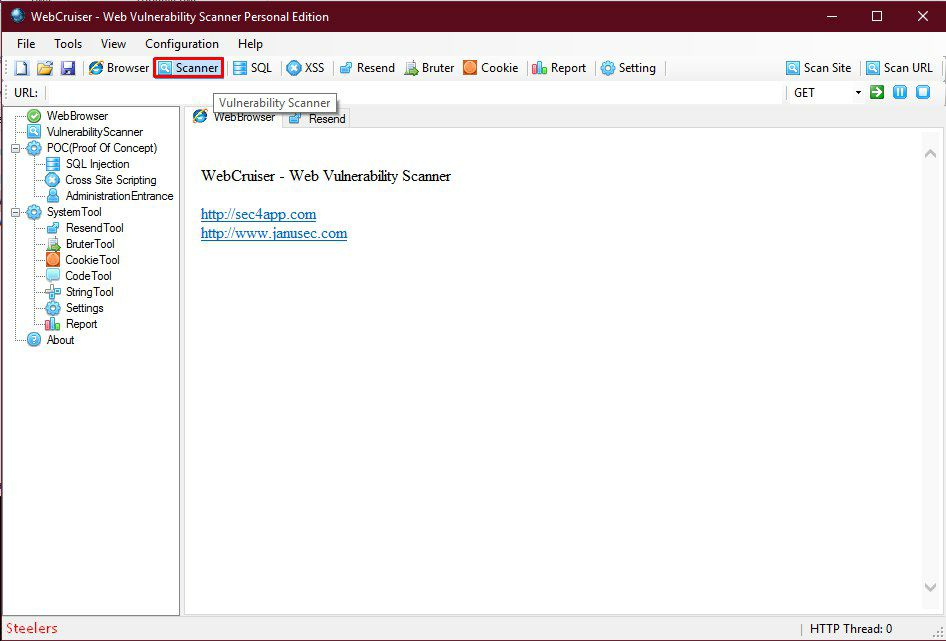
Next, we go to the tab window of the vulnerability scanner program, click "Scan Current Site", in the window that appears, click "OK".
After that, the program will start checking the site for vulnerabilities.
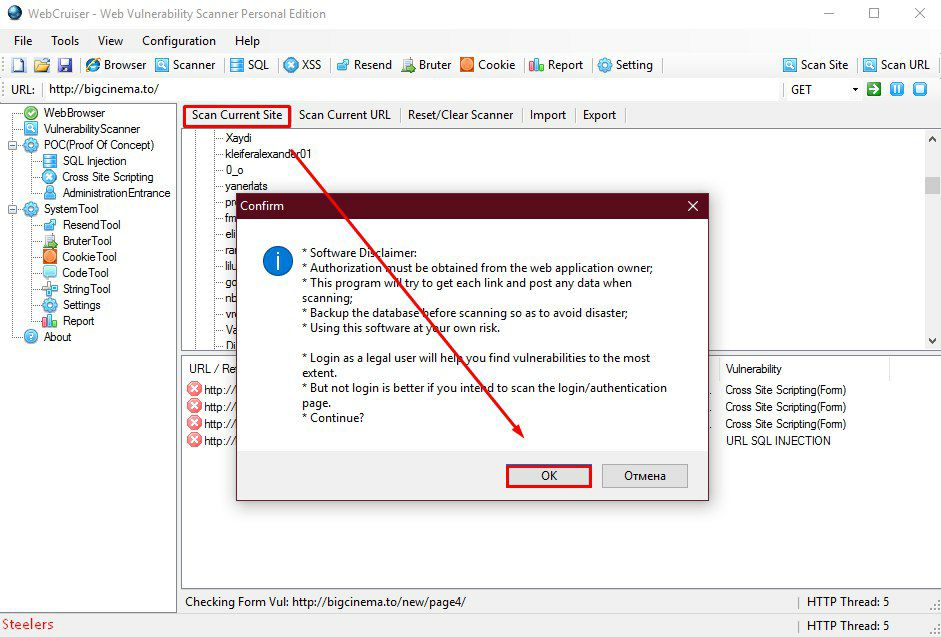
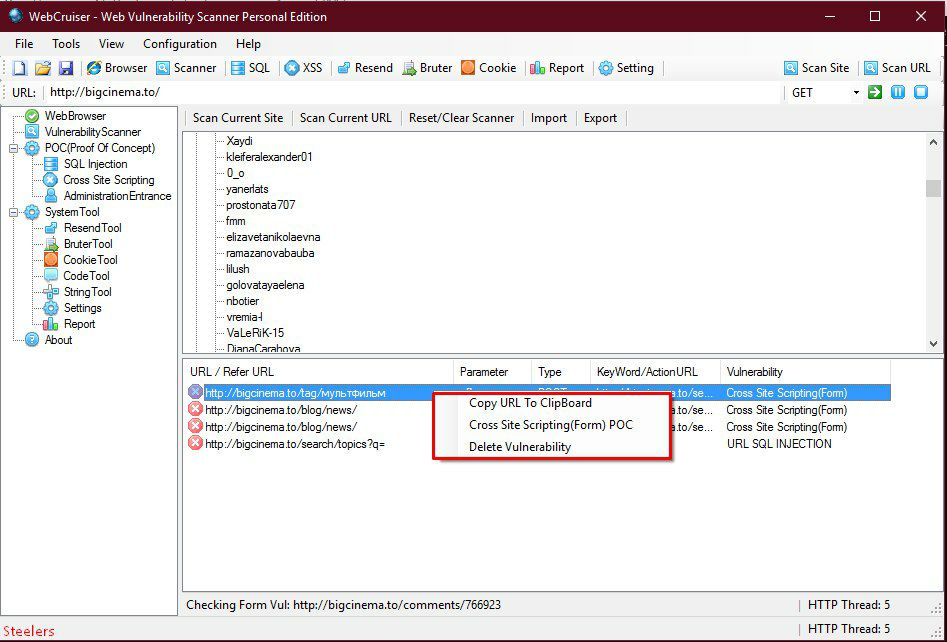
If the site still has "holes", then the program will definitely find them and display a message about it.
When you finish scanning the current site, the value "Done" will appear at the bottom".
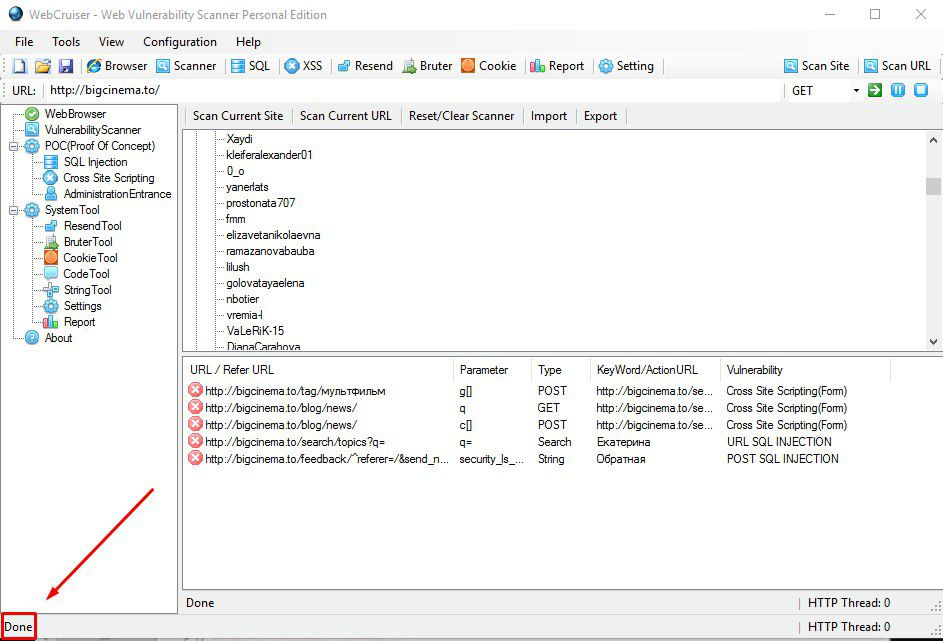
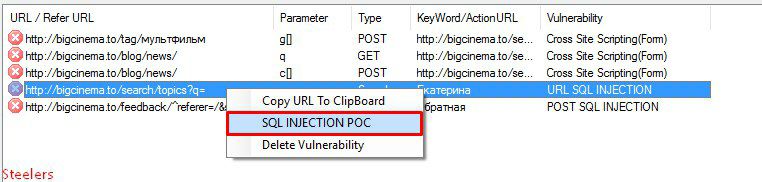
We are interested in the URL Sql injection and POST Sql Injection vulnerabilities. If the program has found them, then click RMB on this message and select SQL INJECTION POC in the window that appears. We will go to the SQL server vulnerabilities tab
And now we need to determine the type of database (Mysql, Sql server...) and additional parameters that are available to us through this very vulnerability.
Click at the bottom of the window "Get Environment Information". If everything went well, the program will find the dB type and columns with information about the database and server contained in them.
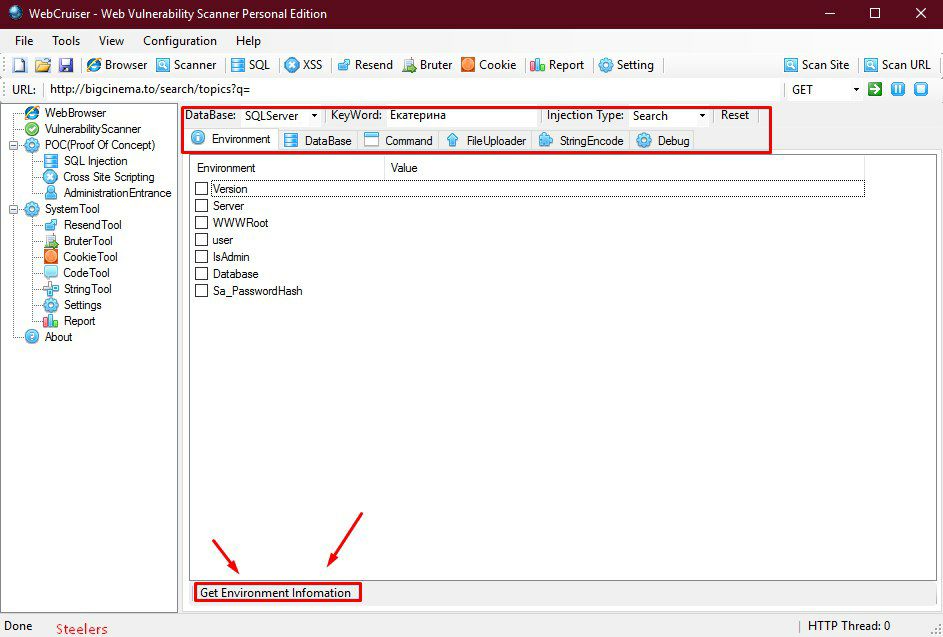
Check the boxes for what we need(user, database, Sa_PasswordHash, and root_passwordhash) and click Get Environment Information again.
We get the name of the database and the root hash of the admin from the Sql server.
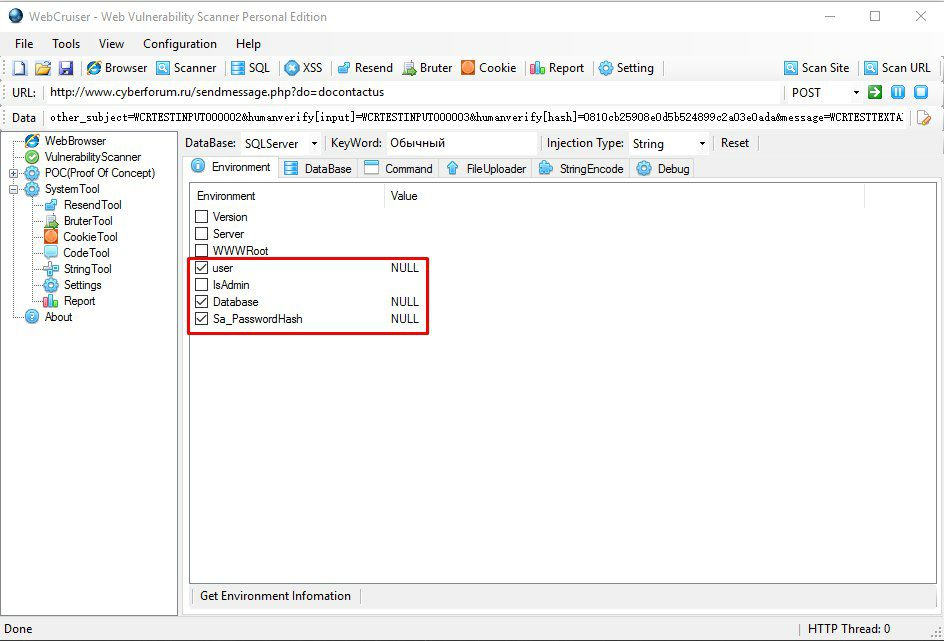
In our case, instead of user, it showed NULL, because for some reason the program couldn't get the information. (in this case, we try using other vulnerabilities found using a similar algorithm)
Next, go to the "DataBase" tab, where we can already see our found database. We put a check mark on our database and click at the bottom of the "Table" window.
The program will start loading tables from the selected database:
In the lower-left corner, where I marked the Done parameter, at the time of loading the tables, there will be an inscription Getting Table - which means that dB tables are being loaded). After some time, all Sql tables will be loaded. Of course, we are interested in the accounts table, but there may be a lot more interesting things there.)
Select it(Accounts) and click "Column" at the bottom. The program starts loading the found columns in this table.
After some more time, all columns from the accounts table will be loaded. Now we need to select the login and password parameters from these columns . Put a check mark on the above and these columns will appear in the right tab window.
The Rows from 1 to 2 field is responsible for the number of rows displayed by the program, i.e. by default, 2 rows will be shown. Therefore, instead of 2, you need to put a number corresponding to the number of accounts. In the lower-right corner, click "Data". All rows (values) of these columns start loading.
After downloading, after some time, click "export" and save our resulting table of usernames and passwords with the xml extension.
We will use an easy - to-use vulnerability checker program, Web Cruiser. Here and XSS, and Cross site Scpirting, and Sql injection...(in general, there is something to work with
So, having previously found the victim's site, copy its URL and paste it into the line of the same name in the program and click scanner.
Next, we go to the tab window of the vulnerability scanner program, click "Scan Current Site", in the window that appears, click "OK".
After that, the program will start checking the site for vulnerabilities.
If the site still has "holes", then the program will definitely find them and display a message about it.
When you finish scanning the current site, the value "Done" will appear at the bottom".
We are interested in the URL Sql injection and POST Sql Injection vulnerabilities. If the program has found them, then click RMB on this message and select SQL INJECTION POC in the window that appears. We will go to the SQL server vulnerabilities tab
And now we need to determine the type of database (Mysql, Sql server...) and additional parameters that are available to us through this very vulnerability.
Click at the bottom of the window "Get Environment Information". If everything went well, the program will find the dB type and columns with information about the database and server contained in them.
Check the boxes for what we need(user, database, Sa_PasswordHash, and root_passwordhash) and click Get Environment Information again.
We get the name of the database and the root hash of the admin from the Sql server.
In our case, instead of user, it showed NULL, because for some reason the program couldn't get the information. (in this case, we try using other vulnerabilities found using a similar algorithm)
Next, go to the "DataBase" tab, where we can already see our found database. We put a check mark on our database and click at the bottom of the "Table" window.
The program will start loading tables from the selected database:
In the lower-left corner, where I marked the Done parameter, at the time of loading the tables, there will be an inscription Getting Table - which means that dB tables are being loaded). After some time, all Sql tables will be loaded. Of course, we are interested in the accounts table, but there may be a lot more interesting things there.)
Select it(Accounts) and click "Column" at the bottom. The program starts loading the found columns in this table.
After some more time, all columns from the accounts table will be loaded. Now we need to select the login and password parameters from these columns . Put a check mark on the above and these columns will appear in the right tab window.
The Rows from 1 to 2 field is responsible for the number of rows displayed by the program, i.e. by default, 2 rows will be shown. Therefore, instead of 2, you need to put a number corresponding to the number of accounts. In the lower-right corner, click "Data". All rows (values) of these columns start loading.
After downloading, after some time, click "export" and save our resulting table of usernames and passwords with the xml extension.

