


Father
Professional
- Messages
- 2,602
- Reaction score
- 859
- Points
- 113
Install and enable VPN Italy on your phone. Available for download at seed4.me
We check on whoer.net what would be like in the screenshot as below
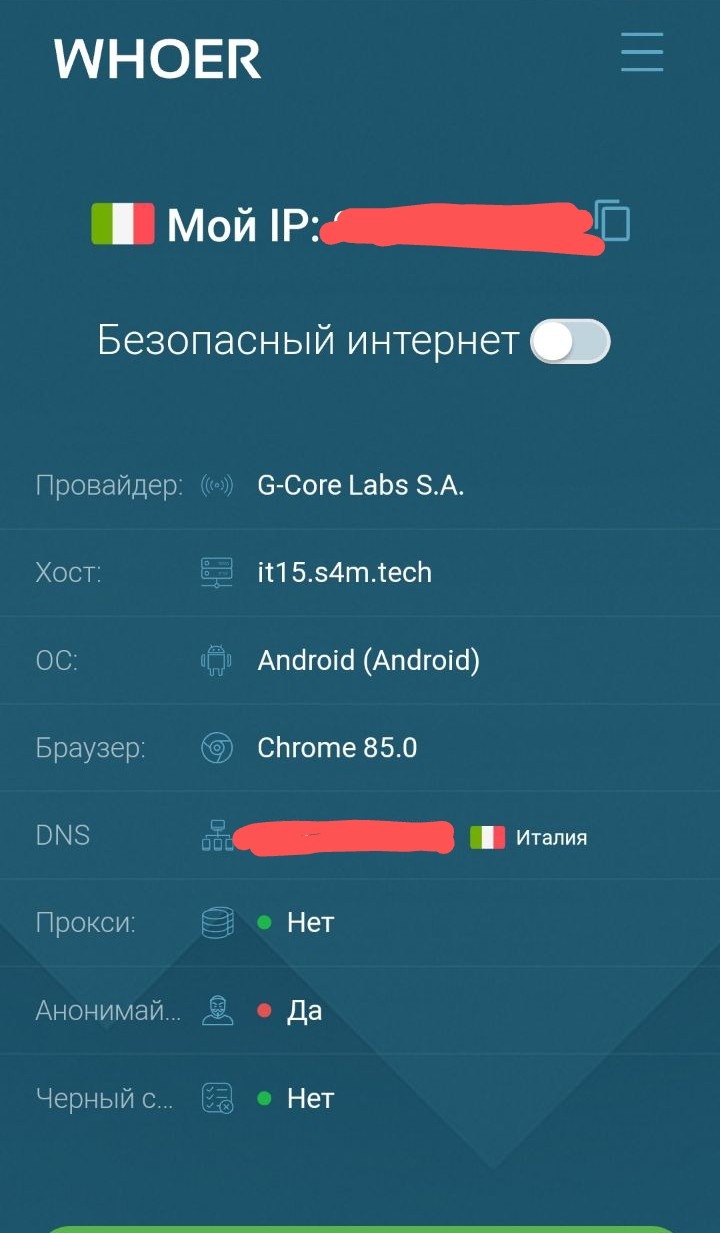
You should have something like this.
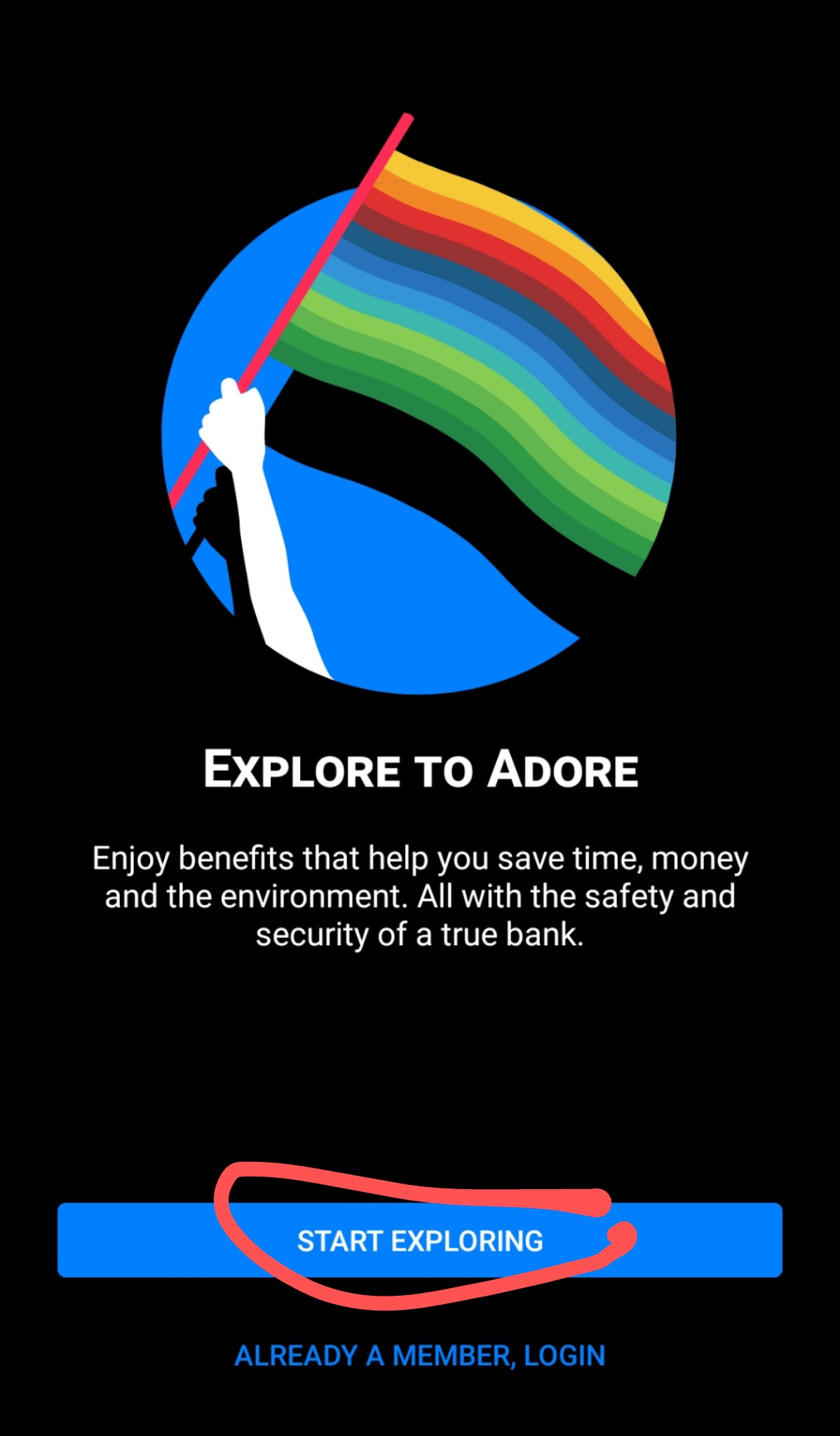
Go to the bunq app with Italy VPN enabled and click "start exploring"
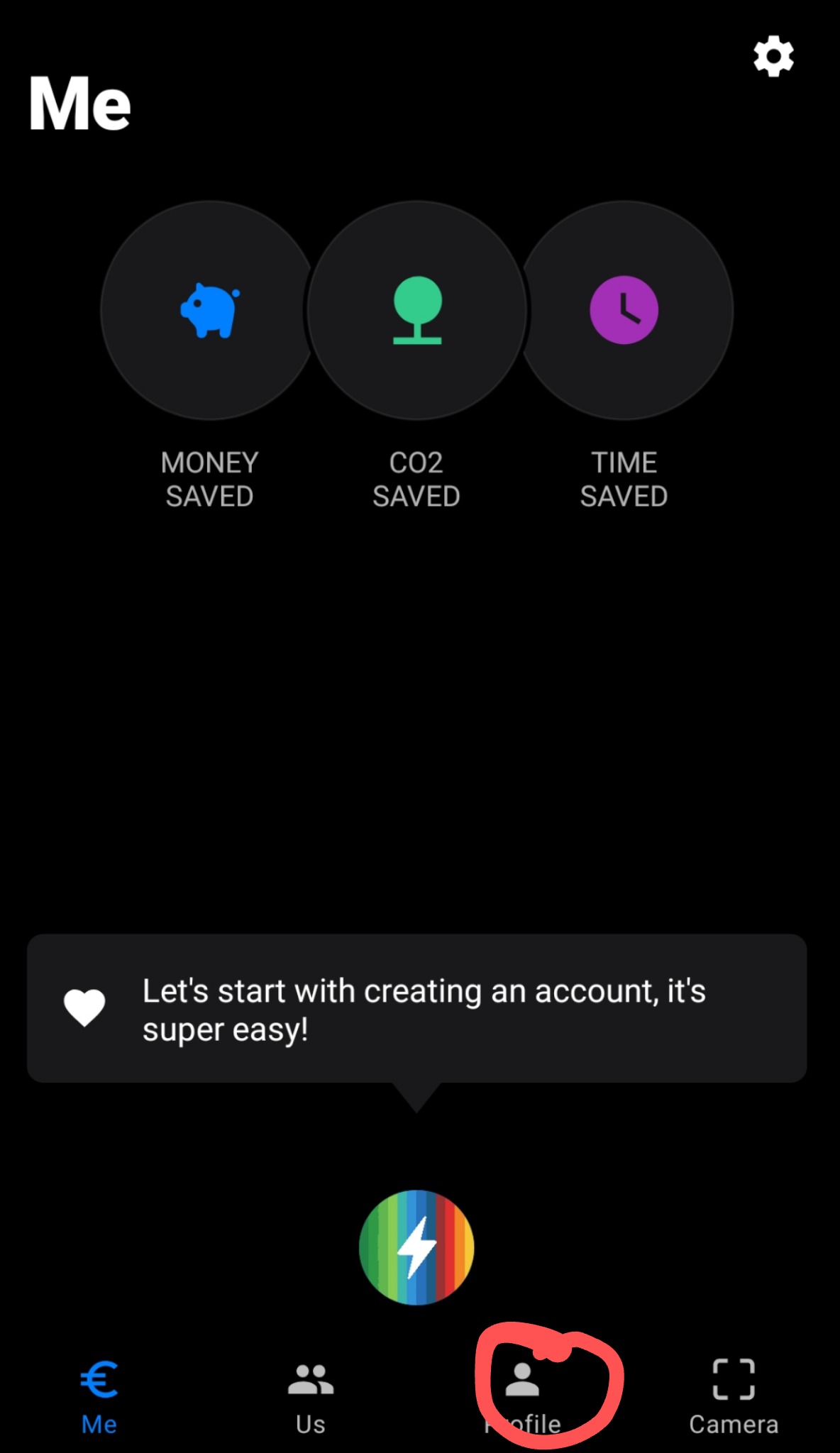
Click on "Profile"
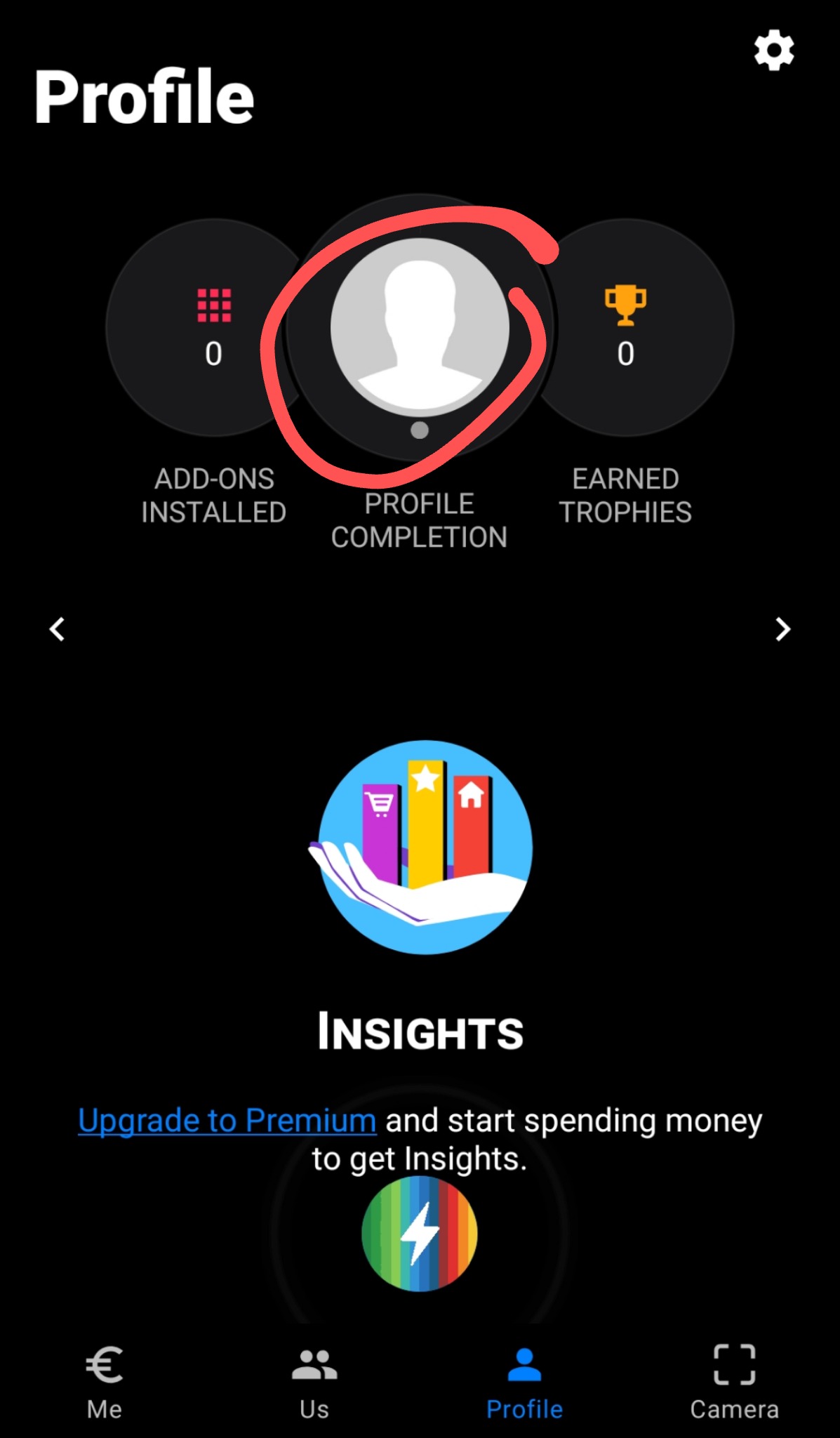
Click on "profile completion"
Click on "Tell us"
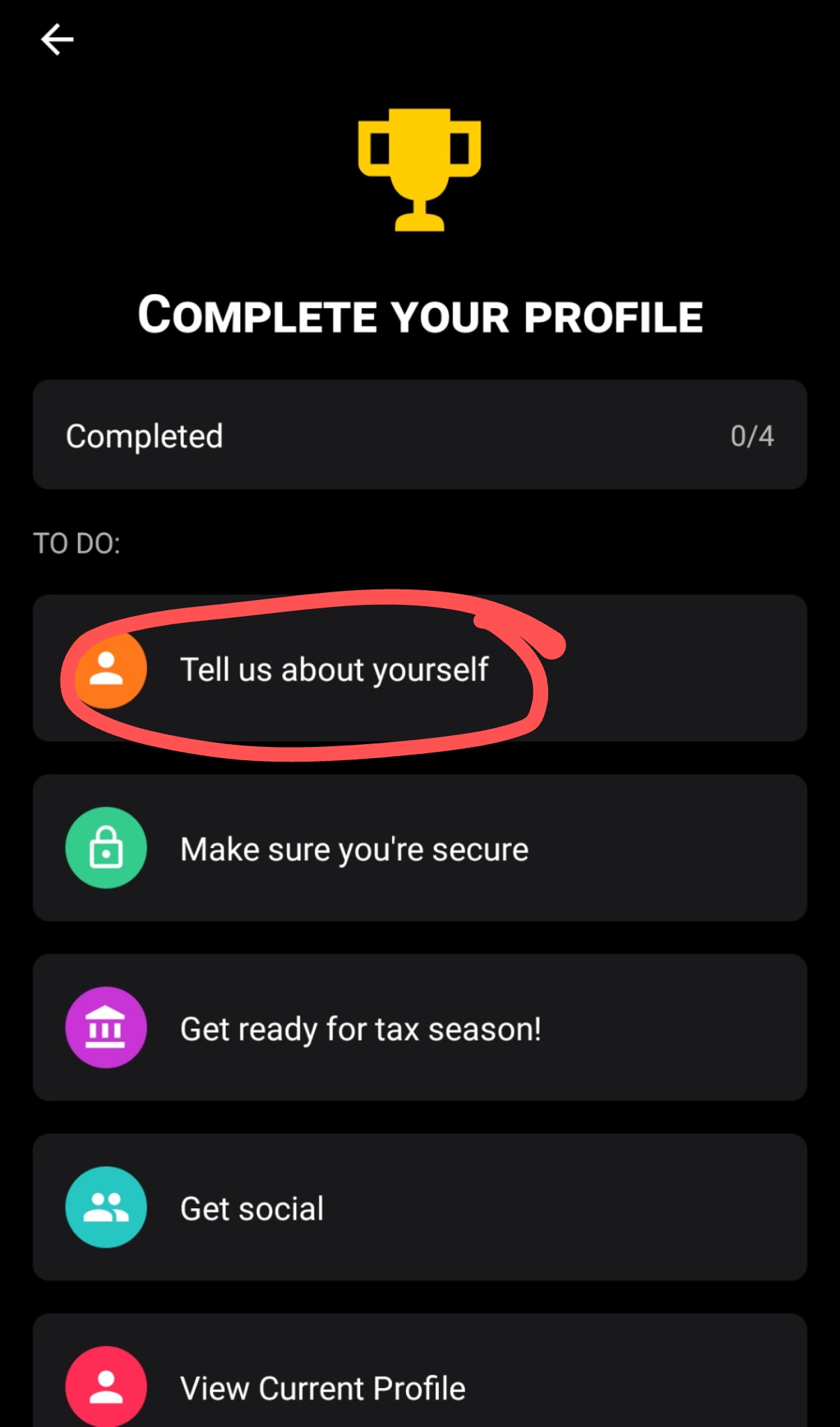
We fill in the name, surname, gender, date of birth, mail (protonmail). And we confirm it. Next, we are asked to enter an address. We find it ourselves on the Internet (we need an Italian address). We enter it and click on.
Click "Make sure"
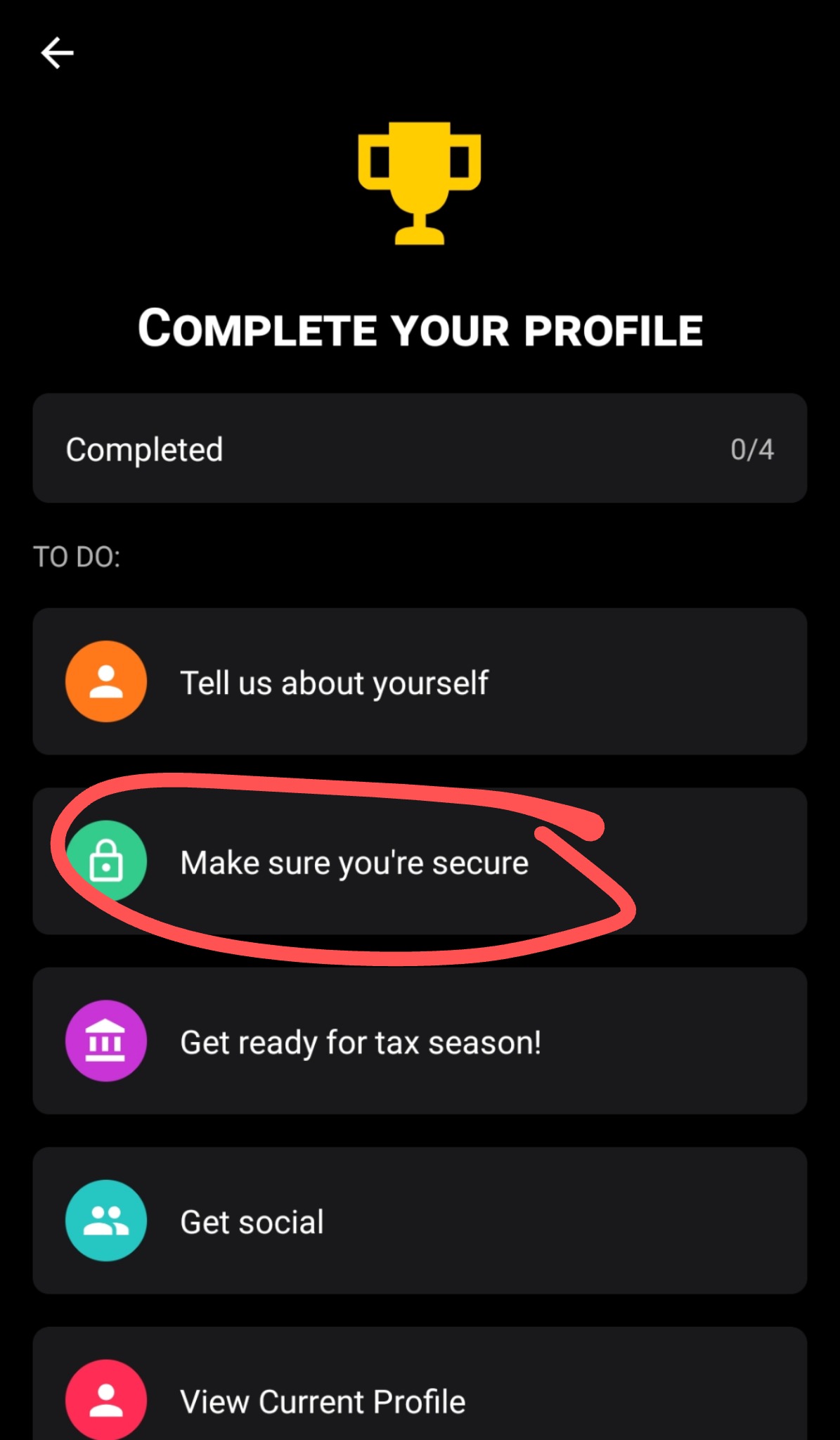
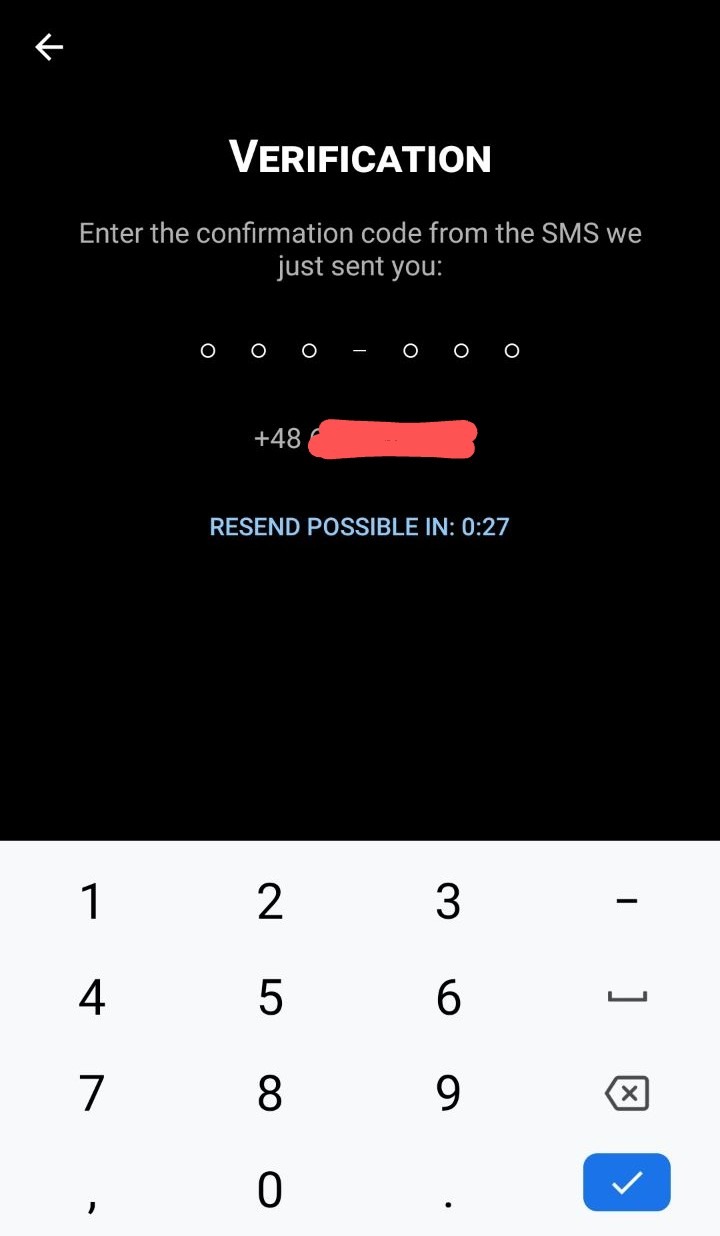
We buy an Italian number on sms-activate.ru to get a code.
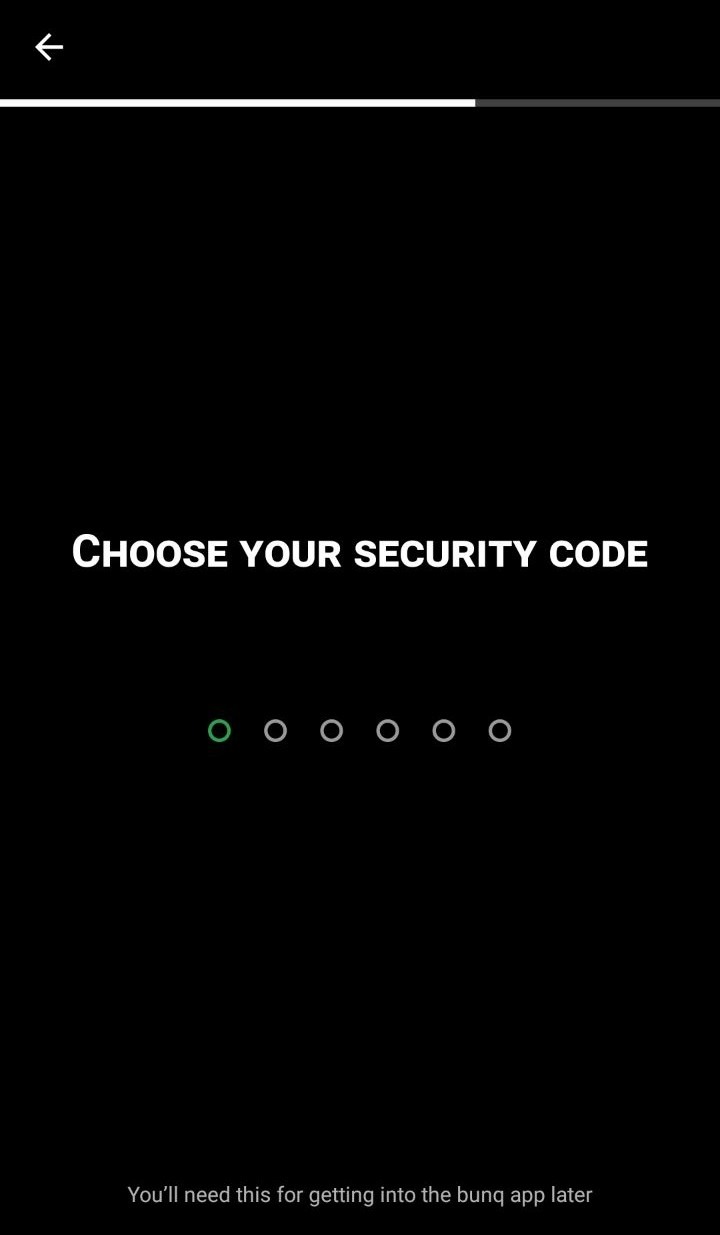
We put the PIN code for the account, remember it!
Next, select a country and a document to confirm your identity. We choose Italy. Choosing Passport. And we photograph our foreign passport.
After that we were thrown back again. Go to the main screen and press the "ME" button.

Lightning like in the screenshot below.
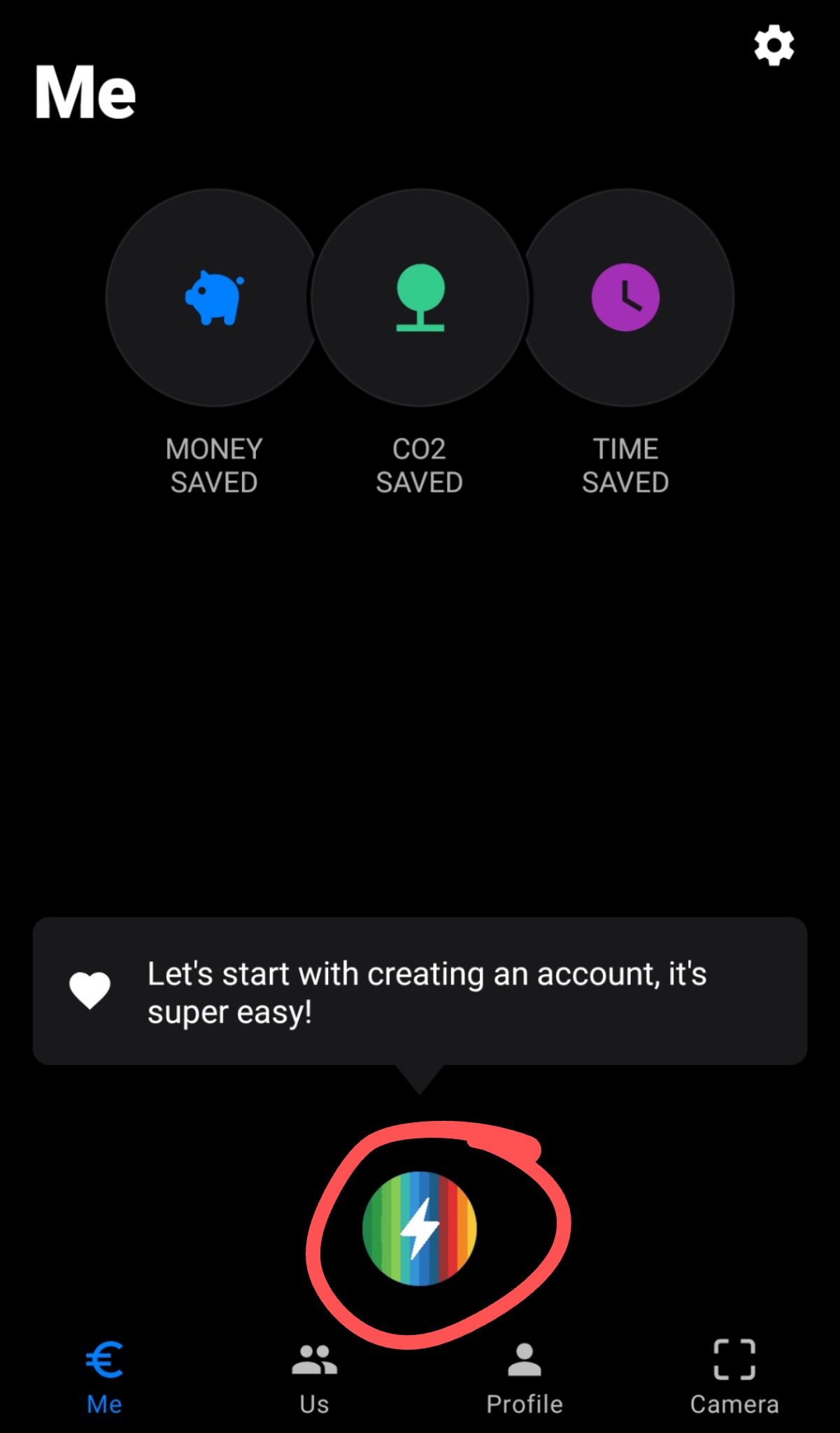
Select "personal account" and click on all the time.
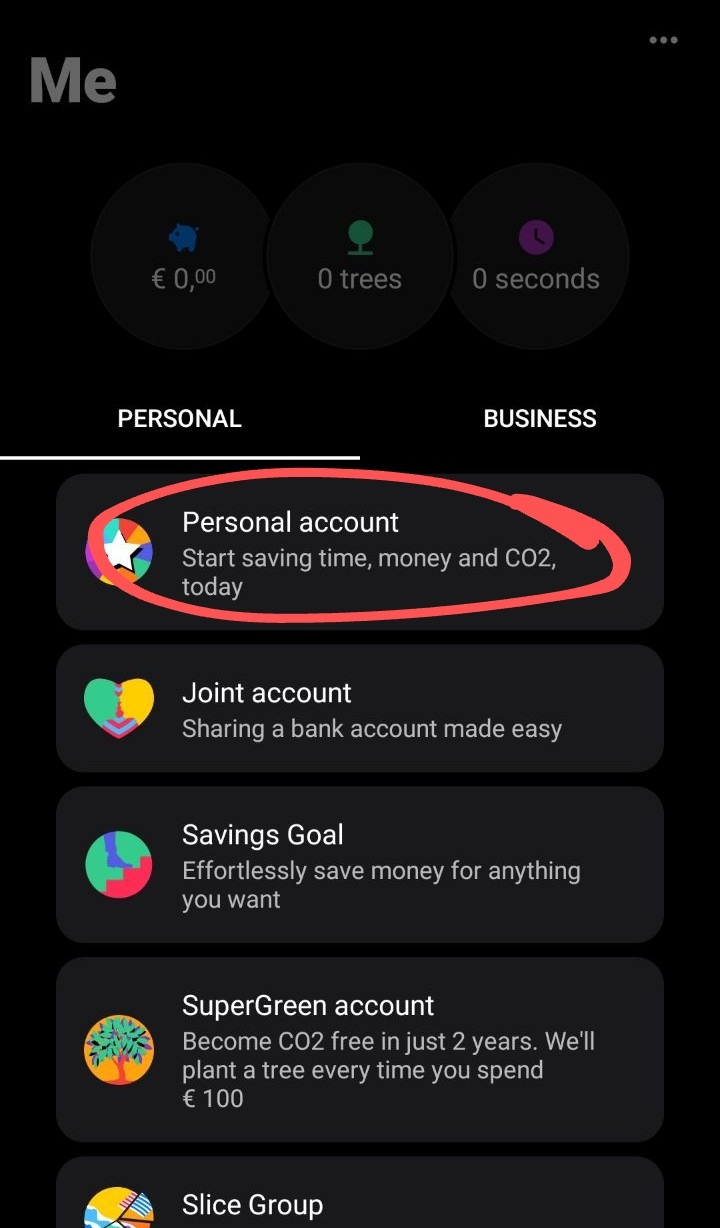
It should look like the screenshot below.
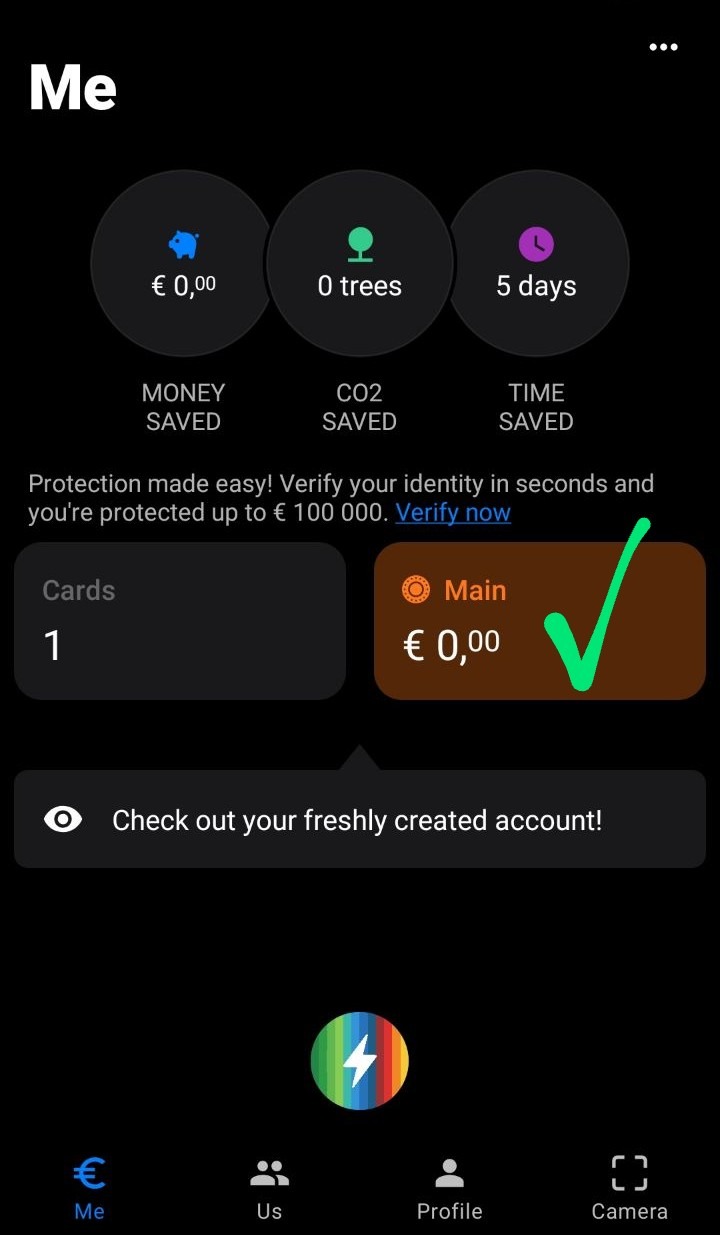
Press the lightning bolt again and select "Sub-account". And just click continue to the end.
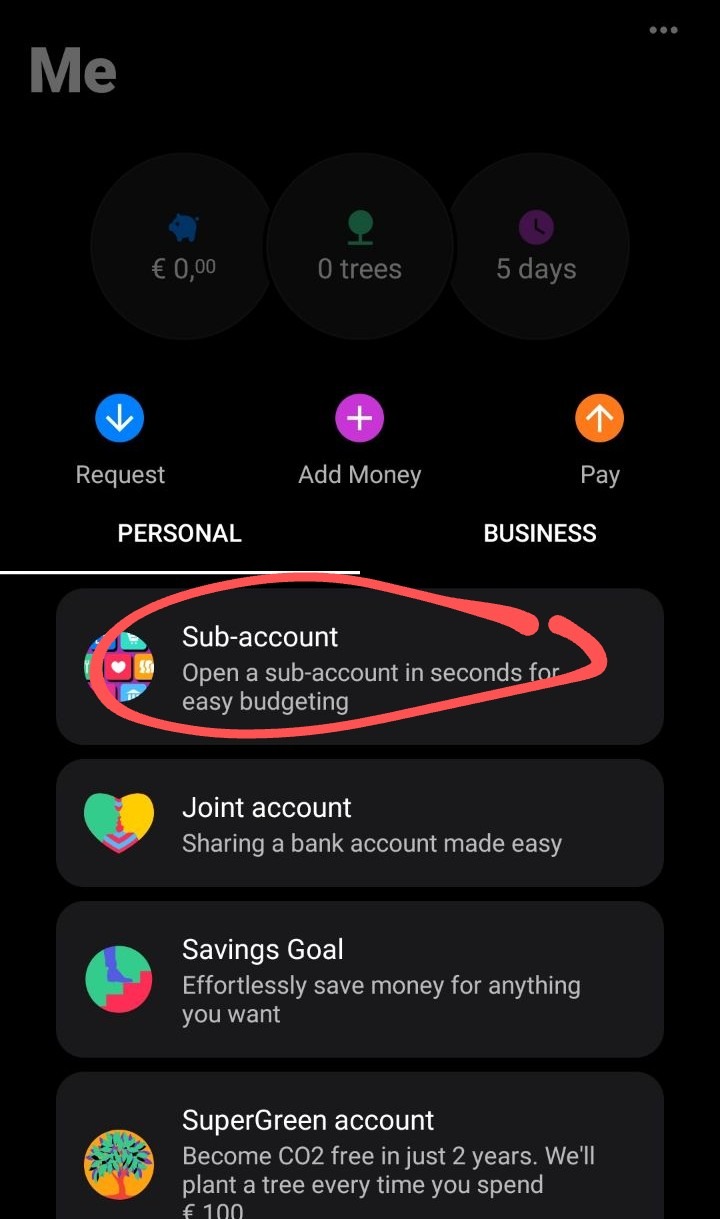
It should look like in the screenshot below.
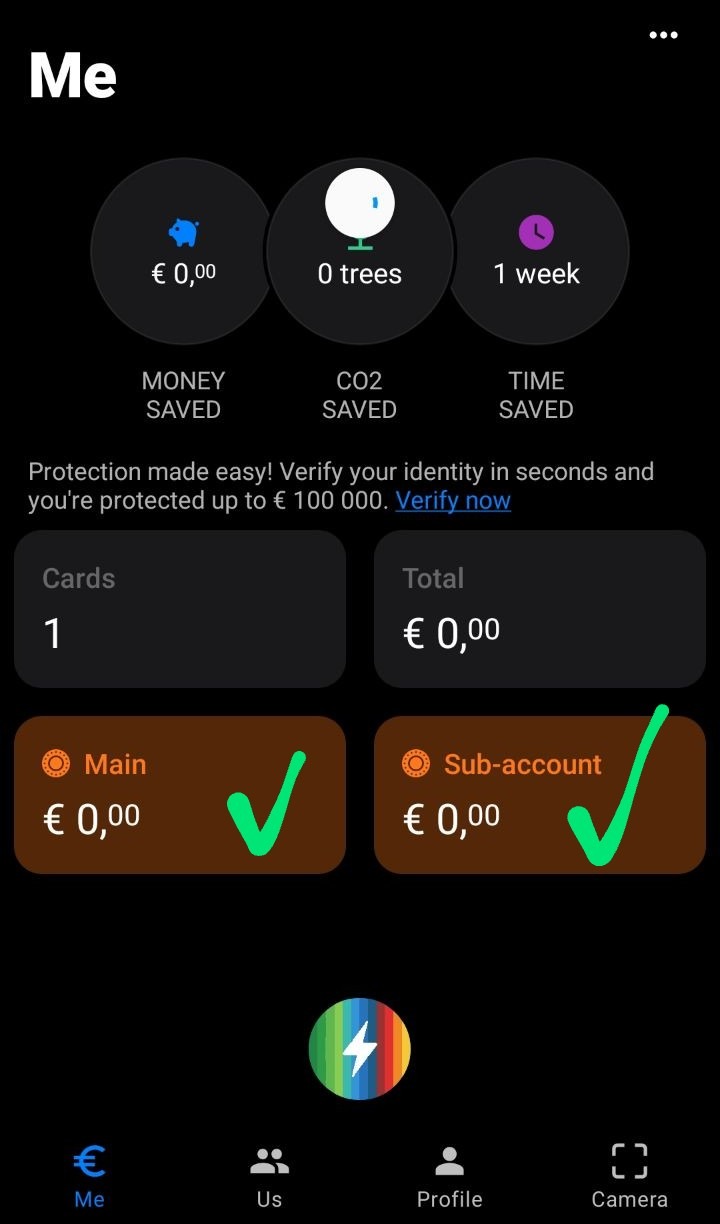
If everything is the same, then we continue. Click on "profile". And on the gear on the top right. You must have your last name and the first letter of your first name written. Example G. Pavlov. and click on the name.

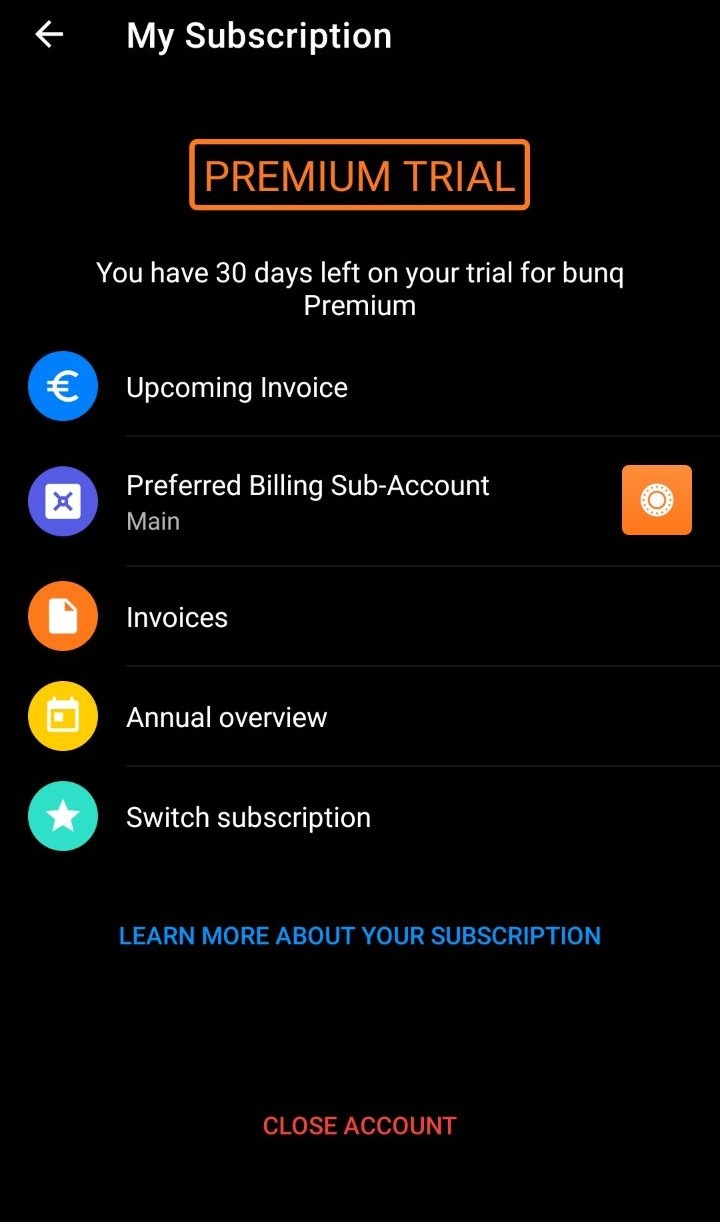
It should look like the screenshot below. The account is ready.
We check on whoer.net what would be like in the screenshot as below
You should have something like this.
Go to the bunq app with Italy VPN enabled and click "start exploring"
Click on "Profile"
Click on "profile completion"
Click on "Tell us"
We fill in the name, surname, gender, date of birth, mail (protonmail). And we confirm it. Next, we are asked to enter an address. We find it ourselves on the Internet (we need an Italian address). We enter it and click on.
Click "Make sure"
We buy an Italian number on sms-activate.ru to get a code.
We put the PIN code for the account, remember it!
Next, select a country and a document to confirm your identity. We choose Italy. Choosing Passport. And we photograph our foreign passport.
After that we were thrown back again. Go to the main screen and press the "ME" button.
Lightning like in the screenshot below.
Select "personal account" and click on all the time.
It should look like the screenshot below.
Press the lightning bolt again and select "Sub-account". And just click continue to the end.
It should look like in the screenshot below.
If everything is the same, then we continue. Click on "profile". And on the gear on the top right. You must have your last name and the first letter of your first name written. Example G. Pavlov. and click on the name.
It should look like the screenshot below. The account is ready.

