


Teacher
Professional
- Messages
- 2,669
- Reaction score
- 819
- Points
- 113
Manipulations over time have cost the operating system dearly.
A video blogger known under the pseudonym "Love Comparison" decided to check how the Windows operating system will react to a change in system time on January 1, 2017.
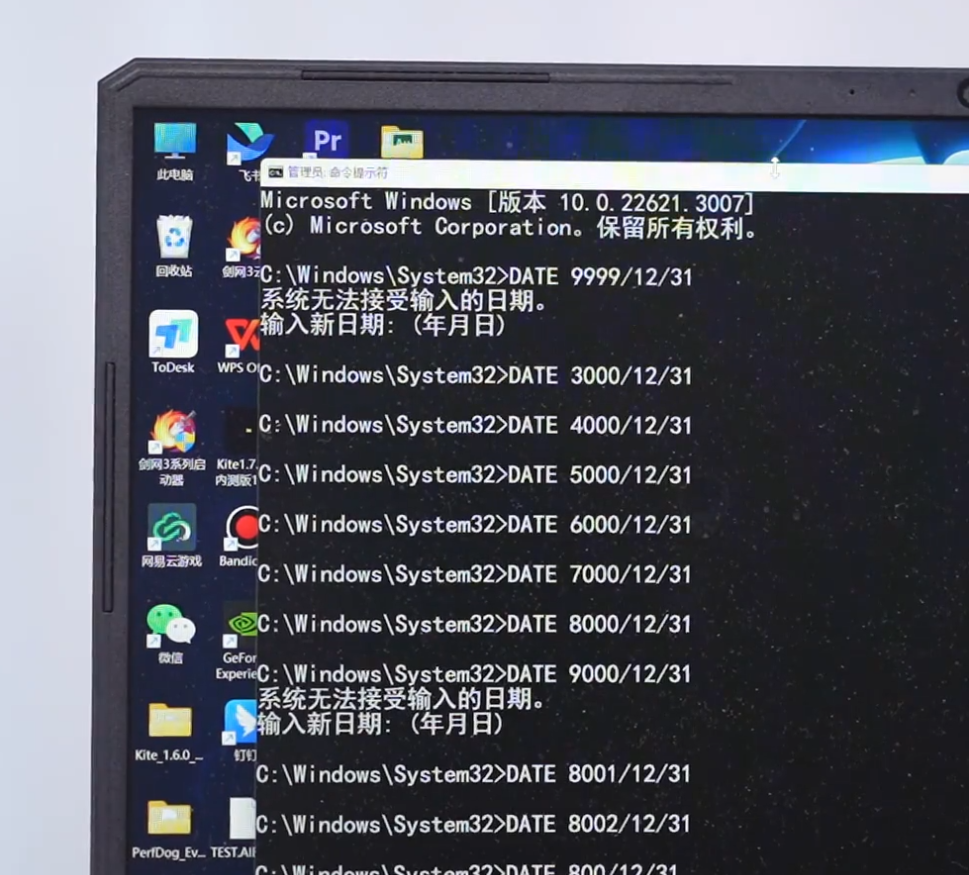
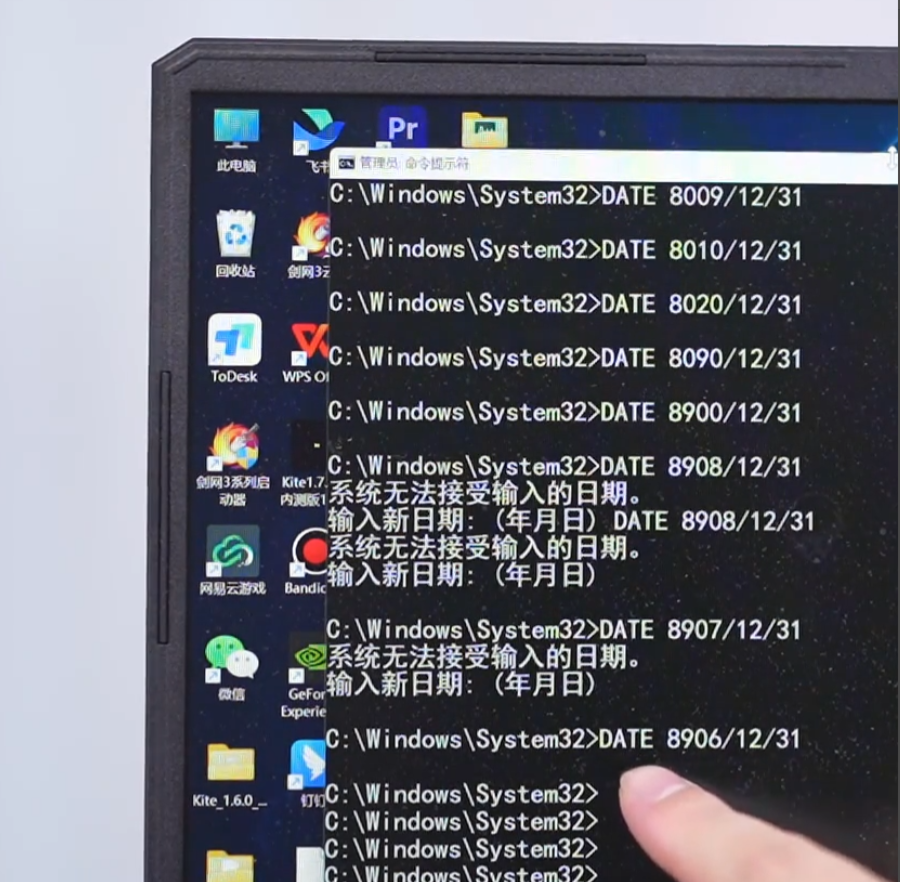
The process of changing the date for such a distant future turned out to be a difficult task due to the limitations inherent in the software. The standard settings of Windows 10 do not allow you to set the date further than December 31, 2099. Using the "DATE" command on the command line, the user also faces a limitation — the maximum possible date here is December 31, 8906. The system doesn't give you anything else and reports an error.
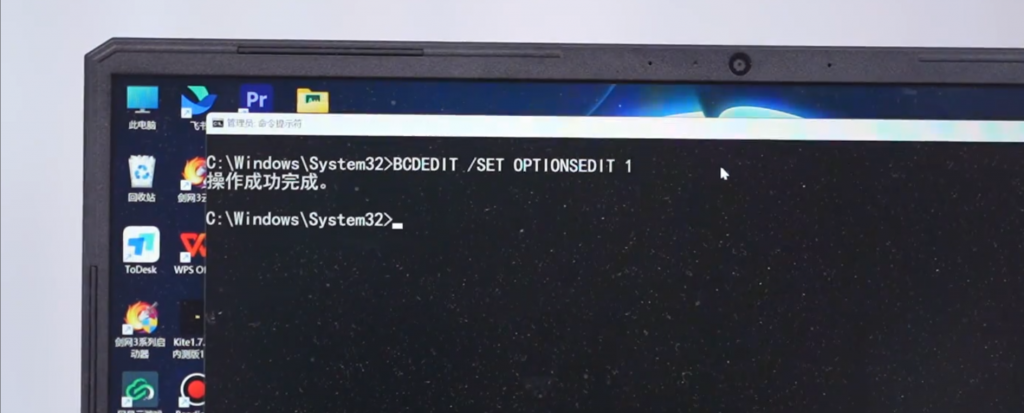
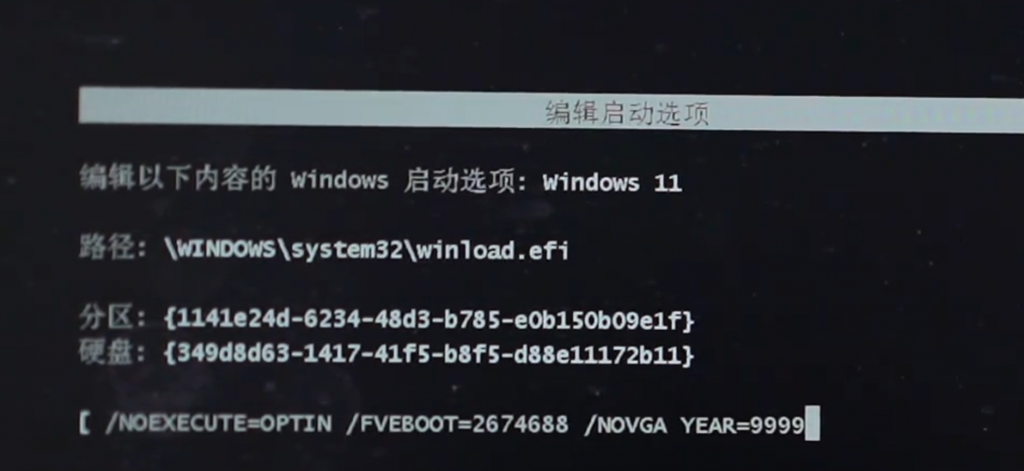
However, the blogger found a workaround: using the command in the console "BCDEDIT /SET OPTIONSEDIT 1", you can switch to the boot configuration mode and make changes there for the date in the OS startup file, setting the year value to 9999. You won't be able to put 10,000 years there right away. After switching to the standard OS mode, the system is now set to 23: 59 on December 31, 9999. Next, the blogger had to wait one minute to log in to Year 10,000.

However, immediately after changing the date, the system began to show a significant slowdown. System settings became unavailable, the control panel stopped opening any items, and the File Explorer and taskbar constantly crashed. The CPU usage reached 35%, despite the absence of active processes. Soon, the system completely stopped responding to user commands.
In this case, the only way to restore the system date to the current time is to completely reinstall Windows 11.
A video blogger known under the pseudonym "Love Comparison" decided to check how the Windows operating system will react to a change in system time on January 1, 2017.
The process of changing the date for such a distant future turned out to be a difficult task due to the limitations inherent in the software. The standard settings of Windows 10 do not allow you to set the date further than December 31, 2099. Using the "DATE" command on the command line, the user also faces a limitation — the maximum possible date here is December 31, 8906. The system doesn't give you anything else and reports an error.
However, the blogger found a workaround: using the command in the console "BCDEDIT /SET OPTIONSEDIT 1", you can switch to the boot configuration mode and make changes there for the date in the OS startup file, setting the year value to 9999. You won't be able to put 10,000 years there right away. After switching to the standard OS mode, the system is now set to 23: 59 on December 31, 9999. Next, the blogger had to wait one minute to log in to Year 10,000.
However, immediately after changing the date, the system began to show a significant slowdown. System settings became unavailable, the control panel stopped opening any items, and the File Explorer and taskbar constantly crashed. The CPU usage reached 35%, despite the absence of active processes. Soon, the system completely stopped responding to user commands.
In this case, the only way to restore the system date to the current time is to completely reinstall Windows 11.

