


Tomcat
Professional
- Messages
- 2,687
- Reaction score
- 1,038
- Points
- 113
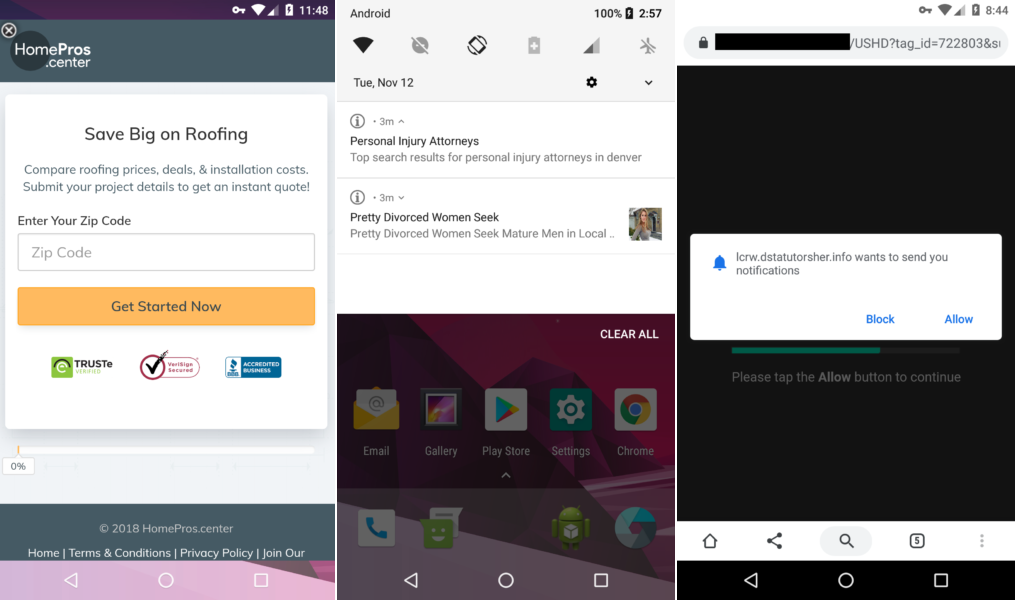
Malwarebytes has discovered an interesting malicious Android application that masquerades as an ad blocker, but is actually designed to serve unwanted ads to users. The malware was named FakeAdsBlock and has already infected at least 500 devices. Although, having collected more than 1,800 malware samples, the researchers believe that the total number of infections is much higher.
FakeAdsBlock is distributed through third party app directories where it is featured as an ad blocking app called Ads Blocker. Even worse, experts also noticed that FakeAdsBlock was hiding in other apps called Hulk (2003) .apk, Guardians of the Galaxy.apk and Joker (2021) .apk. These names clearly indicate that the creators of the malware were trying to transfer the spread of malware to a fake video streaming portal. That is, users want to watch a pirated movie and end up installing a malicious application infected with FakeAdsBlock.
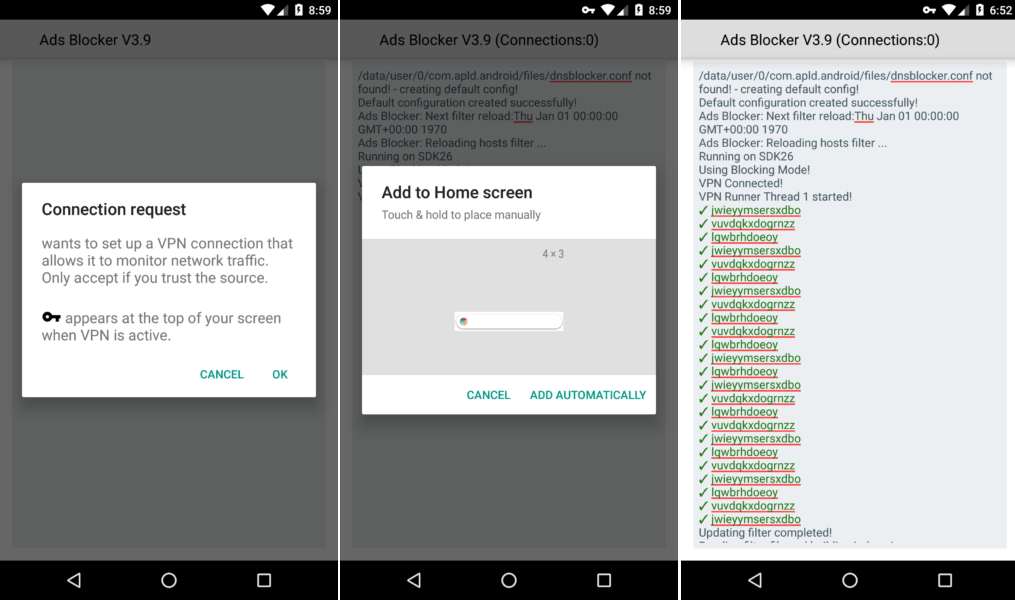
During installation on a device, a fake ad blocker asks for permission to display content over other apps. This is already quite strange for an application whose task is to block content, rather than display one content on top of another. Then FakeAdsBlock requests access to establish a VPN connection, which is also very strange. However, in reality, the application does not connect to the VPN at all; instead, clicking on the "OK" button allows the malware to always run in the background.
Also FakeAdsBlock asks for permission to display the widget on the home screen of the device. At first glance, this also makes no sense, because the ad blocker does not need to display widgets. The researchers explain that the malware uses a transparent widget, inside which it loads ads at regular intervals. Since the ads are displayed inside the widget, there is no way to get rid of them unless the user deletes the widget. But since the user does not see the widget, he does not even know that it exists.
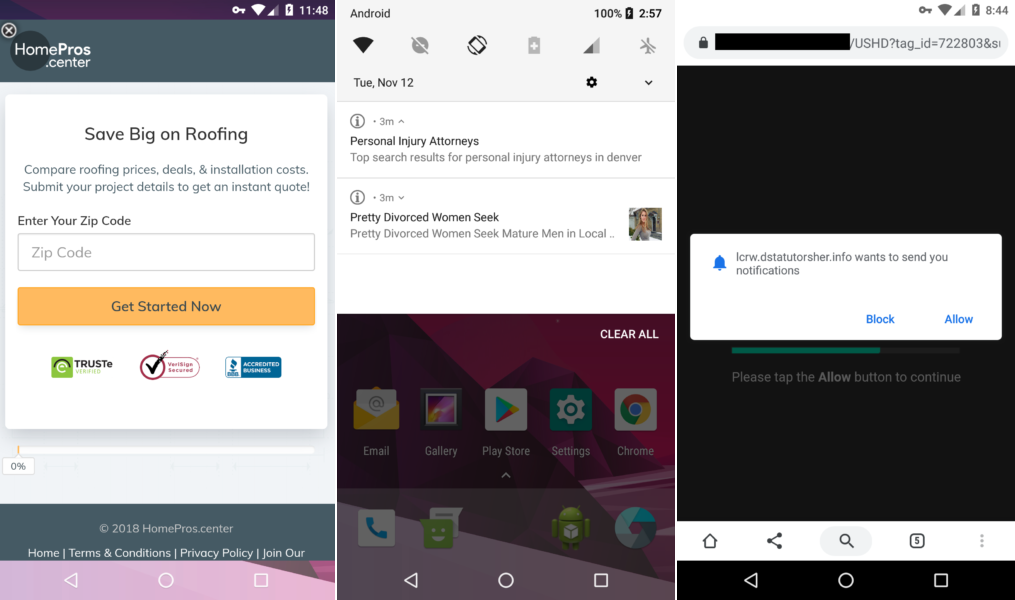
This completes the installation, and the application disappears from the victim's field of vision forever. The malicious program removes its icon and starts bombarding the user with ads that are displayed everywhere in a variety of forms. Full screen ads, spam notifications, and sites that open unexpectedly appear, prompting the user to turn on new notifications.
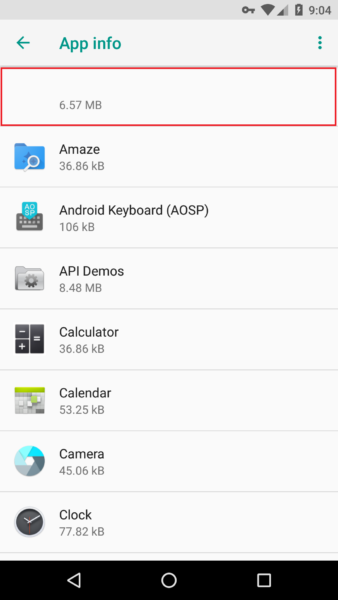
You can remove FakeAdsBlock only through the settings by going to the list of Android applications. This is where the app is easy to spot, since it's the only one that doesn't have an icon or name. Obviously, the authors of FakeAdsBlocker wanted to hide these details so that the application was harder to notice, but it turned out quite the opposite.
(c) xakep.ru
